


 محول الفيديو النهائي
 مسجل الشاشة
 إصلاح الفيديو
 تنزيل آمن
أفضل 5 مسجلات WebM لتسجيل فيديو WebM بجودة عالية
WEBM file extension is usually used by web browsers. Most of them are modern browsers like Google Chrome, Opera, Firefox, Safari, and Edge. Commonly these browsers are HTML5 Websites that support video live streaming. One good example is YouTube, Twitch, and other media platforms. This supports video resolution from 360p to the highest resolution. If we are going to compare this format, this is a compressed format similar to MKV, MOV, and MP4. The difference lies in the file content of the format. Both Windows and Mac can play this specific file provided that the player has the right codecs and plug-ins. Meanwhile, if you are looking for a better way to record or gain WebM files, check out the list of best WebM recorders below.

الجزء 1. أفضل مسجل WebM: مسجل شاشة FVC
احصل على أسهل طريقة لأخذ لقطات وتسجيل شاشتك وتسجيل ملفات فيديو WebM بثلاث خطوات سهلة باستخدام FVC Screen Recorder. يمكن لمسجل شاشة الويب هذا لنظامي التشغيل Windows و Mac تسجيل مواقع WebM مثل YouTube ومكالمات Skype والبث المباشر ومواقع أخرى تدعم تنسيق WebM. التقط أسلوب اللعب المباشر الخاص بك دون المساس بجودة الفيديو. بالإضافة إلى القدرة على تسجيل الفيديو والصوت والميكروفون. يضمن عدم وجود ضوضاء في الخلفية لأنه يسجل أصوات النظام. لذلك ، استمتع بالتسجيل السلس وميزات التحرير الممتازة لفيديوهاتك التعليمية مع FVC Screen Recording. من ناحية أخرى ، إليك كيفية استخدام الأداة.
Step 1. Download FVC Screen Recorder using the download buttons below.
تنزيل مجانيلـ Windows 7 أو أحدثتنزيل آمن
تنزيل مجانيلـ MacOS 10.7 أو أحدثتنزيل آمن
Step 2. Install and Launch the app after following the set-up wizard.
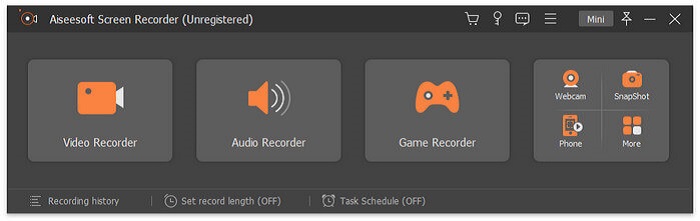
Step 3. Once the floating bar appears, click Video Recorder.
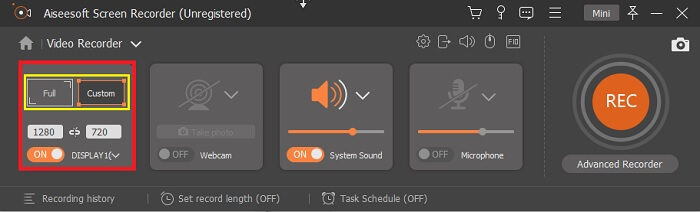
From there another window will appear. This time click the Custom or Full Screen. If you choose custom, adjust the frame size to your desired size.
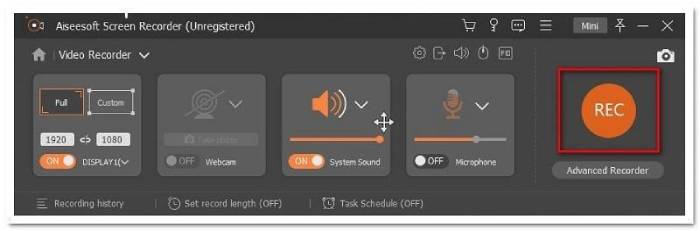
Step 4. To begin recording, click the REC button and just do the usual things you are doing.
يمكنك بعد ذلك التعليق التوضيحي وإضافة الأسهم وإرسال رسالة نصية للتسجيل.
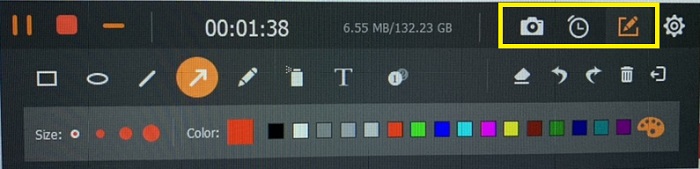
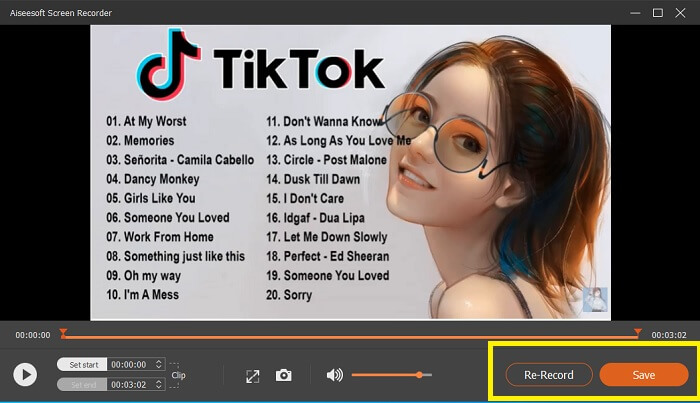
Step 5. Then, click the red square button to stop the recording. A new window will then show letting you choose between saving and re-record again. To check the recording, check the list at the bottom part of the floating bar.
الجزء 2. مسجلات WEBM المشهورة الأخرى لجهاز الكمبيوتر الخاص بك
1. FVC مسجل شاشة مجاني
Distinctive Feature: Free from Malware. 100% safe
If the first tool did not satisfy you, you might be looking for a practical one. FVC Free Screen Recorder is your go-to tool if you want to maximize great features without spending a dime. Although free tools are known to produce lower quality compared to the premium ones, this toolset the bar a little higher. This can produce high-quality videos and satisfy crystal clear audio despite it being free. On top of that, it is easy to use. Follow through the steps below to learn more about it.
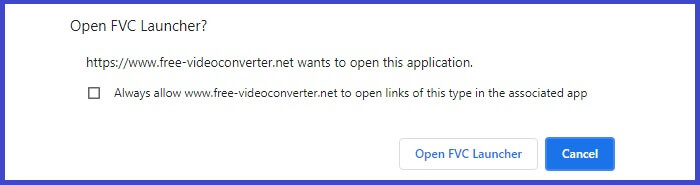
Step 1. Launch the app on your PC using the web Browser. It does not matter what browser you are using, this tool is flexible enough to be accessed anywhere. Click the link to land on the official webpage directly.
Step 2. Launch the tool by clicking the Start Recording button.
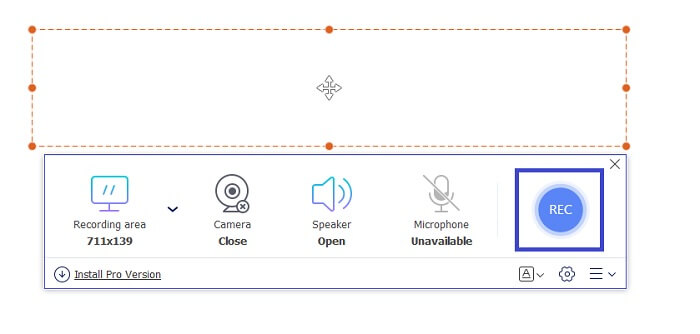
Step 3. After launching the tool, you will see the floating bar appear. Adjust the frame to resize the aspect ratio then start recording by clicking the REC button.
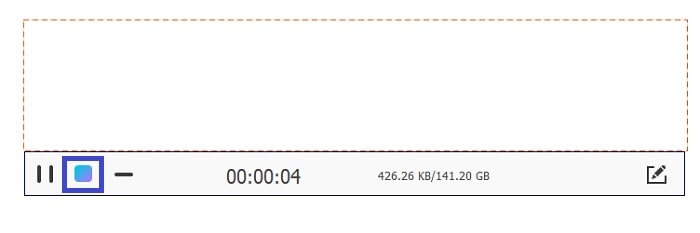
Step 4. Meanwhile, to stop recording click the square button shown in the picture below.
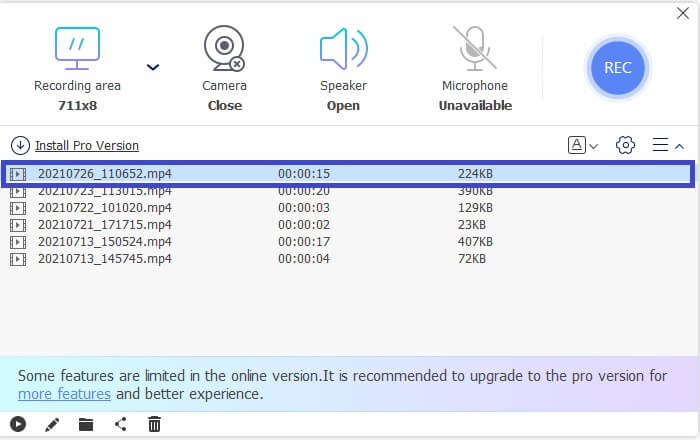
Step 5. To see the file that you recorded, check the list below the floating toolbar.
الايجابيات
- 100% آمن من البرامج الضارة.
- إنه مرن في ضبط نسبة العرض إلى الارتفاع ومعدل البت ومعدل الإطار.
- دعم صورة داخل صورة.
سلبيات
- لا يدعم تسريع الأجهزة.
2. خذ صغيرة
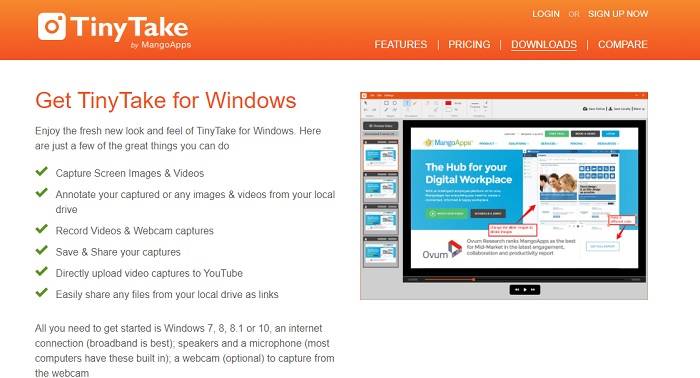
Distinctive Feature: Collaboration or remote work is supported.
TinyTake هي أداة مجانية لتسجيل الفيديو والتقاط الشاشة تم تطويرها بواسطة Mango Apps. تقدم Tiny Take حلولاً رائعة لالتقاط الشاشة البسيطة أو تسجيل الاجتماعات المهنية أو الشخصية. ما جعل هذه الأداة شائعة هو ميزة التعاون حيث يمكنك العمل عن بُعد ومشاركة الملفات بالجملة واستخدام ميزات التعليقات التوضيحية والتخزين طويل الأجل والمعرض (عبر الإنترنت).
الايجابيات
- يمكنه التقاط الصور ومقاطع الفيديو من محرك الأقراص المحلي.
- شاركها مباشرة على يوتيوب.
- علق أثناء التسجيل.
سلبيات
- لا توجد ميزة نافذة القفل.
3. سكرينكاست- O- ماتيتش
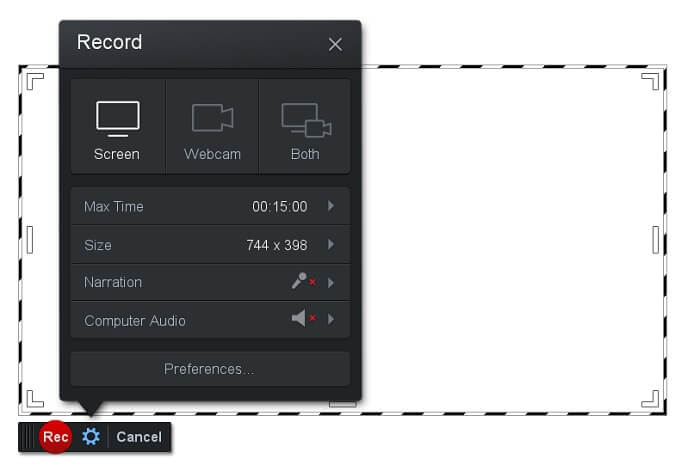
Distinctive Feature: The tool has an easy-to-use and navigate interface. Very Straightforward.
Screencast-O-Matic is one of the most commonly used software by many. What it can do is record the computer screen for free upon registration. It is recommended to create an account to use the free tool. Aside from that, the developer infused a feature where you can edit your video directly before exporting. You take refuge in the built-in stock library of the tool to gain inspiration and continue improving your videos. Also, take screenshots and share all contents with your social media account.
الايجابيات
- لديها ميزة الاستضافة السحابية.
- قم بتحميل مقطع فيديو للتحرير.
- محتوى المضيف.
سلبيات
- مطلوب التسجيل.
4. Screencastify
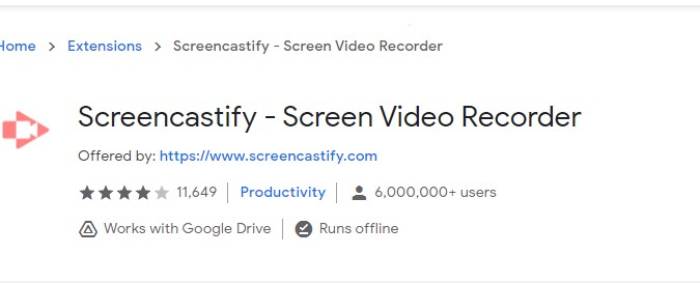
Distinctive Feature: Web browser Extension
دعونا نعطي القليل من التنوع للقائمة. Screencastify هي أداة تعتمد على الويب على وجه التحديد امتدادًا لمتصفح Chrome. يستخدم هذا في الغالب من قبل المعلمين والطلاب. ويرجع ذلك أساسًا إلى بساطة الأداة وإمكانية التعليق التوضيحي التي تحافظ على تركيز المعلم والطالب في الفصل. يستخدم معظم الأشخاص الذين يدرسون عبر Udemy ومواقع التعلم هذه مسجل الشاشة هذا. إذا كنت تفعل الشيء نفسه ، فيمكنك التفكير في استخدامه. وفي الوقت نفسه ، إليك معلومات أكثر تفصيلاً حول الأداة.
الايجابيات
- متوافق مع جميع منصات الوسائط.
- محتوى المضيف.
- قم بتحميل مقطع فيديو للتحرير.
سلبيات
- على الرغم من سهولة الوصول إليه نظرًا لأنه يعتمد على المتصفح ، إلا أنه قد يكون غير ملائم أيضًا.
- يحتاج إلى الكثير من الأذونات لاستخدامه.
الجزء 3. أسئلة وأجوبة حول مسجل WebM
لماذا لا يفتح ملف WebM الخاص بي؟
I understand the confusion, you might think that you are using a modern browser and still, it won't play. Have you tried checking if you are running the latest version of the browser? If not, please update. It is one of the most common reasons why a video won't play. But note, these are some of the supported versions by the WebM file. Chrome 6, Firefox 4, and Internet Explorer 9 and above. Or you can try using WebM players to help you open it.
لماذا لا يمكنني تشغيل فيديو WebM على جهاز Mac الخاص بي؟
أوصي بشدة بتنزيل مشغل VLC أو برنامج VLC لبرنامج Mac OS X الإضافي. يجب أن يحتوي على معالج Intel 64 بت.
الجزء 4. مخطط المقارنة
| ميزة | مسجل شاشة FVC (بريميوم) | FVC Screen Recorder Free | TinyTake | ScreenCast-O- ماتيتش | ScreenCastify |
| تسجيل الصوت والفيديو |  | | | | |
| ميزة تحرير الفيديو | | |  | | |
| ميزة نافذة القفل | | | | | |
| ميزة التعليق | | | | | |
| دعم WebM | | | | | |
| آمنة من البرامج الضارة | | | | | |
| معدل البت ونسبة العرض إلى الارتفاع قابلة للتعديل | | | | | |
خاتمة
جميع أدوات تسجيل WebM التي تمت مراجعتها في هذه المقالة موثوقة وفعالة. عليك فقط معرفة الأداة التي تناسب متطلبات جهاز الكمبيوتر الخاص بك ونظام التشغيل الخاص بك. سيذهب معظم الأشخاص إلى أرض آمنة باستخدام تطبيق قائم على الويب. ولكن لا يزال القرار هو مكالمتك.
-
 مسجل الصوت غير المتحيز Cinch Review وأفضل بديل
 يعد Cinch Audio Recorder هو أفضل طريقة لتنزيل الموسيقى من مواقع البث. فقط تعرف على المزيد حول المراجعة غير المتحيزة وأفضل بديل من المقالة.
-
 أفضل 5 مسجلات للماوس ولوحة المفاتيح لنظامي التشغيل Windows و Mac
 فيما يلي أفضل خمسة برامج لتسجيل الماوس ولوحة المفاتيح يمكنها حفظ حركات الماوس ونقرات لوحة المفاتيح وتكرار الأحداث.
-
 أفضل 4 مسجلات شاشة AVI مجانية لالتقاط فيديو الشاشة كملفات AVI
 لتسجيل الشاشة في ملفات AVI عالية الجودة ، تحدد المقالة وتشارك أفضل 4 مسجلات شاشة AVI مجانية في هذا المنشور. تعرف على مزيد من التفاصيل للعثور على المطلوب وفقًا لذلك.
