


 محول الفيديو النهائي
 مسجل الشاشة
 إصلاح الفيديو
دليل مفصل حول كيفية تحويل GIF المتحركة إلى FLV بخطوات
لقد أصبح إرفاق صور GIF برسالتك لتوضيح الفكرة بوضوح أمرًا رائجًا في الوقت الحالي. فهي تُستَخدم الآن كأحد أساليب التسويق بسبب طريقة تفاعلها مع الجمهور. ومع ذلك، فبعض المنصات لا تدعم نشر ملفات GIF على مواقعها. هذه المشكلة مزعجة حقًا، لكنها سهلة الحل، إذ يمكنك تحويل ملف الـ GIF إلى صيغة فيديو مثل FLV ثم مشاركته. لا تعرف كيف تقوم بـتحويل صور GIF المتحركة إلى FLV على الكمبيوتر (ويندوز)، أو ماك، أو أونلاين، أو على أندرويد، أو على iOS؟ لنلقِ نظرة سريعة على الأدوات التي يمكنك استخدامها لمساعدتك في ذلك.

الجزء 1. كيفية تحويل GIF المتحركة إلى FLV باستخدام FVC Video Converter Ultimate
لا يمكنك مشاركة ملفات GIF لأنها غير مدعومة؟ جرِّب عندها تحويل ملف GIF المتحرك إلى FLV باستخدام برنامج FVC Video Converter Ultimate. يدعم هذا البرنامج تحويل ملفات GIF والعديد من الملفات الأخرى إلى أكثر من 200 صيغة مختلفة بجودات متعددة. كما أنه مزوّد بتسريع عتادي وسرعة عالية في التحويل بحيث لا تقضي وقتًا طويلًا في معالجة الملف. إضافة إلى ذلك، يتوفر هذا البرنامج على جميع أنظمة التشغيل، سواء ويندوز أو ماك. بلا شك، يُعد هذا الخيار الأفضل في مجال تحويل ملفات الوسائط. لنواصل العمل ونتعلّم كيفية تحويل ملف GIF الخاص بك ومشاركته لاحقًا.
الخطوة 1. انقر زر التنزيل وثبّت الأداة، ثم اضغط Start Now للانتقال إلى الخطوة التالية بعد الانتهاء من التثبيت.
تحميل مجانيلنظام Windows 7 أو أحدثتنزيل آمن
تحميل مجانيلنظام MacOS 10.7 أو أحدثتنزيل آمن
الخطوة 2. بعد ذلك انقر على Add Files أو زر + لرفع ملف GIF إلى البرنامج، ثم انقر Open.
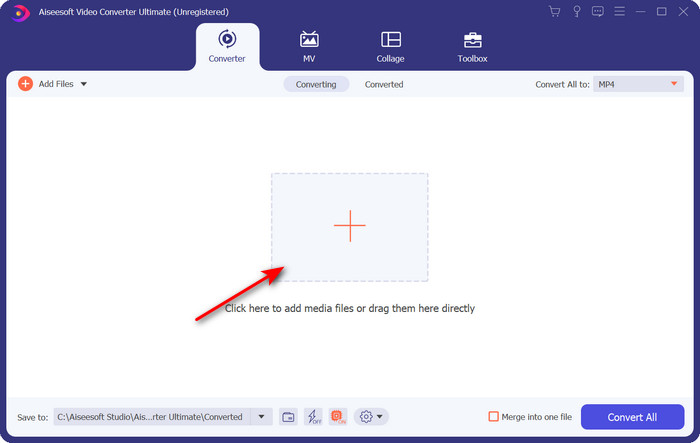
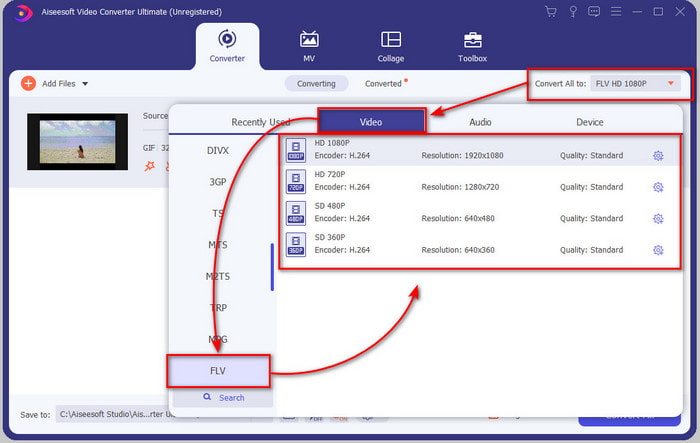
الخطوة 3. في الجهة اليسرى من واجهة أداة التحويل، انقر على Convert All to ثم اختر FLV كصيغة نهائية للإخراج.
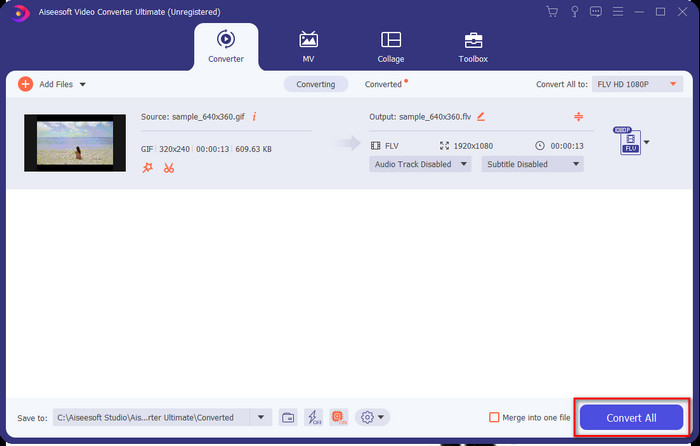
الخطوة 4. عندما تصبح جاهزًا لتحويل GIF إلى FLV، انقر على Convert All.
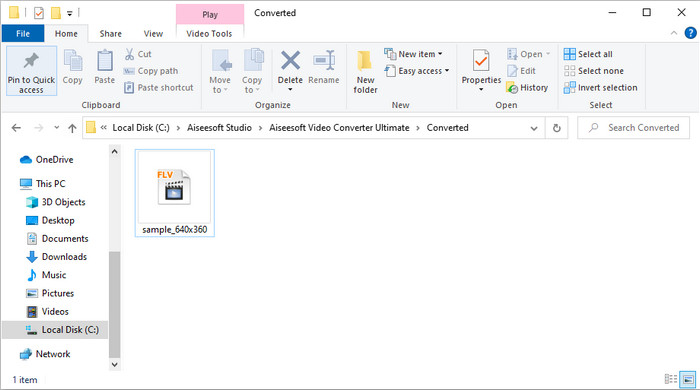
الخطوة 5. ستظهر نافذة لمسار الحفظ على الشاشة وبها الملف المحوَّل، والآن أصبح جاهزًا للإرسال إلى الجميع.
الجزء 2. تحويل GIF إلى FLV عبر الإنترنت
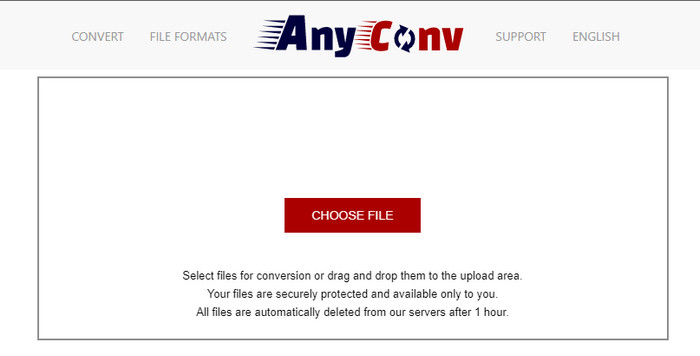
يمكنك استخدام أداة AnyConv لتحويل GIF إلى FLV أونلاين مجانًا، كما أنها تدعم مجموعة واسعة من صيغ الملفات للصور والكتب الإلكترونية والمستندات وغير ذلك. بالإضافة إلى ذلك، يمكنك استخدام هذا المحوِّل في أي وقت ومن أي مكان طالما لديك اتصال بالإنترنت. ولكن لا يمكنك إجراء تحويل دفعي لتوفير الوقت، بل يجب تحويل الملفات واحدًا تلو الآخر. كما أنك لا تستطيع رفع ملفات وسائط يزيد حجمها عن 50 ميجابايت لأنها غير مدعومة. إذا أردت معرفة كيفية استخدام هذه الأداة على الويب، فاتّبع الخطوات التالية.
الخطوة 1. افتح الأداة على المتصفح من خلال الدخول إلى موقعها.
الخطوة 2. اضغط على Choose File لرفع ملف GIF، ثم غيّر الصيغة إلى FLV. بعد الانتهاء، انقر Convert لبدء عملية التحويل.
الخطوة 3. انقر على Download .FLV لحفظ الملف على جهازك.
الجزء 3. تحويل GIF إلى FLV على iPhone
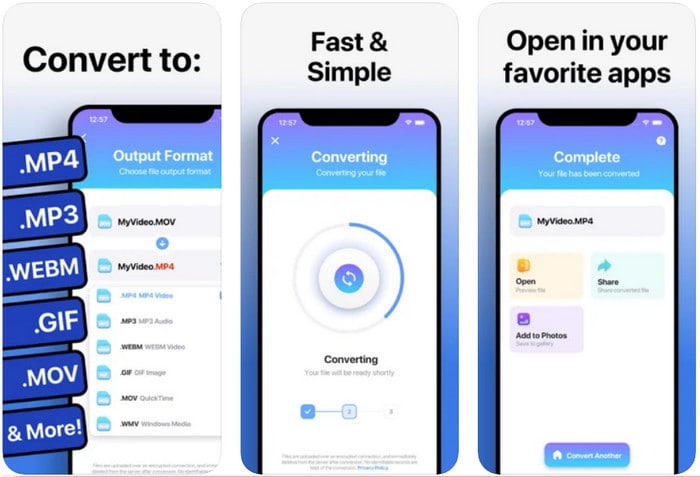
يُعد The Video Converter من أفضل برامج التحويل التي يمكنك تنزيلها على جهاز iOS لتحويل GIF إلى FLV. حصل هذا المحوِّل على تقييم 4.2 من قِبل مستخدميه بفضل أدائه المميز. ومع ذلك، يندم بعض المستخدمين على شراء الاشتراك مدى الحياة الذي يقدمه البرنامج لأنهم واجهوا الكثير من الأعطال والأخطاء بعد الشراء. لكن إن أردت تجربته، يمكنك استخدام النسخة المجانية عبر تنزيله ثم اتباع الخطوات أدناه.
الخطوة 1. بعد تنزيل الأداة، افتحها، ثم انقر على Photos وابحث عن ملف GIF.
الخطوة 2. ستظهر قائمة منسدلة تلقائيًا، ابحث فيها عن صيغة FLV ثم انقر عليها.
الخطوة 3. انقر على Convert Files لبدء التحويل.
الجزء 4. تحويل GIF إلى FLV على Android
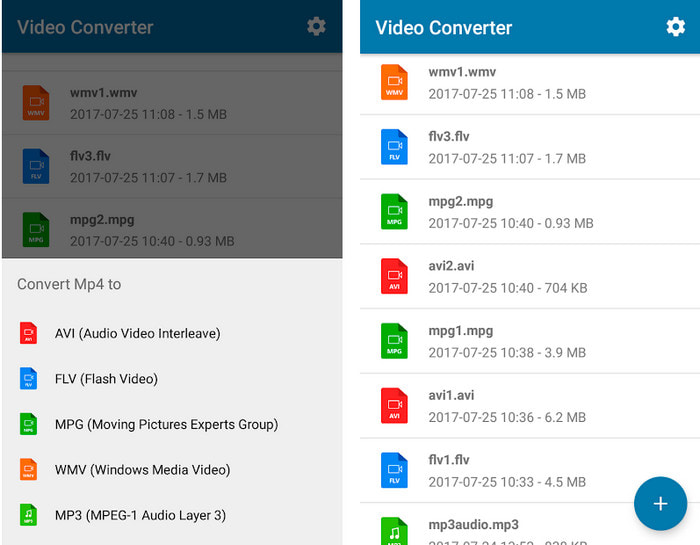
إذا كنت من مستخدمي أندرويد، يمكنك استخدام تطبيق Video Converter: MP3, AVI, MPEG, GIF, FLV, WMV, MP4 لـتحويل GIF إلى FLV بسرعة. هذا التطبيق متاح في متجر Play Store على هاتفك إذا كنت تحب تحويل الصيغ إلى نسخ جديدة. بخلاف تقييم الأداة الأولى المذكورة، حصل هذا المحوِّل على تقييم منخفض يبلغ 2.3 نجمة بناءً على 1K مراجعة. ورغم أن هذا التقييم منخفض جدًا، إلا أنه لا يزال قادرًا على تحويل ملفك إلى صيغة جديدة. إذا أردت معرفة كيفية القيام بذلك، فلننتقل إلى الخطوات.
الخطوة 1. حمِّل التطبيق على هاتفك الأندرويد بالبحث عنه في متجر Play Store.
الخطوة 2. افتحه، ثم انقر زر plus الموجود تحت قسم GIF للعثور على الملف الذي تريد تحويله. ستظهر لك خيارات جديدة، انقر على FLV (Flash Video).
الخطوة 3. بعد تحويل الملف، ابحث عن الفيديو في مجلد التخزين على هاتفك.
الجزء 5. مناقشة موجزة حول GIF و FLV
تنسيق GIF غير معقد لفهمه لأننا نراه ونستخدمه كل يوم تقريبًا. يحتوي هذا التنسيق على صورة متحركة ؛ على الرغم من أن ملفات الوسائط متحركة ، إلا أنها لا تزال لا تعتبر تنسيق فيديو. دعنا نتعمق قليلاً في ملفات GIF ؛ يدعم هذا التنسيق 8 بت لكل بكسل للصور التي تحتوي على لوحة ألوان تصل إلى 256 لونًا في مجموعة ألوان RGB 24 بت. على الرغم من أن الألوان كثيرة ، إلا أن هذا لا يزال غير كافٍ ، نظرًا لأن JPG و PNG يحتويان على المزيد من تركيبات الألوان. ولكن إذا كنت لا ترغب في الحصول على صورة ثابتة مملة ، فيجب عليك استخدام صورة GIF لأنها صغيرة ومتحركة.
من ناحية أخرى ، يعد تنسيق FLV هو أفضل تنسيق لنقل ملفات الفيديو والصوت عبر الإنترنت. بالنظر إلى هذا الملف كتنسيق قياسي للفيديو على HTML 5 ، حتى أنك لا تستخدم مكونات فلاش الإضافية لتشغيل الفيديو. حتى الآن ، اكتسب هذا التنسيق دعمًا كبيرًا في المشاركة عبر الإنترنت مقارنةً بـ GIF.
للمضي قدمًا ، إذا كنت ترغب في إضافة أو مشاركة ملف GIF في جميع مواقع التواصل الاجتماعي ، فلا بد من تحويل الملف أولاً إلى FLV دون فقدان الجودة.
الجزء 6. أسئلة وأجوبة حول تحويل GIF إلى FLV
كيف تصنع GIF؟
مع أنك تستطيع تنزيل أو إنشاء ملفات GIF من الإنترنت، إلا أن إنشاء واحد خاص بك يكون أفضل. إذا أردت معرفة سر صناعة ملفات GIF مخصّصة، انقر على هذا الرابط واقرأ التفاصيل الموجودة فيه.
ما هي مدة تشغيل GIF؟
يجب ألا يزيد الحد الأقصى لطول ملف GIF عن 15 ثانية ، ولكن إذا كان ملف GIF الخاص بك في حلقة ، فلا يوجد حد زمني. إنه المعيار لكل GIF لإرسال الملف بشكل أسرع وأقل تحميل.
هل يمكنني تشغيل ملفات GIF على VLC؟
كما ذُكر سابقًا، ملفات GIF هي صيغة صور وليست صيغة فيديو. لذا، إذا حمّلت ملفات GIF على برنامج VLC، فستُعرض كصورة ثابتة وليس كصورة متحركة. إليك أفضل مشغلات GIF التي يمكنك استخدامها.
خاتمة
استنادًا إلى ما سبق، أصبح من السهل الآن تحويل ملفات GIF إلى FLV وAVI وMP4 وMOV وغيرها من الصيغ دون أي تعقيد. ومع ذلك، إذا كنت تريد تنفيذ عملية التحويل بكفاءة عالية، فعليك تنزيل برنامج FVC Video Converter Ultimate. فهذه الأداة لا تُعد الأفضل في تحويل الصيغ فحسب، بل هي متميزة في العديد من الجوانب الأخرى أيضًا. هل تريد معرفة وظائف هذا البرنامج؟ إذًا انقر زر التنزيل واستكشف جميع مميزات هذا البرنامج.
-
 ما هي أفضل طريقة لتحويل GIF إلى AVI [مفتوح المصدر ومميز]
 هل تريد تحويل GIF الخاص بك إلى تنسيق AVI دون فقدان جودة الفيديو؟ استمر في القراءة لتتعلم كيفية تحويل ملف GIF إلى AVI.
-
 أفضل محول GIF لتحويل صور GIF المتحركة إلى تنسيق MOV [2021]
 قم بتحويل تنسيق GIF إلى تنسيق MOV بطريقة سهلة دون التأثير على جودة ملف الفيديو. مع خطوات وأدوات مختلفة كذلك.
-
 أفضل 10 محولات من ملفات GIF إلى MP4 لتحويل صور GIF المتحركة إلى MP4 [2021]
 اكتشف أي محول هو الأفضل في تحويل GIF إلى MP4. بمساعدة هذه المقالة ، سنتحدث عن الأدوات المختلفة التي يمكنك استخدامها وتنزعج.
