


 محول الفيديو النهائي
 مسجل الشاشة
 إصلاح الفيديو
 تنزيل آمن
مراجعة نهائية حول محول HEIC الذي يمكنك استخدامه دون عناء
يتم التقاط أكثر من 4.5 مليار صورة يوميًا على مستوى العالم. بانتظام يأخذ الشخص ما يقرب من 20 لقطة يوميًا كمتوسط. نظرًا لتأثيرها الواسع في جميع أنحاء العالم ، اتخذ معظمنا خطوة أخرى لتخزين الصورة بجودة أفضل ، مثلما فعلت Apple عندما غيرت تنسيق الصورة القياسي إلى HEIC. يمكن أن يحتوي تنسيق الصورة هذا على صورة عالية الجودة ولكن بحجم أقل من JPG أو PNG. وبالتالي ، من خلال الضغط المحسّن ، يمكن للكثيرين منا توفير مساحة أكبر على محرك iOS الخاص بنا إذا كان ملف الصورة بهذا التنسيق. نتيجة لذلك ، أصبح التنسيق شائعًا على كل iOS 11 و macOS High Sierra.
بغض النظر عن مدى جودة التنسيق، فغالبًا لن تفتح الملف إذا نقلته إلى أجهزة أخرى. في هذه الحالة، يكون استخدام محوِّل أكثر فائدة. لحل هذه المشكلة، تابع قراءة هذه المقالة بينما نعرض لك خمسة محوّلات HEIC يمكنك استخدامها مجانًا أو شراؤها في كلا الخيارين. واصل القراءة لتحصل على المعلومات التي تحتاجها لحل المشكلة في أقل من 7 دقائق.

الجزء 1. أفضل 3 محولات مجانية من HEIC متوفرة على الويب
FVC Free HEIC to JPG Converter
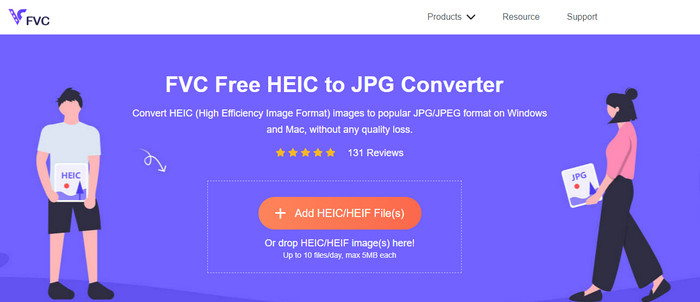
يقدِّم لك FVC Free HEIC to JPG Converter محوِّل HEIC مجانيًا بسيطًا وفعّالًا يمكنك استخدامه على الويب. باستخدام أداة الويب هذه، يمكنك سحب الملف وإفلاته بسهولة على الموقع لتحميله، ولن تحتاج لبدء عملية التحويل يدويًا لأن التحويل سيبدأ تلقائيًا. وعلى الرغم من أن هذه الأداة القائمة على الويب لا تدعم التحويل الدفعي، فإنها ما زالت تُعَدّ من أفضل المحوّلات عبر الإنترنت التي ينبغي أن تعرفها. وعلى عكس محوّلات أخرى تُنقِص من جودة الصورة التي تحوّلها، فإن هذه الأداة لا تقلّل من جودة ملف HEIC الخاص بك، بل تحافظ على نفس المستوى بعد أن تحوّله إلى JPG.
ربما تتساءل عما إذا كنت تستخدم هذه الأداة ، هل تحتاج إلى تنزيل ملفات إضافية ، مثل المثبت؟ لحسن الحظ ، أثناء استخدام هذا ، لن تحتاج إلى تنزيل المثبت على محرك الأقراص الخاص بك واستخدامه على الفور. لا يلزم الإعداد لأن الأداة يمكن الوصول إليها من متصفحك المفضل ، على عكس المحولات الأخرى المتوفرة في السوق. على الرغم من أن الأداة تعمل بسلاسة ممتازة على ملف HEIC الخاص بك ، إلا أن هناك وظائف محدودة ؛ وهذا يوفر حجمًا وتحويلًا يوميًا. لنفترض أنك قررت استخدام المحول عبر الإنترنت. انقر فوق الارتباط أعلاه لترى دقة الصورة ونظرتها العامة.
JPGHEIC.com
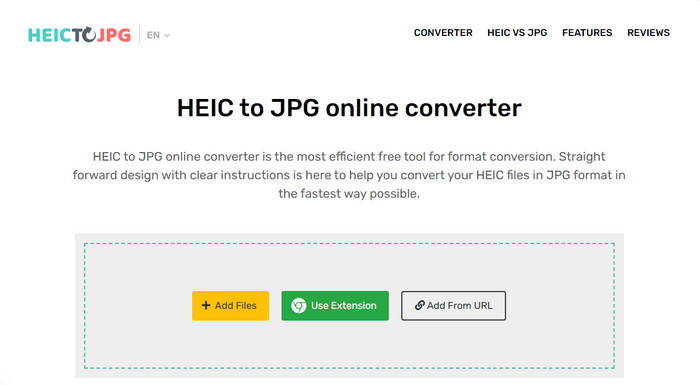
يعمل موقع JPGHEIC.com بالطريقة نفسها تقريبًا التي يعمل بها محوِّل صور HEIC الذي قدّمناه أعلاه. لكن ما يميّز هذه الأداة أن موقع الويب لا يفرض أي حدّ على عدد مرّات الاستخدام أو على حجم الملف. يمكنك إضافة ملف الوسائط بسهولة عن طريق سحبه وإفلاته في الصفحة الرئيسية للموقع. كما يمكنك استخدام رابط URL لتحميل صورة HEIC التي تريد تحويلها إلى صيغة JPG. وبالإضافة إلى الموقع الرسمي، يمكنك أيضًا استخدام إضافة كروم للوصول إلى الأداة بسهولة أكبر بدلًا من زيارة الموقع في كل مرة. ولا تختلف الوظائف والميزات بين محوّل الويب والإضافة اختلافًا يُذكَر.
على الرغم من كونه أداة تحويل مجانية ، إلا أن هناك بعض الإعلانات المزعجة التي قد تنقر عليها وتفتحها عن طريق الخطأ. لذا تأكد من تجنب النقر فوقها لمنع فتح الإعلانات التي قد تحتوي على فيروسات. بعد استخدام هذه الأداة ، سيتم حذف الملف الذي قمت بتحميله هنا بعد ساعة. يمكنك الوصول إليها قبل حذف الملف بالكامل من أداة الويب هذه.
Freeconvert.com
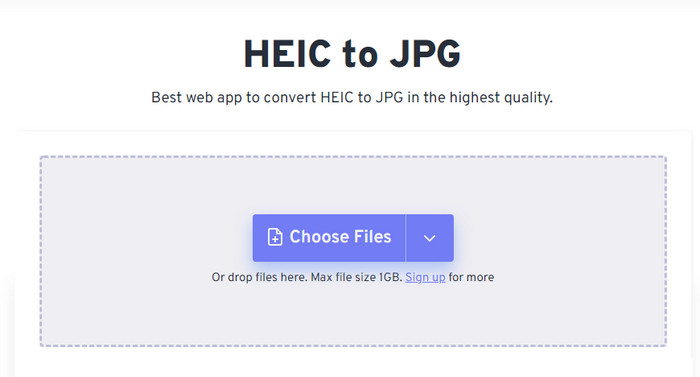
يُعَدّ موقع Freeconvert.com محوِّل HEIC سهل الاستخدام يمكنك تشغيله على متصفّحك المفضّل، ويدعم ميزة السحب والإفلات لتسهيل إضافة ملفات HEIC. وعلى عكس المحوّل الإلكتروني الذي ذكرناه أعلاه، لا يقتصر هذا الموقع على إخراج الصور بصيغة JPG فقط، بل يمكنك أيضًا تصديرها بصيغ BMP وPNG وTIFF وWebP وغيرها. ورغم أن أداة الويب هذه تبدو ممتازة، فإن هناك بعض القيود المزعجة نوعًا ما، خاصة ما يتعلق بحجم الملف؛ إلا أن الحد الأقصى المدعوم هو 1 جيجابايت، وهو أكبر بكثير من أغلب الأدوات الأخرى المتاحة على الويب أو المذكورة في هذه المقالة.
بالإضافة إلى حجم الملف المدعوم والتحويل ، يمكنك تغيير البعد والضغط وإزالة البيانات الوصفية من ملف HEIC الخاص بك. إنها إحدى مزايا استخدام الأداة ؛ والأهم من ذلك ، إذا كنت تريد معالجتها يدويًا. على الرغم من أنها تحتوي على ميزات إضافية تجعلها أفضل ، فإن سرعة تحويل هذه الأداة ليست بالسرعة التي توقعناها.
الجزء 2. أعلى 2 محولات HEIC مدفوعة الأجر يمكن تنزيلها على نظامي التشغيل Windows و Mac
محول Aiseesoft HEIC - أفضل محول HEIC على نظامي التشغيل Windows و Mac
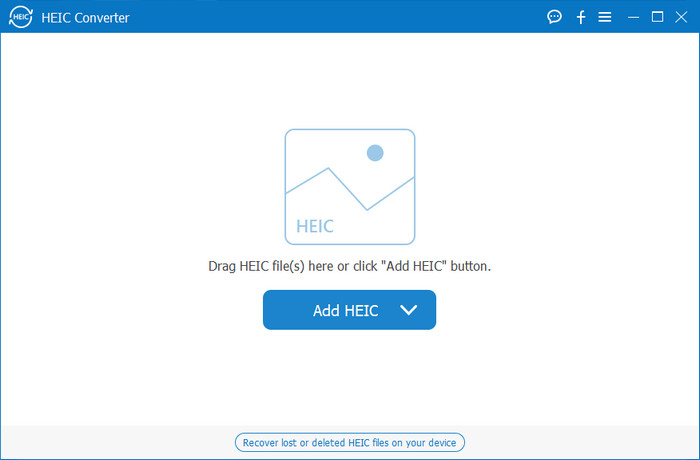
يمكن أن تسير كل الأمور بسلاسة قدر الإمكان باستخدام محوِّل HEIC احترافي على نظامي ويندوز 10/11 وماك مثل Aiseesoft HEIC Converter. فهو أفضل محوِّل ينبغي أن تختاره لكلا نظامي التشغيل. من خلال الاشتراك في البرنامج، ستحصل على عملية تحويل فريدة وسريعة للغاية لن تجد مثلها. بمجرد أن ترفع ملف HEIC، لن تلاحظ أي فرق بعد تحويله إلى صيغة JPG. سواء كنت محترفًا أم مبتدئًا، فهذه الأداة مثالية تعتمد عليها في تحويل ملفات HEIC مع ضمان الوصول إلى النتيجة المطلوبة بنجاح.
بالإضافة إلى سرعة التحويل التي تشبه البرق ، يمكننا أيضًا أن نمتلك القدرة على تقليل الجودة إذا كنت تريد وحفظ بيانات EXIF المخزنة على HEIC الخاص بك إلى JPG. من ناحية الأداء ، والسرعة في التحويل ، وواجهة المستخدم المباشرة ، والوظائف القوية الأخرى ، لم يتبق شيء حتى هذه الأداة لم تحدده فيما يتعلق بتحويل الصورة. بمجرد الاستفادة من الأداة ، يمكنك تحميل جميع ملفات HEIC هنا حتى تشعر بالرضا. لمعرفة المزيد حول الميزات التي تدعمها هذه الأداة ، اقرأ المحتوى أدناه.
الميزات:
◆ يدعم تحويل عدة ملفات HEIC إلى تنسيق JPG في وقت واحد.
◆ لا يمثل حجم ملف كل ملف صورة مشكلة في هذه الأداة.
◆ لن يكون فقدان الجودة مشكلة لأن الأداة تحتفظ بنفس الجودة.
◆ مع سرعة التحويل بكل فخر ، قم بتحويل ملفاتك في أي وقت من الأوقات.
استفد من البرنامج على نظام Windows أو Mac.
محول TunesBro HEIC
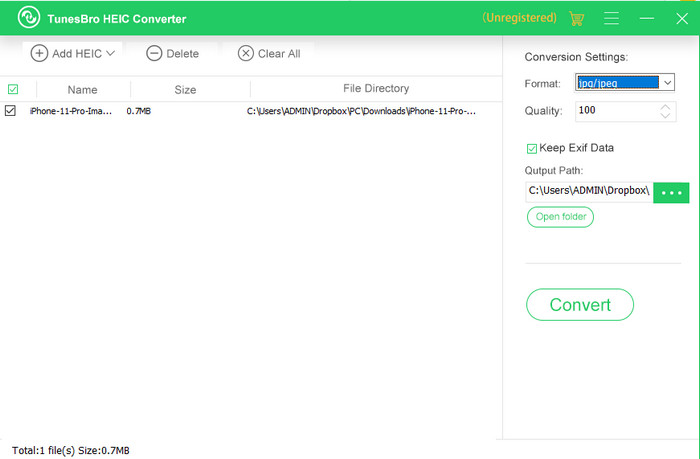
يُعَدّ TunesBro HEIC Converter محوِّل HEIC معروفًا يمكنك تنزيله على نظامي ويندوز وماك. وكما في برنامج التحويل المدفوع الذي ذكرناه، يمكنك هنا أيضًا تحويل صور HEIC دون فقدان الجودة الأصلية حتى دون الاتصال بالإنترنت. ورغم أنك قد لا تكون محترفًا، فإنك ستتمكّن من استخدام الأداة بسهولة بفضل واجهتها البديهية. بل إن بعض المحوّلات الشهيرة لا تستطيع منافسة الأداء العام لهذه الأداة ووظائفها في التحويل. ومع ذلك، فإن سعر الأداة أعلى من سعر Aiseesoft HEIC Converter إذا عقدنا مقارنة بين السعرين، لكنه لا يزال أرخص من بعض المحوّلات الأخرى.
يجد العديد من المستخدمين أنه مكلف بعض الشيء لاستخدامه كمحول شخصي ؛ السبب وراء ارتفاع تكلفة ذلك هو أنه يدعم الميزات التي يمكن أن تساعدك في التحويل. إذا كنت تنوي تحويل HEIC إلى تنسيق قياسي ، فقد ترغب في اختيار هذا كخيار أخير للمستخدمين ذوي الميزانية المحدودة. ولكن إذا كنت ترغب في الحصول على محول دفعي سهل الاستخدام ، فقم بتنزيل الأداة على سطح المكتب.
الجزء 3. أيهما أفضل؟ مخطط المقارنة لـ 5 محولات HEIC
| سمات | FVC Free HEIC to JPG Converter | JPGHEIC.com | Freeconvert.com | محول Aiseesoft HEIC | محول TunesBro HEIC |
| سرعة التحويل | بسرعة | بطيئة بعض الشيء | بطيئة بعض الشيء | أسرع | بسرعة |
| تحويل ملف HEIC متعدد |  | | |  | |
| احتفظ بالبيانات الوصفية بعد التحويل | | | | | |
| سهل الاستخدام | | | | | |
| المعتمد على الإنترنت | | | | | |
الجزء 4. أسئلة وأجوبة حول محولات HEIC
لماذا تحويل HEIC بطيء؟
إذا كنت تستخدم أداة تحتاج إلى الإنترنت ، فيجب عليك التحقق من اتصالك بالإنترنت ، ولكن إذا كان الإنترنت لديك مستقرًا ، فإن المشكلة تكمن في الأداة التي تستخدمها. يمكنك الاتصال بخدمة العملاء التي تدعمها الأداة التي تستخدمها. لنفترض أنه لا يوجد ، نقترح عليك تغيير المحول. ولكن إذا كانت أداة غير متصلة بالإنترنت ، فإن هذه الأداة التي تستخدمها لا تحتوي على تسريع للأجهزة أو تحويل سريع. لذا ، قبل اختيار محول غير متصل بالإنترنت ، يجب عليك مراجعة بعض المقالات حول سرعته وموثوقيته.
لماذا لا يتم دعم HEIC؟
أحد أسباب عدم دعمه محليًا هو أن نوع الضغط مستخدم حاليًا. ضغط HEIC الذي يدعمه هو ضغط حديث مع فقدان البيانات لا تدعمه جميع الأجهزة. لذلك ، يعد اختيار المحول أمرًا مهمًا بشكل خاص في هذا النوع من المواقف.
هل HEIC متاح فقط على iOS؟
بالنسبة إلى الآن ، تنسيق الصورة هذا حديث وسيكون التنسيق القياسي للصورة التي تلتقطها على كل iOS 11 وما فوق. ولكن قريبًا ، سيتوفر التنسيق أيضًا على Android و Windows ، لأنه أحد أفضل التنسيقات التي يمكنها تخزين صورة عالية الجودة بأحجام أقل من JPG.
خاتمة
يمكننا جميعًا الاتفاق على أن اختيار محوِّل HEIC أمر ضروري، خصوصًا إذا كنت أنت مَن يستقبل الصور بصيغة HEIC. وقد ذكرنا سابقًا أن هذه الصيغة ممتازة، وقد تبيّن الآن بالفعل أنها خيار أفضل من JPG من حيث حجم الملف والجودة. بعد أن تنهي قراءة هذه المقالة، حان الوقت لاختيار الأداة المناسبة لك، سواء أكنت تفضّل أداة أونلاين أم برنامجًا يعمل بدون اتصال. كلا الخيارين جيد، لكن Aiseesoft HEIC Converter أفضل من نواحٍ عديدة. اطّلع على هذه الأداة عن طريق شرائها وتنزيلها على جهاز الكمبيوتر، واستمتع بجميع وظائفها.
-
 قم بتحويل HEIC إلى JPG باستخدام 6 طرق فعالة على الإنترنت ودون الاتصال بالإنترنت
 هل تريد أن تعرف كيفية تحويل HEIC إلى JPG؟ في هذه الحالة ، نضيف 6 طرق عبر الإنترنت وغير متصلة بالإنترنت يمكنك استخدامها لإنهاء هذه المهمة والتعامل معها تمامًا.
-
 5 من أفضل محولات HEIC إلى JPG المختارة في عام 2025
 باستخدام محول HEIC إلى JPC ، يمكنك بسهولة تغيير تنسيق الصورة إلى JPG محمول. تريد أن تعرف ما هي هذه الأدوات الخمسة؟ اقرأ هذه المقالة.
-
 تحويل HEIC إلى PDF باستخدام أفضل 4 طرق مُحسّنة بحلول عام 2025
 لمعرفة المزيد من المعلومات حول أفضل محول HEIC إلى PDF يمكنك تنزيل هذا 2025. يمكنك قراءة هذه المقالة حيث قدمنا مراجعة عليها.
