


 محول الفيديو النهائي
 مسجل الشاشة
 إصلاح الفيديو
 تنزيل آمن
تحسين دقة صور iPhone باستخدام أفضل الطرق التي يجب أن تعرفها [الأحدث]
If you need a mobile device that can capture high-definition images, it is a smart move to pick an iPhone because of its innovative high-end front and back camera. Sorry Android users, we need to face the truth that the camera of the latest iPhone is way better. Most people usually take a snap using iPhone devices, but not all of the images they capture are perfect; some needs adjustment, editing, improvement, or upscaling. If you want to improve your iPhone photo resolution, follow this article as we indicate the information you need to know!

الجزء 1. الطريقة الموصى بها: كيفية زيادة دقة الصورة عبر الإنترنت باستخدام أفضل مرقي للصور
How to change photo resolution on iPhone 13? If this is your problem, you must use the FVC Free Image Upscaler. Everything you upload here, this tool will upscale it immediately with its proudly AI technology. You can sit and relax after you upload the image here because the tool will increase the resolution of the image you upload here. Unlike other software you can use, you wouldn’t need to download an installer here to use it. Also, FVC doesn’t require you to log in to your account here, so you are safe from leaking information, and it doesn’t give you cookies. So, if this tool caught your attention, you can immediately follow the steps we added below to fix the problem.
Step 1. Open the online tool by clicking the name of it above, and a new tab will automatically be opened; this will lead you to the official website.
Step 2. Tick the Upload Photo to insert the image you want to upscale in this tool. After you’ve clicked it, a folder will show on your screen, select the image, and press Open.
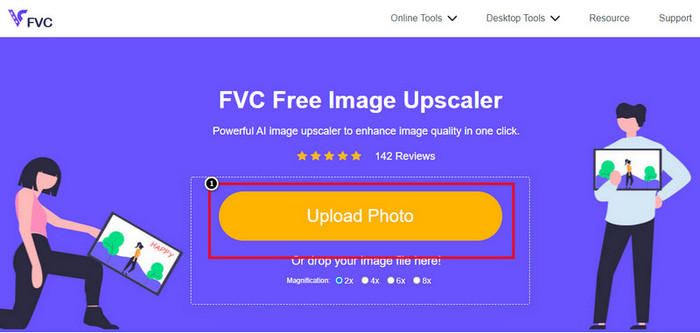
Step 3. Choose what type of Magnification you want to be applied to the enhanced version of the image; you can try them all to see which options make your image better in looks.
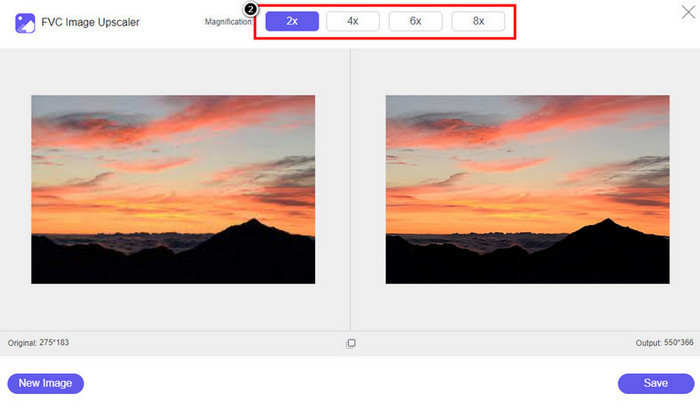
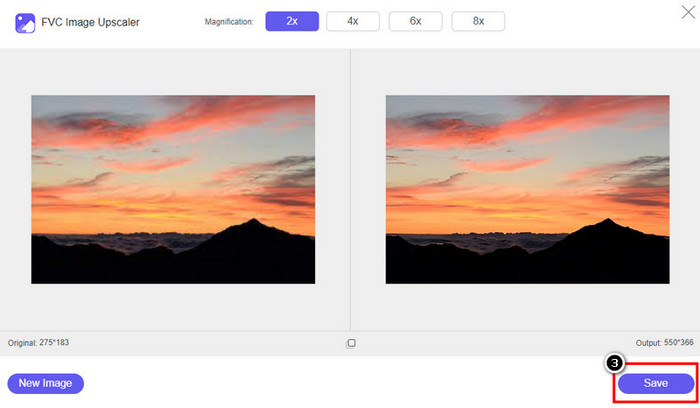
Step 4. Click the Save button to download the software you improve here; This tool will directly save it to your local folder. Check out the upscaled version of the image you edited here.
الجزء 2. كيفية تغيير دقة الصورة على iPhone [تحسين حفظ صورتك بسهولة]
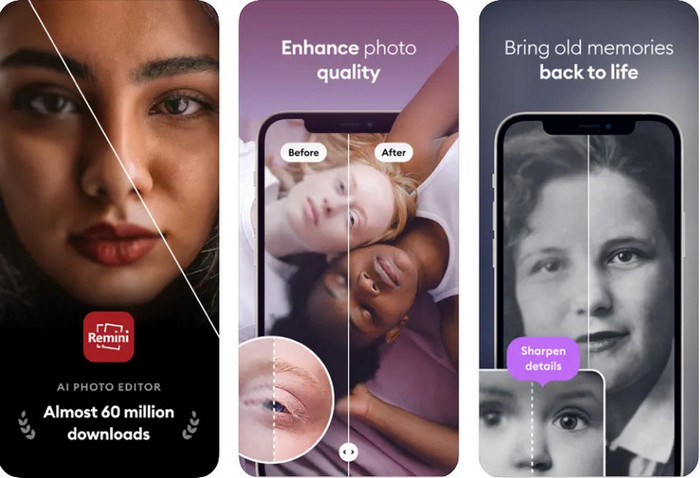
Remini App allows you to change the resolution of pictures iPhone to make them look even better. You can download this app on AppStore once you visit. This app is an all-in-one image editor that can help you enhance and turn black and white images into colorized ones with a single swipe. With this app, you can upscale any images up to 4x with the help of its AI technology. If you want to use this app, then you can copy the step-by-step we add next.
Step 1. Download the app on your iPhone so that you can start using it.
Step 2. Open the app and press Enhance. Select the image you want to improve that is in your Photos.
Step 3. Wait for the processing to enhance the image you upload; you can drag the slider to see the before and after of the image.
Step 4. Now that the processed image is done click the Save button to download the image you enhance.
الجزء 3. كيفية تغيير دقة الصورة على Android [تحسين الصور بشكل فعال]
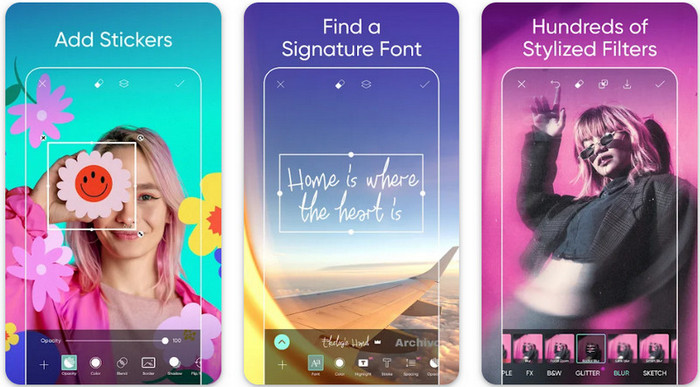
How to change picture resolution on Android? If you want to upgrade the image resolution you capture on your Android; you can try using Picsart. It is a well-known application you can download on your Android to edit images that you have to make them look better. This app is rich in features that you can take advantage of. The enhancement we will teach you isn’t the typical way you think, but it can improve image quality. Follow the detailed information below to know more!
Step 1. Download the app via the Play Store, then launch it. Choose the image you want to improve, then upload it.
Step 2. Go to Effects, click Blur, drag the slider for blur to set it to 5 to 10, and press the check icon to save it.
Step 3. Open the Tools and go to Curve.
Step 4. Adjust the curve by dragging it up and down to make your image resolution look better.
Step 5. Hit the check icon to save the changes you applied to the image by bending the curve, then Export it.
الجزء 4. كيفية ضبط إعدادات الكاميرا لالتقاط صور أفضل! [نصائح وخدع]
كيفية زيادة دقة الصورة على iPhone لالتقاط صورة أفضل للصورة؟ لا يتم تقديم جميع الميزات في تطبيق الكاميرا لجهاز iPhone الخاص بك. بعض الإعدادات لتحسين جودة صورتك. هل أنت مهتم بكيفية التعامل مع هذه المشكلة؟ ثم تابع لقراءة المعلومات التي نضيفها أدناه.
Step 1. Go to your Setting and open the Camera App.
Step 2. Click the Formats.
Step 3. Set the final output to Most Compatible, and that is the JPEG. Every time you capture images are in the JPEG extension, which we all know uses lossy image compression with a high-quality image output.
ذات صلة:
How to Fix HEIC Photos Using the Best Tools
Photo Blemish Removers You Must Use to Have Smooth Silky Skin on Images
الجزء 5. أسئلة وأجوبة حول كيفية تغيير دقة الصورة على iPhone
ما الذي يجعل جودة الصورة على iPhone سيئة؟
هناك العديد من العوامل التي تحتاجها للنظر في ما قد يكون المشكلة. قبل التقاط صورة ، تأكد من تنظيف عدسة جهاز iPhone الخاص بك ولديك يد ثابتة ، أو يمكنك استخدام حامل الكاميرا واستخدام ISO العالي للأشياء المتحركة. إذا كنت قد فعلت ذلك وما زلت تتمتع بجودة سيئة ، فيمكنك استخدام الأدوات التي نسندها في هذه المقالة.
هل يؤدي تغيير جودة الصورة إلى جعل حجم الملف كبيرًا؟
في الواقع ، ستصبح جودة الصورة أكبر بعد تحسينها. عند إضافة وحدات بكسل إلى الصورة ، بعد تحسينها ، سيصبح حجم ملف الإصدار المحسن أكبر أيضًا.
هل من السهل تغيير دقة الصورة على iPhone؟
نعم ، لن تحتاج إلى سنوات من الخبرة لتحسين دقة الصورة لجهاز iPhone الخاص بك ، لذلك إذا كنت تريد معرفة كيفية القيام بذلك ، يمكنك نسخ الخطوات التي نضيفها أعلاه والأدوات التي نقدمها والتي يمكنك استخدامها.
خاتمة
After all, we now have a clear idea of how to make iPhone photo resolution even better than before with the help of these dedicated apps! We hope that this article help you deal with the problem with different solution on iPhone and Android. Everyone hates bad image quality so we are here to fix it. Follow the steps we add above to finish it in no time successfully!
-
 كيفية تحويل صورة منخفضة الدقة إلى عالية الدقة عبر الإنترنت
 إذا كنت تريد معرفة كيفية تحويل الصور منخفضة الدقة إلى صور عالية الدقة عبر الإنترنت ، فهذه المقالة مناسبة لك. اقرأ بالكامل لتتعلم كيف.
-
 أهم 6 مزيلات للشوائب للصور يجب أن تتوفر لديك الآن [2022]
 هل تحتاج إلى مزيل عيوب للصور للحصول على بشرة ناعمة؟ لا تقلق أكثر! هنا ، سوف نقدم أدوات مختلفة يمكن أن تساعد جهازك.
-
 قم بإزالة علامة StarUML المائية باستخدام الإصدار المجاني والمدفوع الذي يمكنك استخدامه
 هل تريد إزالة العلامة المائية StarUML على الإخراج النهائي؟ حسنًا ، هناك طريقتان لكيفية القيام بذلك ، ودعنا نناقشهما هنا.
