


 محول الفيديو النهائي
 مسجل الشاشة
 إصلاح الفيديو
 تنزيل آمن
أفضل طريقة لتحويل أو تشغيل تنسيقات MOV على أجهزة Android والأجهزة اللوحية
من المعروف أن صيغة MOV تم تطويرها بواسطة شركة Apple Inc. لذلك فليس من المستغرب أن أجهزة أندرويد لا يمكنها تشغيل هذا النوع من الصيغ لأنه غير مدعوم في مشغّل الوسائط المدمج لديها. هل يمكن تشغيل ملفات MOV على أندرويد؟ نعم، يمكن تشغيلها على جهاز الأندرويد الخاص بك إذا استخدمت أدوات خارجية مثل المذكورة في القائمة أدناه، أو قمت بتحويلها إلى صيغة قابلة للتشغيل على جهازك. إضافة إلى ذلك، توفّر هذه المقالة معلومات كافية لتحديد الطريقة الأنسب التي يمكنك استخدامها لتشغيل ملفات MOV غير القابلة للتشغيل على أجهزة أندرويد الخاصة بك. هذا موجّه فقط لمستخدمي أندرويد والأجهزة اللوحية. لمعرفة المزيد عن هذه الطرق، عليك متابعة قراءة المقال لأنه يتناول مختلف مشغّلات الوسائط وبرامج التحويل التي يمكنك استخدامها.

الطريقة الأولى: أفضل تطبيقات MOV Player مجانية لنظام Android لمشاهدة مقاطع فيديو MOV
فيما يلي بعض من أفضل مشغلات MOV المجانية التي قد تستخدمها لدعم ملفات MOV على جهاز Android الخاص بك.
1. VLC لنظام Android
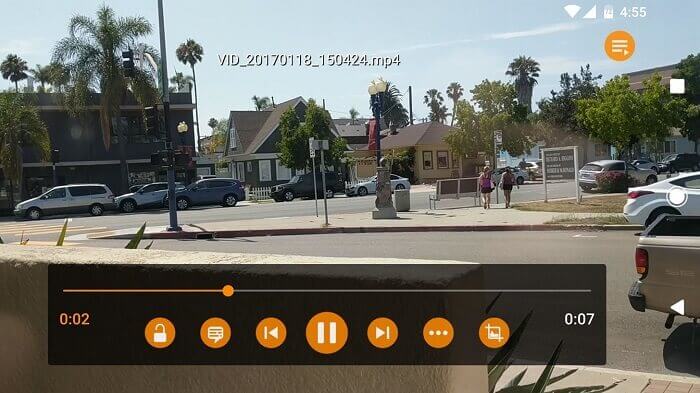
مشغّل وسائط يدعم تقريبًا جميع صيغ الوسائط المختلفة ليتم تشغيلها على جميع المنصات. يمكنه تشغيل ملفات MOV على جهاز الأندرويد الخاص بك بمجرد تنزيل التطبيق من متجر Play. يُعد VLC for Android مشهورًا للغاية بسبب مشغّل الوسائط الخاص به المتوفر على أجهزة الكمبيوتر الشخصية وأجهزة Mac. وقد بنى بالفعل سمعة كأفضل مشغّل وسائط على الإطلاق، بفضل جميع المستخدمين الذين يستعينون بهذا التطبيق لتشغيل أفلامهم ومقاطع الفيديو وملفات الصوت وغير ذلك الكثير. كما يمكنه فك ترميز الملفات على معظم المنصات. وعلى الرغم من اعتماده على برامج الترميز (الكوديك)، إلا أنه يعاني من بعض المشكلات المتعلقة بالأخطاء في صيغ ملفات أخرى. لكنه يظل خيارًا رائعًا لمشاهدة ملفات الوسائط والاستماع إليها.
الايجابيات
- واجهة بسيطة لمشغل الوسائط.
- متاح على جميع المنصات.
- معادل مدمج.
سلبيات
- لم يتم إصلاح بعض الأخطاء.
- لم يتم إنشاؤه ليكون مشغل موسيقى. لذلك ، يجب تنظيمها بواسطتك.
2. MPV android
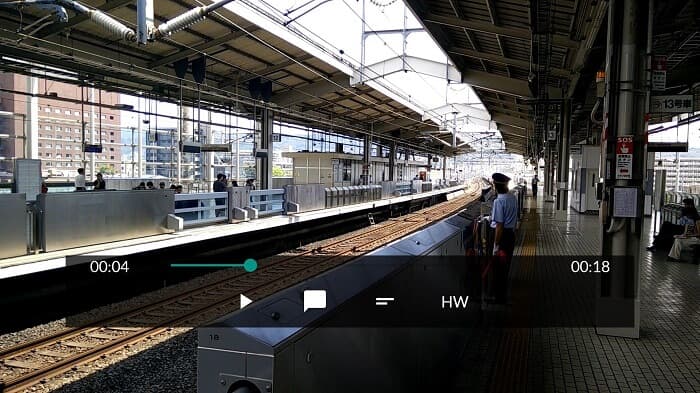
يُعد MPV android مشغّل وسائط مشهورًا على أندرويد يستخدمه ملايين المستخدمين عبر متجر Play. كما أنه يوفّر خيارات سطر أوامر (CLI) مبسّطة.
الايجابيات
- مشغل وسائط أندرويد حديث.
- مشغل HDR رائع.
- مشغل وسائط يعتمد على libmpv.
سلبيات
- نقص الميزات. مثل ، قم بالتكبير والتصغير ولا يمكنك حتى الترجيع والتقديم السريع.
- واجهة المستخدم مملة.
3. MX Player
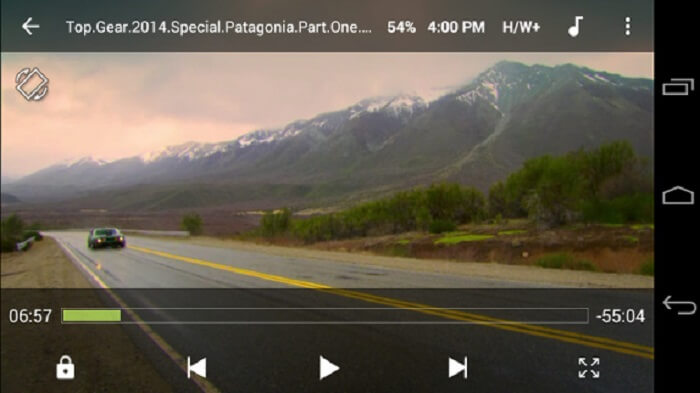
يعتبر MX Player أفضل خيار بواجهته البسيطة وقدرته القوية على تحسين تشغيل الفيديو.
الايجابيات
- ميزات متقدمة مثل التكبير والتصغير والتحريك.
- قفل الاطفال.
- يدعم الترجمة.
سلبيات
- الإعلانات غير قابلة للإدارة وتصبح أكثر إزعاجًا.
- تواجه مشاكل في تشغيل بعض مقاطع الفيديو.
4. KM Player
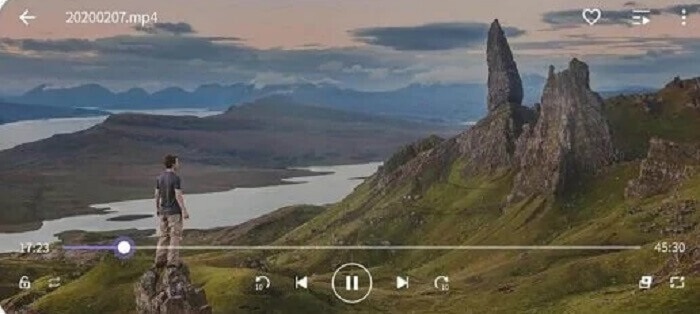
يقدّم KM Player عشرة أنواع مختلفة من صيغ الترجمة، بحيث يمكنك الاستمتاع بالمشاهدة وقراءة الترجمات في الوقت نفسه.
الايجابيات
- أداة تشغيل مثالية.
- يوفر ارتباطك.
- تعديل الألوان: السطوع وتدرج الألوان والتشبع ومعلومات جاما والتباين.
سلبيات
- شراء داخل التطبيق.
- لسبب ما يحتاج البعض منهم إلى استخدام برنامج ترميز خارجي.
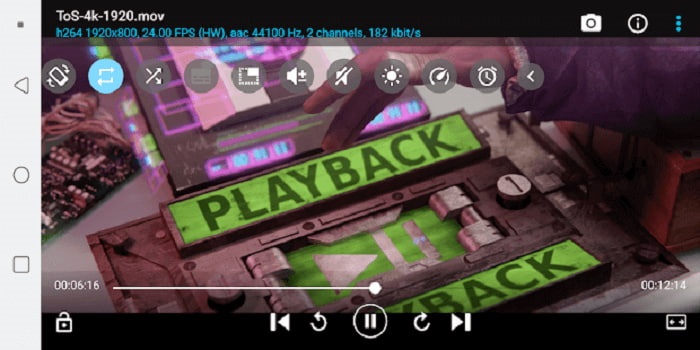
5. برنامج BS Player Free
يُعرف BS Player Free بأنه أفضل مشغّل وسائط مجاني لأندرويد على متجر Play، إذ يوفّر تسريعًا عتاديًا للحصول على أداء أفضل.
الايجابيات
- زد من سرعتك في التحميل وقلل من استهلاك البطارية.
- ميزة قفل الشاشة. لتجنب التعديل غير الضروري خاصة إذا كان الأطفال يشاهدون.
- دعم متعدد النواة.
سلبيات
- تتوقف التطبيقات عن اللعب إذا كان هناك انقطاع في الخلفية.
- في مرحلة ما ، تكون مقاطع الفيديو والصوت غير متزامنة.
الطريقة الثانية: تحويل MOV إلى التنسيقات المدعومة من Android لسهولة التشغيل
بدلاً من تنزيل مشغل وسائط على جهاز Android الخاص بك واستهلاك بعض المساحة. لماذا لا تقوم بتحويله إلى تنسيق جديد يمكن تشغيله على جهازك؟ إليك أفضل محول MOV يمكنك الاعتماد عليه ينتج أفضل إخراج يمكن تشغيله على Android.
1. استخدم FVC Free Online Video Converter

حوّل ملف MOV الخاص بك إلى صيغة قابلة للتشغيل عبر الإنترنت بسرعات عالية في الرفع والتنزيل. يُعد FVC Free Online Video Converter أداةً عبر الإنترنت تساعد المستخدمين على تحويل الصيغ غير القابلة للتشغيل إلى صيغ جديدة. وبذلك يمكن تشغيل الملف على مشغّل الوسائط المحلي لديك. كما ذُكر سابقًا، أندرويد لا يدعم صيغة MOV لأن هذه الصيغة طُوِّرت بواسطة Apple. لذا بدلًا من تنزيل التطبيقات المذكورة أعلاه، يمكنك ببساطة تحويل الملف إلى صيغ متوافقة مع أندرويد.
الايجابيات
- أداة مجانية على الإنترنت مقدمة من FVC.
- يمكن الوصول إليه عن طريق الاتصال بالإنترنت.
- يمكن تحويل تنسيق الملف الخاص بك إلى تنسيق جديد. ولكن ليس العديد من الإصدارات المتميزة.
سلبيات
- إذا فقدت الاتصال ، سيتم قطع التحويل.
- الإنترنت البطيء يعني التحويل البطيء.
2. استخدام محول الفيديو في نهاية المطاف
استخدام الإصدار المجاني قد يساعدك في الحصول على الصيغة التي تريدها. لكن ماذا لو كانت اتصالك بالإنترنت ضعيفًا، وأنت بحاجة لتشغيل ملف الوسائط فورًا؟ ماذا يجب أن تفعل؟ هذه المشكلة شائعة جدًّا بين المستخدمين على الإنترنت. لذلك، بدلًا من الاعتماد على الإصدار المجاني، لِمَ لا تجرّب Video Converter Ultimate؟ ربما تتساءل لماذا تحتاج إلى هذه الأداة. هناك الكثير من الأسباب التي تدفعك لاستخدامها، لكنني سأذكر ثلاثة أسباب فقط.
أولاً ، يمكنه التحويل حتى لو لم يكن لديك اتصال بالإنترنت ، فهو في الأساس لا يعتمد على الإنترنت. ثانيًا ، يمكنك أيضًا تحويل جميع ملفات الصوت والفيديو تقريبًا إلى تنسيق جديد دون أي فقد للبيانات. على عكس الأداة عبر الإنترنت ، إذا تم قطع الاتصال ، فسيتوقف التحويل أو قد تواجه أيضًا فقدانًا للبيانات لأنه لم ينته بعد. أخيرًا ، إنه ميسور التكلفة للجميع وسهل الاستخدام أيضًا. هذه الأداة لا تحتاج إلى مئات أو آلاف من أموالك ولكنها فقط $55.20. ميزة أخرى لها هي أنه يمكنك أيضًا إجراء التحرير والمزيد لملف الوسائط الخاص بك إذا كنت ترغب في ذلك.
تحميل مجانيلنظام Windows 7 أو أحدثتنزيل آمن
تحميل مجانيلنظام MacOS 10.7 أو أحدثتنزيل آمن
الايجابيات
- على عكس الأداة المجانية عبر الإنترنت. يمكنه تحويل أي ملف حتى بدون اتصال بالإنترنت.
- اختر من بين أكثر من 200 تنسيق صوت وفيديو.
- متوفر في جميع المنصات المختلفة وخالي من البرامج الضارة.
سلبيات
- أداة الدفع مقابل الاستخدام.
- يتطلب تنزيله على جهاز كمبيوتر يعمل بنظام Windows أو Mac.
الجزء 3. أسئلة وأجوبة حول MOV Android
هل MOV هو أفضل تنسيق وسائط؟
إذا كنت محررًا محترفًا وتريد إنتاج تنسيق صوت أو فيديو عالي الجودة ، فهذا يناسبك.
هل هناك إمكانية لدمج ملفي MOV؟
لدمج ملفي MOV مختلفين يمكنك استخدام أداة دمج لـدمج ملفات فيديو MOV.
هل يمكنني استخدام تنسيق ملف MOV لتحميل مقاطع الفيديو الخاصة بي على YouTube؟
يُعد YouTube أكبر موقع لمشاركة مقاطع الفيديو على الإنترنت يمكنك العثور عليه على الويب. في بعض الحالات، يستخدمه الناس لكسب المال من خلال إنشاء مقاطع فيديو لأنفسهم مثل التدوين المرئي (الفلوغ)، الطبخ، التعليم، وغير ذلك. لكن YouTube لا يدعم إلا الصيغ المعروفة مثل MP4 وAVI وWMV وMPEG وFLV و3GP وWebM. لذا إذا كان تسجيلك بصيغة MOV فعليك تحويل MOV إلى MP4 أو إلى أي من الصيغ الأخرى المدعومة من YouTube لنشره ومشاركته مع العالم.
خاتمة
إضافة إلى ما سبق، فإن ملف MOV مخصّص أساسًا لمستخدمي أجهزة Apple. لكن في هذه الحالة توجد طرق أخرى لتشغيل ملفات MOV أو تحويلها إلى ملفات قابلة للتشغيل. وتذكّر أن هذا لا يعني بالضرورة أنه يجب عليك تنزيل مشغّل وسائط على أندرويد لتشغيل الملف، إذ يمكنك أيضًا تحويله بمساعدة Video Converter Ultimate. فبدلًا من تنزيل هذه المشغّلات، لِمَ لا تحاول التحويل بحيث لا تحتاج إلى هذه التطبيقات وتتمكن من التشغيل باستخدام مشغّل الوسائط المحلي لديك؟.
-
 سجل Blu-ray في OBS Studio و Alternative Tools Comments Feed
 تعرف على كيفية تسجيل Blu-ray على OBS studio والبدائل الأخرى بهذه الخطوات والنصائح البسيطة المفيدة. واصل القراءة ودع & #039؛ يغوص في التفاصيل.
-
 عملية نسخ قرص DVD وتسجيله باستخدام VLC لترقيم موجز تعليقات التنسيق القابل للتشغيل
 يدعم VLC العديد من تنسيقات الملفات الصوتية والمرئية المضغوطة ، بما في ذلك التسجيل في أقراص DVD. فقط استمر في تحريك الكرة لمزيد من المناقشة والتفاصيل حتى النهاية.
-
 ابدأ السبق في كيفية تسجيل مقاطع فيديو MPEG باستخدام أفضل خلاصة تعليقات مسجلات MPEG
 MPEG 4 هو نوع من التنسيق يخزن بيانات الوسائط الرقمية. وهناك العديد من الأدوات المتاحة التي تدعم تسجيل مقاطع فيديو MPEG. لذا ، دعنا نتعمق في مزيد من التفاصيل.
