


 محول الفيديو النهائي
 مسجل الشاشة
 إصلاح الفيديو
أفضل 4 مسجلات FLV مناسبة لأجهزة Chrome و Windows و Mac
هل تساءلت يومًا ما الذي يجعل مقاطع الفيديو التي تراها تعمل عبر الويب؟ تستخدم معظم مواقع الويب بتنسيق HTML 5 تنسيق WebM لتشغيل مقاطع الفيديو. بصرف النظر عن WebM ، يتم استخدام FLV أيضًا. خاصة تلك المواقع المجانية للأفلام والبرامج التلفزيونية. كيف تعرف ما إذا كان ملف FLV؟ عادةً ، إذا لم يتم تشغيل الفيديو ، فسترى رسالة خطأ تنص على تثبيت Adobe Flash Player. في هذه الأيام ، يتم تضمين العديد من مقاطع الفيديو في ملفات FLV. ولكن عند تسجيل الفيديو إما باستخدام المُسجل المدمج الخاص بك أو مُسجل آخر ، فإن إمكانية تغيير جودة الفيديو تكون عالية.
لذا سيكون من الأفضل استخدام مسجّل يمكنه أيضًا إنتاج ملفات FLV أو يمكنه إنتاج جودة أفضل بغضّ النظر عن تنسيق الملف. إذا كنت قلقًا من احتمال تغيّر جودة الفيديو، فاستكشف مسجّلات FLV التي لا تتطلّب التسجيل لاستخدامها.

الجزء 1. أفضل خيار للمستخدم - مسجل شاشة FVC
من بين مسجّلات FLV المتوفرة على الإنترنت، يُعَدّ FVC Screen Recorder واحدًا من نخبة النخبة، أو لنقل ببساطة: إنه الأفضل على الإطلاق. أحيانًا تكون متطلبات المستخدم أعلى مما يستطيع المنتج تقديمه، وليس كل منتج هو الخيار الأمثل. هناك عملاء آخرون يبحثون عن أفضل منتج يمكنهم استخدامه. يتفوّق FVC Screen Recorder على أكثر من ألف مسجّل احترافي، وخاصةً مقارنةً بالمسجّل الذي تستخدمه حاليًا. بفضل أدائه السلس في التسجيل، يمكنك الاستفادة إلى أقصى حد من الفيديو الذي تريد تسجيله. والأفضل من ذلك أنه يمكنك تغيير معدل البت ومعدل الإطارات للفيديو، ما ينتج عنه جودة فيديو أفضل. لذلك من الضروري أن تتابع مراجعة أفضل مسجّل FLV هذه. وفي الأثناء، إليك دليلًا سهل الاتباع لاستخدام الأداة.
الخطوة 1. استخدم أزرار التنزيل أدناه للحصول على التطبيق. ثبّته واتبع الإرشادات حتى يتم تشغيل التطبيق.
تنزيل مجانيلنظام Windows 7 أو الأحدثتنزيل آمن
الخطوة 2. اختر بين علامات التبويب. بما أننا نحاول تسجيل فيديو، انقر على Video Recorder. بعد ذلك، سيظهر إطار منقط مع شريط عائم.
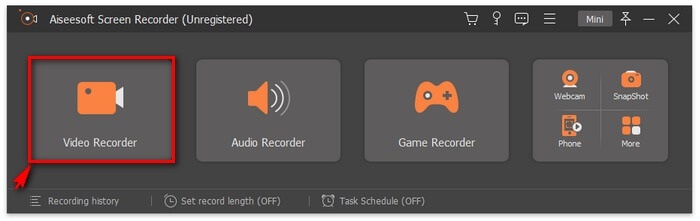
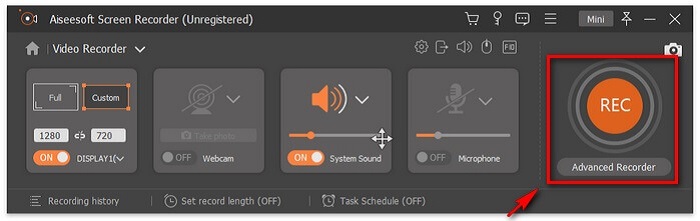
الخطوة 3. عدّل الإطار المنقّط لضبط نسبة أبعاد الشاشة، ثم انقر زر REC لبدء التسجيل.
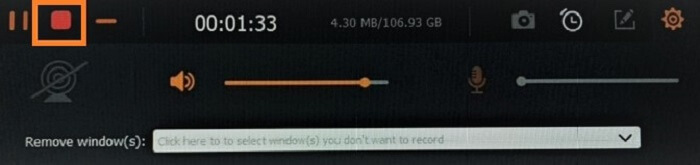
الخطوة 4. لإيقاف التسجيل، انقر زر المربّع الأحمر من الشريط العائم. من هناك ستظهر نافذة أخرى. من خلالها يمكنك اختيار حفظ التسجيل أو إعادة التسجيل إذا لم تكن راضيًا عن النتيجة.
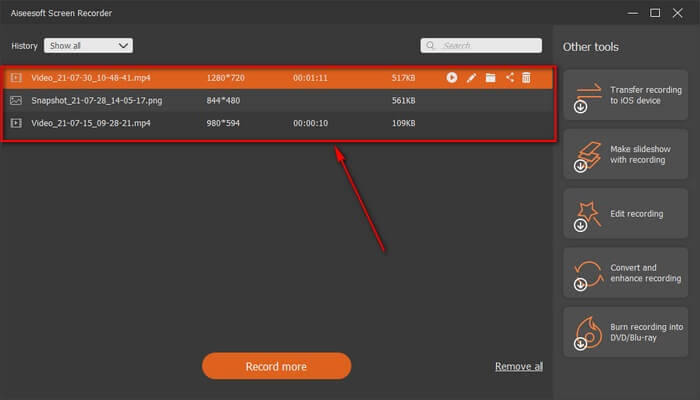
الخطوة 5. لنفترض أنك حفظت الملف، ستسمح لك النافذة التالية باختيار موقع حفظ الملف. اختر المجلد ثم انقر على Next.
الجزء 2. مسجل فيديو FLV مجاني آخر
مسجل FLV لجميع المتصفحات - FVC Free Screen Recorder
من المعروف أن FVC Free Screen Recorder خفيف الحجم ومع ذلك يمتلك ميزة قوية. لذلك، إن كنت مبتدئًا يرغب في التسجيل من باب التسلية يمكنك استخدامه، أو إن كنت محترفًا تريد تسجيل اجتماع عمل. في كلتا الحالتين يعمل بكفاءة. أفضل ميزة يوفّرها هذا المسجّل هي أنك تستطيع تسجيل أي جزء من الشاشة دون أن يزعجك الشريط العائم للأداة؛ فهو يسجّل الشاشة وحدها تلقائيًا. التقط عددًا غير محدود من لقطات الشاشة دون إزعاج بمساعدة ميزة قفل الشاشة (Lock-in screen). دون إطالة، لننتقل الآن إلى كيفية استخدام مسجّل FLV هذا. يجب عليك اتباع الخطوات المبيّنة أدناه.
الخطوة 1. زُر الموقع الرسمي لـFVC Free Screen Recorder ثم شغّل التطبيق.
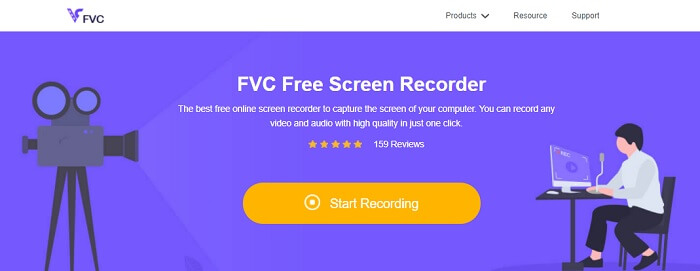
الخطوة 2. شغّل الأداة بالنقر على Start Recording ثم انتقل إلى الخطوة التالية.
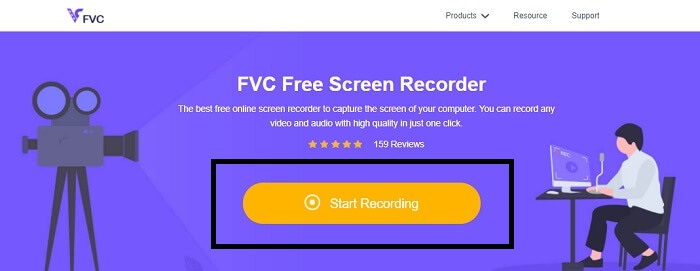
الخطوة 3. في شريط الأدوات الخاص به، انقر زر الترس لتغيير الإعدادات وفقًا لاحتياجاتك. إذا أصبحت الآن في قائمة التفضيلات، ابحث عن Output وغيّر تنسيق الفيديو بحسب رغبتك. انقر OK إذا تم ضبط كل شيء.
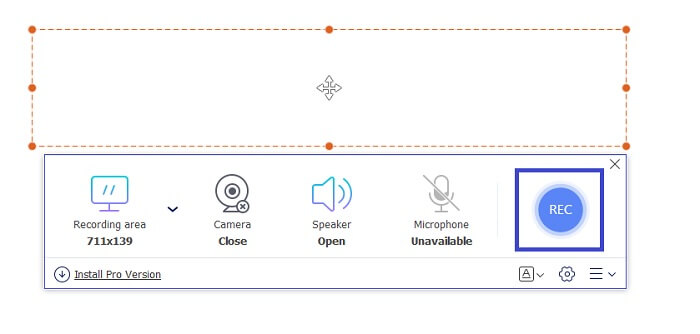
الخطوة 4. في شريط الأدوات العائم، يمكنك الآن ضبط نسبة إطار الشاشة. أضِف أيضًا تفاعل وجهك بتشغيل Webcam. يُستخدَم System Sound لإضافة الصوت الطبيعي للبرنامج. وأخيرًا، أضِف صوتك بتشغيل الميكروفون. لبدء تسجيل FLV انقر زر REC للبدء.
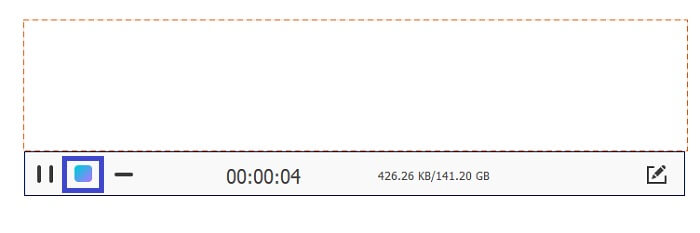
الخطوة 5. لإنهاء تسجيل FLV، انقر زر المكعّب للإيقاف. بعد ذلك، انقر حفظ (Save) ثم التالي (Next). جميع التسجيلات التي أجريتها ستكون في قائمة السجل (History list).
مسجل FLV لمتصفح Chrome - SCREEN.IO
إذا كنت لا ترغب في تنزيل ملفات إضافية في محرك الأقراص الخاص بك ، فيمكنك استخدام مسجل Chrome المدمج هذا. يساعد مسجل FLV هذا لمتصفح Chrome عددًا كبيرًا من الأشخاص في شبكة الويب بأكملها. لذلك ، إذا كنت من محبي توفير مساحة على وحدة التخزين الخاصة بك ، فعليك تجربة هذا SCREEN.IO. على الرغم من أن الأداة لا توفر ميزات خاصة مشابهة لمسجل آخر. لكن القدرة على التسجيل منه قياسية للغاية. إذا قارنا مسجل Chrome ومسجل سطح المكتب ، فإن سطح المكتب هو الطريقة الفعالة لإجراء التسجيل لأنك لن تمانع في انقطاع اتصال الإنترنت.
مسجل FLV لنظام التشغيل Windows - VLC Media Player
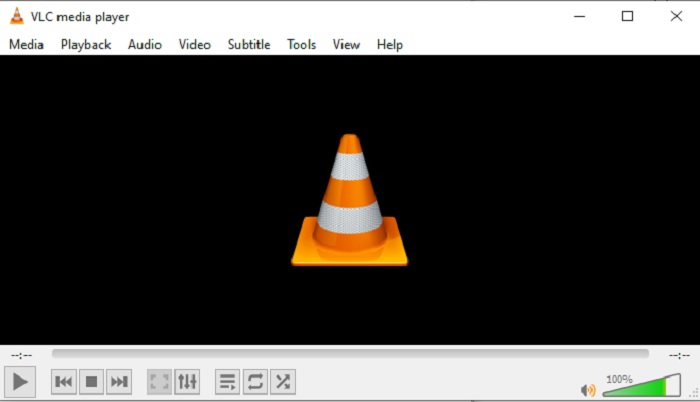
مشغّل الوسائط VLC لا يُعرَف فقط بأنه أفضل مشغّل وسائط على الساحة، بل يمتلك أيضًا عدة ميزات مثل التسجيل والتحويل وغيرها. ومع أنه أفضل مشغّل وسائط، فإن كل هذه الميزات المذكورة ليست الأفضل دائمًا. وفي بعض الحالات تكون بعض تنسيقات الفيديو أو الصوت غير قابلة للتشغيل عليه لأن برامج الترميز (codecs) الخاصة بها ملكية. لذلك يمكنك بدلًا من ذلك استخدام بديل مشغّل الوسائط VLC الذي يدعم التشغيل حتى لو كان الملف بترميز ملكي.
مسجل FLV لنظام التشغيل Mac - OBS Studio
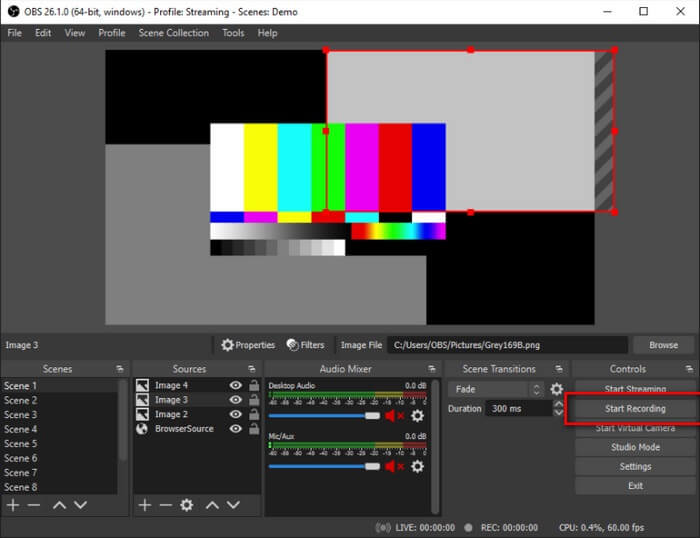
ربما تظن أننا نسينا مستخدمي Mac. هذا مسجّل FLV لنظام Mac يُعَدّ واحدًا من أقوى المسجّلات في القائمة لأنه يتيح البث المباشر أيضًا. رغم ميزاته المذهلة فإن الأداة نفسها قد تبدو مُربِكة بعض الشيء، خصوصًا إذا كنت جديدًا في مجال التسجيل، لأن هناك الكثير مما يظهر في الواجهة عند فتح الأداة.
الجزء 3. أسئلة وأجوبة حول FLV Video Recorder
هل من الآمن تنزيله على جهاز الكمبيوتر الخاص بي؟
في الواقع ، هذا ليس الملف الذي نتحدث عنه عندما يتعلق الأمر بالأمان. يتم تضمين ملفات FLV في مواقع مشاركة الفيديو ، لذا يجب أن يكون سؤالك ، كيف يمكنني تحديد ما إذا كان الفيديو الذي أقوم بتنزيله من أحد المواقع لا يحتوي على برامج ضارة؟ استخدم حماية لجهاز الكمبيوتر الخاص بك. هناك الكثير من المدافعين عن البرامج والماسحات الضوئية التي يمكنك العثور عليها عبر الإنترنت. لكن الملف نفسه آمن. ما لم يضعوا برامج ضارة فيه ، فهو آمن.
ما البرنامج الذي يمكنه فتح ملفات FLV؟
هناك الكثير من مشغّلات الوسائط المتاحة، لكن ما أوصي به هو مشغّل VLC. هذا المشغّل متعدد الاستخدامات ويمكنه تشغيل معظم تنسيقات الملفات تقريبًا، سواء كانت غير مضغوطة أو مضغوطة. انقر هنا للحصول على مزيد من مشغّلات FLV الشائعة.
ما هي مزايا ملفات FLV؟
الميزة الرئيسية الأولى لـ FLV هي قدرته على إنتاج فيديو عالي الجودة بحجم صغير. بطبيعته ، الملف مرن. لماذا ا؟ يمكنك بسهولة تحويل هذا الملف إلى تنسيق مختلف حتى باستخدام المحولات عبر الإنترنت.
الجزء 4. مخطط المقارنة
| ميزات | مسجل شاشة FVC | FVC مسجل شاشة مجاني | مشغل الميديا VLC | ستوديو OBS |
| مسجل الشاشة |  | | | |
| مسجل الصوت | | | | |
| يدعم FLV | | | | |
| مشغل الوسائط المتعددة |  | | | |
| معدل بت قابل للتعديل ومعدل الإطار | | | | |
خاتمة
جميع الأدوات المدرجة مفيدة في تسجيل مقاطع فيديو FLV وإنتاج أفضل جودة ممكنة للفيديو. أيضًا ، إذا لم تكن متأكدًا من الأداة التي يجب استخدامها ، يمكنك الرجوع إلى مخطط المقارنة المكتوب. ولكن من بين مسجلات FLV المدرجة. يتميز FVC Screen Recorder بميزة أكبر بسبب ميزة قفل النافذة.
-
 مسجل OGG الأكثر إفادة لعام 2021 [مجاني وعلى الإنترنت]
 تتحدث هذه المقالة عن أفضل أدوات تسجيل OGG التي تساعدك على تسجيل صوت OGG. لإضافة المزيد من المعلومات التفصيلية للمستخدم ، استمر في قراءتها.
-
 أفضل 5 برامج تسجيل M4B للكمبيوتر الشخصي وماك [مجاني ومدفوع]
 يتم ضغط تسجيل M4B مع الفقد لملف الكتاب الصوتي MPEG-4. في بعض الجوانب ، تكون M4A و M4B شائعة تقريبًا ولكن هناك اختلافات بينهما. لمعرفة ما هو قراءة المقال.
-
 أفضل 5 أدوات مسجل AMR متاحة لجميع أنظمة التشغيل
 تريد أن تعرف ما هو تنسيق AMR وما هو أفضل مسجل AMR الذي يجب عليك اختياره والذي سيوفر تسجيلًا رائعًا.
