


 محول الفيديو النهائي
 مسجل الشاشة
 إصلاح الفيديو
 تنزيل آمن
مراجعة مسجل الشاشة Movavi مع تجربة واقعية
عندما تحاول العثور على أفضل مسجل شاشة في مواقع النصائح الكبرى، ستجد Movavi Screen Recorder. فهو مُكيَّف للعمل على نظامي ويندوز وماك ويحتوي على كل ما تحتاجه لإنشاء فيديوهات تعليمية، وفيديوهات لقطات الألعاب، وغير ذلك من المحتوى. وهو يرسّخ مكانته تدريجيًا بين الجيل الجديد من البرامج من هذا النوع. ومع ذلك، حتى نتبنّى توصيات المنتجات التي يقدّمها الجميع، علينا أن نفهم ما الذي يجعل هذا المنتج يظهر في قائمة التوصيات. لذلك أعددنا هذه مراجعة Movavi Screen Recorder لأولئك الذين يرغبون في تجربة البرنامج. سيرشدك هذا المقال عبر موقعه الرسمي، وآراء المستخدمين الشائعة، وتجارب الاستخدام الفعلية، وإذا كنت لا تزال تبحث عن منتج من نفس النوع، ففكّر في توصيات هذا المقال لأفضل البدائل لبرنامج Movavi Screen Recorder.

الجزء الأول: مراجعة برنامج Movavi Screen Recorder
كأداة شاملة لالتقاط الشاشة، يوفر Movavi Screen Recorder مجموعة كاملة من ميزات تسجيل الفيديو، ولكنه يتميز أيضًا بمزاياه الخاصة وميزاته الخاصة في بعض المجالات. لنلقِ نظرة على ميزاته الأساسية في هذا القسم بالنقاط.
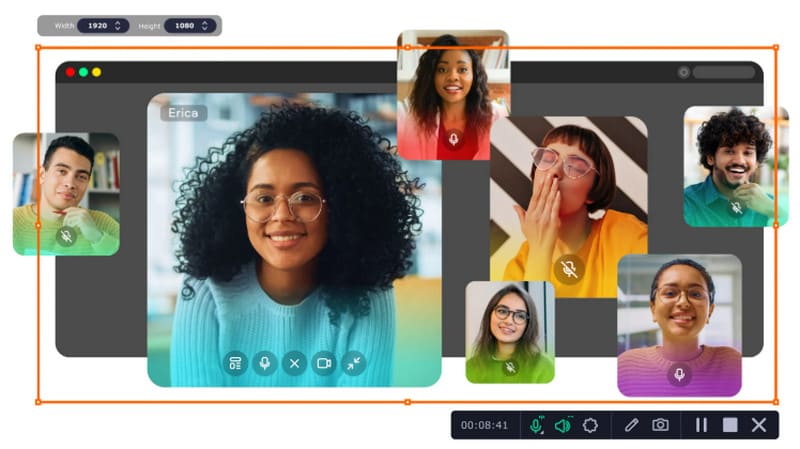
الميزات الرئيسية لبرنامج Movavi Screen Recorder
• تسجيل الفيديو والتقاط لقطة شاشة
مع مسجل الشاشة Movavi، يمكنك بسهولة التقاط شاشة كاملة أو تخصيص نطاق تسجيل الفيديو. كما يسمح لك بحفظ لقطات شاشة.
• تسجيل كاميرا الويب
يمكنك التقاط محتوى من كاميرا الويب أثناء تسجيل الشاشة، ثم عرضه على شاشة التسجيل. هذا مثالي للفيديوهات الصوتية أو التعليمية.
• تمييز نشاط الماوس ولوحة المفاتيح
يمكن لبرنامج Movavi Screen Recorder إضافة ميزات مميزة إلى الماوس وإبراز ما تفعله على لوحة المفاتيح حتى يسهل على المشاهدين متابعته.
• التسجيل المُجدول
يتيح لك مسجل الشاشة Movavi تحديد تاريخ ووقت تسجيل مُسبقين ينتهيان تلقائيًا لتسجيل نشاط الشاشة أو كاميرا الويب. حتى لو لم تكن أمام جهاز الكمبيوتر، فلن يؤثر ذلك على العملية بأكملها.
أشياء أوصي بها بشأن برنامج Movavi Screen Recorder
• واجهة تسجيل منظَّمة جيدًا
لا يحتوي برنامج Movavi Screen Recorder على أي برامج أو صفحات معقدة؛ جميع الأزرار مُرتبة بوضوح، ويمكنك بدء التسجيل بسرعة بمجرد فتحه. لا يستغرق تعلمه وقتًا طويلاً، ولا يتطلب منك التنقل بين خياراته. مقارنةً ببعض البرامج الأخرى ذات الأزرار الكثيرة، يُعد Movavi Screen Recorder فعالًا للغاية في الاستخدام.
• تسجيل الفيديو بوضوح وبدون تأخير
أهم ما في تصوير الفيديو هو جودة الصورة وسلاسة أدائها. لكن برنامج Movavi Screen Recorder لا يعاني من مشكلة تأخر أو تشويش الصور إطلاقًا. حتى عند تسجيل محتوى دقيق جدًا أو أجسام سريعة الحركة، يضمن البرنامج تسجيل كل التفاصيل وإخراج فيديو عالي الدقة.
• توافر العديد من أوضاع التسجيل
لتلبية احتياجات المستخدمين المختلفة، يوفر Movavi Screen Recorder العديد من أوضاع التسجيل والأدوات التي تساعدك في إنشاء فيديوهات تدريبية، وندوات عبر الإنترنت، وتشغيل الألعاب، ودروس استخدام البرامج. كما يمكنك اختيار مصادر صوتية مختلفة، وحتى استخدام ميزة "صورة داخل صورة" لربط فيديوهات كاميرا الويب بالشاشة.
أشياء قد لا تعجبك في برنامج Movavi Screen Recorder
• لا توجد الكثير من الميزات المتاحة في النسخة المجانية
برنامج Movavi Screen Recorder ليس برنامجًا مفتوح المصدر بالكامل. يتوفر منه نسخة مجانية، لكنها قليلة الميزات ولا تدعم فتح العديد من ميزات التحرير. إذا كنت ترغب في مسجل شاشة كامل وفعال، فسيتعين عليك الدفع لترقية حسابك.
• يحتاج إلى أداء عالٍ من جهازك
قد يستهلك مسجل الشاشة Movavi مساحة أكبر من ذاكرة التشغيل أثناء التشغيل. قد لا تواجه أي مشاكل عند استخدامه على جهاز ذي أداء جيد؛ ولكن إذا كان لديك جهاز قديم أو متوسط الأداء، فقد تواجه تأخيرًا في الشاشة أو بطءًا أثناء تسجيل الشاشة.
الجزء الثاني. هل برنامج Movavi آمن؟
نعم، Movavi Screen Recorder آمن تمامًا.
أولًا، لا توجد أي مكوّنات إضافية خفية أو برمجيات خبيثة أو إعلانات أو فيروسات داخل البرنامج. ما دمت تتأكد من تنزيله من الموقع الرسمي، فلن تضطر إلى القلق بشأن مواجهة أي مشكلات أمنية.
ثانيًا، يُفصّل برنامج Movavi Screen Recorder سياسة الخصوصية الخاصة به على موقعه الرسمي لضمان عدم تسريب مقاطع الفيديو والمعلومات الشخصية التي يلتقطها المستخدمون. خصوصيتك مضمونة أيضًا.
الجزء 3. كيفية استخدام مسجل الشاشة Movavi لالتقاط صور الاستوديو
سنقدم هنا دليلًا بسيطًا حول كيفية تسجيل الصوت باستخدام Movavi Screen Recorder.
الخطوة 1. قم بتنزيل Movavi Screen Recorder وتثبيته على جهاز الكمبيوتر. ثم شغِّله وانقر على أيقونة تسجيل الشاشة.
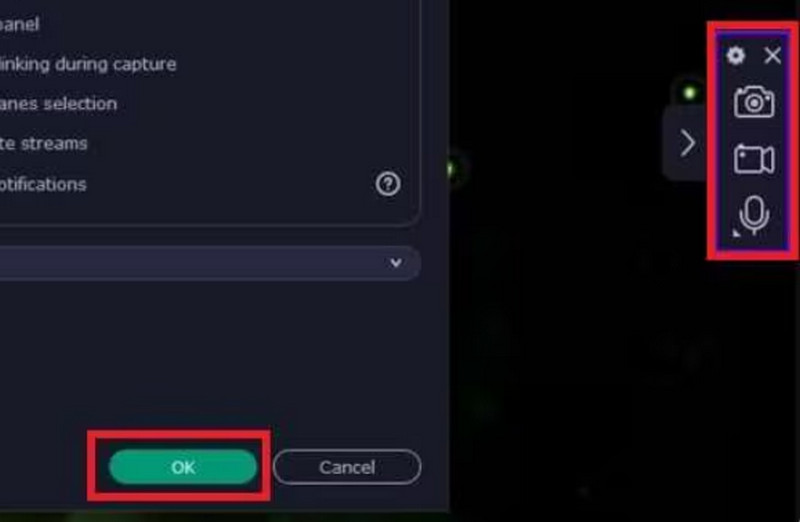
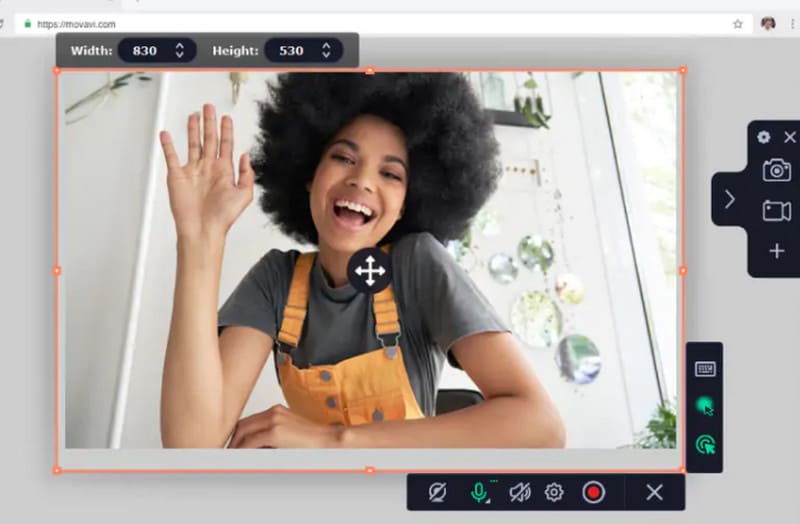
الخطوة 2. اضغط مطولًا بزر الفأرة الأيسر واسحب لتحديد منطقة التسجيل.
الخطوة 3. اختر مصدر الصوت بين صوت النظام والميكروفون. يمكنك أيضًا ضبطه لتسجيل حركات الفأرة ولوحة المفاتيح. الخطوة 4. أخيرًا، انقر على REC لبدء التسجيل.
الجزء الرابع. Bandicam مقابل Movavi، أيهما أختار؟
| بانديكام | مسجل الشاشة Movavi | |
| تسجيل الشاشة | ممتاز | ممتاز |
| تحرير الفيديو | ثري | متنوع |
| تحرير الصوت | عدد قليل | ثري |
| منصة | شبابيك | نظامي التشغيل Windows و Mac |
| التأثيرات والانتقالات | حسن | ثري |
| جودة الفيديو | حسن | عالي |
| واجهه المستخدم | سهل الاستخدام | سهل الاستخدام |
بالمقارنة، يتقارب أداء Bandicam وMovavi Screen Recorder بشكل كبير. لكن Bandicam مناسب أكثر لمقدمي الألعاب، وهواة الألعاب، ومدوني الفيديوهات القصيرة. أما Movavi Screen Recorder، فهو مناسب أكثر لممارسي التسويق أو منشئي المحتوى الذين يتمتعون بمهارات إنتاج فيديوهات تعليمية. مع ذلك، يحتوي Bandicam على أدوات تحرير أقل، ويدعم أنظمة ويندوز فقط، بينما يوفر Movavi Screen Recorder خيارات تحرير أكثر، مع أن سعر الاشتراك ليس منخفضًا.
الجزء الخامس. أفضل بديل لبرنامج Movavi Screen Recorder
مسجل شاشة FVC
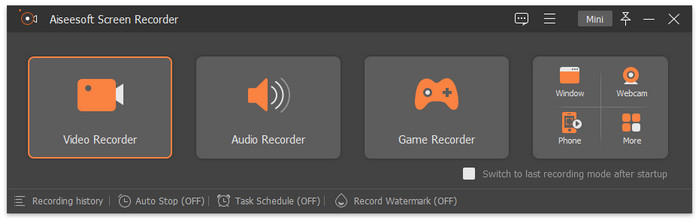
هناك العديد من المنتجات الأخرى التي تمتلك ميزات شبيهة ببرنامج Movavi Screen Recorder، ويُعَدّ FVC Screen Recorder واحدًا من أفضلها. يدعم هذا البرنامج تسجيل الفيديو من الشاشة والكاميرا، وكذلك تسجيل الصوت من مكبرات صوت النظام والميكروفون. أثناء تسجيل الفيديو، يمكنك أيضًا فتح لوحة الأدوات في أي وقت ووضع علامات على الشاشة أو ضبط تمييز نشاط الفأرة. وأبرز ميزة في برنامج FVC Screen Recorder أنك تستطيع تسجيل شاشة هاتفك المحمول على جهاز الكمبيوتر، بشرط التأكد من اتصال الجهازين ببعضهما.
تنزيل مجانيلنظام Windows 7 أو الأحدثتنزيل آمن
الجزء 6. الأسئلة الشائعة حول مراجعة مسجل الشاشة Movavi
ما هي سلبيات برنامج Movavi Screen Recorder؟
النسخة المجانية من هذا مسجل الشاشة تحتوي على عدد قليل جدًا من الميزات، مما سيقيّدك كثيرًا. الطريقة الوحيدة لاستخدامه بشكل كامل هي الدفع للترقية، لكن سعر الاشتراك ليس سيئًا.
هل هناك حد زمني لبرنامج Movavi المجاني؟
لا، لن يفعل. النسخة المجانية ليس لديها حد لمدة التسجيل. لكن البرنامج سيضع علامة مائية على الفيديو الخاص بك. قد تحتاج إلى استخدام أدوات إضافية من أجل إزالة العلامة المائية.
هل برنامج Movavi جيد للمبتدئين؟
نعم، يحتوي على أزرار واضحة لكل وظيفة، وواجهة استخدام واضحة. بمجرد فتحه والعثور على برنامج التسجيل، يمكنك البدء بتشغيله.
خاتمة
في هذه مراجعة Movavi Screen Recorder، شرحنا بالتفصيل ما الذي يمكن أن يقدّمه لك البرنامج، وما ميزاته الحالية، وما مشكلاته. أداة تسجيل الشاشة هذه تتمتع بواجهة واضحة مناسبة للمبتدئين، وتوفّر مجموعة واسعة من أدوات تعديل الفيديو، مع خيارات مرنة لوضع العلامات على الإطارات. ومع ذلك، فإن النسخة المجانية محدودة الميزات للغاية. إذا كنت تبحث عن برنامج مشابه، جرّب FVC Screen Recorder.
-
 5 من برامج تسجيل الألعاب الرائدة التي يجب على اللاعبين معرفتها [2025]
 هل أنت لاعب تريد تسجيل لعبة؟ بعد ذلك ، ستمنحك هذه المقالة أفضل مسجل ألعاب يمكنك استخدامه لتجربة ارتفاعات ألعاب جديدة.
-
 برنامج iMovie التعليمي - كيفية تسجيل فيديو الشاشة والصوت باستخدام iMovie
 اقرأ واحصل على الخطوات التفصيلية لتسجيل مقطع فيديو باستخدام iMovie. إذا واجهت مشاكل مع تسجيل iMovie ، فيمكنك الحصول على بديل مجاني لـ iMovie لتسجيل الشاشة على نظامي التشغيل Windows و Mac بدون علامة مائية أيضًا.
-
 [Go-To-Guide] سجل Blu-ray على OBS Studio والأدوات البديلة
 تعرف على كيفية تسجيل Blu-ray على OBS studio والبدائل الأخرى بهذه الخطوات والنصائح البسيطة المفيدة. استمر في القراءة ودعنا نتعمق في التفاصيل.
