


 محول الفيديو النهائي
 مسجل الشاشة
 إصلاح الفيديو
تعرف على كيفية التسجيل على Minecraft باستخدام أفضل أدوات تسجيل الشاشة
كل من يحب لعب الألعاب على الكمبيوتر يعرف لعبة ماينكرافت. وبسبب شعبيتها الواسعة، فقد أثرت بالفعل في الكثير من الستريمرز على بث هذه اللعبة. ومعظمهم لديهم لحظات أسطورية جعلتهم مشهورين، مثل حركة القارب الشهيرة لـ Dream، التي حاول الكثير منا تنفيذها مرات عديدة لكننا فشلنا. بعد محاولات عديدة نجحت أخيرًا، لكن لم يكن هناك أحد يشاهد حركتك الاحترافية. لذلك، فإن أفضل طريقة لمشاركة حركة القارب الخاصة بك على طريقة Dream هي تسجيلها. لذا، نقدم لك هنا الأدوات المختلفة التي يمكنك استخدامها وتعلّم كيفية التسجيل في ماينكرافت. بمواصلة قراءة هذا المقال ستتعرف على أفضل برامج التسجيل التي يمكنك العثور عليها على الويب.

الجزء 1. كيفية تسجيل Minecraft باستخدام أداة عبر الإنترنت
FVC مسجل شاشة مجاني
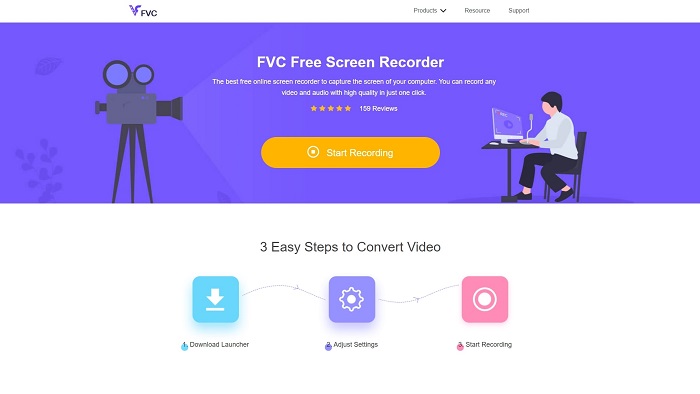
هل تريد تعلم كيفية تسجيل فيديو لماينكرافت أونلاين؟ إذن حاول قراءة هذا القسم واستخدام هذه الأداة. إن FVC Screen Recorder لا يحتوي على أي رسوم خفية. كما أن واجهة الأداة على الويب خالية من الإعلانات المزعجة. بالإضافة إلى ذلك، يمكنك التسجيل هنا بدون حد زمني. ورغم أن الأداة تبدو جاهزة لاستخدامها في تسجيل الشاشة، إلا أنها لا تحتوي على وضع خاص بألعاب الفيديو. لكن يمكنك مع ذلك استخدام هذه الأداة طالما أن الإنترنت متوفر لديك. لذلك، لمعرفة كيفية استخدام هذه الأداة يجب عليك اتباع الخطوات المذكورة أدناه.
الخطوة 1. للوصول إلى الأداة، اضغط أولاً على هذا الرابط.
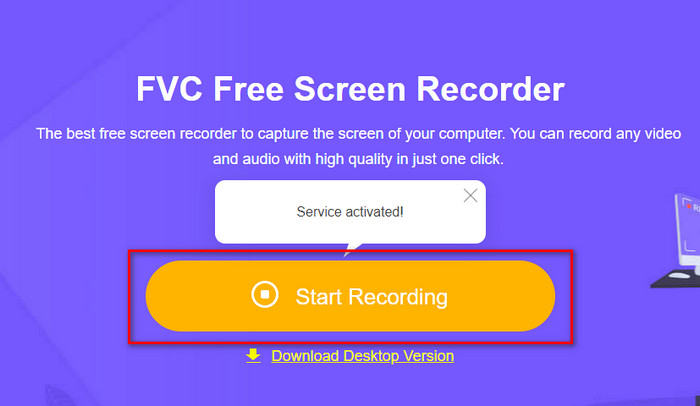
الخطوة 2. اضغط على Start Recording ثم قم بتنزيل المشغّل إذا كانت هذه هي المرة الأولى، وبعدها قم بتثبيته. ثم اضغط مرة أخرى على Start Recording لتشغيل الأداة هذه المرة.
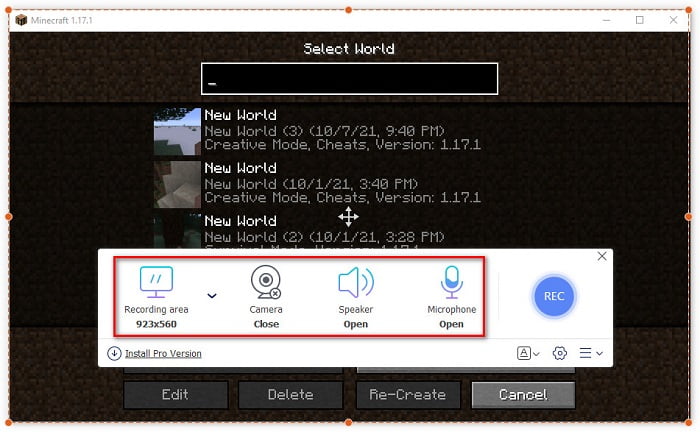
الخطوة 3. اضبط نسبة إطار الشاشة ثم فعّل الكاميرا لإضافة ردّة فعلك، ومكبر الصوت لإضافة الصوت الصادر من اللعبة، والميكروفون لإضافة صوتك.
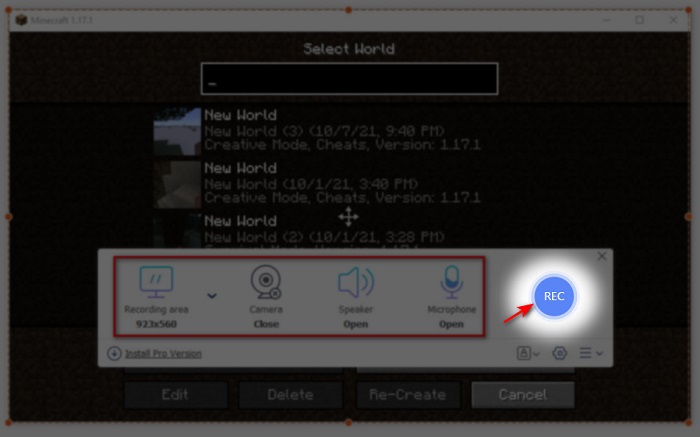
الخطوة 4. ثم انقر زر REC لبدء التسجيل.
الخطوة 5. لإنهاء التسجيل انقر على زر المربع ثم انقر على أول ملف في قائمة التسجيلات لإعادة مشاهدة الحركة قبل إرسالها أو رفعها.
الجزء 2. كيفية تسجيل Minecraft باستخدام أفضل أدوات مسجلات غير متصلة بالإنترنت
الأول. مسجل شاشة FVC
هل تريد التقاط كل لحظة من الحركات والاستعراضات التي تقوم بها في ماينكرافت؟ إذن فإن FVC Screen Recorder هو الأنسب لك. هذه الأداة أفضل من نسختها على الويب ومن OBS إذا تحدثنا عن الأداء العام وسهولة الاستخدام. تدعم هذه الأداة وضع تسجيل الألعاب Game Recorder الذي يمكنك استخدامه لجعل تسجيل اللعب سريعًا قدر الإمكان. كما يمكنك استخدام وتعديل مفاتيح الاختصار للتحكم في الأداة بسهولة أكبر. يمكنك التسجيل المتواصل حتى لو استمر 24/7. لذلك، لمعرفة كيفية تسجيل ماينكرافت على ويندوز 10 أو ماك اتبع الخطوات بعناية.
الخطوة 1. قم بتنزيل ثم تثبيت البرنامج على وحدة التخزين لديك. بعد ذلك قم بإعداد سريع للبرنامج واضغط إنهاء لحفظ الإعداد.
تنزيل مجانيلـ Windows 7 أو أحدثتنزيل آمن
تنزيل مجانيلـ MacOS 10.7 أو أحدثتنزيل آمن
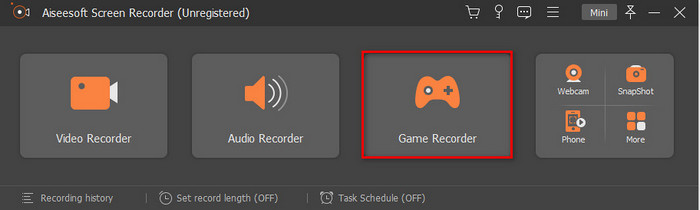
الخطوة 2. انقر على Game Recorder واسمح للبرنامج بأن يعمل كمسؤول ثم اضغط OK. انقر مرة أخرى على Game Recorder للمتابعة.
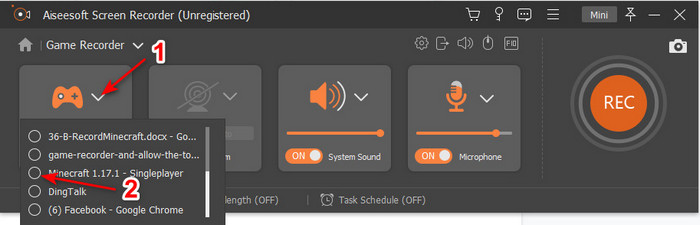
الخطوة 3. شغّل ماينكرافت أولًا وانتظر حتى تكتمل عملية التحميل. اضغط على Select Game واختر ماينكرافت.
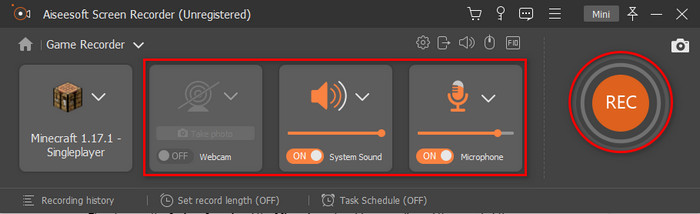
الخطوة 4. قبل أن تبدأ التسجيل، فعّل كاميرا الويب لإضافة ردّة فعلك أثناء التسجيل. ثم فعّل صوت النظام والميكروفون لإضافة صوتك وصوت اللعبة. اضغط على زر REC لبدء التسجيل، وسيتم عرض اللعبة تلقائيًا على شاشتك. والآن يمكنك تنفيذ الحركات الأسطورية التي تريد التقاطها.
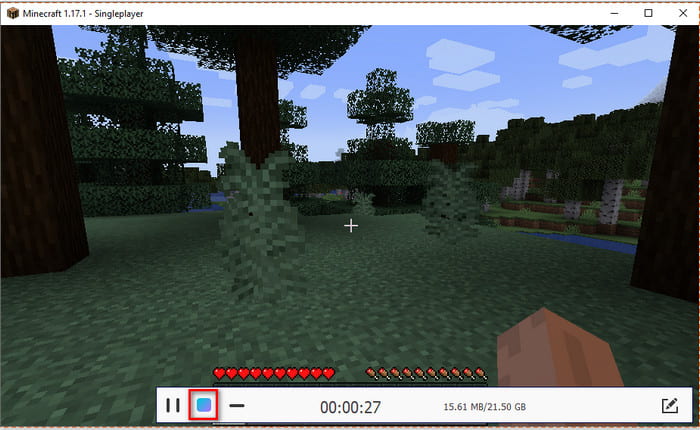
الخطوة 5. إذا أردت إنهاء التسجيل انقر على زر المكعب للإيقاف. اضغط Save وNext للمتابعة وحفظ الفيديو. ستظهر سجل المحفوظات على شاشتك، ثم انقر على أول ملف لإعادة مشاهدة الحركات الأسطورية التي قمت بها ومشاركتها لاحقًا.
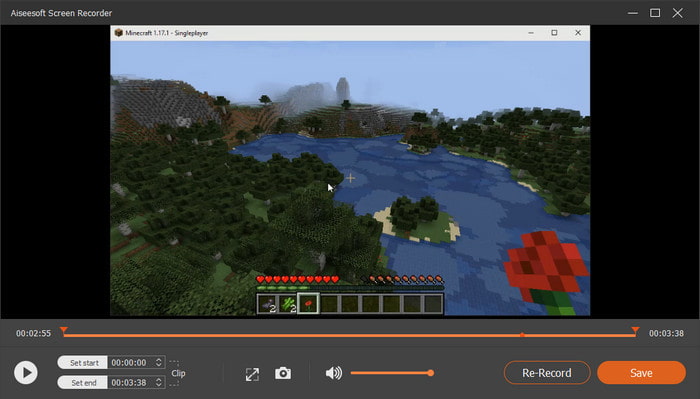
الثاني. OBS
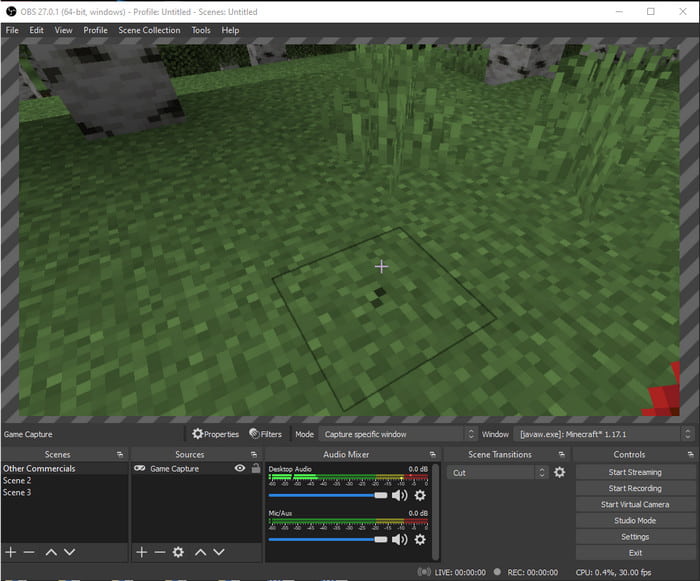
يُعرف OBS بأنه واحد من أكثر الأدوات تعقيدًا التي يستخدمها الكثير من المستخدمين. لكنه دائمًا ما يقدّم جودة رائعة رغم صعوبة استخدامه. لذلك، إذا كنت تريد تعلم كيفية تسجيل ماينكرافت باستخدام OBS فتأكد من أن لديك الكثير من الوقت الفارغ. لأن هذه الأداة أعقد بكثير مما تبدو عليه، فإذا لم يكن لديك فكرة عن كيفية استخدامها فاتبع الخطوات التالية.
الخطوة 1. حمّل برنامج OBS أولاً على جهازك.
الخطوة 2. ثم افتح ماينكرافت أولاً واذهب إلى لوحة Source ثم انقر على Game Capture. غيّر النمط إلى Capture Specific Window ثم بعد ذلك انقر على زر القائمة المنسدلة في خانة النوافذ واختر ملف ماينكرافت. ثم اضغط OK للمتابعة.
الخطوة 3. انقر على Start Recording لبدء التسجيل. ولإنهائه انقر على Stop Recording وسيتم حفظ تسجيل الشاشة تلقائيًا في مساحة التخزين لديك.
الجزء 3. أسئلة وأجوبة حول تسجيل Minecraft
ما هي الألعاب الشعبية على جهاز الكمبيوتر الآن؟
هناك الكثير من الألعاب الشائعة على جهاز الكمبيوتر ، ولكن هذه هي أول 5 ألعاب تتصدر دائمًا كل مراجعة. الأول هو Minecraft الذي نشرته Mojang في عام 2011 ، يليه في القائمة League of Legend أو المعروفة باسم LOL التي أنشأتها Riot Games في عام 2009 ، Counter Strike Global التي طورتها شركة Valve Corporation في عام 2012 ، Grand Theft Auto Five التي نشرتها Rockstar Games وتم تطويره بواسطة Rockstar north في عام 2013 ، وأخيرًا هو Valorant الذي أنشأته Riot Games في عام 2020.
هل Bandicam هو أفضل أداة للقيام بالتسجيل؟
لدى الكثير من الناس آراء مختلفة حول Bandicam، لكن لنلتعرّف ما إذا كانت هذه الأداة تستحق التجربة أم لا. لذلك، لمعرفة المزيد عن Bandicam انقر على هذا الرابط للانتقال إلى مقال جديد يتحدث عن Bandicam.
كيفية تحميل ملف فيديو كبير على موقع يوتيوب؟
بما أن يوتيوب معروف كمنصة لمشاركة الفيديو، فإن الكثير من المستخدمين يحاولون رفع الفيديوهات. لكن عند رفع فيديو بحجم ملف كبير سيستغرق ذلك الكثير من وقتك. لذلك، فإن أفضل طريقة لنشره بسهولة الآن هي ضغط الفيديو دون فقدان جودته. تعرّف على كيفية ضغط ملف الفيديو ورفعه على يوتيوب بسهولة.
خاتمة
والآن لإنهاء هذا النقاش، أصبح من الأسهل عليك فهم كيفية تسجيل ماينكرافت على الكمبيوتر. ربما تكون قد اخترت بالفعل برنامج تسجيل الشاشة الذي ستستخدمه، لكن بالإضافة إلى ذلك فإن FVC Screen Recorder هو الخيار الأنسب. لأن بإمكانك استخدام هذه الأداة وإدارتها بسهولة حتى لو كنت مبتدئًا. تعلّم كيفية استخدام مسجل الشاشة الفريد هذا ليس بالأمر الصعب. لذلك، قبل أن تبدأ تسجيل حركة القارب على طريقة Dream تأكد من أنك قمت بتنزيل هذا البرنامج مسبقًا.
تنزيل مجانيلـ Windows 7 أو أحدثتنزيل آمن
تنزيل مجانيلـ MacOS 10.7 أو أحدثتنزيل آمن
-
 أفضل مسجل شاشة XviD للمبتدئين في عام 2021 [متصل وغير متصل]
 XviD معروف بضغط ملفات الفيديو. إنه برنامج مفتوح المصدر يقوم بتنفيذ تنسيق ISO MPEG-4. استئناف القراءة والحصول على مزيد من التفاصيل.
-
 [Go-To-Guide] سجل Blu-ray على OBS Studio والأدوات البديلة
 تعرف على كيفية تسجيل Blu-ray على OBS studio والبدائل الأخرى بهذه الخطوات والنصائح البسيطة المفيدة. واصل القراءة ودع & #039؛ يغوص في التفاصيل.
-
 عملية نسخ قرص DVD وتسجيله باستخدام VLC لرقمنة التنسيق القابل للتشغيل
 يدعم VLC العديد من تنسيقات الملفات الصوتية والمرئية المضغوطة ، بما في ذلك التسجيل في أقراص DVD. فقط استمر في تحريك الكرة لمزيد من المناقشة والتفاصيل حتى النهاية.
