


 محول الفيديو النهائي
 مسجل الشاشة
 إصلاح الفيديو
أفضل طريقتين مجانيتين لضغط ملفات MPV الكبيرة على نظامي التشغيل Windows و Mac
كيف تضغط ملفات MPV؟ لقد سجلت للتو مقطع فيديو باستخدام مسجل الشاشة على نظام التشغيل Windows 10. ونتيجة لذلك ، أنتج المُسجل ملف MPV كبير لا يمكنك مشاهدته أو تحريره. ما هو أسوأ؟ MPV غير مدرج في قائمة تنسيقات الفيديو الشائعة. تعرف على كيفية ضغط ملفات فيديو MPV الكبيرة في هذه المقالة.

الجزء 1: كيفية ضغط مقاطع فيديو MPV الكبيرة عبر الإنترنت
أسرع حل هو استخدام FVC Free Video Compressor. مع هذا أفضل ضاغط لملفات MPV، تحتاج فقط إلى اتباع 3 خطوات بسيطة لإنجاز مهمة ضغط ملفات MPV كبيرة عبر الإنترنت.
الميزات الرئيسية:
- 1. تقليل ملفات الفيديو من أي حجم مع الحفاظ على الجودة العالية.
- 2. تخصيص الإعدادات لكل مرة عند ضغط ملف
- 3. واجهة سهلة الاستخدام لجميع مستويات المستخدمين بما في ذلك المبتدئين.
- 4. دعم TS ، MOV ، 3GP ، MP4 ، WMV ، RMVB ، AVI ، والمزيد من التنسيقات
خطوات ضغط ملفات MPV عبر الإنترنت
الخطوة 1: حمّل أداة ضغط MPV وادخل إلى الواجهة.
قم بتحميل FVC Free Video Compressor ثم انقر زر Add Files to Compress. اختر ملف MPV لتحميله وضغطه.

ملاحظة: عند استخدام أداة ضغط MPV هذه للمرة الأولى، تحتاج إلى تنزيل وتشغيل ملف باسم fvc-launcher.exe. بعد تثبيت المُشغِّل، ما عليك سوى النقر مجددًا على زر Add Files to Compress. ستظهر نافذة Open .
الخطوة 2: خصِّص الإعدادات الخاصة بضغط ملف MPV.
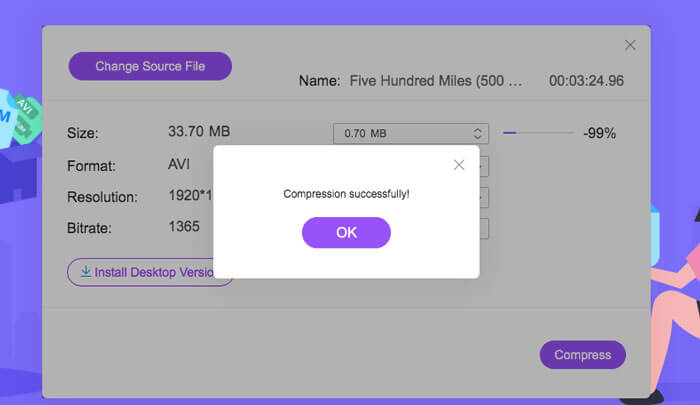
الحجم: اسحب لتغيير حجم الملف الناتج. كلما كان حجم الفيديو الناتج أصغر، زاد فقدان جودة الصورة.
الصيغة: اختر الصيغة التي تريدها.
الدقة: يمكنك تقليل الدقة أو إبقاؤها كما هي في الملف الأصلي.
معدّل البت: يعتمد معدّل البت النهائي على الدمج بين الحجم والدقة.

الخطوة 3: ابدأ في ضغط ملف MPV وانتظر حتى يكتمل الإخراج.
انقر زر Compress واختر المسار الذي تريد حفظ ملف MPV المضغوط فيه. أثناء عملية ضغط ملف MPV، تجنّب إغلاق المتصفح أو إيقاف تشغيل الكمبيوتر.
قراءة إضافية:
كيفية ضغط ملف WebM عبر الإنترنت باستخدام أداتي ضغط فيديو مجانيتين
طريقتان سهلتان لضغط ملفات MXF إلى حجم ملف أصغر
الجزء 2: كيفية ضغط مقاطع فيديو MPV الكبيرة أصلاً على نظامي التشغيل Windows و Mac
قد ترغب في أكثر من مجرد ضغط فيديو MPV إلى حجم أصغر، فقد تحتاج أيضًا إلى تعديل الفيديو. FVC Free Video Compressor لا يدعم القيام بذلك، لذا أنت بحاجة إلى Aiseesoft Video Converter Ultimate. إنها أداة شاملة لتحويل ونسخ وتحرير وضغط فيديوهات MPV.
الميزات الرئيسية:
- 1. ضغط ملفات الفيديو MPV بأقل خسارة للجودة
- 2. متوافق مع Windows 10/8/7 و Mac OS X 10.7 أو أعلى.
- 3. قم بتضمين جميع تنسيقات التشفير مثل H.264 و VP8 و H.265 / HEVC وما إلى ذلك.
- 4. دعم أكثر من 1000 تنسيق: AVI ، WMV ، MP3 ، MP4 ، FLAC ، WMA ، والمزيد.
- 5. تسريع الأجهزة والبرامج يوفر السرعة القصوى.
- 6. تطبيق تأثيرات قوية وفلاتر مذهلة بنقرة واحدة فقط.
تحميل مجانيلنظام Windows 7 أو أحدثتنزيل آمن
تحميل مجانيلنظام MacOS 10.7 أو أحدثتنزيل آمن
الخطوة 1: قم بتنزيل وتثبيت وتشغيل أداة ضغط MPV الاحترافية هذه على نظام Windows أو Mac. انتقل إلى علامة التبويب Toolbox.
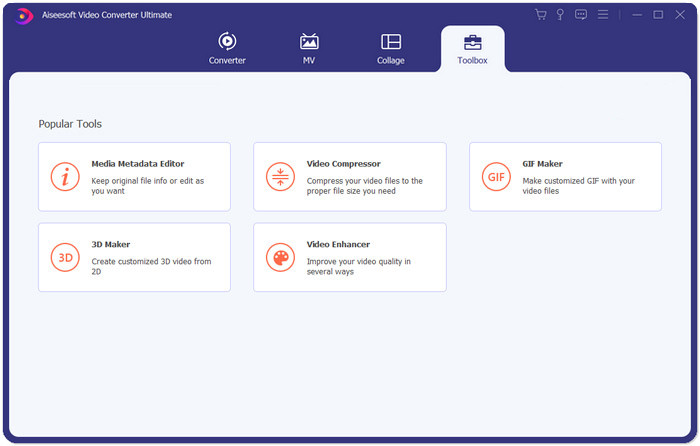
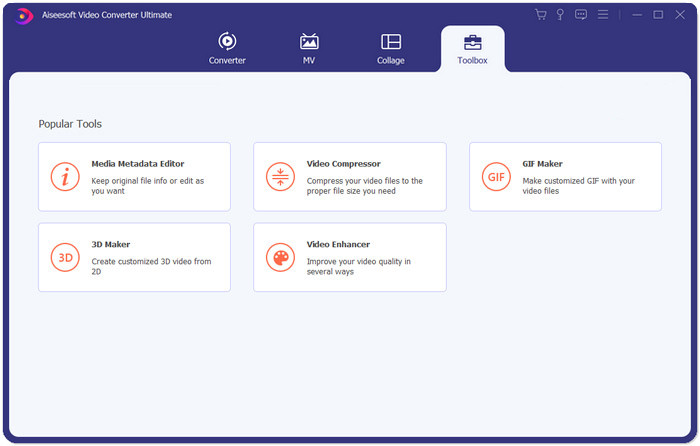
الخطوة 2: لضغط ملف MPV، تحتاج إلى استخدام أداة Video Compressor.
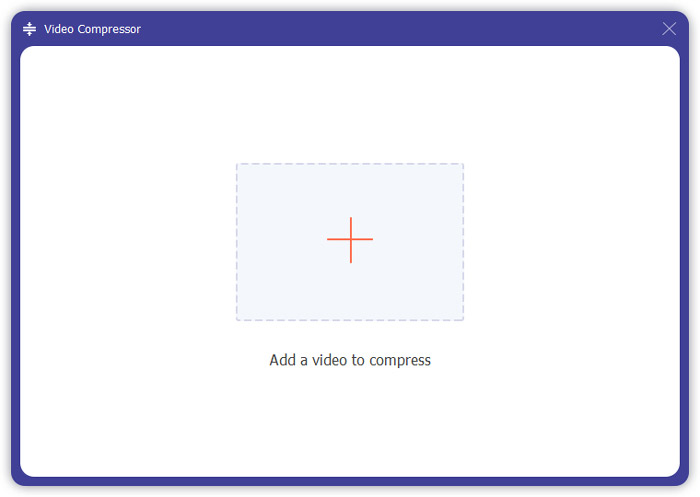
الخطوة 3: انقر زر “+” وحدد ملف MPV الذي تريد ضغطه.
الخطوة 4: خصِّص الإعدادات قبل بدء ضغط ملف MPV. الحجم: يمكنك سحب شريط النسبة المئوية لضبط حجم الإخراج أو كتابة حجم الإخراج المطلوب مباشرة.
الصيغة: صيغة MPV ليست ضمن القائمة. يمكنك اختيار أي صيغة من بين 16 خيارًا متاحًا.
الدقة: من الأفضل اختيار Auto. ويمكنك أيضًا خفضها إلى دقة أقل.
معدّل البت: سيتم حساب معدّل البت تلقائيًا وفقًا للحجم المضغوط.
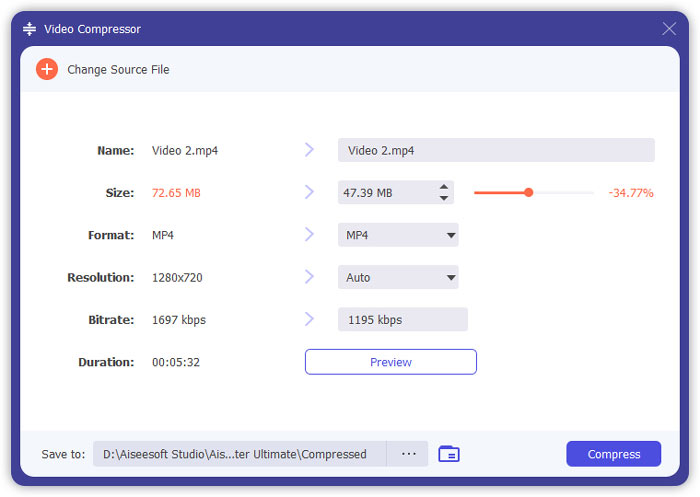
الخطوة 5: انقر زر Compress في أسفل يمين واجهة Video Compressor. قبل ذلك، يمكنك تغيير اسم ملف الإخراج.
الجزء 3: الأسئلة الشائعة حول ضغط MPV
ما هو ملف MPV؟
MPV هو نوع من ملفات فيديو الدفق الأولي MPEG. يحتوي على بيانات فيديو خام وغير مضغوطة.
هل أحتاج إلى تحويل MPV إلى MP4؟
سوف يعتمد على الظروف. على سبيل المثال ، إذا كنت ستأخذ الملف إلى كمبيوتر الفصل وتشغيله في الفصل ، فمن الأفضل أن تقوم بتحويله إلى MP4 مسبقًا من أجل توافق أفضل.
هل يمكنني فتح ملف MPV باستخدام Windows Media Player؟
نعم. يدعم Windows Media Player ملفات MPV.
هل يمكنني فتح ملف MPV باستخدام QuickTime؟
لا. لفتح ملف MPV على جهاز Mac، يمكنك تنزيل وتثبيت مشغّل Blu-ray.
خاتمة
قدمت هذه المقالة طريقتين مجانيتين لضغط ملفات MPV الضخمة على نظامي التشغيل Windows و Mac. إن أبسط طريقة هي استخدام FVC Free Video Compressor. للحصول على تجربة أكثر اكتمالاً ، يمكنك تنزيل Video Converter Ultimate. إنها أداة شاملة لتحويل وتقليم وضغط ملفات MPV.
-
 كيفية ضغط الفيديو على Facebook مجانًا وعلى الإنترنت
 إذا تم منعك من تحميل مقطع فيديو كبير على Facebook ، فلا تقلق. ما عليك سوى ضغط حجم الفيديو الكبير من جيجا بايت إلى ميغا بايت باستخدام ضاغط الفيديو المجاني.
-
 ضغط MPEG-4 | كيفية جعل ملفات MPEG-4 أصغر دون فقدان الجودة
 ليس لديك مساحة تخزين كافية للملفات للاحتفاظ بجميع ملفات MPEG-4؟ فيما يلي بعض الحلول التي يمكن أن تساعدك في تصغير حجم ملفات الفيديو الخاصة بك.
-
 ضغط VOB: كيفية تقليل حجم ملفات VOB بسهولة عبر الإنترنت مجانًا
 هل تبحث عن طرق لضغط ملفات VOB؟ تعرف على أفضل طريقة لتصغير حجم ملفات VOB في هذه المقالة.
