


 Video Converter Ultimate
 Skærmoptager
 Video reparation
 Sikker download
Hvad er de bedste QuickTime -udskiftninger, der er tilgængelige i al software (gratis og betalt)
QuickTime Player er den lokale medieafspiller i Mac‑systemet. Det er faktisk den bedste gratis medieafspiller fra Apple, men tilgængeligheden af denne afspiller er ikke-eksisterende på andre operativsystemer som f.eks. Windows. Derfor har Mac‑brugere svært ved at vælge, hvad der er den bedste QuickTime‑afspiller‑erstatning, de bør bruge. Uden videre vil denne artikel give dig tilstrækkelig dokumentation for selve værktøjerne og vise, hvilke andre alternativer du kan bruge til at se medier med en effektivitet, der kan matche QuickTime. Læs videre for at få mere at vide om disse medieafspillere.

Del 1. Den bedste QuickTime -udskiftning online
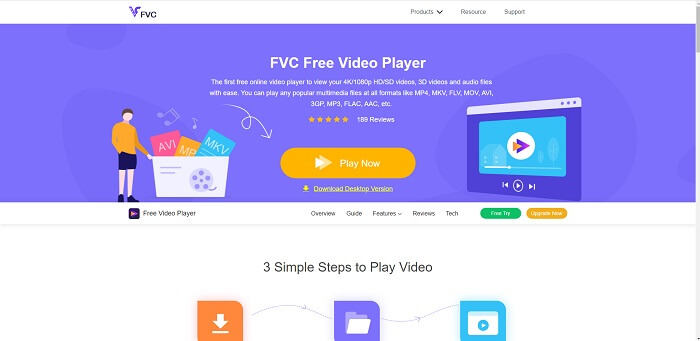
Hvis du leder efter det bedste alternativ til QuickTime‑afspiller online, er dette noget for dig. Du behøver ikke at oprette en konto, logge ind eller betale. En fantastisk funktion er også, at du kan få adgang til den når som helst og hvor som helst med hjælp fra en internetforbindelse – uden at blive spurgt, om du er en robot, eller blive bedt om at udpege brandhaner, biler, busser, fodgængerfelter og lignende. FVC Free Video Player er her for at ændre måden, du ser dine yndlingsvideoer og lytter til lydfiler online på. Det er som en QuickTime‑afspiller, men online. Ingen download er nødvendig, og du behøver ikke bekymre dig – den er fri for malware.
Fordele
- Et online QuickTime -erstatningsværktøj, som du kan få adgang til over internettet.
- Bedste valg optager over internettet. Du behøver heller ikke downloade værktøjet. Bare start den, placer den og se den.
- Malware sikkert, ingen annoncer på internettet og under afspilning.
Ulemper
- Internetafhængig.
- Hvis internettet er ustabilt, kan du ikke nyde at se filen.
Del 2. Prime Elite QuickTime Player -alternativet til Mac og Windows 10
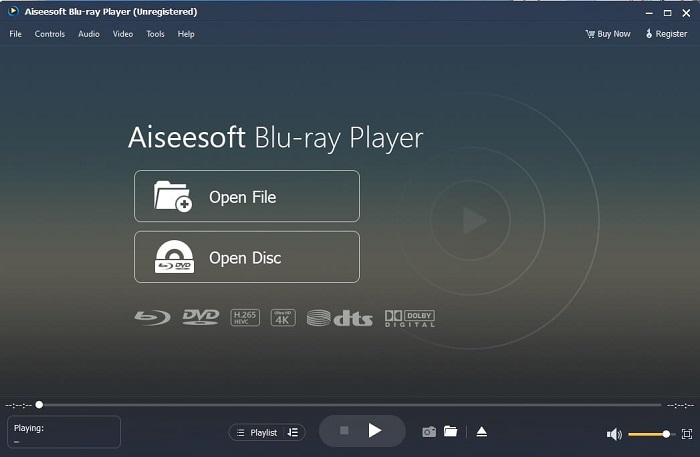
Hvis det gratis onlineværktøj giver dig god kvalitet, når du ser og lytter til dine yndlingsvideoer og ‑lydfiler, vil dette værktøj tage det hele til et nyt niveau. Hvis du har ledt efter en skat, der har været gemt længe, er tiden nu kommet til at fortælle dig, at jagten er slut – for i dag har du allerede fundet den. Dette værktøj er det bedste QuickTime‑afspiller‑alternativ til Windows 10 og Mac, fordi det klarer sig langt bedre og understøtter flere filformater. Blu-ray Player er den tabte skat. Hvis du leder efter en medieafspiller, der giver dig fremragende ydeevne, når du vil se eller lytte til din yndlingsvideo eller ‑sang, er det denne, du skal have. Man siger også, at for hver skat, du tager, må du betale en pris. Det er den almindelige opfattelse, at dette vil koste dig meget, fordi den siges at være bedre end selve QuickTime. Men det er den ikke. For at være ærlig er dette værktøj langt mere overlegent end andre medieafspillere, du finder i denne artikel eller på nettet. Det er en medieafspiller, du absolut bør prøve, hvis du vil have det bedste – som at se med biografkvalitet.
Gratis downloadTil Windows 7 eller nyereSikker download
Gratis downloadTil macOS 10.7 eller nyereSikker download
Fordele
- S-klasse medieafspiller.
- Det fungerer fint uden internetforbindelse.
- Det understøtter alle de platforme, du kender og ikke kender. Med mere kvalitet i video og lyd.
Ulemper
- Det skal downloades på din pc eller Mac.
- Det vil koste dig $36.00.
Del 3. Andet 4 Nyttige alternativer til QuickTime Player
Listen nedenfor er de eksempler, du kan lide at bruge eller støde på via internettet, hvis du leder efter en erstatning for QuickTime. Fordi det sagde før, at QuickTime er standard medieafspiller til Mac OS. Læs de andre alternativer til QuickTime -afspiller til Mac og Windows, du sandsynligvis vil bruge til at se video, hvis QuickTime ikke understøttes på din platform.
1. VLC Media Player
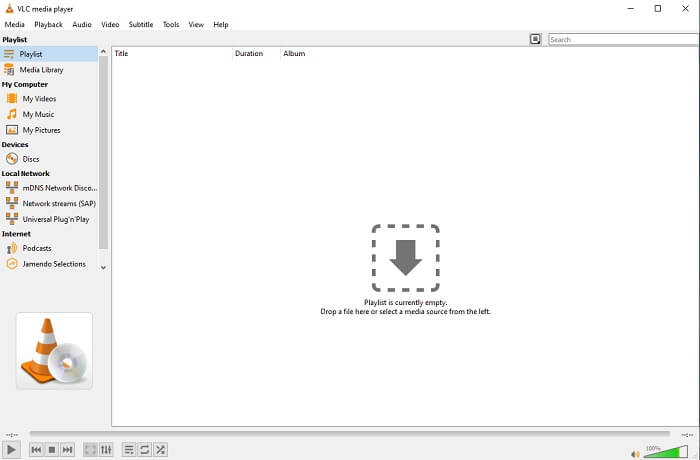
Dette værktøj bygger sit navn som den bedste medieafspiller på hele nettet. På grund af dets tilgængelighed bruger de fleste brugere dette som deres første valg. Det kan også afspille DVD'er, VCD'er, CD'er og mere uden at tilføje flere codecs til. For at gøre det enkelt, er det en hurtig spiller i A-klasse.
Fordele
- En af de bedste medieafspillere.
- Enkel grænseflade.
- Offlineværktøjer skal downloades.
Ulemper
- Nogle formater kan ikke afspilles.
- Du vil støde på nogle fejl, der ikke er rettet endnu.
2. KM -afspiller

En QuickTime‑erstatning til Windows og Mac, der giver dig mulighed for at afspille forskellige filformater i høj kvalitet. I modsætning til VLC Media Player kan WMV‑filer nemt afspilles med KM Player. Den kan også afspille 3D‑videoer og udføre visse redigeringsopgaver.
Fordele
- Mest almindeligt anvendte medieafspiller.
- Kendt for sin hardware acceleration.
- 3D -videoafspilning.
Ulemper
- Det er en spyware/adware.
- Det kan gøre dit system langsomt på grund af den uundgåelige installation, det vil foretage. så vær forsigtig, hvis du vil downloade denne software.
3. MPlayer
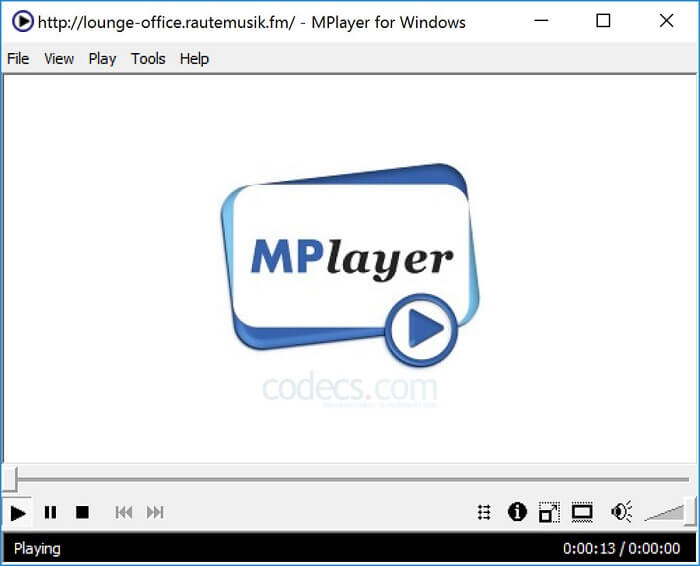
Dette værktøj giver brugeren mulighed for at arbejde med to separate vinduer. For eksempel er videovinduet adskilt fra hovedgrænsefladen. MPlayer kan afspille forskellige formater. Derudover understøtter den især filer, der er optaget via FFmpeg.
Fordele
- Spot-on værktøj.
- ingen yderligere codec er nødvendig.
- Genvejstaster.
Ulemper
- I nogle tilfælde kan de filer, du afspiller til den anden medieafspiller, afspilles, men hvis du bruger dette, er der en mulighed for, at de ikke afspilles. Det er stadig af ukendte årsager.
- Manglende afspilning af biblioteker.
4. Perian
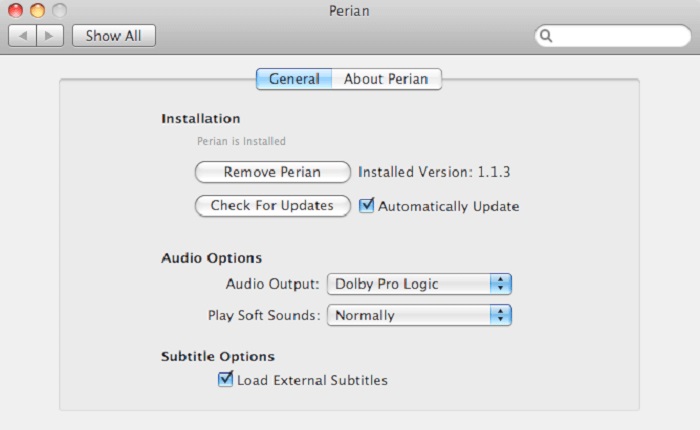
Hvis du har en forældet version af QuickTime og stadig gerne vil vide, hvilke andre muligheder du har, er dette noget for dig. Perian er kendt som den schweizerkniv, du kan bruge på dit Mac‑operativsystem. Hvis den gamle version af QuickTime ikke kan afspille det format, du ønsker, kan du bruge dette, fordi det giver dig mulighed for at afspille flere filformater i QuickTime Player.
Fordele
- Arbejder stadig selv på forældet QuickTime.
- Understøtter mere afspilning til QuickTime ældre versioner.
- SSA- og SRT -undertekstformat fra QuickTime understøttes stadig.
Ulemper
- Det fungerer ikke på den moderne version af QuickTime 10.
- Hvis du bruger en version af QuickTime fra 2012, er dette ikke nødvendigt at bruge. Fordi QuickTime kan levere, hvad dette værktøj kan levere endnu mere.
Del 4. Ofte stillede spørgsmål om QuickTime Player
Hvad kan jeg gøre andet end at afspille video på QuickTime?
QuickTime har også andre funktioner som f.eks. optagelse, redigering og trimning, omarrangering, rotation samt deling af video og billeder.
Har QuickTime en pro -version af det?
Ja, den har også en pro -version af den. Som sædvanlig giver pro -versionen flere funktioner end den gratis version.
Er der et fil, der ikke kan afspilles, hvis du bruger QuickTime?
I nogle tilfælde kan MOV- og MP4‑filer ikke afspilles, fordi de bruger komplekse codecs. Dette opleves især, hvis din QuickTime‑version er gammel. Den bedste løsning er derfor at konvertere MOV til MP4.
Konklusion
Nu hvor du ved, hvilke værktøjer du kan bruge, hvis du ønsker en medieafspiller som QuickTime, står det klart, at disse forskellige værktøjer hver især har deres egen specialitet, fællestræk og særpræg i forhold til andre medieafspillere. Men det er også tydeligt, at den bedste QuickTime‑afspiller‑erstatning – eller mere præcist det værktøj, der kan slå QuickTime – er Blu-ray Player. Den overgår QuickTime‑afspilleren på alle områder, især når det gælder tilgængelighed og meget mere. Men måske spekulerer du stadig på, hvorfor du skal købe dette værktøj. Den eneste grund er, at det er langt mere overlegent end andre værktøjer, du kan finde på nettet eller i andre artikler. Så hvad venter du på? Se video som en chef ved at bruge dette som din personlige medieafspiller.
-
 Bedste 1080p HD-videoafspiller til Windows/Mac/iOS/Android i 2025 Kommentarfeed
 Hvis du leder efter en videoafspiller til at se 1080p HD-videoer på din computer, skal du tjekke vores valg af de bedste 1080p HD-videoafspillere til Mac, Windows PC, iOS og Android.
-
 5 brugbare metoder til at reparere QuickTime kan ikke åbne MOV -filer Kommentarer feed
 MOV-format oprettes hovedsageligt til afspilning i QuickTime Player. Men nogle gange kan du opleve, at de ikke spiller i det. Lær hvordan du løser QuickTime kan ikke afspille MOV-filer fra dette indlæg.
-
 Sådan konverteres MKV -filer til spil på PS3 uden problemer
 Vil du afspille MKV -videoer på din PS3? PS3 kan dog ikke afspille MKV -filer direkte. Denne artikel viser dig måder at konvertere MKV -videoer til PS3 -understøttede videoformater til at spille på PS3 uden besvær.
