


 Video Converter Ultimate
 Skærmoptager
 Video reparation
I detaljerede anmeldelser om de 5 bedste tilgængelige lydforstærkerapps
Alle mennesker i hele universet elsker musik, uanset om det er pop, metal, rock, jazz og så videre. Men ikke alle højttalere giver en fantastisk lyd, der kan give os gåsehud. Derudover koster det over hundrede dollars at købe forstærkere, eller endnu værre, det kan koste dig over tusind. Er det ikke dyrt, ikke? Men vi kan undgå at bruge en masse penge, hvis vi prøver at bruge disse bedste forstærkere, der er tilgængelige på alle platforme. Og nu, hvis du vil bruge en lydforstærker-app, så læs listen nedenfor, som vil koste dig mindre end det ovennævnte beløb og stadig fungerer som en fremragende forstærker.

Del 1. Fænomenal lydforstærker tilgængelig på pc og Mac
Hvis du vil opnå 8D- eller 16D-lyd uden at bruge mange penge på udstyr til lydforstærkning, så prøv at bruge Video Converter Ultimate. I modsætning til fysiske forstærkere vil du med dette værktøj bruge mindre, og du behøver hverken at foretage en masse opsætning eller læse en tyk manual for at lære at bruge det. Desuden er dette desktop-program glimrende til at forbedre din video, lyd, GIF’er og meget mere. Selvom værktøjet er betalt, er det stadig nemt at bruge uden komplikationer og tilbyder avancerede funktioner, du let kan udføre på dine video- og lydfiler. Så hvis du nu vil vide, hvordan man bruger softwaren, er det et must at følge de givne trin nedenfor.
Trin til, hvordan du bruger Volume Booster i Video Converter Ultimate:
Trin 1. Først og fremmest skal du downloade softwaren til din pc- eller Mac-disk. Installer den derefter på din computer og udfør den enkle manuelle opsætning.
Gratis download til Windows 7 eller nyere Sikker download
Gratis download til MacOS 10.7 eller nyere Sikker download
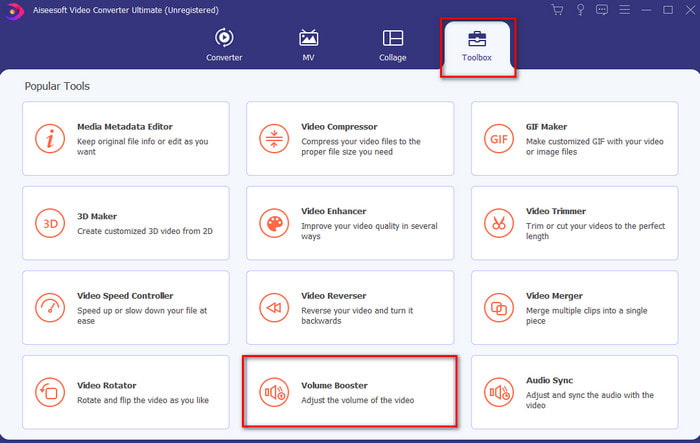
Trin 2. Under sektionen Toolbox skal du klikke på Volume Booster.
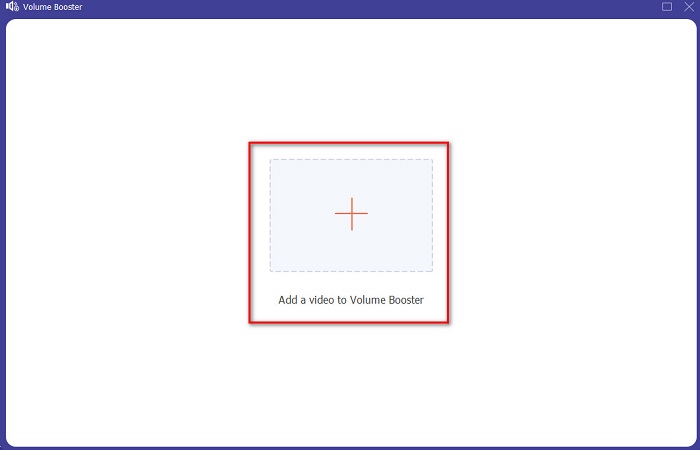
Trin 3. Klik på +-knappen for at vælge den fil, du vil forstærke lyden på. Tryk derefter på Open for at fortsætte.
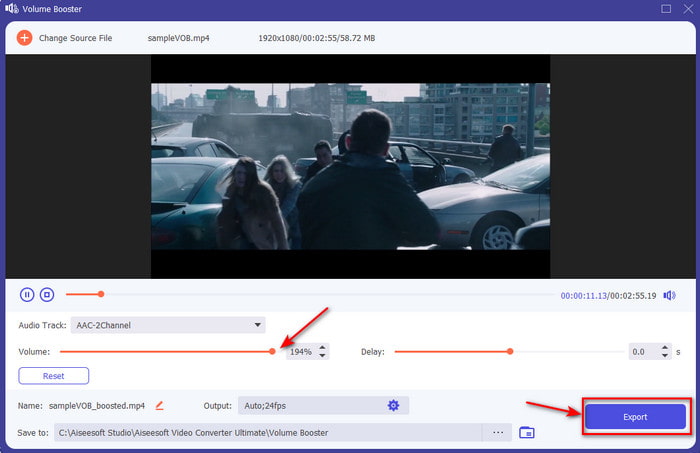
Trin 4. I grænsefladen kan du nu trække volumenskyderen for at gøre lyden høj og klar. Når justeringen af lyden er færdig, skal du klikke på Export.
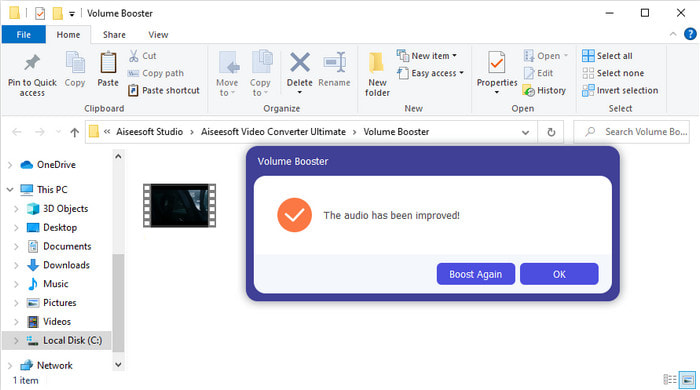
Trin 5. Vent et par sekunder, til processen er færdig, og når den er det, vises der et filvindue på din skærm med den fil, du har forstærket. Klik på filen for at lytte til den.
Fordele
- Denne software er nem at bruge og kan få din lyd til at lyde fænomenal.
- Softwarens ydeevne er meget værdsat af dens kunder.
- Den er tilgængelig og let at downloade på pc og Mac.
Ulemper
- Denne software understøtter ikke mobile enheder.
- Dette værktøj er betalt, men det er ikke så dyrt sammenlignet med de andre desktopværktøjer.
Relateret:
Hvordan man øger lydstyrken på MP4-video
Sådan rettes VLC-lydforsinkelse
Del 2. 4 af den bedste lydforstærker-app, der er tilgængelig på iOS- og Android-mobiltelefoner
1. Lydstyrkeforøgelse – Lydforstærker 4+ (iOS)
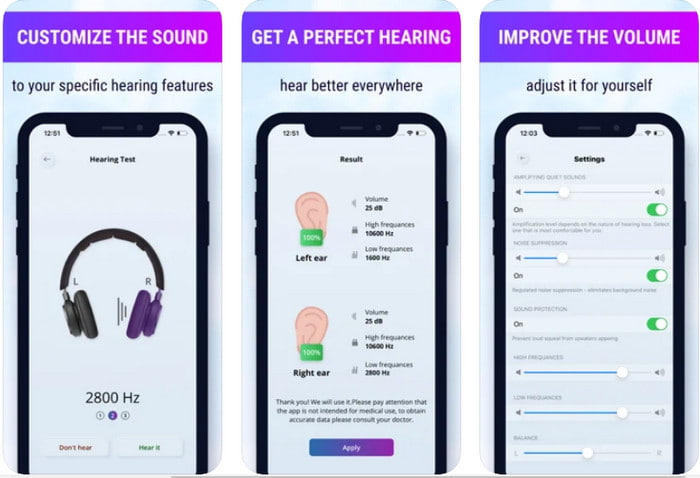
iOS-brugere kan nemt downloade Volume Boost- Sound Amplifier 4+ gratis. Denne app kan forstærke lyd nemt og uden besvær med sin automatiske justering, men du kan også foretage manuelle ændringer. Derudover er appen god at bruge som forstærker, men den virker ikke med Bluetooth-højttalere og øretelefoner eller pods. Du vil også opleve en del nedbrud med denne app og uundgåelige annoncer, når du åbner den. Selvom appen kan downloades gratis, er der køb i appen for at fjerne annoncerne og bruge de andre funktioner.
Fordele
- Gratis at downloade på alle iOS-enheder.
- Forstærk din højttalers lyd nemt op til 30db.
- Intuitiv grænseflade og opsætning.
Ulemper
- Oplev en masse nedbrud, fryser og fejl er stadig på denne app.
- Annoncer er meget at undgå.
2. Ekstra lydstyrkeforstærker - højttaler med høj lyd (Android)
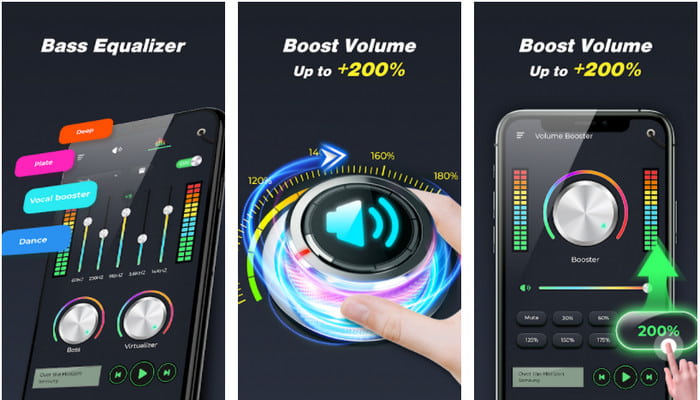
Hvis iOS-brugere har en lydforstærker på telefonen, bør Android-brugere også have noget lignende, såsom Extra Volume Booster. Mange brugere er allerede tilfredse med appens ydeevne, fordi den er fremragende til at forstærke og booste. Men hvis du åbner denne app, bliver alle lyde, der genereres på din telefon, såsom opkaldsringetone, alarmer, notifikationer og mere, forstærket. Det betyder, at der ikke er separate indstillinger for disse funktioner. Selvom værktøjet er gratis, er det stadig på nogle måder bedre end andre betalte apps på Android eller endda iOS. Men hvis du skruer lyden op til 200%, skal du forvente risiko for skade på dine indbyggede højttalere eller Bluetooth-højttalere, der ikke kan håndtere lydstyrken 200%.
Fordele
- Forenklet version af forstærker, du kan downloade på Android-enheder.
- Selvom app-grænsefladen ikke er meget, er den fantastisk.
- Forskellige forstærkninger og boosting er tilgængelige i denne app.
Ulemper
- Forvent at støde på utallige annoncer, mens du bruger appen.
- Mens du bruger værktøjet, er der en chance for, at CPU'en eller telefonen varmes op.
3. Speaker Boost: Volume Booster & Sound Amplifier 3D (Android)
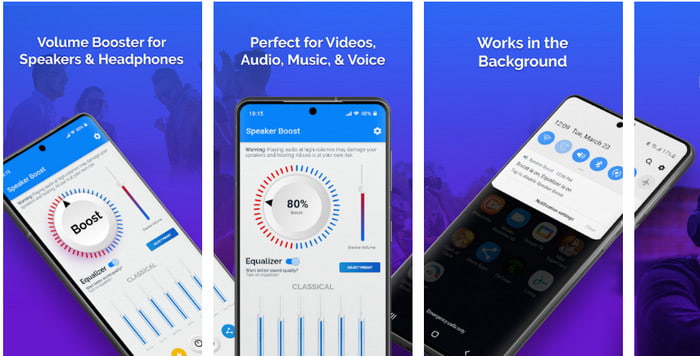
En anden Android-app, du kan bruge, som giver en fremragende surround-lydforstærkning, er Speaker Boost. Ligesom Extra Volume Booster er denne app meget præcis og meget nem at bruge, selv uden erfaring. Du kan også downloade dette værktøj gratis, men der er køb i appen, som du måske vil have, f.eks. at fjerne irriterende annoncer og andet. Selvom værktøjet virker rimeligt at bruge, vil køb i denne app koste dig en del sammenlignet med den anden software på denne liste. En anden bekymring, som mange brugere har, er, at appen fungerer på trods af annonceblokering, og der er en risiko for, at denne app kan være spyware.
Fordele
- On-point for nemt at booste lyden og alligevel er den kraftfuld at bruge.
- Download værktøjet gratis uden besvær med at forstærke lydene.
- Udfør den manuelle tilsidesættelse på equalizeren.
Ulemper
- Dette værktøj er ufuldstændigt, hvilket dybest set betyder, at det er under eksperimentel.
- Når du øger lyden, er der nogle forvrængninger, du vil høre.
4. Bom: Bass Booster & Equalizer 4+ (iOS)
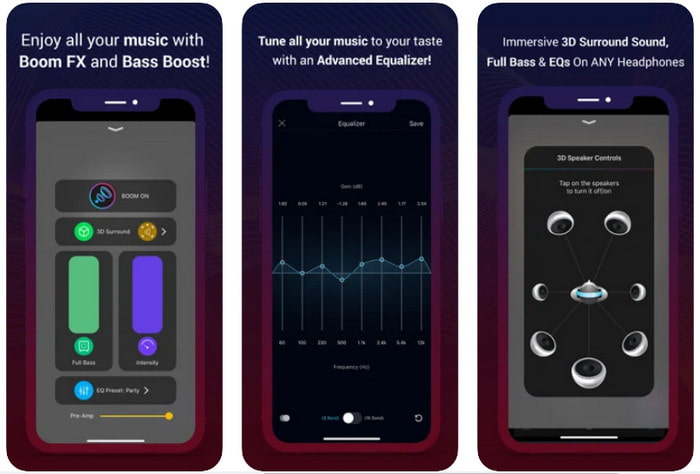
Hvis du leder efter en avanceret lydforstærker-app, er Boom: Bass Booster et godt valg. Denne app er dog kun tilgængelig på iOS-enheder, og du kan ikke finde den på dine Android-enheder. Indtil videre har dette værktøj allerede fået en masse ros fra brugerne, men nogle formater understøttes ikke til forstærkning. Når du bruger appen, må du også forvente nogle fejl og nedbrud under brug. Derudover kan appen være vildledende for nye brugere. Selvom appens ydeevne virker rimelig, er der stadig behov for forbedringer for at gøre appen bedre.
Fordele
- Nogle af de avancerede funktioner er tilgængelige her.
- Bærbare forstærkere du nemt kan bruge.
- Appen får 4,1 stjerne ud af 5 stjerner.
Ulemper
- Ikke det bedste valg for begyndere på grund af den forvirrende grænsefladestruktur.
- De fleste af lydformaterne understøttes ikke til at blive forstærket med denne app.
- Problemer med fejl og forsinkelser sker stadig med appen.
Del 3. Ofte stillede spørgsmål om lydforstærkere
Hvad er db?
Db betyder decibel, og dette er måleenheden til at udtrykke lydbølgens lydstyrke eller kraft. Også ved hjælp af decibel kan vi nemt bestemme, hvilken lyd vi er sikre på at høre i lang tid. Og alle de 85 decibel nedenfor er meget sikre at høre.
Hvad er ulemperne ved høj lyd?
Det er meget almindeligt for os, at når vi udsættes for høje lyde, kan hørelsen tage skade. Men vidste du, at dette kan resultere i kvalme, hovedpine, stress, træthed og meget mere. Så hvis du er ved at bruge en forstærker, så brug den rigtigt og overbrug den ikke for at undgå de uundgåelige skadelige virkninger.
Hvorfor hører jeg nogle revner på mine højttalere?
Dette problem er meget normalt for højttalerne med en meget begrænset hertz kan håndtere. Så hvis du øger lyden, så sørg for, at højttaleren kan klare det. Og hvis du hører nogle revner, skal du sænke lyden med det samme. Men hvis du hører nogle revner, selvom du sænker lyden, er det for sent.
Konklusion
Alle de apps og programmer, der præsenteres her, er gode at bruge som forstærkere. Selvom de ovennævnte programmer har nogle forskelle, er deres funktioner ens. Men hvis du leder efter den bedste lydforstærker til pc og Mac, så må Video Converter Ultimate være det. For den tilbyder de enestående avancerede funktioner, du nemt kan bruge. Så hvis du spekulerer på, om dette er det bedste valg, så download det først til din computer og følg trinnene ovenfor.
Gratis download til Windows 7 eller nyere Sikker download
Gratis download til MacOS 10.7 eller nyere Sikker download
-
 [Nemt] Sådan rettes usynkroniseret lyd og video
 Antag, at du planlægger din stream til i morgen, men når du tjekker din opsætning, er lyd og video ude af synkronisering. Læs denne artikel for at lære mere om denne bekymring.
-
 7 nemme trin til, hvordan man løser problemer med OBS-lydforsinkelse [løst]
 Kæmper du med at se dit videoklip efter optagelse på grund af lydforsinkelsen, når du bruger OBS Studio? Læs artiklen nedenfor for at lære, hvordan du løser usynkroniseret lyd effektivt.
-
 Sådan tilføjes lyd og musik til video gratis på din computer / telefon
 Denne artikel viser 4 nemme måder at tilføje lyd til video gratis på. Uanset hvilket lydspor du vil tilføje til din video, kan du få tilfredsstillende resultater her.
