


 Video Converter Ultimate
 Skærmoptager
 Video reparation
I detaljerede anmeldelser om de 3 web- og skrivebordskonvertere, der bruges til at konvertere WMV-filer til AVI
There will be a time that you want to convert your file into a new one because they aren't playable. An excellent example in this situation is the WMV format. If you are a Windows user, you have already heard of this format. It stores different video and audio files in one container. However, this format doesn't gain support from most of the media players. So the best way to watch the video file stored in the file extension of .wmv is to convert. If you're asking the same question as others, can you convert WMV to AVI? Then try to proceed below as we accumulate different web tools you can use with the steps provided.
Del 1. Top 3 konvertere til gratis Konverter WMV til AVI Online
Top 1. FVC Free Video Converter Online
Converting can be quickly done if you have internet access and use this FVC Free Video Converter Online. This software supports a much faster and better conversion, unlike other webtool. Also, you will not need to wait for the file to upload because this tool doesn't want you to wait for too long. Another good thing about this web tool is the built-in converted video library this tool provides. To access the video or audio, you convert efficiently and effectively. However, if you don't have internet access, you can't use this just like the other web tool below. Moreover, if you want to try this tool, then here are some provided steps you can follow to convert WMV to AVI for free online.
Step 1. First, go to the main website of the FVC by clicking this link.
Step 2. Then click Add Files to Convert to install the launcher of the web tool. No need to worry because it is only just a few bytes, and it is safe also. If the installer is on your drive, re-click the Add Files to Convert, choose the .wmv format on the folder, and click Open.
Download skrivebordsversionen for at konvertere filer i batch.
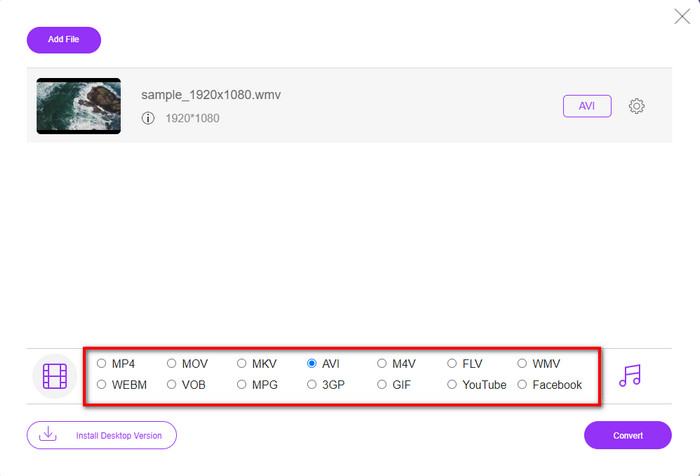
Step 3. Once the WMV file is on the interface, you must now choose the AVI format on the options available below.
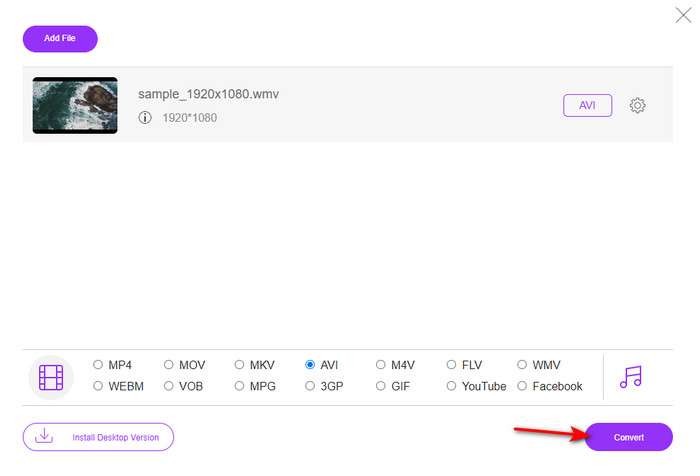
Step 4. After selecting the format, it is now the right time to convert it by clicking Convert.
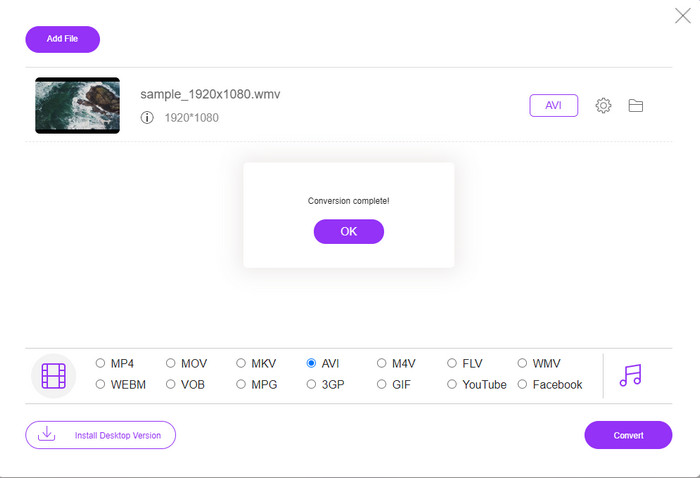
Step 5. Wait for a few minutes for the process to end, and if it is a folder containing your converted file will show on your screen. Then click it to watch the new WMV format you've made with this tool.
Top 2. Konvertering
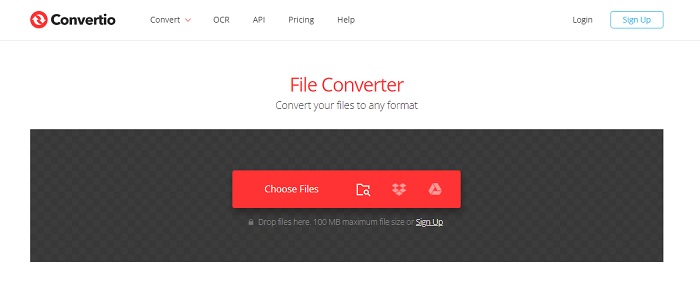
Another online converter you can use to convert WMV files to AVI for free is the Convertio. Unlike the web tool mentioned first, you will not need a launcher to use it. Also, you can convert PDFs, images, audio, and more in this tool. However, the major drawback is that uploading and downloading files will take a lot of time. Also, it doesn't have a built-in library containing all the converted files you've made. So now, if you want to use this as your converter, then follow these steps.
Step 1. Go to your favorite browser and search Convertio.io.
Step 2. Click Choose File and locate the WMV file you want to convert to the folder. Then click the drop-down button and choose AVI.
Step 3. The uploading process will take your time, and click Download to save the converted format.
Top 3. CloudConvert
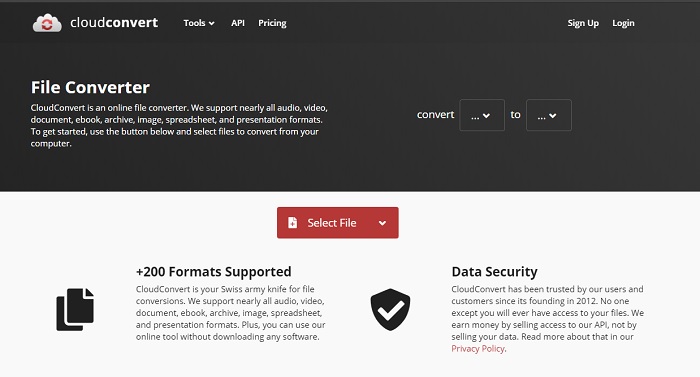
CloudConvert supports small-scale formats you can choose to convert on. Also, the conversion process here is safe and doesn't keep a record of your converting process. Just like the Convertio, this tool doesn't have a library as well. And the process of converting format here is so much slower as it doesn't support hardware acceleration to boost the conversion speed. Moreover, if you want to experience a free convert WMV to AVI online, copy the steps below.
Step 1. Open your web browser and search the Cloud Convert.
Step 2. Press Select File, then search for the .wmv file on the folder that will show on your screen.
Step 3. Click Convert to, choose the AVI format, click the Convert button, click Download after the conversion.
Del 2. Sådan ændres WMV til AVI på Mac & PC med Lightning Speed Converter
The online software mentioned above can't copy what FVC Video Converter Ultimate provides to its customers. If you are looking for a multi-purpose tool, this must be the best choice. Also, you can use this software as a converter, editor, GIF maker, and more. Moreover, this software is more than expected on what it can do and how fast it can finish. The overall performance of this tool amazes us and if you want to be surprised too, then download this phenomenal converter on your desktop. And now, let's proceed with converting WMV to AVI on Mac and PC by following the step-by-step procedure we made below.
Step 1. Before you can access the tool, you will need to download it first and choose which platform you are currently using. Then install the software on your desktop and so the quick set-up takes less than a minute.
Gratis download til Windows 7 eller nyere Sikker download
Gratis download til MacOS 10.7 eller nyere Sikker download
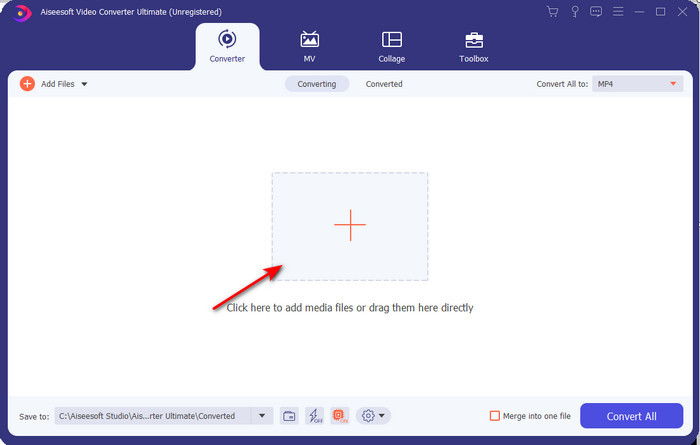
Step 2. Open the software to proceed to the next step; after launching it, you will see a + sign; click it to add the files, then select Open.
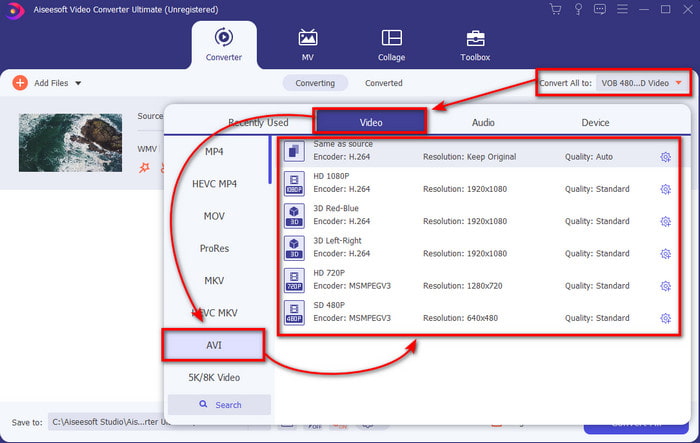
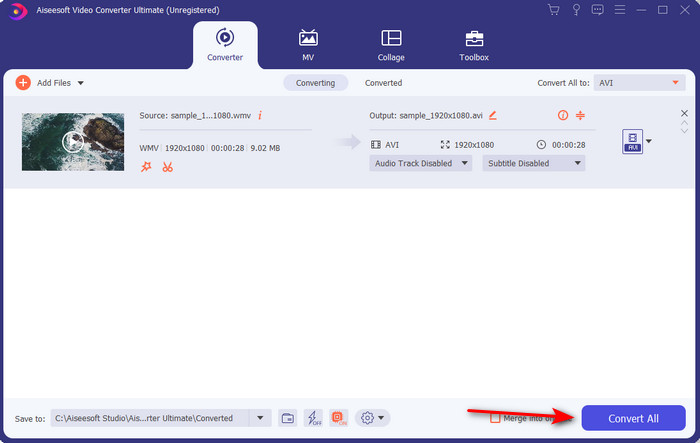
Step 3. To change the format, click the drop-down menu of Convert All to and choose AVI on the submenu.
Step 4. So now, to convert the WMV file to AVI successfully, click Convert All and wait for several seconds for the process to be done.
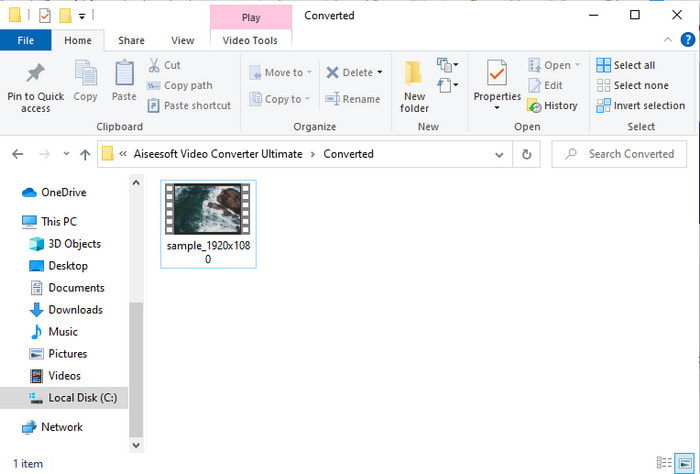
Step 5. After converting, a folder will show on your screen with the converted file you made a few seconds ago. To watch it click the video file and enjoy your converted WMV file without losing the quality.
Del 3. WMV VS AVI; Hvilket format klarer sig bedst
WMV og AVI er nogle af de førsteklasses videofilcontainere, du ville elske at bruge. De to nævnte formater kan indeholde video og lyd af høj kvalitet, men lad os nu bestemme deres forskelle ved at læse dette sammenligningsskema.
| WMV | AVI | |
| Også kendt som | Windows Media video | Audio Video Interlevans |
| Bedst brug til | Det plejede at forvandle en stor fil til en mindre til velstruktureret videostreaming online. | Bruges til at gemme video og lyd separat og afspille dem samtidigt uden forsinkelser. |
| Udviklet af | Microsoft | Microsoft |
| Ulemper ved formatet | Det får mindre opmærksomhed og støtte fra medieafspillerne. | Det har brug for et codec til at komprimere denne store fil til en meget mindre, men inden for en grænse. |
WMV vs. AVI
Produceret af Microsoft var WMV et af de mest almindelige videoformater tilbage i 2000'erne. Den kan ses over nettet og afspilles af forskellige medieafspillere på Windows. Og det er også standardvideofilformatet for Windows Media Player. Men det er blevet overtaget af andre formater for nylig.
Baseret på Resource Interchange File Format (RIFF), blev AVI-formatet introduceret af Microsoft i 1992. Det kan gemme video/lyd i høj kvalitet, da det bruger mindre komprimering. Men det forårsager også den store filstørrelse af en AVI-fil, hvilket kan være et problem, når der er begrænset plads.
Del 4. Ofte stillede spørgsmål om WMV og AVI-format
Påvirker det kvaliteten at vende WMV til AVI?
Kvaliteten af WMV-filen, når du laver den til AVI, må ikke ændre sig. Men antag, at din WMV ændres, og kvaliteten falder. I så fald understøtter den konverter, du bruger, ikke en højkvalitetspixel af din video.
Ændres størrelsen af min WMV efter jeg konverterer?
Filstørrelsen på WMV kan være en smule anderledes end den originale filstørrelse. Der er en grund til, at det ændrer sig. En af grundene er, at den komprimerede fil bliver ukomprimeret, så filstørrelsen ændres. Men ændringer skal være tæt på den oprindelige filstørrelse og bør ikke være så langt eller store.
Kan jeg bruge WMV til at vedhæfte en video til en e-mail?
Ja, det er ideelt at bruge WMV-format og vedhæfte videoen til en e-mail, fordi den understøtter bedre og hurtigere komprimering end MPEG-4, ifølge Microsoft. Det er også kendt som et miniatureformat på grund af hvor lille filstørrelsen kunne være. Kvaliteten af videoen forbliver dog.
Konklusion
Når vi slutter, er det lettere for os at forstå, at ikke alle platforme og software understøtter WMV. Desuden fungerer webværktøjet godt, men der er et værktøj, der kan konvertere batchfiler meget hurtigere og nemmere: FVC Video Converter Ultimate. Antag, at du vil opleve den fænomenale konvertering, denne software giver. I så fald skal du downloade dette nu på dit skrivebord og bruge det.
-
 Sådan konverteres WMV til MP4 gratis og online [Løst]
 Sådan konverteres WMV-filer til MP4? Her er de 4 nemme måder at konvertere WMV til MP4 på Mac og Windows med enkle trin.
-
 WMV til MP3 – Sådan konverteres video til lyd gratis [ Desktop/Online ]
 Mens du ser en WMV-video, finder du lyddelen fascinerende. Derfor vil du gerne afspille den på din MP3-afspiller. Men det er klart, at din afspiller ikke understøtter WMV-format. Det får dig til at spekulere på, om der er en måde at konvertere WMV til MP3.
-
 2 nemmeste måder at konvertere WMV-filer til FLV på PC / Mac
 Hvordan kan du konvertere WMV til FLV? For det første skal du læse vores anbefaling og finde din foretrukne metode og derefter følge vores guide for at udføre jobbet hurtigt.

