


 Video Converter Ultimate
 Skærmoptager
 Video reparation
Praktiske værktøjer, du skal vide, der konverterer SWF til MOV [Løst]
Video- og vektorbasserede animationer findes i SWF-filer, som oprettes med Adobe Flash‑software. ShockWave Format er et andet navn for Small Web Format, som er den fulde forkortelse. SWF‑filer bruges ofte til at distribuere multimedieindhold effektivt over internettet. Små webapplikationer drager fordel af ActionScripts, som kan gemmes i dette format. Hvis du spekulerer på, om der findes en gratis SWF til MOV‑konverter, fordi du ikke kan afspille en fil med dette format, er denne artikel lige noget for dig, for den præsenterer de bedste og mest effektive værktøjer, du kan bruge til at konvertere videofiler. Lad os komme i gang!
Del 1. Forord: SWF & MOV
SWF er en filtype, der bruges til at overføre tekst, video, vektorgrafik og ActionScript via internettet. Adobe Flash Player er nødvendig for at bruge SWF‑filer. SWF‑filformatet er designet som et ressourceeffektivt overførselsformat, der ikke kun kan bruges til overførsel af grafik, men også til kantudglatning (anti‑aliasing) og skærmvisning, blandt andet. Anti‑aliasing er afgørende for hurtig rendering af bitmaps og deres tilhørende egenskaber, såsom interaktive knapper, skygger og animation.
MOV-filer er derimod kodet efter Apple QuickTime Movie‑kodningsretningslinjer og datakomprimeringsstandarder, og videofiler, der produceres i dette format, har filendelsen .mov. Standarder og komprimeringskriterier for digitale film og andre videoklip er udelukkende udviklet af Apple. Fordi disse MOV‑filer er kodet med understøttelse af kryds‑kompatibilitet, kan de også afspilles på digitale videoafspillere til både Mac og Windows. Windows Media Player har også indbygget afspilningsfunktionalitet til disse MOV‑filer, som kan åbnes og ses med Apple QuickTime Player eller VLC Media Player på både Mac‑ og Windows‑platforme.
| Filudvidelse | SWF | MOV |
| Filtype | ShockWave Flash-film | Apple QuickTime film |
| Udviklet af | Adobe Systems | Æble |
| Fordele | Webanimation er muliggjort ved brug af et frit scriptbart visuelt format. Fordi grafikken er vektorbaseret, kan størrelsen ændres uden problemer. indlæst på kort tid; | Hver fil har lyd- og videokomponenter af høj kvalitet, der er gemt på uafhængige spor og kan redigeres for både tid og indhold. Filerne kan ses af mange forskellige gratis videoafspillere. |
| Ulemper | Intensiv CPU-brug; en SWF-video kan ikke afspilles, før Flash-plugin'et er installeret på computeren; det kræver dyr software at lave blandt andet; | QuickTime-miljø giver mere stabil ydeevne; ikke desto mindre kan et specifikt codec være nødvendigt for at åbne en.mov-fil. |
Del 2. 3 effektive værktøjer til brug ved konvertering af SWF til MOV
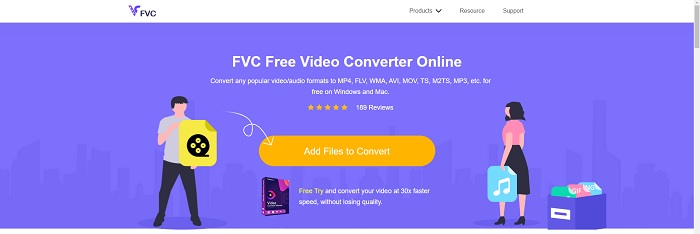
Mulighed 1. Gratis Video Converter Online
Det er muligt at konvertere et bredt udvalg af video‑ og lydformater med FVC Free Video Converter Online. Højopløsningsvideo kan nemt konverteres til codecs som MP4, FLV og WMV uden tab af kvalitet. Du behøver ikke bekymre dig om kvalitetstab, når du konverterer mange video‑ eller lydfiler. Dette gratis videokonverteringsværktøj er velkendt for sine konverterings‑ og redigeringsfunktioner, som giver brugerne mulighed for at tilpasse deres videoer fuldstændigt.
Fordele
- Det understøtter adskillige videofilformater.
- Konverterede output er af høj kvalitet.
Ulemper
- Da det er et online-webværktøj, har det brug for en hurtigere forbindelse for at konvertere video i stor filstørrelse.
Mulighed 2. Online gratis konverter
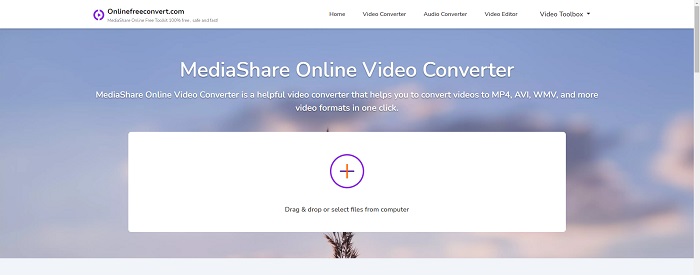
Når du omkoder din video, er denne gratis onlineapplikation den bedste mulighed. Denne applikation tilbyder to muligheder for at holde tingene enkle og nemme at bruge: filtype og opløsning. Følg instruktionerne på skærmen for at bruge denne online-konverter.
Fordele
- Den har en tilgængelig og brugervenlig grænseflade.
- Det tilbyder andre værktøjer, der kan forbedre videokvaliteten.
Ulemper
- Det har ikke mange videoformater, det understøtter.
Mulighed 3. Enhver konv
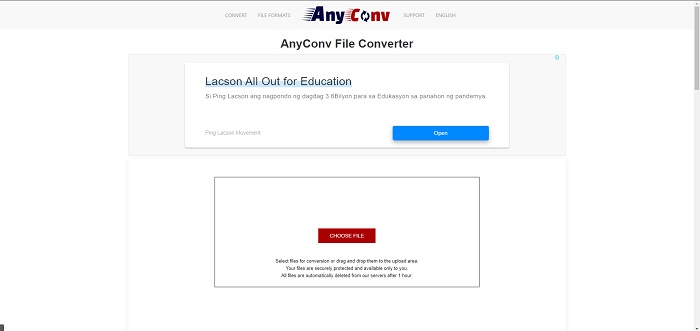
AnyConv er en online konverter med en hollandsk brugergrænseflade. Selv den kommercielle udgave af denne applikation er gratis. AnyConv inkluderer også en konverteringsbegrænsning på 60 filer pr. time. Ved at bruge online-konverteren kan du konvertere filer på op til 50 MB og vælge mellem over 300 forskellige outputformater.
Fordele
- Den har en bred vifte af formater; det understøtter selv ikke-video- og lydformater som dokumenter.
- Det giver anvisninger til brug af denne konverter.
Ulemper
- Det viser annoncer, der ikke hjælper eller passer til konverteringsprocessen eller selve indholdet.
Del 3. Sådan konverteres SWF til MOV på Mac
Dette indlæg anbefaler Video Converter Ultimate til Mac‑brugere, der vil konvertere SWF til MOV. Både Windows‑ og Mac‑versioner af denne software kan downloades gratis. Et bredt spektrum af brugere kan anvende den, fordi den har et brugervenligt værktøj og en enkel grænseflade. Med dette program kan du konvertere filer fra ét videoformat til et andet på omkring ét minut, hvilket adskiller det fra andre konverteringsprogrammer og onlineressourcer. Derudover har softwaren en række ekstra funktioner, der kan hjælpe dig med at forbedre din video endnu mere. Forudsat at du har læst beskrivelsen af softwaren, så lad os komme i gang:
Trin 1. For at starte downloadprocessen skal du blot højreklikke på ikonet Free Download, som er angivet nedenfor. Denne software er kompatibel med computere, der kører både Windows og Mac‑operativsystemer. Når du er færdig med at downloade softwaren, kan du installere den og begynde at bruge den ved at vælge knappen Start Now på softwarens hovedskærm.
Gratis download til Windows 7 eller nyere Sikker download
Gratis download til MacOS 10.7 eller nyere Sikker download
Trin 2. Når du har downloadet softwaren, skal du starte den. Disse oplysninger vises i et vindue, når softwaren åbnes for allerførste gang.
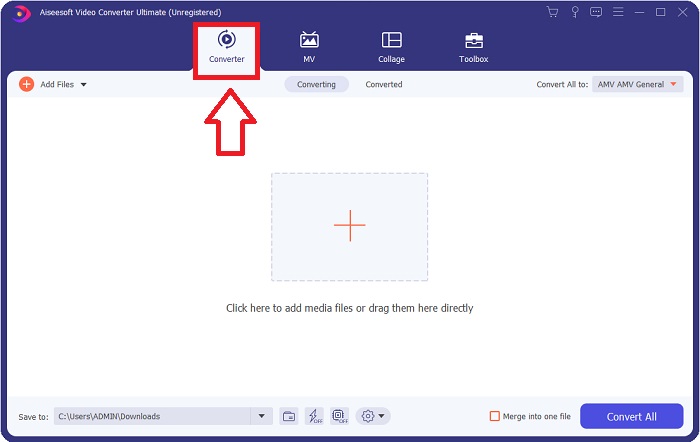
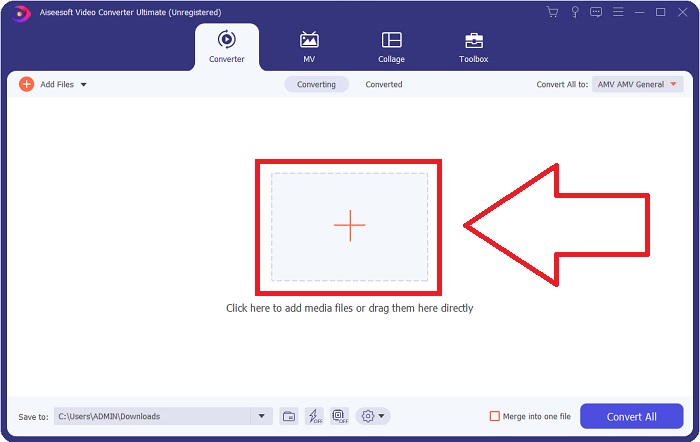
Trin 3. Konverteringsprocessen begynder med indlæsning af de filer, du ønsker at konvertere, i konverteren. Træk og slip den video, du vil konvertere, hen på +-symbolet for at starte konverteringen.
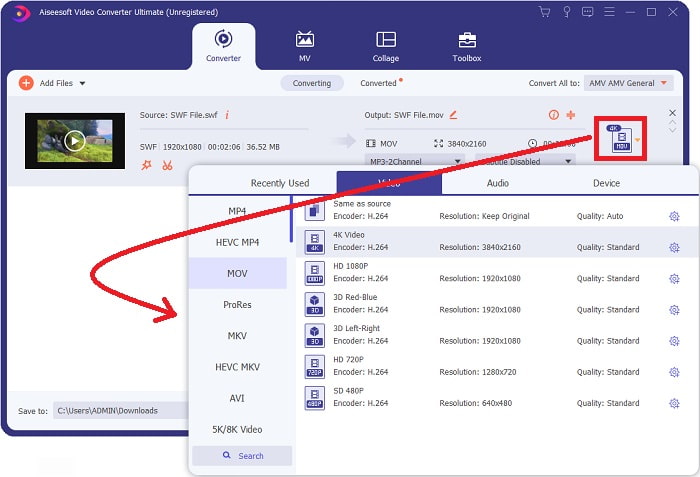
Trin 4. En menu med valgmuligheder vises i øverste højre hjørne af skærmen, hvor du kan vælge et videoformat. Vælg MOV som videoformat i rullemenuen, der vises. Afhængigt af den MOV‑fil, du har valgt, kan du vælge mellem forskellige videokvaliteter. Hvis den ønskede videoudgang ikke er tilgængelig, kan du justere kvalitetsindstillingerne i Windows. Du kan ændre skærmens billedhastighed og lydkvalitet ved at klikke på tandhjulsikonet i øverste højre hjørne. Brug knappen Create New til at gemme dine ændringer, når du er færdig.
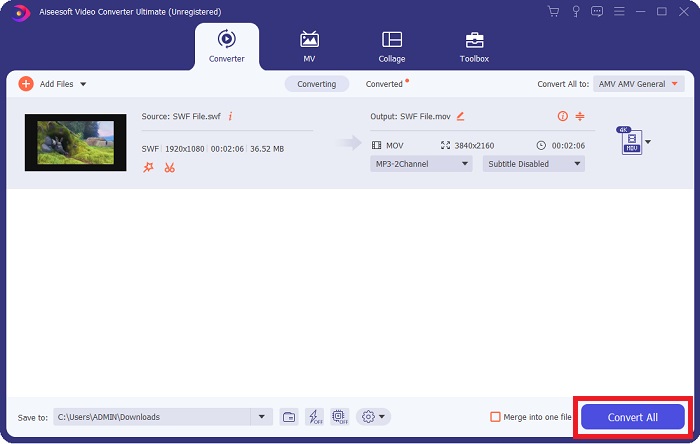
Trin 5. Når du er færdig med at redigere videoen, og den er klar til at blive konverteret, skal du klikke på Convert All for at starte konverteringsprocessen.
Relateret:
Del 4. Ofte stillede spørgsmål om SWF til MOV-konvertering
Er SWF et videoformat?
Video- og vektorbaserede animationer kan findes i SWF-filer, som er oprettet med Adobe Flash-software. Det er dog også kendt som Shockwave Format, som er den fulde forkortelse af SWF. Oprindeligt udviklet af Macromedia, er dette filformat nu ejet af Adobe.
Er SWF-filer sikre?
Specifikt er Flash tilbøjelig til en lang række forskellige typer af sårbarheder. På grund af det faktum, at SWF-filen downloades til klienter og kører på deres computere, er din server ikke en fare. Men selvom du forsøger at tjekke SWF-filerne for malware, vil du kun modtage minimal beskyttelse.
Hvilken browser understøtter stadig Flash 2021?
Adobe Flash vil blive udfaset i Firefox 84, den næste store udgivelse af browseren. For at forbedre hastigheden og sikkerheden vil Firefox 85 (planlagt til udgivelse den 26. januar 2021) fjerne understøttelsen af Adobe Flash.
Konklusion
Afslutningsvis skal alt det, der er blevet gennemgået i denne artikel, omsættes i praksis ved hjælp af den software, der er nævnt ovenfor. Video Converter Ultimate gør det nemt for dig at konvertere videofiler og kan samlet set levere arbejde i høj kvalitet. I modsætning til andre værktøjer eller programmer, der er tilgængelige på internettet, kan denne software give dig en brugervenlig oplevelse og resultater i topklasse.
-
 SWF til MP4: Gratis konverter SWF til MP4 online og pc
 Hvordan åbner jeg SWF-fil uden Adobe Flash Player? Tag den gratis top 3 SWF til MP4-konverter for gratis at skifte SWF til MP4 online og på PC / Mac inden for 3 trin.
-
 [2 løsninger] Sådan konverteres SWF til GIF -filer let gratis
 Når du ikke eksporterer GIF-format via Flash-software, kan du prøve at gemme filerne i SWF-format først. Derefter kan du lære 2 nemme måder at konvertere SWF til GIF-filer fra denne artikel.
-
 Bedste GIF-konverter til at konvertere animeret GIF til MOV-format [2021]
 Konverter din GIF til MOV -format på en ubesværet måde uden at påvirke videofilens kvalitet. Med trin og forskellige værktøjer også.
