


 Video Converter Ultimate
 Skærmoptager
 Video reparation
Nyeste online- og offlinesoftware, du nemt kan bruge til at vende MP4-videoer
De fleste gange, når vi prøver at spole vores video tilbage, skaber vi nogle sjove reaktioner, der får os til at tænke, at det er os selv. Fordi den afspilles baglæns, giver det en effekt, der skaber noget nyt for vores øjne. Så hvis du vil kende effektive måder at spole MP4‑videoer tilbage på, er det et must at læse denne artikel. Da den viser forskelligt software online og offline, kan du bruge den til at lave en masse omvendte videoer på en enkel måde. Så uden yderligere forsinkelser vil vi introducere dem for dig én efter én.

Del 1. Sådan vendes en MP4-video (offline)
Det enestående værktøj på hele nettet er Video Converter Ultimate. Dette værktøj har allerede hjulpet millioner af brugere, som har svært ved at spole MP4 tilbage. I modsætning til ethvert andet værktøj på denne liste kan du få adgang til denne software, selv om du ikke har internetforbindelse. Desuden kan dette værktøj importere og eksportere øjeblikkeligt – nærmest før du når at blinke, er videoen allerede vendt. Et fantastisk træk ved dette værktøj er også, at det har alle de avancerede funktioner, du kunne tænke dig at bruge. Så lad os nu gå videre til trinene til, hvordan du effektivt vender videoen baglæns.
Trin til, hvordan man vender videoer på Video Converter Ultimate
Trin 1. Først skal du downloade værktøjet til din harddisk. Installer det derefter, og følg installationsvejledningen.
Gratis download til Windows 7 eller nyere Sikker download
Gratis download til MacOS 10.7 eller nyere Sikker download
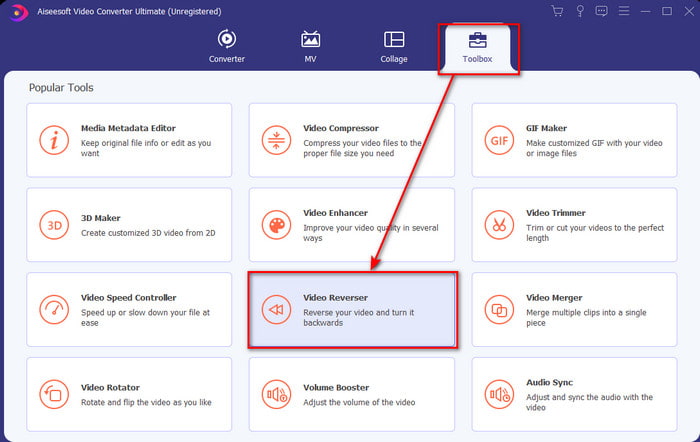
Trin 2. Start softwaren, klik på Toolbox, og vælg Video Reverser.
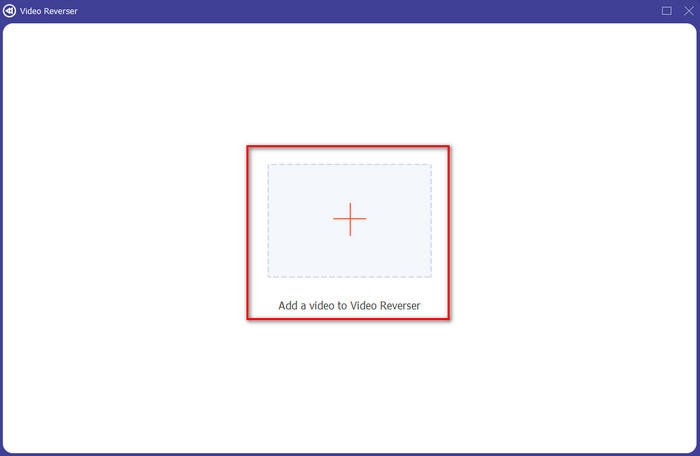
Trin 3. Tilføj derefter MP4‑filen ved at klikke på +-symbolet, og vælg fra computerens mappe. Klik derefter på Open for at indsætte .mp4-filen i grænsefladen.
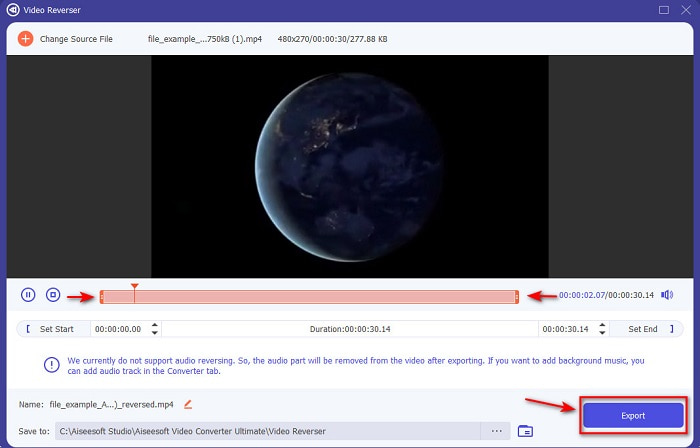
Trin 4. Juster nu playback in and out for at ændre videons varighed. Klik på Export for at fortsætte.
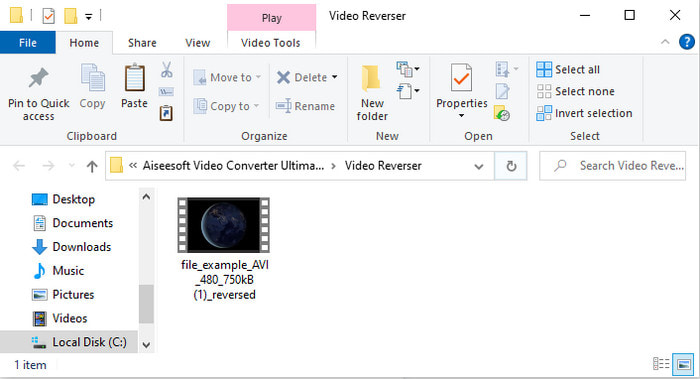
Trin 5. Når eksporten er færdig, skal du klikke på filen i mappen for at afspille den omvendte fil og for at se, hvor den er placeret.
Del 2. Sådan vendes en MP4-video (online)
1. FileConverto
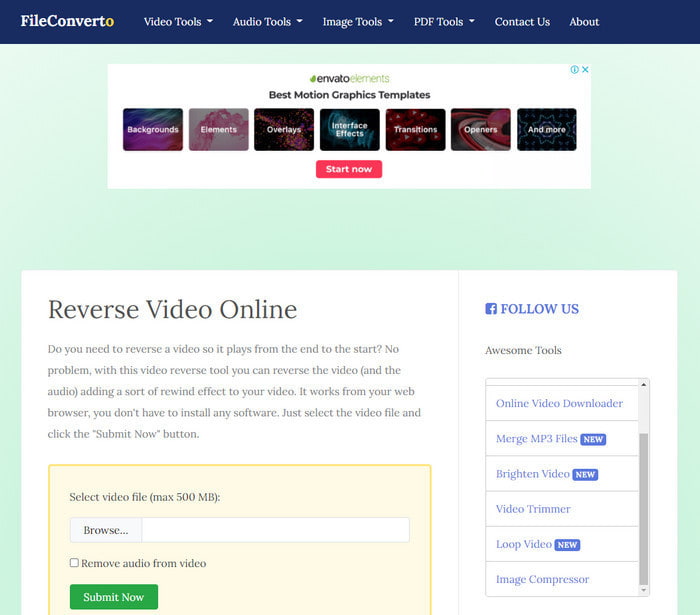
Det onlineværktøj til at spole MP4‑videoer tilbage, FileConverto, har en masse webværktøjsfunktioner, du kan bruge til at gøre din video ekstraordinær. Ydelsen af dette webværktøj er god for dem, der ikke ønsker at downloade nogen software. Men webgrænsefladen er lidt kedelig at se på, uploadprocessen vil tage meget af din tid, og det understøtter ikke alle videoformater. Derudover vil du støde på nogle fejl og pop‑up‑sider, hvis du prøver at vende videoen. Selvom det har mange kendte problemer, er det stadig et godt værktøj at bruge.
Fordele
- Softwaren er nem at få adgang til, og den har en masse grundlæggende redigeringsfunktioner, du skal bruge.
- Meget brugervenlig, at selv en bruger, der ikke oplever at bakke, kan gøre det her.
- Det begrænser din konvertering til 500mb, hvilket er fantastisk.
Ulemper
- Import af filer her og eksport er super langsommere end forventet.
- Det har kun en masse annoncer i webværktøjet, der kan irritere dig. Og når du har klikket på en webværktøjsfunktion, vil en annonce vise, at du bliver nødt til at klikke på den igen.
- Det understøtter ikke alle videoformater.
2. Vælg Fra
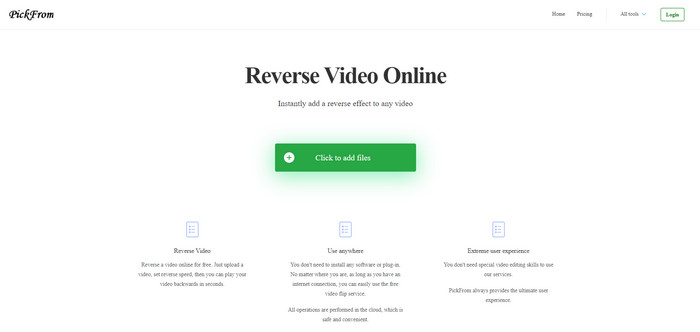
PickFrom har en bedre grænseflade end FileConverto, hvis vi skal sammenligne. For det viser et minimalistisk design, og farvekombinationen af hvid og cyan gør det perfekt. Men teksten er lidt tynd og svær at læse. Hvis du grundlæggende ikke har et 20‑20 syn, kan du finde værktøjet svært at læse. Når du skal vende MP4‑videoer her, er mulighederne desuden skrevet på forenklet kinesisk. Så det er lidt svært at forstå, men importen af filer er hurtigere her end i FileConverto.
Fordele
- Det har en meget bedre webgrænseflade sammenlignet med FileConverto.
- Ingen annoncer på den øverste del af webstedet, men hvis du ruller ned, er der en masse irriterende annoncer.
- Understøtter en masse grundlæggende redigeringsfunktioner.
Ulemper
- Værktøjsindstillingerne er skrevet på kinesisk, hvilket er svært at forstå, hvis du ikke ved, hvordan man taler kinesisk.
- Når du har klikket på startknappen, reagerer værktøjet ikke, og eksportprocessen tager meget tid.
- Det forringer kvaliteten af den eksporterede video.
3. Media.io
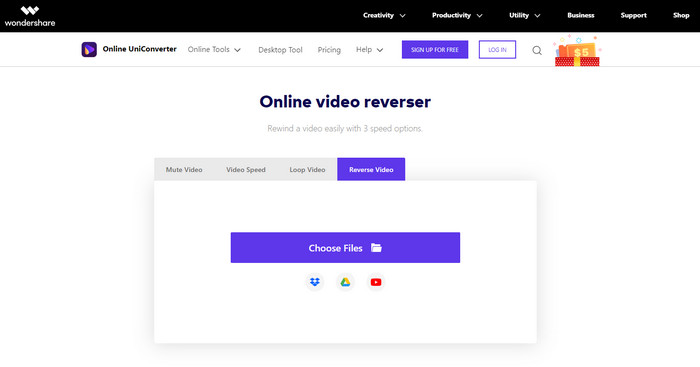
Media.io har 3 forskellige hastighedsindstillinger til tilbagespoling: x 0,5, x 1, x 2. Du kan i praksis vende videoen og afspille MP4 baglæns ved hjælp af dens reverse‑funktion. Selvom værktøjet ser godt ud, er der stadig nogle problemer, du vil støde på, når du bruger Media.io. For eksempel, når du skal eksportere filen, vil det bede dig om at logge ind, før du kan eksportere. Derudover kan du kun lave 10 omvendte videoer her med begrænset filstørrelse.
Fordele
- Værktøjsgrænsefladen er fantastisk og attraktiv.
- Du kan ændre det endelige outputformat for den omvendte video, hvis du ønsker eller beholde det originale format.
- Du kan slå lyden fra eller til for videoen.
Ulemper
- Hjemmesiden vil bede dig om at tilmelde dig, før du kan eksportere, hvilket betyder, at du vil lade dem sende meddelelser via e-mail.
- Det modsatte af x 2 er mindre langsom end x 2 af de andre værktøjer.
- Værktøjet begrænser tilgængeligheden af webværktøjet. For eksempel kan du ikke vende mere end 10 filer om dagen, og det har en maksimal grænse for filstørrelsen.
Del 3. Ofte stillede spørgsmål om Reversering af MP4
Sænker det kvaliteten efter at have vendt videoen?
At vende en video på værktøjet bør ikke forringe kvaliteten af den video, du vil vende. Der er dog en masse software, der gør videokvaliteten lavere. Men der er nogle tilfælde, hvor du sætter kvaliteten af det lavt og ikke højt.
Hvordan tilføjer jeg lyd til min omvendte fil?
Det meste af softwaren, der er nævnt her, understøtter heller ikke omvendt afspilning af lyd, men du kan gå til dette link og lære, hvordan man tilføjer lyd.
Hvordan kan jeg flette min omvendte video på iPhone?
Der er mange forskellige måder, du effektivt kan sammenflette videoer på iPhone. Bare ved at læse denne artikel vil du lære 4 forskellige måder at flette videoer på iPhone.
Konklusion
Afslutningsvis, nu hvor vi ved, hvordan man vender en MP4-fil med hjælp fra disse forskellige værktøjer, kan du vælge ét af dem. Desuden leverer ikke alle de nævnte værktøjer i denne artikel et fantastisk slutresultat på videoen, som Video Converter Ultimate. Så hvis du vil blive imponeret af dette værktøj, er det et must først at downloade det. For du behøver ikke at læse en stor manual for at forstå, hvordan dette værktøj fungerer som helhed.
Gratis download til Windows 7 eller nyere Sikker download
Gratis download til MacOS 10.7 eller nyere Sikker download
-
 [2021 Opdateret] 9 bedste GIF-editorer til pc, Mac, iOS og Android
 Har du brug for at tilføje et personligt præg på din GIF, så den kan blive mere udtryksfuld? Fortsæt med at læse denne artikel for at vide, hvordan du redigerer og det bedste værktøj til jobbet.
-
 Vejledning om, hvordan man reparerer videoer, der ikke afspilles på Android -telefoner
 Vil du vide, hvad der er årsagerne til, at videoer på din Android -enhed ikke kan afspilles? Og hvis ja, er der nogen måder at løse problemet på egen hånd? Fortsæt med at læse for at vide mere.
-
 Detaljeret vejledning om, hvordan man spiller MKV-filer på PS4 [Opdateret 2021]
 Ved at læse denne artikel vil du lære nogle måder at spille MKV på PS4 og hvordan du konverterer videofilen, hvis videoen ikke vil' Spil.
