


 Video Converter Ultimate
 Skærmoptager
 Video reparation
Find ud af de 4 bedste offline og online SWF til FLV Converter på Windows og Mac
Jeg leder i øjeblikket efter en løsning til at uploade mine SWF-filer på videodelingssider som Youtube, Facebook, MySpace og mere. Kan du hjælpe mig med at finde den hurtigste måde at løse dette problem på?
Dette problem er almindeligt, især hvis din video har filtypen .swf. Dette format er dog udbredt på nettet, men det fungerer ikke, når du vil dele filen på en videodelingsplatform. Hvis du vil dele dine SWF‑filer, skal du derfor konvertere formatet til et mere udbredt et, som f.eks. FLV. Lad os derfor se på fire skjulte perler blandt offline og online SWF‑til‑FLV‑konvertere, som du kan bruge ved at læse denne artikel.

Del 1. Konverter SWF til FLV Online gratis med FVC Free Video Converter Online
FVC Free Video Converter Online er den suveræne videokonverter, du kan bruge til at konvertere SWF til FLV online helt gratis. Dette webværktøj er specialiseret i at konvertere filer til et nyt format uden at du behøver at downloade værktøjet til din computer. Ud over konverteringsfunktionen kan du også ændre video- og lydindstillingerne efter dine behov. Vil du vide, hvordan du bruger denne letvægts webkonverter? Så følg trinene nedenfor.
Trin 1. Klik på dette link for at åbne en ny fane, som fører dig til den officielle hjemmeside for FVC Free Video Converter Online.
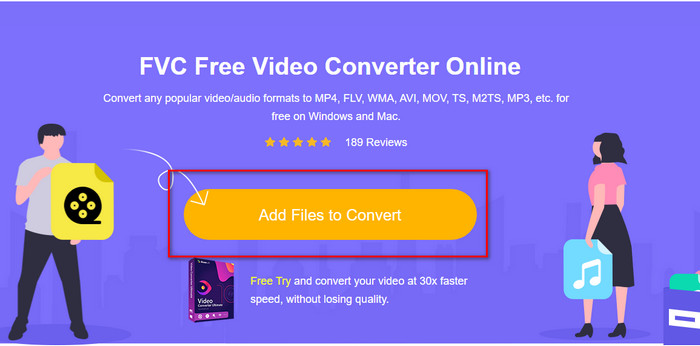
Trin 2. På websiden skal du klikke på Add Files to Convert; derefter vises der en mappe på computeren. Vælg .swf‑filen, og tryk på Open.
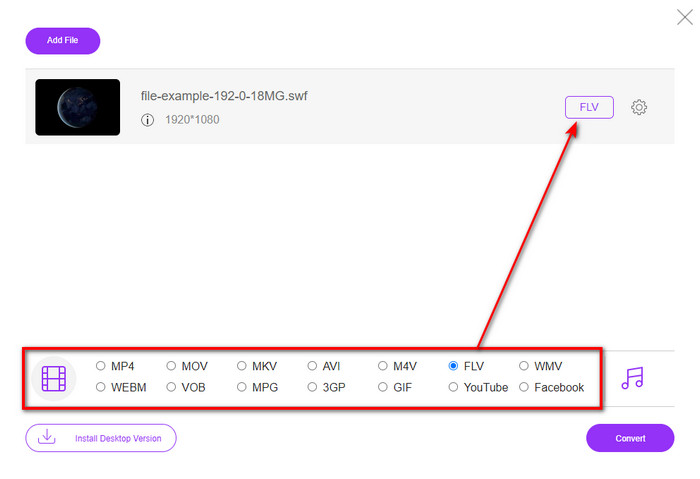
Trin 3. Når du har indsat filen, skal du under listen vælge FLV‑formatet.
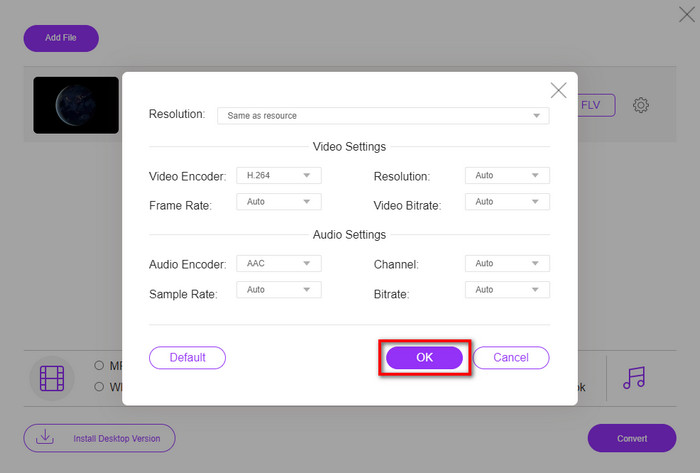
For at ændre video- og lydindstillingerne skal du klikke på gear-knappen.
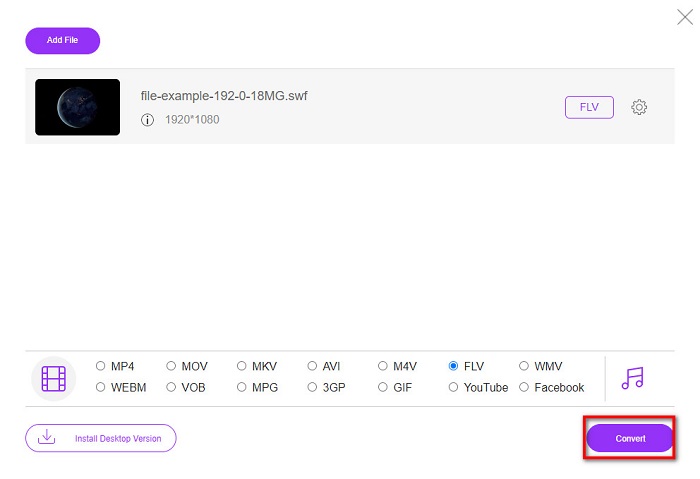
Trin 4. Klik på Convert-knappen for at starte konverteringsprocessen.
Del 2. Konverter SWF til FLV med FFmpeg
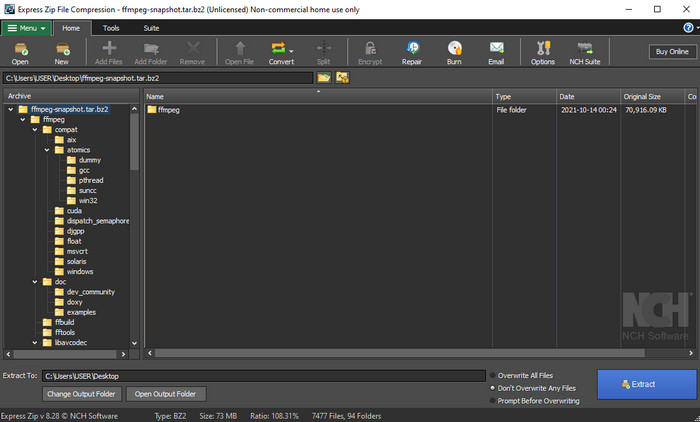
FFmpeg har en særlig brugerflade og kommandoer til at konvertere SWF til FLV gratis. Hvis du allerede kender denne konverter, ved du også, hvordan du bruger den – men det gør langt fra alle. Kort fortalt er denne konverter ikke en typisk videokonverter, som du plejer at bruge i browseren eller efter download. I stedet for at bruge knapper til at styre den, skal du bruge kommandolinjen til at give FFmpeg beskeder.
Trin 1. Download FFmpeg‑konverteren til dit drev, og åbn den.
Trin 2. Åbn kommandoprompten på din computer.
Trin 3. Gå i CMD til den mappe, hvor din SWF‑fil ligger, og indsæt den. Kopiér denne kommando og indsæt den i kommandoprompten: ffmpeg -i input.swf -vn -ar 44100 -ac 2 -b:a 192k output.flv, og tryk på Enter for at starte processen.
Del 3. Konverter SWF til FLV i Flash
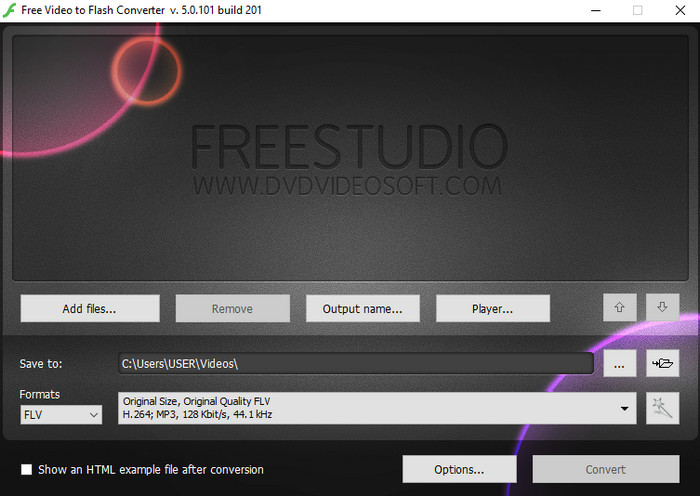
Free Video to Flash Converter er en gratis konverter, du kan downloade til Windows. Denne konverter har to formater, du kan vælge imellem. Den er udelukkende beregnet til at konvertere filer til FLV‑ eller SWF‑format. Så hvis du vil konvertere dine SWF‑filer til AVI, MP4, MOV, MKV osv., kan du ikke gøre det her. Lad os uden yderligere forsinkelse lære, hvordan man konverterer SWF til FLV i Flash.
Trin 1. Download den officielle software til Flash Converter på din Windows‑computer, og kør programmet.
Trin 2. Klik på Add Files for at uploade filen til konverteren. Tryk derefter på Formats, find FLV, og vælg også den ønskede kvalitet.
Trin 3. Start konverteringen ved at klikke på Convert-knappen nederst til højre i brugerfladen.
Del 4. Sådan konverteres SWF til FLV ved hjælp af den bedste SWF-konverter på Windows og Mac
Er du stadig ikke tilfreds med de første tre online og offline SWF‑til‑FLV‑konvertere ovenfor? Prøv i så fald FVC Video Converter Ultimate. Denne konverter overgår alle kunders forventninger, især når det gælder, hvor hurtigt værktøjet konverterer filer. Ud over den imponerende konvertering har den også avancerede redigeringsfunktioner til at forbedre din video og en Toolbox til andre formål. Desuden vil de vejledende trin nedenfor sikre dig 101% succes med at konvertere din fil.
Trin 1. Før du bruger værktøjet, skal du downloade det til dit Windows‑ eller Mac‑drev, følge installationsprocessen og derefter starte programmet.
Gratis download til Windows 7 eller nyere Sikker download
Gratis download til MacOS 10.7 eller nyere Sikker download
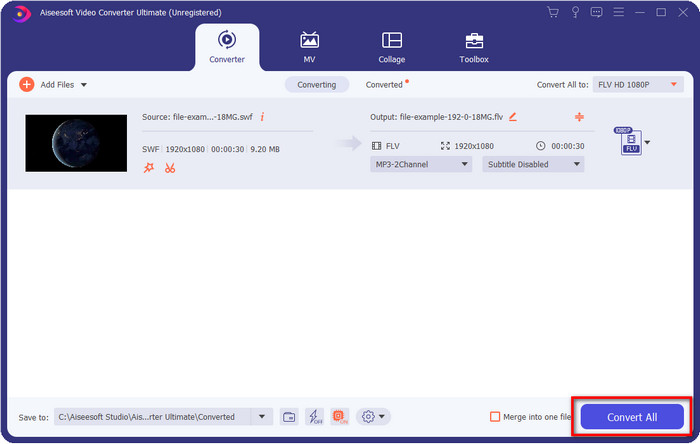
Trin 2. Når det kører på dit system, skal du klikke på Add Files for at uploade de SWF‑filer, du vil konvertere.
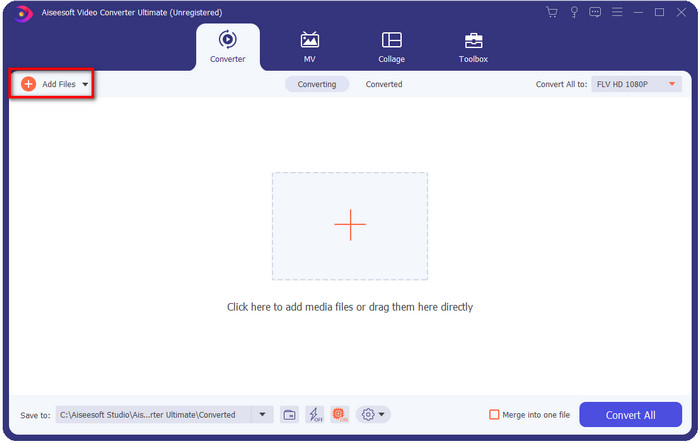
Trin 3. Klik på indstillingen Convert All to, og vælg FLV-formatet. Du kan også vælge kvaliteten for høj opløsning eller bevare den oprindelige kvalitet.

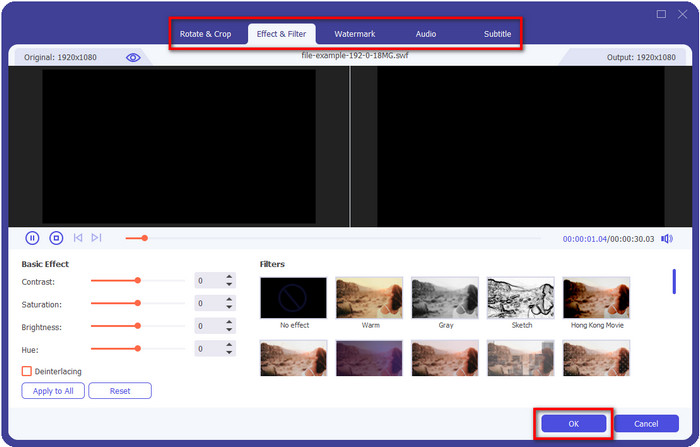
Hvis du vil gøre dit videooutput endnu bedre, skal du klikke på wand-knappen. Den fører dig til forskellige redigeringsmuligheder, såsom Crop, Rotate, Add Effects, Subtitle, Audio, og Watermark. Klik på OK for at gemme de ændringer, du har foretaget.
Trin 4. Klik på Convert All, og processen går i gang. Det tager kun kort tid at konvertere SWF til FLV; når konverteringen er færdig, vises en mappe på skærmen med FLV‑filen.
Del 5. Udvidet kendskab til SWF og FLV
ShockWave File eller SWF er et Adobe-format, men Macromedia skabte det. Det er kendt for at holde vektorbaserede animationer og lyde brugt på nettet. Fordi det er en vektorbase, kan du desuden nemt justere den grafiske skalering, så den passer eller zoome ind. Bortset fra vektoranimationen er filstørrelsen så lille, at videoen indlæses hurtigere, selvom du har en langsom internetforbindelse. Men formatet understøttes ikke, hvis du ønsker at dele dem på videodelingsplatformene.
Selvom FLV også er under Adobe, er dette format bedre end SWF. FLV eller FlashVideo Format er standard videoformatet på de fleste websteder. Dette format kan indeholde to forskellige codecs beregnet til video og lyd. Og ligesom SWF-filen er dette format lille til at indlæse filen hurtigere på nettet; Når du har downloadet FLV-filen på dit drev, kan du afspille den på din medieafspiller, selvom den ikke er færdig endnu.
Det ville hjælpe, hvis du konverterede SWF til FLV, fordi SWF har en masse ufuldkommenheder, som du kan finde på FLV-formatet. Især hvis videofilen er lang, da .swf kun kan indeholde et begrænset antal billeder i sekundet, vil der være en chance for, at du ikke kan bruge den. Men FLV kan nemt holde lange videoer. Desuden, hvis du ønsker at fokusere på kvalitetsmæssigt, har FLV bedre kvalitet end SWF.
Del 6. Ofte stillede spørgsmål om SWF til FLV-konvertering
Understøtter SWF-filen gennemsigtighed?
Ligesom PNG og GIF understøtter dette format også gråtoner med ægte farver eller tildel én farve for at gøre den gennemsigtig.
Hvor kan jeg se SWF-videoer?
Lige nu kan du ikke afspille SWF‑filer i din standardmedieafspiller, fordi formatet ikke understøttes. Men du kan klikke på dette link og læse mere om Top 4 SWF Media Player til Windows og Mac.
Kan jeg gemme .swf på min telefon?
Det er muligt at gemme SWF-filer på din telefon, men det er ikke muligt at afspille dem på din lokale medieafspiller. Fordi dette format ikke er for telefonkompatibilitet, men internettet. Så hvis du downloader en fil under denne udvidelse, så forvent, at du ikke kan bruge den; du kan dog konvertere det til et afspilbart format som MP4 på din telefon.
Konklusion
Denne artikel pakker de konverteringsperler ud, du kan bruge til at konvertere SWF til FLV uden at forringe kvaliteten på SWF‑filen. Da vi samlede alle disse konvertere, fandt vi ud af, at FVC Video Converter Ultimate er den skjulte perle, du leder efter til dette problem. Den leverer de mest imponerende resultater og den hurtigste konverteringsproces sammenlignet med alle de nævnte værktøjer. Nu er det op til dig at vælge den skat, du vil bruge til dit konverteringsproblem, ved at downloade værktøjet eller bruge det online.
-
 Nyttige DV til FLV-konvertere til at konvertere DV til FLV [2022]
 Hvis du leder efter de bedste og nemme værktøjer til at bruge til at konvertere DV til FLV, er her den bedste artikel for dig at læse. Få en fremragende indsigt ved at grave gennem alle oplysningerne i denne artikel.
-
 Sådan konverteres MPG til FLV uden at miste kvalitet [Bevist]
 Du skal se din yndlingsfilm på denne medieafspiller, men den understøtter ikke MPG. Prøv at konvertere din MPG-fil til FLV ved hjælp af disse konvertere, som denne artikel introducerer.
-
 Konverter TRP til FLV med nemmeste offline og online metoder
 Vil du konvertere din TRP-videofil til FLV hurtigt og uden besvær? Læs denne artikel for at give dig den bedste software og onlineservice, der passer bedst til situationen.
