


 Video Converter Ultimate
 Skærmoptager
 Video reparation
Sådan konverteres GIF til WebM med detaljerede trin og værktøjer [Gratis & Costly]
GIF'er blev populære på grund af det sjove indhold, de giver os. I stedet for at bruge stillbilleder til at gøre vores tekstbeskeder mere spændende, bruger vi GIF'er, som giver bevægelse og overdrevede følelser. Men ikke alle platforme understøtter GIF'er, fordi dette format er mere end 30 år gammelt. Og i nogle tilfælde, når du tilføjer en GIF‑fil til din hjemmeside, bliver kvaliteten ikke understøttet optimalt. Den bedste måde at dele GIF'er på er derfor at konvertere dem til WebM‑format. WebM‑formatet er meget mindre i komprimering og filstørrelse og giver en høj kvalitet, som er ideel for alle. Denne type format er på længere sigt den bedste erstatning for GIF'er, fordi det ligesom GIF'er kan gemme både statiske billeder og animationer. For at finde ud af, hvilke der er de bedste GIF til WebM‑konvertere, kan du læse videre nedenfor og vælge det, der passer dig bedst.

Del 1. Sådan konverteres GIF til WebM til gratis web og desktop
1. FVC gratis video til GIF Maker
For at udføre opgaven effektivt skal du vælge det rigtige værktøj. Og hvis opgaven er at konvertere GIF til WebM, kan du prøve FVC Free Video to GIF Maker. Det bliver let at lave en GIF, når du bruger denne software – og ligeledes at konvertere GIF'er. Læringsprocessen for, hvordan man bruger værktøjet, er derfor enkel. Det skyldes den præcise FVC‑vejledning, der følger med. Både nye brugere og mere erfarne kan derfor nemt bruge det og samtidig få et godt resultat. For at lære, hvordan du bruger værktøjet, skal du følge trinene nedenfor, som er lavet særligt til dig.
Trin 1. Installer dette gratis værktøj på din harddisk. Vælg det korrekte operativsystem til dit program.
Gratis downloadTil Windows 7 eller nyereSikker download
Gratis downloadTil macOS 10.7 eller nyereSikker download
Trin 2. Klik på ikonet for værktøjet, som du har downloadet, for at starte programmet. Hvis værktøjet allerede kører i baggrunden, bør grænsefladen se præcis sådan her ud.
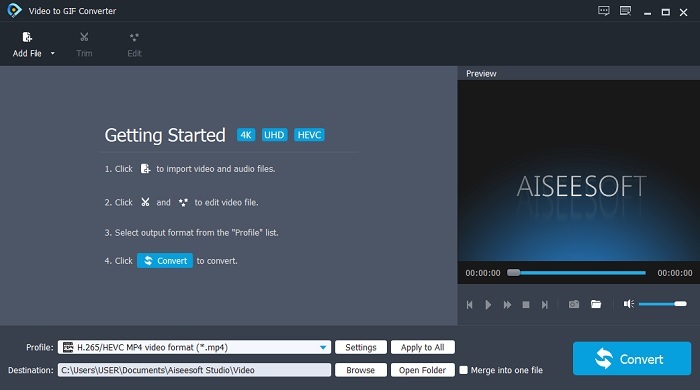
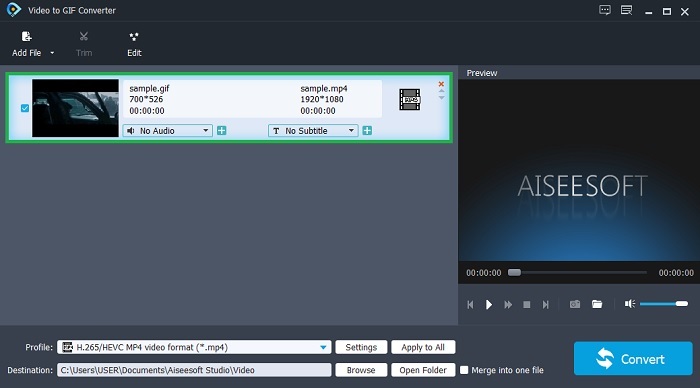
Trin 3. Klik på Add File, og vælg den GIF, du vil konvertere. I grænsefladen kan du redigere eller klippe videoen.
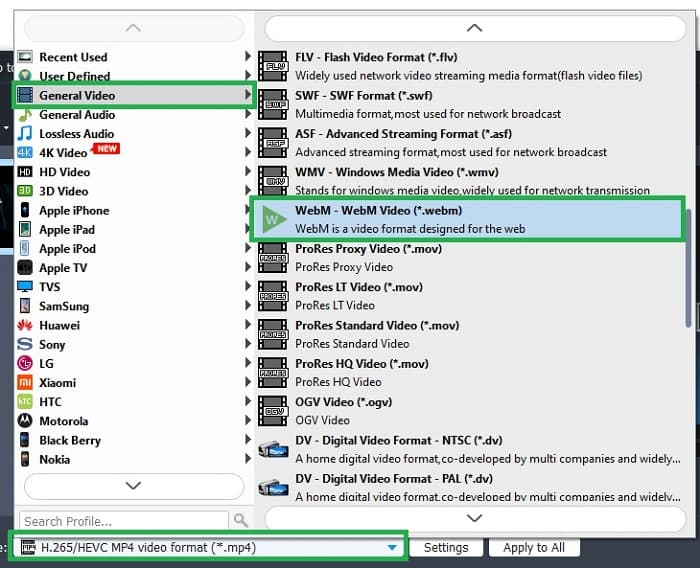
Trin 4. Vælg WebM‑fil eller et andet format, du vil konvertere til, i drop‑down-knappen. Når du er klar til at starte konverteringsprocessen, skal du trykke på Convert.
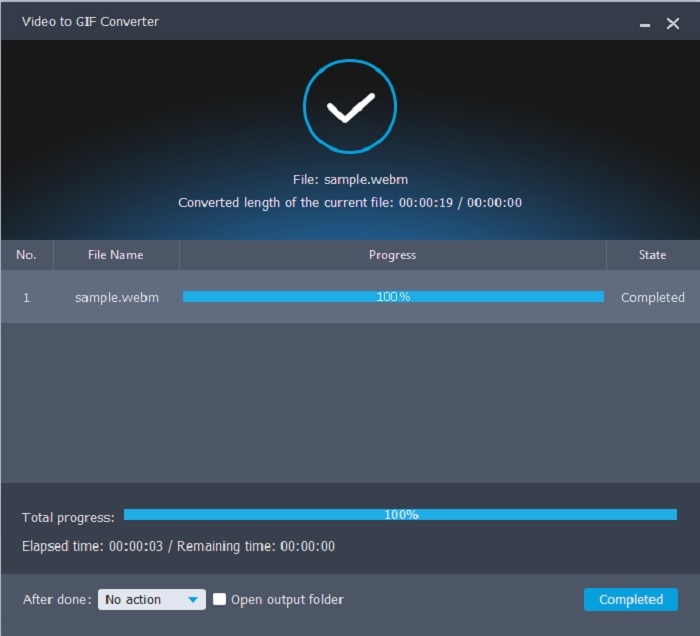
Trin 5. Konverteringsprocessen tager mindre end et minut. Når konverteringen er færdig, kan du tjekke det endelige resultat i filhåndteringen.
Fordele
- Det er fantastisk til at lave og konvertere GIF'er.
- On-point værktøjer, så læreprocessen, hvordan man bruger dette værktøj, er meget let i alle aldre.
- Intet internet er nødvendigt for at bruge værktøjet.
Ulemper
- De fleste af de vigtigste funktioner i det ultimative værktøj er ikke tilgængelige her.
- Det skal installeres på dit skrivebord.
2. OnlineConverter.com
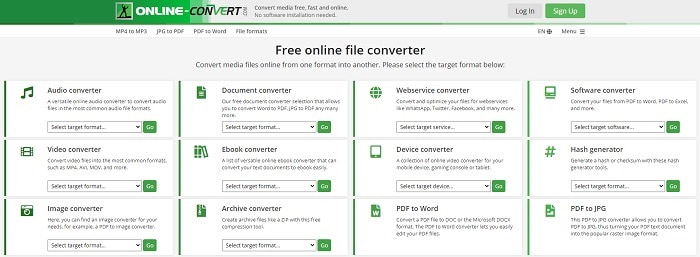
Lav din .webm om til .gif med hjælp fra OnlineConverter.com. Hvis du vil have et værktøj, der udelukkende fokuserer på konvertering, bør du prøve dette. Værktøjet understøtter forskellige typer konverteringer som dokument, e‑bog og arkiv. Ulempen er dog, at det ikke understøtter redigeringsfunktioner, ikke engang de mest grundlæggende. Hvis du vil vide, hvordan du bruger værktøjet, skal du følge trinene nedenfor.
Trin 1. Søg efter værktøjets hovedwebside i din foretrukne søgemaskine.
Trin 2. Klik på videokonverteren, og upload filen.
Trin 3. Klik på start konvertering for at begynde konverteringen, og vent, til processen er færdig.
Fordele
- Nem adgang, der kan bruges af alle online.
- Ingen yderligere filer er nødvendige for at bruge.
- Det understøtter også forskellige konverteringer.
Ulemper
- Processen med at konvertere via online tager mere tid end de desktop-baserede værktøjer.
- Den har et par annoncer og en kedelig webgrænseflade.
3. Convertio
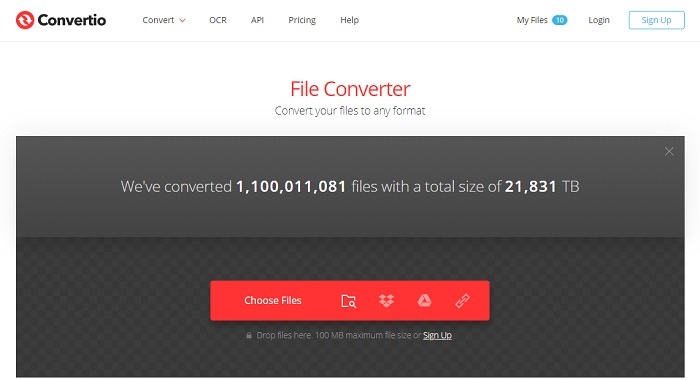
Hvis du vil vide, hvordan man laver WebM om til GIF eller omvendt, kan du ved hjælp af den online tjeneste Convertio konvertere hvad som helst. Hvis konvertering er et problem for dig, kan dette være løsningen. Selvom onlineværktøjet indeholder reklamer og ikke har nogen redigeringsfunktioner, er det stadig en af de bedste onlinekonvertere, du kan finde. Hvis du vil prøve dette værktøj, skal du følge trinene nedenfor.
Trin 1. Find Convertios hovedwebside online, og klik på linket.
Trin 2. Når du er i hovedgrænsefladen, skal du vælge den GIF, du vil konvertere.
Trin 3. Klik på convert for at starte processen.
Fordele
- Nem at bruge på grund af den præcise måde at bruge den på.
- Det understøtter også forskellige platforme.
- Kan nemt tilgås via internettet.
Ulemper
- Har en stor chance for at miste data under konvertering, hvis internettet er blevet afbrudt.
- Annoncer på selve hjemmesiden, som kunne være lidt irriterende.
Del 2. Bedste måde at omdanne GIF til WebM ved hjælp af Ultimate Tool
Video Converter Ultimate
Men du kan overveje at bruge denne Video Converter Ultimate udviklet af FVC. Hvis den gratis version af dette værktøj giver dig det bedste output, er dette værktøj meget mere end det. Det kan forbedre videokvaliteten og også tilføje effekter til det. Hvis du kan lide at forbedre lydkvaliteten, kan du også bruge dette værktøj til at forbedre den. Så hvis du vil tage din konvertering til det næste niveau, skal du bruge dette værktøj som dit personlige valg. Fordi det er det rigtige værktøj, der giver det ultimative slutresultat til at imponere dine venner, familie eller nogen. Læs de detaljerede trin nedenfor for at vide, hvordan du bruger dette ultimative værktøj til at skabe et ultimativt output.
Trin 1. For at starte værktøjet skal du downloade det rigtige program til din computer. Klik på download‑knappen, følg installationsguiden, og tilpas indstillingerne, hvis det er nødvendigt. Klik på finish for at starte værktøjet.
Gratis download til Windows 7 eller nyere Sikker download
Gratis download til MacOS 10.7 eller nyere Sikker download
Trin 2. En mini‑grænseflade som denne vil blive vist på skærmen.
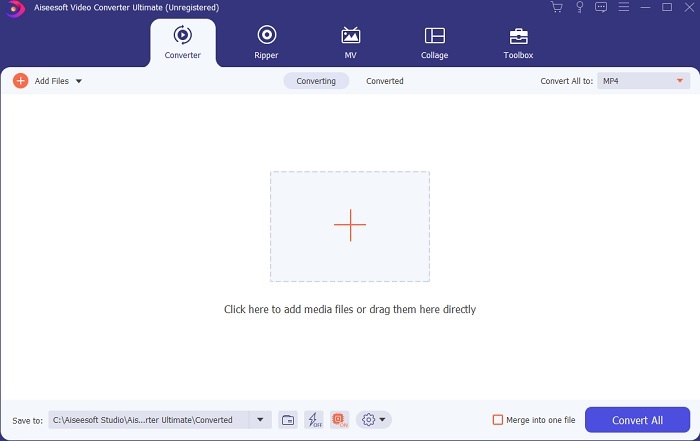
Trin 3. Klik på plus-tegnet midt i grænsefladen for at tilføje filen. Hvis du vil konvertere mange GIF‑filer, er det bedre at trække og slippe filerne ind i grænsefladen.
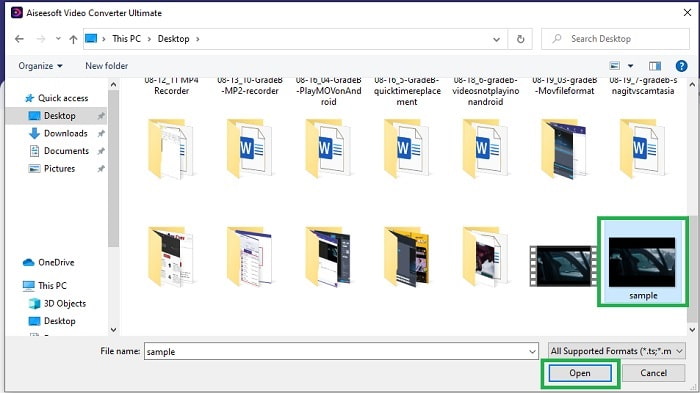
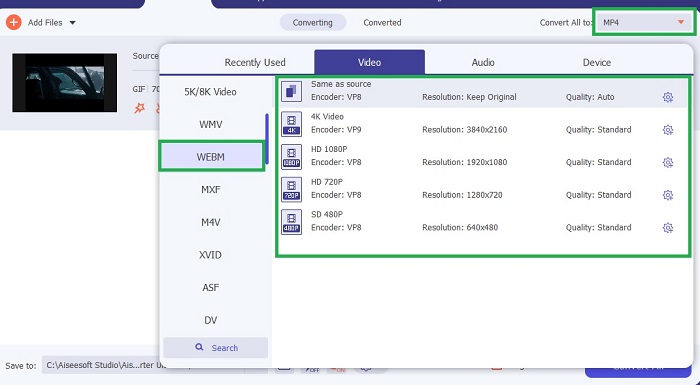
Trin 4. Vælg mellem de formater, du ønsker, efter at du har foldet menuen Convert All to ud. Når du er klar, skal du klikke på Convert All for at starte konverteringsprocessen.
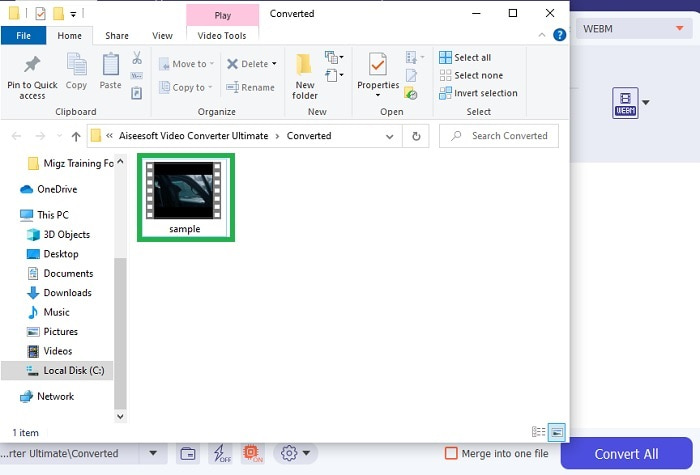
Trin 5. Konverteringsprocessen vil ikke tage meget af din tid, fordi den er 30 gange hurtigere end det gratis værktøj og 100 gange hurtigere end de andre værktøjer. Når processen er færdig, dukker et filvindue op på din skærm – klik på videoen for at se den. Du kan også forbedre resultatet senere i værktøjslinjen, hvis du vil.
Fordele
- Giver flere funktioner til at forbedre din konverterede video.
- Det giver alle de formater, du kender eller ej.
- Konverteringsprocessen er superhurtig snarere end nogen konverteringsværktøj, der er tilgængelig her.
Ulemper
- Du skal downloade yderligere filer, før du starter værktøjet, ellers vil det ikke starte.
- Det er værktøjet betal før brug.
Del 3. Ofte stillede spørgsmål om GIF til WebM
Hvorfor kan min WebM ikke afspilles over nettet?
Det er meget simpelt: Din browser er forældet. Ingen WebM‑filer kan afspilles i gamle browsere, for eksempel Internet Explorer. Klik her for at lære mere om tilgængelige WebM‑afspillere.
Hvad er bedre, GIF eller WebM?
Hvis du vil indeholde videoer med lyd, er WebM et meget bedre format. Men hvis statiske billeder er GIF-format dit valg.
Hvem udviklede WebM-formatet?
De første er On2, Xiph og Matroska, og senere udvikler Google det.
Konklusion
Det står os nu meget klarere, at det er nødvendigt at konvertere GIF til WebM, især hvis du vil have en lille filstørrelse og alligevel en video i høj kvalitet. Og det bedste værktøj til konvertering er med hjælp fra Video Converter Ultimate. Endnu vigtigere er det, at det også understøtter konvertering fra WebM til GIF nemt og hurtigt. Hvis du er i tvivl om det gratis værktøj, er det bedre at bruge dette premiumværktøj. Ud over at være sikkert kan det levere 100x succes med både konvertering og redigering. Dette værktøj er din løsning, så enkelt er det. Brug den bedste konverter, der giver en fremragende konvertering.
-
 Vælg den bedste GIF Cropper online og offline til at beskære GIF'er [2021]
 Det er et must at vælge det bedste beskæringsværktøj, og nogle af GIF-producenterne leverede ikke denne funktion. Men hvad er det bedste GIF-beskæringsværktøj at bruge, og hvordan bruger man det?
-
 5 bedste muligheder for at optage GIF -format med GIF -optagere til pc og Mac
 Hvad er den bedste GIF -optager, du skal bruge til at optage GIF'er? Listen nedenfor giver bevis på, hvilken der er den bedste skærmoptager.
-
 Sådan konverteres MPG til GIF-format [Online & Offline]
 Vil du udtrykke en meget bedre følelse? Så skal du bruge GIF i stedet. Denne opskrift lærer dig, hvordan du konverterer en MPG-fil til GIF for at udtrykke din følelse meget bedre.
