


 Video Converter Ultimate
 Skærmoptager
 Video reparation
 Sikker download
Bedste Photo Color Enhancer-app, du skal downloade på dine mobile enheder [gratis]
Når du behandler et billede, er farver afgørende for at gøre det tiltalende for publikum og dem, der ser motivet. I hver pixel findes der tilsvarende farvedata. Uanset hvor godt det billede, du har taget, er, vil der være tidspunkter, hvor du må efterbehandle det for at vise imponerende visuelle effekter til publikum. Heldigvis kan du endda foretage justeringerne på din Android og iOS, og denne artikel gennemgår de bedste apps i de forskellige butikker, du kan downloade fra. For at få mere raffinerede detaljer i de billeder, du har taget, skal du læse dette og downloade en app til forbedring af billedfarver med det samme!

Del 1. Top 4 fotofarveforstærkere, du kan downloade på Playstore & Appstore
EnhanceFox - AI Photo Enhancer 12+
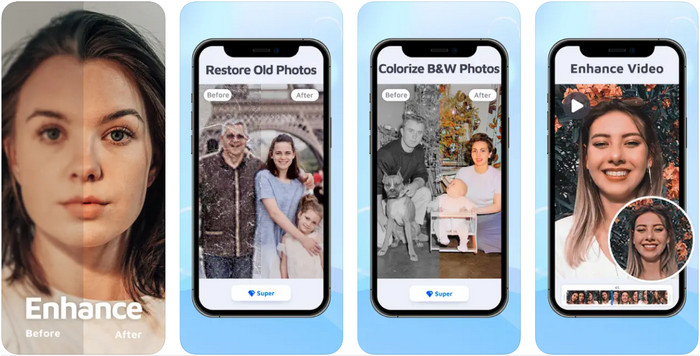
Du kan downloade denne farveforbedringsapp til billeder på din iOS for at finjustere grafisk design. EnhanceFox giver sine brugere mulighed for at gøre de billeder, de har taget, mere forfinede end det oprindelige resultat. Selv hvis du er nybegynder i billedredigering, kan du hurtigt lære at bruge appen til at gøre dine billeder smukkere end nogensinde. Desuden kan den forvandle dine slørede billeder til høj opløsning ved hjælp af værktøjets AI. Selvom du kan bruge gratisversionen af appen, skal du købe pro-versionen for at få adgang til hele appen.
Fordele
- Du kan downloade appen på din iOS gratis.
- Det reparerer og forvandler billeder til at se bedre ud.
- Denne app er AI-understøttet.
Ulemper
- Nogle funktioner er ikke tilgængelige i den gratis version af den.
- Du skal bruge en internetforbindelse for at behandle dit billede.
Remini - AI Photo Enhancer 4+
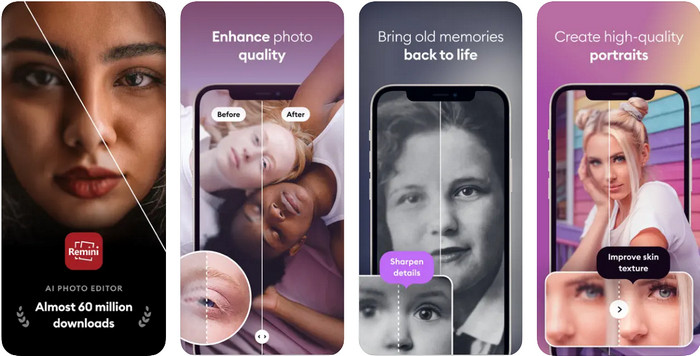
Remini er en af de mest populære apps til farveforbedring af fotos, som du kan downloade på iOS og Android. Dens styrke til at forbedre dine billeder har fanget opmærksomheden hos mange brugere på begge platforme. Med dens sæt af redigeringsfunktioner kan du friskesætte gamle, vintagefotos på under et sekund ved hjælp af AI-teknologi. Derudover kan du også forskønne dine selfies, før du bruger dem. Selvom du skal købe appen, kan du vælge den abonnementstype, du ønsker, f.eks. ugentlig, månedlig eller årlig.
Fordele
- Gør dit ansigtsbillede til et glat og silkeblødt billede.
- Reparer den tabte farve på de billeder, du har, med AI-teknologi.
- Forskønne dit billede ved at ændre indstillingerne i denne app.
Ulemper
- Prisen for hver funktion i denne app har yderligere betalinger.
- Den fornyer automatisk abonnementsgebyret efter afslutningen af et abonnement.
Farvelagt - Farve til gamle billeder
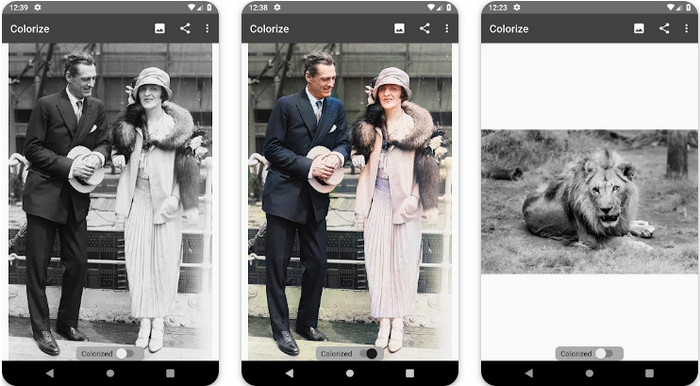
Colorize er en intelligent scanner-app, du kan downloade på Android-enheder for at rette tabte farver i dine billeder og udføre restaurering af gamle fotos. Du kan lære, hvordan du forbedrer øjenfarve på fotos med denne apps redigeringsfunktioner, som den indbyggede funktion ellers ikke understøtter. Denne app kan gøre dine sort-hvide fotos farvede takket være Photomyne-teknologien. Appen er velstruktureret og utrolig nem at bruge, selvom det er første gang, du redigerer et billede. Ligesom de andre apps, vi nævner, kræver den køb i appen, før du kan bruge dens funktioner.
Fordele
- Det tilføjer automatisk farver til de sort-hvide billeder med Photomyne.
- Professionelle eller ej kan nemt bruge denne software på grund af dens bygget.
- Denne apps farveindstillinger er langt overlegne i forhold til andre billedfarvningsapps.
Ulemper
- Det savner nogle pletter, når du tilføjer farve til billedet.
- Det beskærer automatisk billedet, når det behandles.
- Du bliver nødt til at købe appen for at forhindre begrænsninger.
Photoshop Express Photo Editor
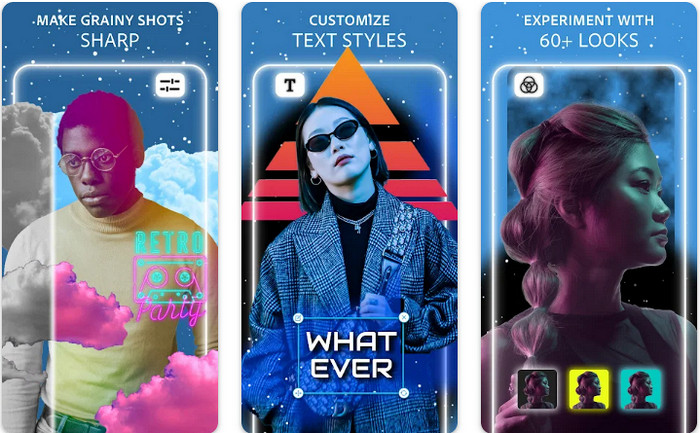
Photoshop Express Photo Editor er en miniudgave af det professionelle program, som millioner af eksperter og redaktører allerede bruger til at gøre deres billeder til HD. Du kan få denne forbedrede Photoshop-løsning til billedfarver på både Android og iOS. Løser den problemet? Ja, og det gør den uden besvær. Som vi tidligere nævnte, ligner denne app Photoshop, ikke i brugerfladen, men i redigeringsmulighederne. Den giver brugerne de bedst mulige, detaljerede resultater ved at tilføje eller justere PPI på hvert enkelt billede, du har taget. Appen er dog svær at bruge, og du kan blive nødt til at bruge tid på at læse, hvordan den fungerer. Ikke desto mindre er dette den komplette softwarepakke, du får brug for.
Fordele
- Du kan downloade softwaren ikke kun på en desktop, men også på mobile enheder.
- Det understøtter professionelle redigeringsfunktioner, du kan anvende på dine billeder.
- Det har ligheder med Photoshop, for de giver begge et professionelt output.
- Du kan lave mange typer redigering her, som den anden app ikke kan tilbyde dig.
Ulemper
- Appen kan være dyr sammenlignet med andre køb i appen.
- Det skal forbedre andre mindre problemer.
Del 2. Top anbefalede billedkvalitetsforbedrer, du ikke behøver at downloade [Webservice]
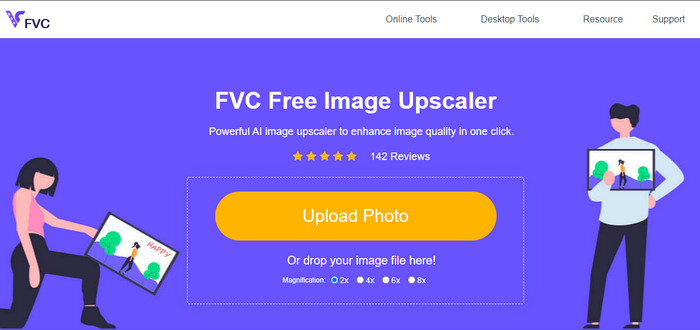
FVC Free Image Upscaler kan hjælpe dig med at løse problemet uden at købe noget. Denne billedkvalitetsforbedrer er tilgængelig på nettet, så du behøver ikke downloade den for at kunne bruge den. Derudover kan du udnytte dens kraftfulde, AI-baserede redigeringsfunktion, der kan scanne, hvad der er galt med dit billede, og rette det med det samme. Sammenlignet med de andre apps, vi har nævnt, er dette indtil videre den én-klik-forbedrer, du har brug for. Upload fotoet, ændr forstørrelsen, og du får den forbedrede version af dit billede. Hvis du bruger dette værktøj, er der ikke behov for finjusteringer eller særlige indstillinger. Vil du prøve det? Klik på linket, som fører dig direkte til forstærkerens website.
Del 3. Ofte stillede spørgsmål om Photo Color Enhancer
Skal jeg blive professionel for at bruge en fotofarveforstærker?
Hvis du bruger en veludviklet software, skal du have en idé, ikke en professionel, om dens funktioner og deres funktion til billedet. Der er dog forenklet software, hvilket betyder, at AI er understøttet; nogle gange behøver du ikke at foretage justeringerne, eller nogle gange gør du det. For begyndere skal du bruge letanvendelig software, før du øger dit spil til professionel forbedring.
Hvad sker der med billedet Jeg forbedrer farven?
Billeder med en veludviklet farve vil være mere detaljerede og skarpe sammenlignet med billeder, der understøtter mindre farver. Deres pixel kan ikke ses sammenlignet med de billeder, der understøtter en lav kvalitet.
Hvilket billedformat understøtter den bedste billedfarvekombination?
JPEG og PNG understøtter 16 millioner farver og er et af de bedste billedformater, du kan bruge til forskellige formål. Men HEIC understøtter avancerede bits sammenlignet med de to billedformater.
Konklusion
Hvilken fotofarveforstærker ville du vælge blandt den app, vi anmelder? Nå, med alle de oplysninger, vi tilføjer, kan du hurtigt finde ud af, hvilken app du skal downloade på din enhed. Selvom de har forskellige fordele og ulemper, kan de stadig forbedre dine billeders farver hurtigt.
-
 Top 7 Pixels Enhancer til alle webbrowsere, du skal bruge
 Hvis du vil vide, hvilke pixelforstærkere der er bedst at bruge, skal du hellere tjekke dette indlæg ud. Denne artikel viser de syv bedste billedpixelforstærkere til alle webbrowsere.
-
 Bedste Photo Resizer-app online, offline, Android og iPhone
 Hvad er de bedste fotoresizer-apps? Klik på siden for at lære de fem mest effektive fotoresizer-apps, du kan bruge til at forbedre eller ændre størrelsen på din fil.
-
 Top 7 bedste online og offline fotoforstørrelser
 Vil du lære de bedst ydende fotoforstørrelser til din Windows- eller Mac-enhed? Læs dette indlæg for at kende de bedste fotoforstørrelser, der er værd at prøve.
