


 Video Converter Ultimate
 Skærmoptager
 Video reparation
 Sikker download
Effektive måder at lave HD-foto online og på Android [Komplet selvstudie]
Er det et mirakel? Er det magi? Nå, det er det ikke, og du kan lave foto HD med det samme uden at bruge Adobe Photoshop eller anden professionel software på din enhed. Oplysningerne i denne artikel kan gøre dine billeder i høj opløsning med de bedste forstærkere, vi fandt på nettet og dine Android-enheder. Det kan være umuligt at håndtere denne opgave, især for dem, der er uerfarne i denne situation. Alligevel behøver du ikke bekymre dig, hvis du fulgte denne vejledning.

Del 1. Sådan laver du et foto HD uden et professionelt værktøj på nettet gratis [Editor's Choice]
1. vej. Sådan laver du et billede i HD ved at opskalere billederne [Topvalg af redaktøren]
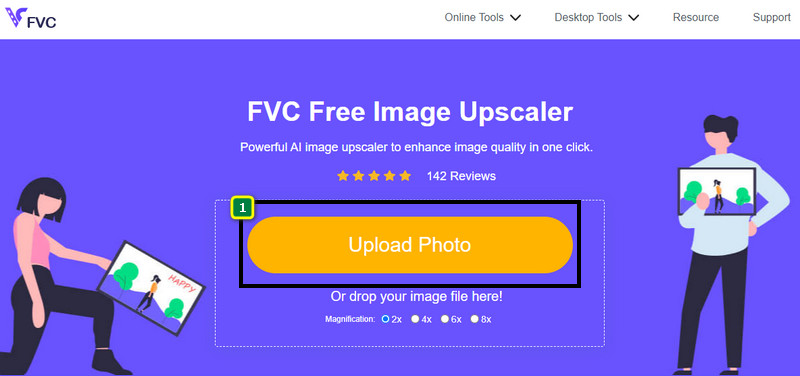
FVC Free Image Upscaler er en kraftfuld billedopskalering, du kan bruge til at opskalere billedets pixels og gøre det til HD. Denne online-opskaler har en AI, der kan registrere fejl på dit billede og forbedre det med det samme uden at du behøver at justere en masse indstillinger. Derudover kan du også forstørre billedet 2x, 4x, 6x og 8x uden at strække det billede, du uploader her. Vil du kende hemmeligheden bag, hvordan man gør et foto til HD med dette værktøj? Så kan du følge de angivne trin, vi har tilføjet nedenfor.
Trin 1. Åbn billedopskaleringen online ved at klikke på dette link. Det fører dig til den officielle hjemmeside, og du behøver ikke bekymre dig, for den er sikker at bruge i enhver browser, du aktuelt bruger eller foretrækker.
Trin 2. Klik på Upload Photo for at tilføje det billede i lav kvalitet, du vil gøre til HD. Den har en træk-og-slip-funktion til at tilføje billedet, hvis du vil prøve at bruge det.
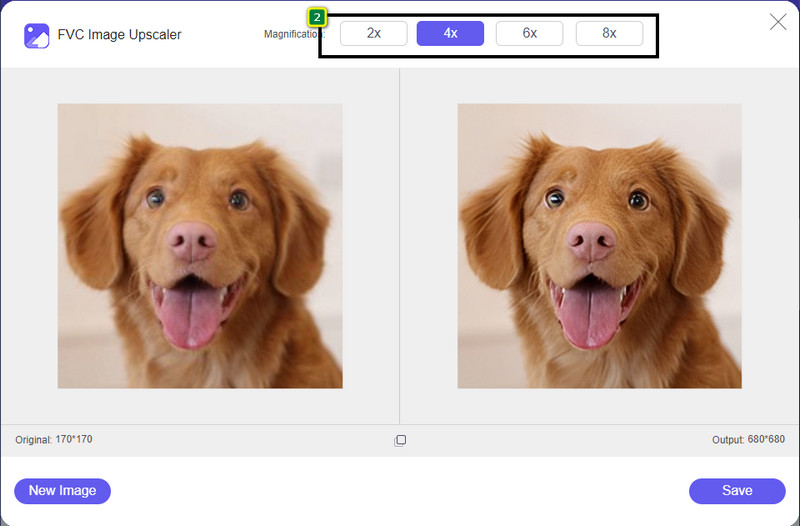
Trin 3. Vent på, at værktøjet behandler billedet, og vælg den forstørrelse, du vil anvende på dit billede, så forvandles det til HD.
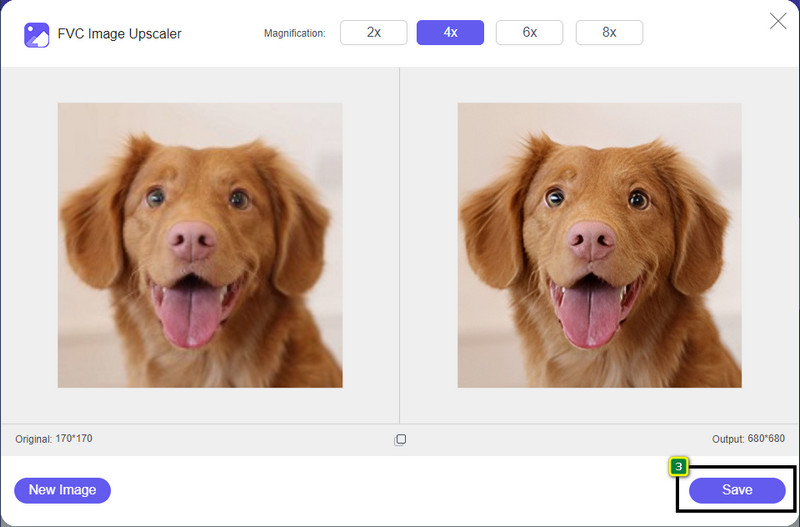
Trin 4. Du kan nu gemme det billede, du har opskaleret her, ved at klikke på knappen Save nederst. Det gemmer HD-billedet i en mappe på dit drev; du kan tjekke det der for at se resultatet.
2. Vej. Sådan laver du et billede i HD ved at konvertere billederne
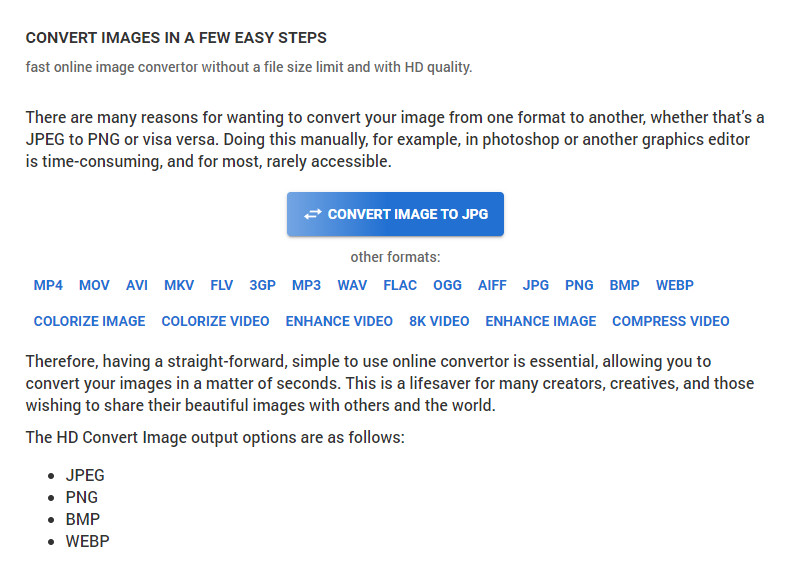
Selvom HDconvert.com kan gøre dit billede i høj kvalitet, foregår processen på en anden måde. Med dette værktøj kan du konvertere et billede i dårlig kvalitet til HD ved at uploade det her og ændre nogle indstillinger for at opnå din ønskede opløsning. Vi kan ikke komme uden om, at det kan konvertere det billede, du uploader, til JPG, PNG, BMP eller WebP, samtidig med at du ændrer kvaliteten af billedet. Derudover kan du justere nogle avancerede indstillinger på billedet, såsom at ændre størrelse, eller du kan springe det over, hvis du ikke vil have det anvendt. Du skal dog købe premium-udgaven for at få høj billedkvalitet. Er du interesseret i, hvordan dette værktøj fungerer? Hvis ja, kan du læse videre om, hvordan man får et foto til at se mere HD ud.
Trin 1. Åbn den officielle hjemmeside for denne konverter, klik på Convert Image to JPG, then Select Files for at uploade det billede, du vil konvertere til HD.
Trin 2. Vælg det billedformat, du vil anvende på dit billede, og klik på Next.
Trin 3. Ændr billedkvaliteten ved at justere skyderen til din foretrukne procentdel eller 100% og tryk på Next.
Trin 4. Klik på Convert File for at eksportere det billede, du konverterer til HD her.
3. vej. Sådan laver du et billede i HD ved at forbedre billedet
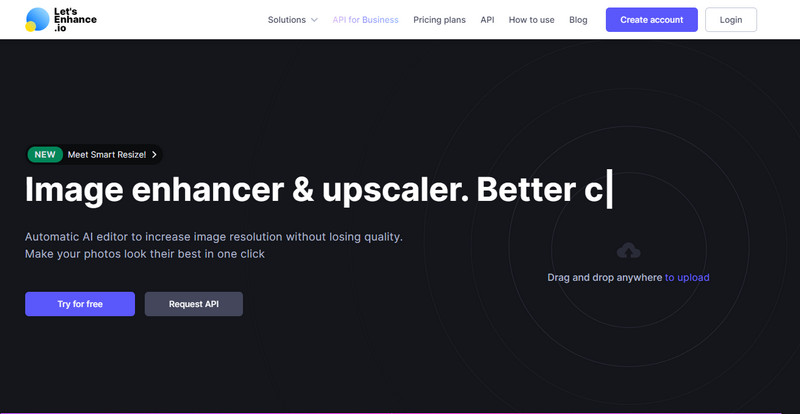
Let's Enhance.io kan hjælpe dig med at forbedre dine billeder på skrivebordet til en bedre kvalitet såsom HD. Du får ingen problemer med at forbedre dit billede til HD, hvis du bruger dette værktøj. I modsætning til det første værktøj skal du logge ind med en eksisterende konto eller oprette en konto, før du kan bruge dets gratis version. Selvom login er påkrævet, kan du være sikker på, at ydelsen er på niveau med det bedste, du kan opnå i andre desktop-programmer til billedforbedring. Så hvis du vil bruge denne billede-HD-forstærker, kan du læse de angivne trin nedenfor, mens vi afprøver den for at vise dig, hvordan du bruger den.
Trin 1. Åbn din webbrowser, søg på navnet, og klik på linket i søgeresultatet, der vises.
Trin 2. Tryk på ikonet upload for at tilføje det billede, du vil forbedre til HD.
Trin 3. Under Operation skal du ændre de indstillinger, du vil bruge for at gøre dit billede til høj opløsning.
Trin 4. Når du er færdig med justeringerne, skal du klikke på Start Processing for at behandle billedet i lav kvalitet til HD.
Trin 5. Tryk på ikonet download for at hente det foto, du har forbedret her.
Del 2. Sådan laver du et foto HD på Android med PicsArt
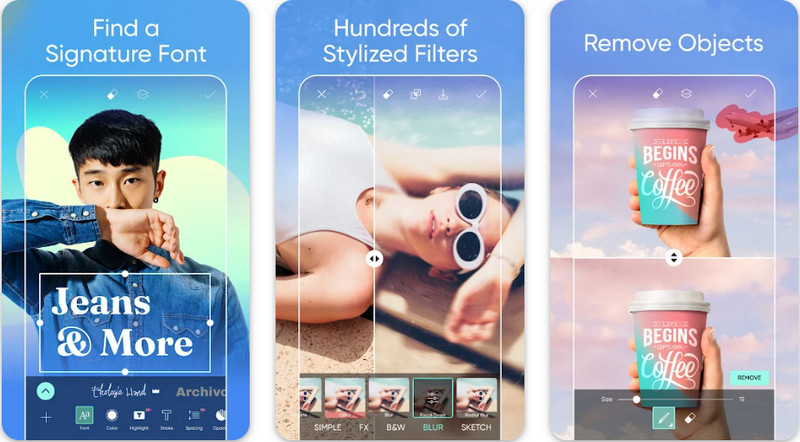
For Android-brugere, der har brug for at gøre deres billede til HD, kan du prøve at downloade PicsArt i PlayStore. Det er en løsning for mange brugere på grund af de mange forskellige redigeringsfunktioner, du kan bruge på dit billede for at få det til at se bedre ud end råversionen. Selvom appen kan gøre meget for dig, sætter gratisversionen et vandmærke på det endelige resultat. Hvis du ikke bryder dig om vandmærket, skal du købe premium-versionen. Alt i alt er appen vores valg, når det gælder om at gøre et billede klart og i HD. Så hvis du vil gøre billedet til høj kvalitet på din Android-enhed, går du ikke galt i byen ved at vælge denne app. Følg vejledningen nedenfor om, hvordan man gør et foto HD i PicsArt.
Trin 1. Download appen i PlayStore, og åbn den.
Trin 2. Klik på ikonet + for at vælge det billede i dit galleri, du vil gøre til HD.
Trin 3. Tryk på Effects og vælg HDR; justér indstillingerne for at gøre dit billede til HD, og tryk derefter på ikonet check.
Trin 4. Øverst på din telefon skal du klikke på ikonet download for at gemme HD-billedet i dit galleri. For at ændre fotoopløsning på iPhone, klik her for at lære flere detaljer.
Del 3. Ofte stillede spørgsmål om, hvordan man laver Image HD
Forstørres filstørrelsen ved at lave et billede til HD?
Absolut! Billedstørrelsen, der ikke er HD, og HD har forskellige filstørrelser. HD har flere pixeldata, der kan præsentere dig for et detaljeret billede, og dets størrelse er også tungere end billedet, der ikke er HD.
Er det et dårligt valg at omdanne 4k-billede til HD?
Det kan se ud til, at det er det, men hvis du vil spare lagerplads, kan du gøre 4k-billederne til HD, og deres visuelle kvalitetsforskelle er ikke store. Du kan nyde dit 4k-billede, selvom det er blevet HD.
Hvorfor skal jeg lave billedet i HD?
At omdanne dit billede til HD kan gøre dit billede mere detaljeret i udseende og tiltalende øjne sammenlignet med dem, der ikke er. Så hvis du vil forbedre billedet til HD, skal du bruge et værktøj til at opskalere pixels på billedet for at bringe HD til live.
Konklusion
Fantastisk ikke? Du kan lave foto HD med de forskellige måder, vi tilføjer her uden hjælp fra professionel software som Adobe Photoshop. Kopier trinene til det værktøj, du vælger, og forbedr dit billede i lav kvalitet til et bedre som HD.
-
 Gør iPhone-fotoopløsning bedre med de bedste forbedringer
 Vil du have brug for at forbedre iPhone-fotoopløsning? Nå, i denne artikel dækker vi de bedste værktøjer, du kan bruge, og andre tricks, du skal kende!
-
 Restaurering af gamle billeder online og offline [Easy Steps]
 Vil du gendanne et gammelt billede? Med disse værktøjer vil du kende den gamle fotogendannelsesproces. Læs dette indlæg for at lære de mest ligetil metoder.
-
 Top 7 Pixels Enhancer til alle webbrowsere, du skal bruge
 Hvis du vil vide, hvilke pixelforstærkere der er bedst at bruge, skal du hellere tjekke dette indlæg ud. Denne artikel viser de syv bedste billedpixelforstærkere til alle webbrowsere.
