


 Video Converter Ultimate
 Skærmoptager
 Video reparation
 Sikker download
Top 10 mest fremragende Photo Resizer-applikationer til computere
Mange mennesker har svært ved at finde et værktøj til at ændre størrelsen på deres billeder, fordi nogle værktøjer forringer kvaliteten, når man ændrer størrelsen. Samtidig vil mange fotoredigeringentusiaster gerne ændre størrelsen på deres billeder for at forbedre kvaliteten eller for at spare plads på deres enheder. Dog kan størrelsesændring af fotos være vanskeligt, fordi det kan påvirke billedkvaliteten. Men der findes også software, som du kan bruge til at ændre størrelsen på dine billeder, samtidig med at kvaliteten bevares. Så hvis du leder efter de bedste apps til at ændre billedstørrelse, har vi samlet dem her. Læs dette indlæg for at lære de syv mest bemærkelsesværdige og kraftfulde photo resizers at kende.

Del 1. Mest fremragende online fotoresizere
En online billedresizer til at ændre størrelsen på dit billede er en ganske fordel, hvis du vil spare plads på din enhed. Online applikationer kræver ikke, at du downloader noget, fordi du i sidste ende kan bruge dem i din browser. Derudover er mange online applikationer gratis at bruge og er helt sikre. Læs derfor dette afsnit grundigt for at kende de fire bedste online billedresizere.
FVC Free Image Upscaler
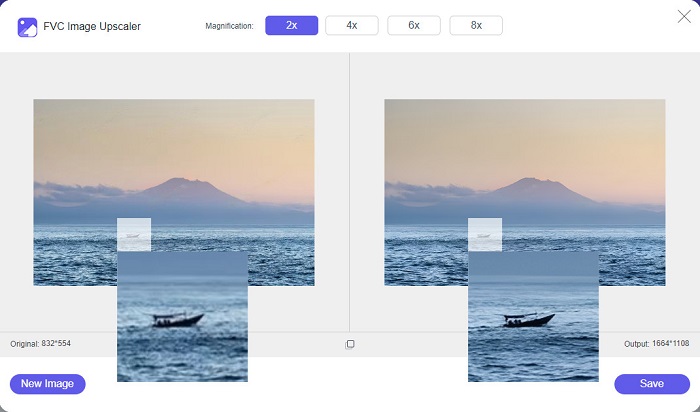
FVC Free Image Upscaler er den bedste online billed-resizer, der gør det muligt for dig at ændre størrelsen på dit billede uden kvalitetstab. Endnu bedre kan du forstørre dit billede 2x, 4x, 6x og 8x. Desuden understøtter den de mest almindelige billedformater som PNG, JPG, JPEG og BMP. Den har også en brugervenlig grænseflade, fordi den er meget enkel at betjene. Og hvis du vil ændre størrelsen på dit billede uden at miste kvalitet, er FVC Free Image Upscaler værktøjet for dig. Derudover bruger den AI‑teknologi (kunstig intelligens), som automatisk registrerer de dele af dit billede, der er i lav kvalitet, og forbedrer dem hurtigt. Og i modsætning til mange andre onlineprogrammer indeholder den ingen reklamer, der kan distrahere dig.
Fordele
- Det er gratis og sikkert at bruge.
- Det har en hurtig uploadproces.
- Du kan forhåndsvise dit output, før du gemmer det.
- Tilgængelig på alle webbrowsere, såsom Google, Firefox og Safari.
Ulemper
- Det er et internetafhængigt værktøj.
icons8.com
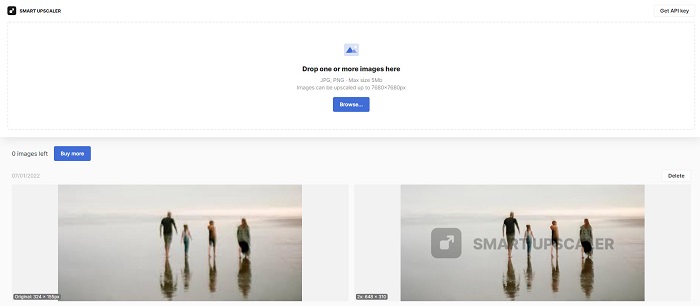
icons8.com er endnu en online billed-resizer, du kan bruge, når du vil ændre størrelsen på dit billede. icons8.com hjælper dig med at opnå præcis den størrelse, du ønsker til dit billede. Derudover er dette program, hvad du leder efter, hvis du vil forbedre kvaliteten af dit billede. Det har en billed-opskaleringsfunktion, der hjælper dig med at løfte billedkvaliteten. Desuden kan du bruge det gratis uden abonnement. Og hvis du spørger, om det er sikkert at bruge, er svaret ja. Du kan bruge dette program uden at bekymre dig om dine datas sikkerhed. Dog sætter værktøjet et vandmærke på dit billede, når du ændrer størrelsen med det.
Fordele
- Den har en nem at bruge softwaregrænseflade.
- Det understøtter de mest almindelige filformater.
- Det kan nemt forbedre dit billede.
Ulemper
- Efterlad et vandmærke på dit billede, når du ændrer størrelsen på det.
Zyro.com
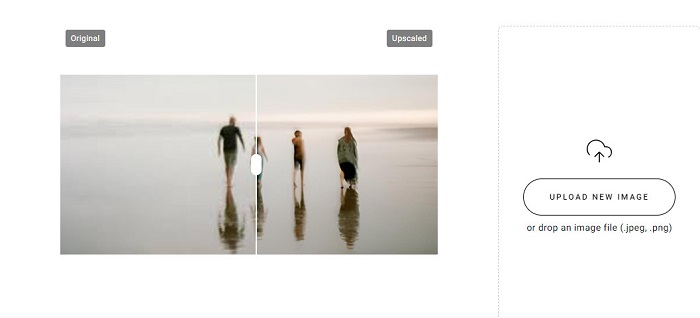
En anden online applikation, du kan bruge til at ændre størrelsen på dine billeder, er Zyro.com. Hvis du ønsker at ændre størrelsen på dit billede for at forbedre dets kvalitet, er Zyro.com værktøjet, du leder efter. Desuden bruger dette gratis værktøj til størrelsesændring af billeder AI‑teknologi, som automatisk forbedrer kvaliteten af et billede. Du behøver heller ikke være bekymret for de filer, du uploader, da det understøtter standard billedformater som PNG, JPG og JPEG. Derudover er det tilgængeligt i stort set alle webbrowsere, herunder Google Chrome og Safari.
Fordele
- Det er et begyndervenligt værktøj.
- Det er gratis og sikkert at bruge.
- Den indeholder ingen annoncer.
Ulemper
- Det har en langsom uploadproces.
Upscale.media
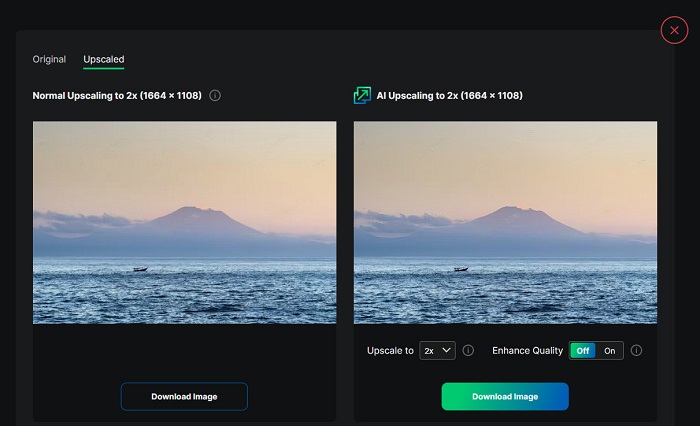
Hvis du leder efter et værktøj til at forbedre eller ændre størrelsen på dit billede, kan du med fordel bruge Upscale.media. Dette onlineværktøj bruger også AI‑teknologi, hvilket gør det bekvemt for mange brugere at ændre størrelsen på deres billeder. Derudover understøtter det de mest almindelige billedformater som JPEG, JPG, WebP, PNG og flere andre. Det imponerende ved denne applikation er, at den har en funktion, hvor du kan forbedre billedet, så det får en bedre kvalitet. Og selv om det er en webbaseret app, indeholder den ingen reklamer, der kan distrahere dig, mens du ændrer størrelsen på dine billeder.
Fordele
- Det understøtter en lang række formater.
- Det har en hurtig behandlingsgrænseflade.
- Det giver dig mulighed for at se forhåndsvisningen af dit output.
Ulemper
- Du vil have en langsom uploadproces, når internettet er langsomt.
ImageResizer.com
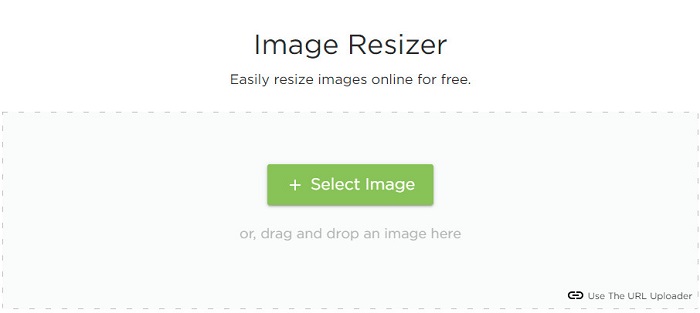
ImageResizer.com er også et af de bedste onlineværktøjer til ændring af billedpixels, som gør det muligt at ændre størrelsen på ethvert billede. Ved at justere billedets pixels kan du reducere filstørrelsen. Derudover understøtter det næsten alle billedformater som JPG, PNG og WebP. Selv om det er et onlineværktøj, er selve størrelsesændringen hurtig. Desuden er det gratis at bruge, og det er garanteret sikkert at få adgang til.
Fordele
- Virker på næsten alle webbrowsere.
- Det er et brugervenligt værktøj.
Ulemper
- Den indeholder annoncer.
Del 2. Mest potente Offline Photo Resizers
Selvom online fotoresizers er meget praktiske, da de sparer plads på din enhed, giver offlineværktøjer også store resultater og fordele. En af fordelene ved at bruge en offline billedresizer er, at de er sikre at bruge og ikke kræver, at du har adgang til internettet. Derudover er de fleste offline applikationer hurtig behandling. Så vi søgte efter de mest brugte offline billedresizere og valgte de bedste blandt dem. Nedenfor er de fem bedste offline fotoresizere til din computer.
XN Ændr størrelse
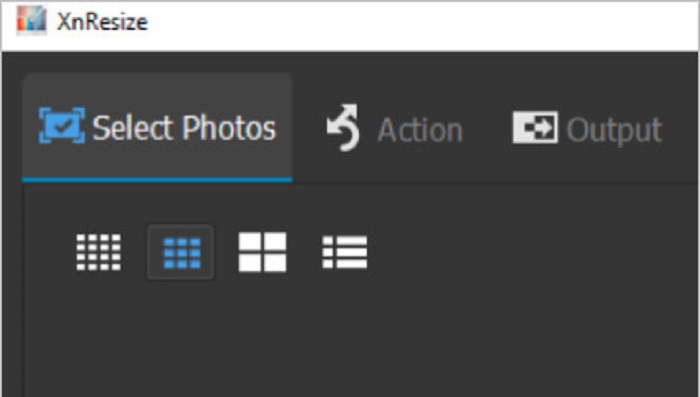
XN Resize er et hurtigt fotostørrelses-program, som kan downloades til din Windows‑pc. Dette billed-resizer‑værktøj hjælper dig, uanset om du vil reducere eller forbedre kvaliteten af dit billede. Mange vil i dag gerne uploade deres billeder til forskellige sociale medieplatforme. Men for at kunne uploade billeder må filstørrelsen ikke overstige platformenes grænser. Derfor er XN Resize et værktøj, der hjælper dig med at ændre størrelsen på dine billeder til en mindre filstørrelse, så du kan uploade dem på forskellige platforme. Ulempen ved dette værktøj er, at det kun understøtter få filformater og ikke har redigeringsfunktioner. Ikke desto mindre kan du med XN Resize justere dit billedes højde og bredde, som du ønsker.
Fordele
- Du kan justere din billedretning.
- Den har en funktion til at rotere dit billede.
- Den har en brugervenlig grænseflade.
Ulemper
- Den har begrænsede funktioner at bruge.
FastStone Photo Resizer
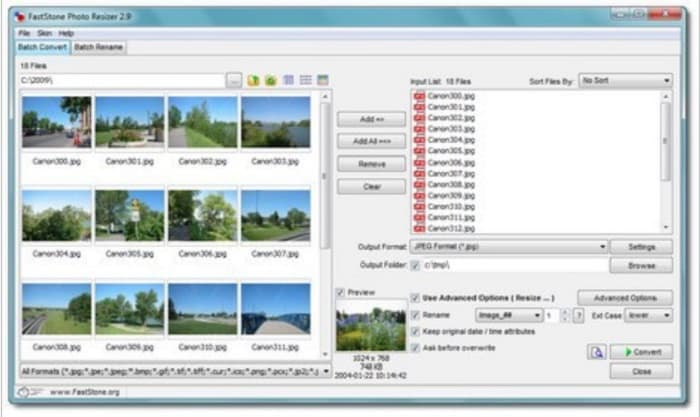
FastStone Photo Resizer er ikke kun en app til at tage skærmbilleder. Den har også en funktion, hvor du kan ændre størrelsen på dine billeder. Desuden får du efter at have taget skærmbilleder adgang til mange redigeringsfunktioner, blandt andet til at ændre størrelsen. FastStone kan være det mest velegnede værktøj til dig, hvis du vil bruge en gratis og sikker billed-resizer. Derudover kan du med denne applikation omdøbe dine billeder og gemme dem hurtigt på din enhed. Det, der gør FastStone Photo Resizer endnu mere attraktiv, er funktionerne til at konvertere, beskære, rotere og tilføje tekst til dine billeder.
Fordele
- Understøtter mappe- eller ikke-mappestruktur.
- Den har træk og slip funktioner.
- Den er tilgængelig til download på Windows PC.
Ulemper
- Efter prøveversionen skal du købe appen.
Fotoresizer i høj kvalitet
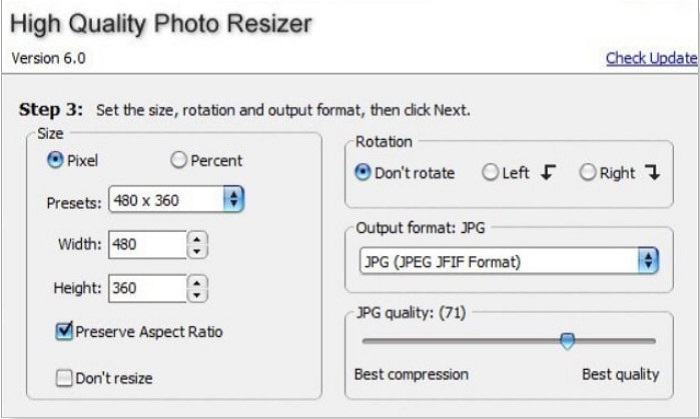
Appen High Quality Photo Resizer kan være løsningen, hvis du vil ændre størrelsen på dit foto hurtigt. Med denne applikation kan du angive størrelsen, rotere og endda vælge outputformatet på dit foto. Derudover kan du justere billets pixelantal efter egen præference. Du kan også vælge mellem den bedste komprimering eller den bedste kvalitet. Vælger du bedste komprimering, får du en lille filstørrelse, men ikke den højeste kvalitet. Omvendt får du en høj billedkvalitet, men en større filstørrelse, hvis du vælger bedste kvalitet. Derudover har den en brugervenlig grænseflade takket være de let overskuelige funktioner.
Fordele
- Det understøtter forskellige billedformater, såsom BMP, GIF, JPG, JPEG og PNG.
- Det er gratis at downloade.
Ulemper
- Den indeholder ingen redigeringsfunktioner.
Cæsium
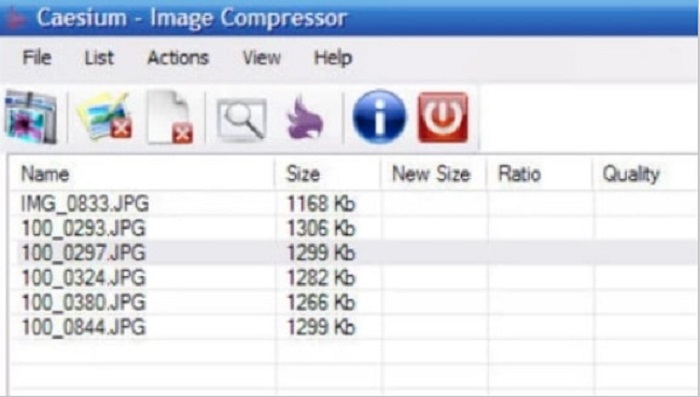
Caesium er også blandt de bedste foto-resizere til pc. Caesium er kendt for at være nemt at bruge og for sin effektive behandling. Mange professionelle bruger denne populære redigeringssoftware til at komprimere deres billeder eller reducere filstørrelsen. Du kan desuden forhåndsvise resultatet af dit billede i realtid for at se forskellen i forhold til originalen. En af fordelene ved at bruge denne applikation er, at den kan behandle flere billeder på én gang uden at ødelægge kvaliteten. Derudover understøtter den de mest gængse billedformater som JPEG- og PNG‑formater. Og vidste du det? Caesium er gratis at bruge og kræver ikke, at du tegner abonnement.
Fordele
- Den har en enkel brugergrænseflade.
- Giver dig mulighed for nemt at eksportere dine billeder.
- Du kan forhåndsvise dit billede, før du gemmer det.
- Kan downloades på alle cross-media platforme, som Windows, Mac og Linux.
Ulemper
- Det har nogle gange en langsom downloadproces.
FILEminimizer billeder
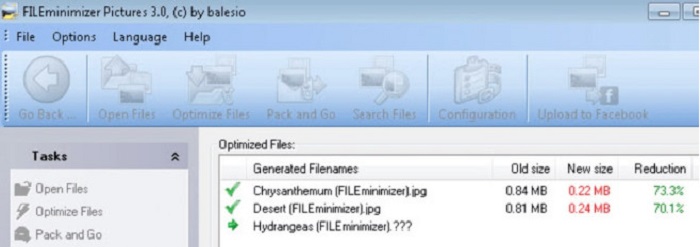
Leder du efter et program, der kan hjælpe dig med at skalere dine billeder ned? FILEminimizer Pictures kan være svaret på dit problem. Dette offlineprogram gør det muligt at reducere størrelsen på dine billeder med op til 98 % ved hjælp af sin indbyggede teknologi til filforbedring. Derudover gemmer værktøjet dine billeder i deres oprindelige format og kan eksportere filer hurtigt. Og eftersom det er en foto-resizer‑app, vil den reducere filstørrelsen ved at sænke billedets opløsning. Så forvent, at kvaliteten også bliver lavere, efterhånden som du ændrer størrelsen på billedet.
Desuden tilbyder den fire forskellige komprimeringsprocesser, komprimerer i batches, muligheden for at anvende tabsfri komprimering og mere. Selvom det ikke er gratis at bruge applikationen, har den stadig en gratis prøveperiode, som du kan bruge. Derfor, hvis du søger efter en batch foto resizer, kan du overveje at bruge dette værktøj.
Fordele
- Det understøtter forskellige formater, såsom JPG, BMP, GIF og PNG.
- Du kan eksportere billeder til din e-mail.
- Det har en hurtig ændring af størrelsesproces.
Ulemper
- Efter den gratis prøveperiode skal du opgradere ved at købe appen.
Relateret til:
Bedste apps til ændring af billedstørrelse online, offline, til Android og iPhone
Top 7 bedste online og offline foto-forstørrelsesværktøjer
Del 3. Ofte stillede spørgsmål om Photo Resizers
Er der en app til at ændre størrelsen på billeder på iPhone?
Image Size er en app til iPhone, som du kan downloade gratis. Denne app er blandt de bedste apps til at ændre størrelse på billeder til iPhone.
Kan jeg komprimere et billede uden at miste kvalitet?
Reduktion af størrelsen på dit billede kræver, at du justerer opløsningen og pixel på det. Så når du komprimerer et billede, skal du forvente, at det har en lavere kvalitet.
Er der en Kapwing Photo Resizer?
Heldigvis kan du bruge Kapwing til at ændre størrelsen på dit billede. Kapwing fotoresizer giver dig mulighed for at beskære, formindske eller zoome et billede.
Konklusion
De nævnte photo resizers ovenfor er de bedste online- og offline-applikationer til at ændre størrelsen på billeder. De har alle hver deres funktioner, så sørg for at vælge den, der passer bedst til dig. Men hvis du vil bruge en gratis og imponerende foto-resizer, er FVC Free Image Upscaler værktøjet for dig.
relaterede artikler
-
 Gør iPhone-fotoopløsning bedre med de bedste forbedringer
 Vil du have brug for at forbedre iPhone-fotoopløsning? Nå, i denne artikel dækker vi de bedste værktøjer, du kan bruge, og andre tricks, du skal kende!
-
 Restaurering af gamle billeder online og offline [Easy Steps]
 Vil du gendanne et gammelt billede? Med disse værktøjer vil du kende den gamle fotogendannelsesproces. Læs dette indlæg for at lære de mest ligetil metoder.
-
 Top 7 Pixels Enhancer til alle webbrowsere, du skal bruge
 Hvis du vil vide, hvilke pixelforstærkere der er bedst at bruge, skal du hellere tjekke dette indlæg ud. Denne artikel viser de syv bedste billedpixelforstærkere til alle webbrowsere.
