


 Video Converter Ultimate
 Skærmoptager
 Video reparation
 Sikker download
Top 5 VOB-afspillere til Windows 10/8/7 pc og Mac
VOB (Video Object) er ikke et populært videoformat som MP4, AVI, det ældre RMVB eller endda YouTubes FLV. Det er et containerformat på DVD-Video-medier. En VOB-fil kan indeholde videoer, lydspor, undertekster, DVD-menuer og navigationsindhold. I praksis tænker du nok ikke over et format som VOB, før du løber ind i et problem med manglende understøttelse.
VOB-formatet kan ikke åbnes af mange medieafspillere, iOS/Android-enheder og videoredigeringsværktøjer. Windows Media Player vil ikke afspille VOB-filer på en Windows 10-pc. Samtidig kan du ikke direkte se en VOB-fil på Mac med QuickTime Player. Så hvordan afspiller man VOB-filer?

Ud fra dit behov vil vi gerne præsentere 5 gode VOB-afspillere til Windows 10/8/7-pc og Mac. Du kan lære de vigtigste funktioner ved hver VOB-filafspiller at kende og derefter vælge den, du foretrækker.
Del 1. Gratis VOB-afspiller til Windows 10/8/7 pc og Mac
FVC Free Video Player er et meget populært online video- og lydafspilningsværktøj, som kan hjælpe dig med at afspille alle VOB-filer på både Windows 10/8/7/XP/Vista-pc og Mac. Denne gratis VOB-filafspiller kan give dig VOB-afspilning i høj kvalitet. Ud over VOB understøtter den også andre video- og lydformater, herunder MP4, AVI, MOV, MKV, FLV, WMV, 3GP, MXF, MPEG, RMVB, MP3, AAC, M4A, WMA, FLAC og flere.
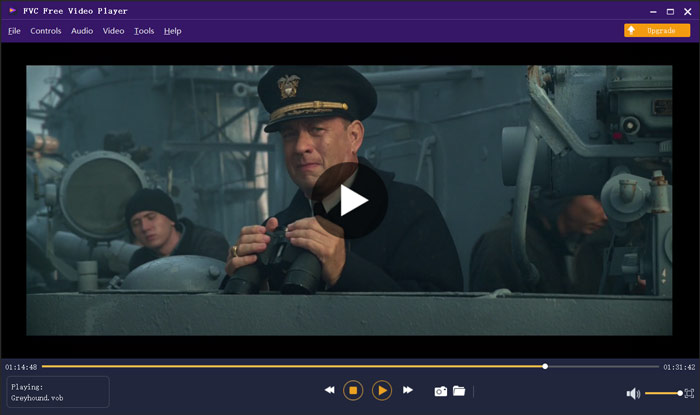
Denne VOB-afspiller kræver ikke nogen anden codec eller plug-ins for at afspille dine VOB-videoer. Gå bare til dets officielle side og installer en lille launcher-fil første gang, du kan frit afspille alle dine mediefiler med lethed. Denne VOB-filafspiller er vedtaget med den avancerede DTS-HD- og Dolby TrueHD-lydkodningsteknologi. Du kan få en fantastisk lydoplevelse, mens VOB afspilles.
Del 2. Open Source VOB Player til Windows 10 og Mac - VLC Media Player
VLC media player er en open source- og fuldt udstyret afspiller, som gør det muligt at se VOB-filer på både en Windows 10/8/7-pc og en Mac. Faktisk kan den også fungere som en VOB-afspillerapp til Android- og iOS-enheder. VLC media player er helt gratis at bruge. Udover VOB kan VLC også afspille mediefiler i MP4, MOV, FLV, MKV, MOV, AAC, AC3, MP3 og flere. Når du indsætter en dvd-disk i computeren, kan VLC fungere som en standard DVD-VOB-afspiller til at afspille VOB-filen for dig.

Som VOB-filafspiller giver VLC dig adgang til al DVD-menu, kapitler og andet indhold. For at afspille en VOB-fil med VLC skal du installere og åbne den på din computer og derefter importere din VOB-video for at starte afspilningen. Udover den grundlæggende afspilningsfunktion er VLC medieafspiller også designet med konvertering, redigering, optagelse og andre nyttige funktioner.
Del 3. VOB File Player til Android / iOS / Windows / Mac - KMPlayer
KMPlayer er et andet populært videafspilningsprogram, som kan hjælpe dig med at afspille VOB-filer. Det har bred understøttelse af videoformater. KMPlayer kan afspille videoer i VOB, MPEG, MP4, WMV, MOV, AVI, OGG og flere. Det kan fungere som en fremragende VOB-afspiller til både Windows-pc og Mac. Derudover tilbyder KMPlayer apps, så du kan se VOB på både Android-telefon, iPhone og iPad.

Denne VOB-videoafspiller giver dig mulighed for at oprette og administrere din egen afspilningsliste, justere forskellige undertekstindstillinger, brugerdefinerede lydeffekter med equalizer og mere. KMPlayer bærer også søgning, kunne, netværksafspilning, timer og andre funktioner. Det hævder, at det kan tilbyde dig en video i høj opløsning, der afspilles, selv op til 4K.
Del 4. VOB File Player til Windows 10 - Endelig medieafspiller
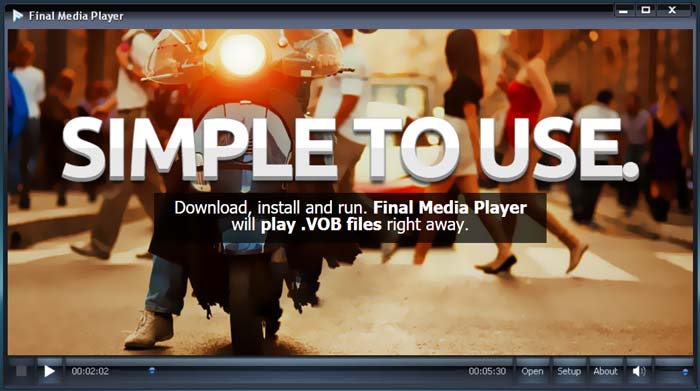
Final Media Player er et videoafspilningsværktøj til Windows-brugere. Det understøtter over 80 typer lyd- og videofiler. Du behøver ikke at installere andre ukendte codecs for at afspille VOB. Det gør det muligt for dig at afspille VOB-filer på en Windows 10-pc i høj kvalitet. Ud over VOB understøtter det også 3GP, ASF, AVI, DIVX, FLV, M4V, MKV, MOV, MP4, MPEG, MPG, MV, MXF, RMVB, SWF, WMV, XMV, XVID og flere.
Del 5. VOB Player til Mac og Windows 10/8/7 PC - 5KPlayer
5KPlayer er en kraftfuld video- og musikafspiller, som gør det muligt at afspille VOB-filer på både Windows 10-pc og Mac. Den er en kombination af videoafspiller, musikafspiller, AirPlay- og DLNA-aktiveret mediestreamer og videodownloader. Som hardwareaccelereret VOB-filafspiller sikrer den, at du kan se VOB-filer med fremragende billede og lyd.
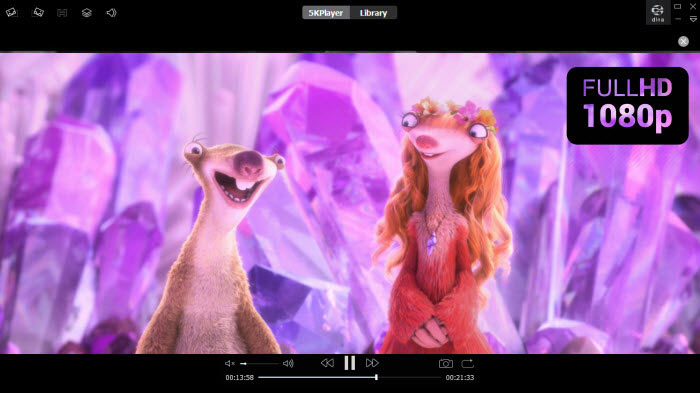
Denne VOB-afspiller giver dig et gratis spor til forskellige funktioner. Men du skal vide det, 5KPlayer er ikke et helt gratis spilværktøj.
Del 6. Ofte stillede spørgsmål om VOB File Player
Sådan afspilles VOB-filer i Windows Media Player?
Som nævnt ovenfor kan du ikke direkte åbne VOB-filer på Windows 10 med Windows Media Player. Du skal installere VOB-codec'en eller konvertere VOB til MP4 for at kunne afspille dem.
Kan du redigere VOB-filer med iMovie?
Nej. VOB-format kan ikke understøttes af Mac, QuickTime Player og iMovie. Det er ikke tilladt at åbne eller redigere en VOB-fil i iMovie.
Hvordan konverterer jeg gratis VOB til MP4?
Du kan benytte den populære gratis VOB-til-MP4-konverter til nemt at udføre videokonverteringen. Den kan også konvertere VOB til MOV, så du kan afspille videoen på Mac.
Konklusion
Vi har primært talt om VOB-afspiller i dette indlæg. Vi har lavet en liste over de 5 bedste VOB-filafspillere, du kan vælge imellem. Uanset om du leder efter en VOB-afspiller til Windows 10, Mac eller Android/iOS-enhed, kan du nemt finde en passende.
-
 Vejledning i, hvordan du konverterer MP4 til VOB på din computer
 Sådan konverteres MP4 til VOB på Windows PC og Mac? For at løse dette problem deler dette indlæg de 3 bedste måder at hjælpe dig med at konvertere MP4 til VOB gratis.
-
 8 bedste MOV-afspillere til pc og Mac til afspilning af QuickTime MOV-videofiler
 Lær bare mere om de 8 bedste MOV-afspillere, der er tilgængelige for både Windows og Mac. Du kan vælge den ønskede og passende til at afspille MOV-filer med den originale kvalitet.
-
 8 bedste MKV-filafspillere til at afspille MKV-video med undertekst på Windows og Mac
 Når du vil afspille MKV-videoen med den ønskede undertekst, kan du lære mere om de øverste 8 MKV-filafspillere til PC / Mac og vælge den ønskede efter dit behov.
