


 Video Converter Ultimate
 Skærmoptager
 Video reparation
Omfattende guide til, hvordan man konverterer AMV til WMV med trin [Løst]
Vil du gerne nyde at se AMV‑videofiler på din Windows‑computer eller bruge dem til online streaming? Så skal du læse denne artikel for at lære, hvordan du kan konvertere AMV til WMV, forbedre kvaliteten og gøre filerne kompatible. I denne oversigt får du indblik i den software, du kan bruge til at konvertere dine AMV‑filer. Så uden yderligere omsvøb – spænd sikkerhedsselen og lær meget mere om formaterne AMV og WMV.

Del 1. Konverter AMV til WMV med FVC Video Converter Ultimate
FVC Video Converter Ultimate er vores førstevalg til at konvertere AMV til WMV, fordi den giver dig mulighed for at transkode medier og enheds‑specifikke formater. Og mere end det: den kan konvertere ikke kun én, to eller tre filer på én gang, men endnu flere. Desuden er denne konverter udviklet med fokus på brugerne for at levere intet mindre end fremragende resultater ved konvertering. Vil du vide hvorfor? Så læs nøglefunktionerne nedenfor.

FVC Video Converter Ultimate
4.355.888+ downloads- Det kan hjælpe dig med dit konverteringsproblem på AMV til WMV, AVI, FLV, SWF, MP4, AVI.
- Det understøtter ultrahurtig konvertering for at konvertere formatet endnu hurtigere.
- Rediger dine AMV-videoer med de unikke redigeringsfunktioner, som dette værktøj giver.
- Hjælp dig med at blive ekspert inden for få klik.
- Det understøtter alle platforme som Windows og macOS.
Gratis download til Windows 7 eller nyere Sikker download
Gratis download til MacOS 10.7 eller nyere Sikker download
Er du overrasket over funktionerne i værktøjet? Hvis ja, lad os læse proceduren for konvertering af AMV-filer og kopiere trinene for at få succes med at konvertere.
Trin 1. Download FVC Video Converter Ultimate til din computer ved at klikke på download‑knappen nedenfor. Fortsæt med at klikke på installationsfilen for at installere programmet, og tryk derefter på Start Now for at starte værktøjet.
Gratis download til Windows 7 eller nyere Sikker download
Gratis download til MacOS 10.7 eller nyere Sikker download
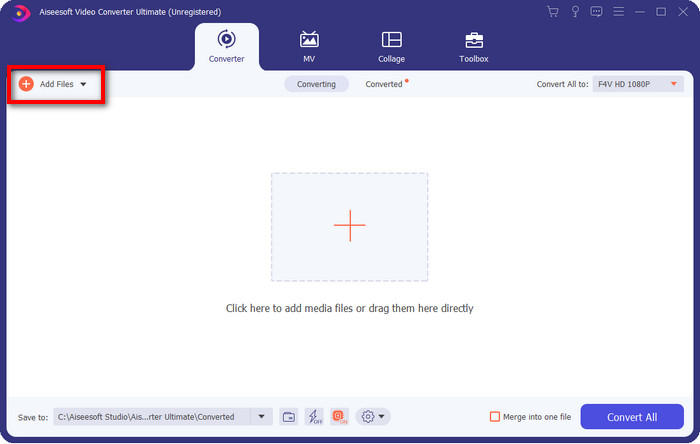
Trin 2. Når du har startet softwaren, kan du tilføje en eller flere filer ved at klikke på Add Files. Computerens mappevindue vises på skærmen; vælg AMV‑filen, og tryk på Open for at uploade den.
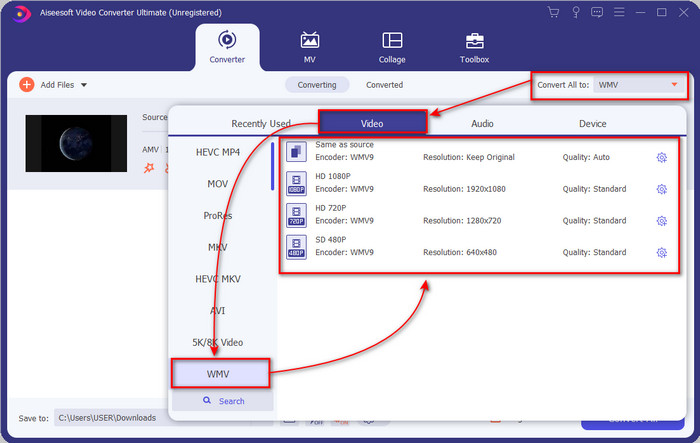
Trin 3. Når du klikker på Convert All to, vises en formatliste. Find WMV‑formatet, og vælg den opløsning, den encoder og den kvalitet, du ønsker.
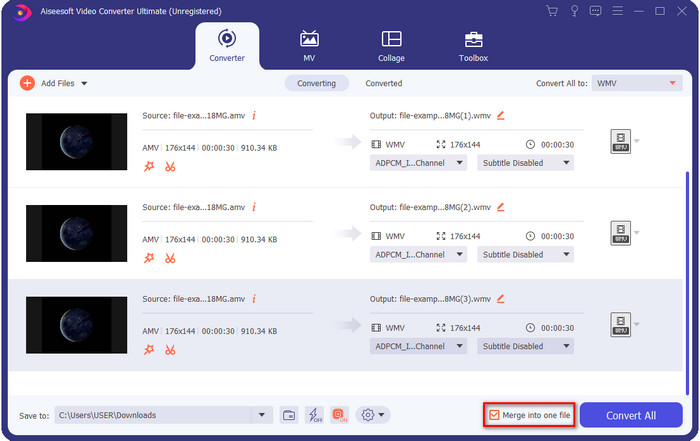
Valgfrit. Vil du samle dine AMV‑filer til ét WMV‑format? Så skal du markere feltet med teksten “merge into one file”.
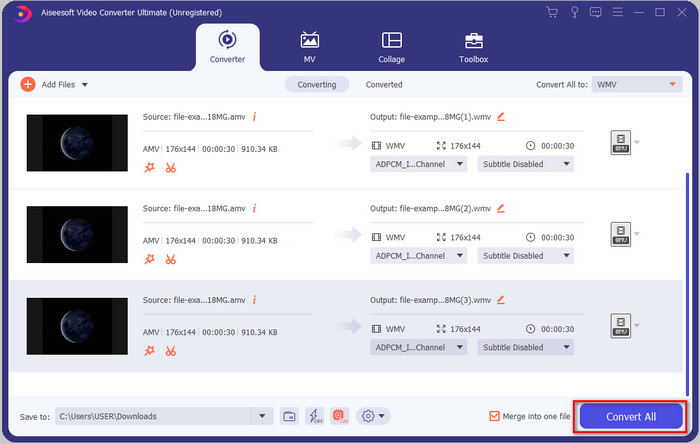
Trin 4. Tryk på Convert All for at starte konverteringsprocessen. Efter processen vises en mappe på skærmen med den konverterede WMV‑fil.
Del 2. Konverter AMV til WMV Online
Vil du ikke downloade en offline konverter, fordi du ikke har nok lagerplads til at installere et program? Så brug FVC Free Online Video Converter. Du behøver nemlig ikke downloade hele konverteringsprogrammet; du skal kun hente en lille launcher, som næsten ikke fylder noget og derfor ikke påvirker din computers lagerplads. Desuden kan denne webbaserede konverter konvertere AMV til WMV og justere opløsningen. Dog afhænger konverteringshastigheden af din internetforbindelse. Har du internetforbindelse? Så bør du prøve dette værktøj og opleve online konvertering.
Trin 1. Klik på dette link for at åbne konverterens hovedside.
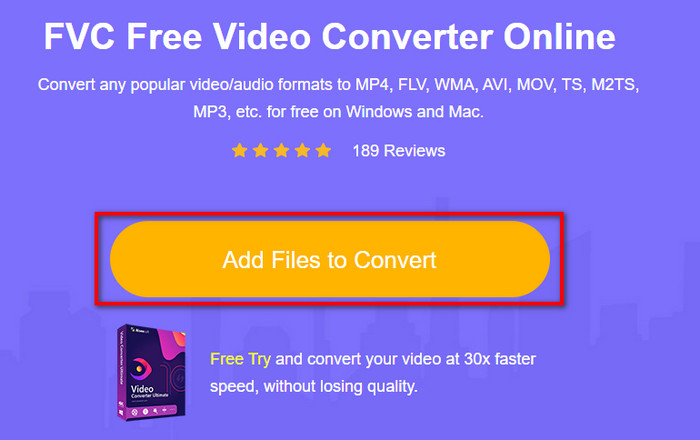
Trin 2. Ved at klikke på Add Files to Convert åbnes en mappe, hvor du kan finde AMV‑filen og trykke på Open.
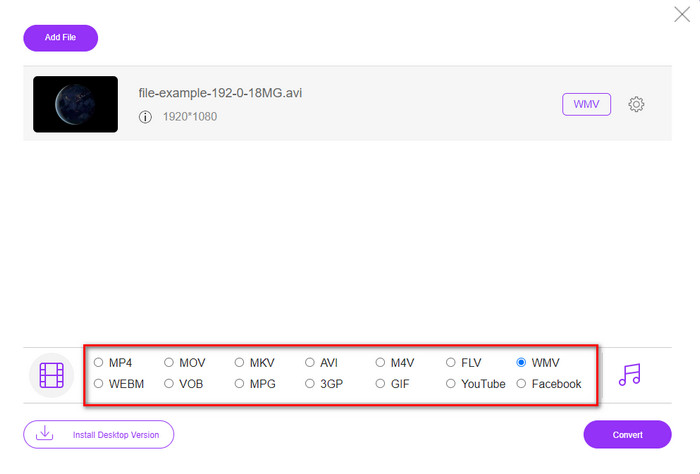
Trin 3. Vælg WMV‑formatet, som vises på skærmen.
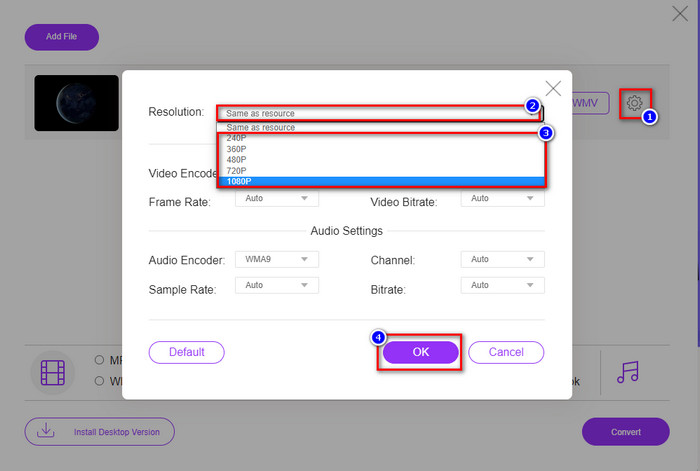
Valgfrit. Som nævnt tidligere kan du justere opløsningen her. Så lad os nu ændre opløsningen ved at klikke på tandhjulsikonet. Øverst klikker du på drop‑down‑knappen, og en liste over opløsninger vises; vælg én, og tryk på OK for at fortsætte.
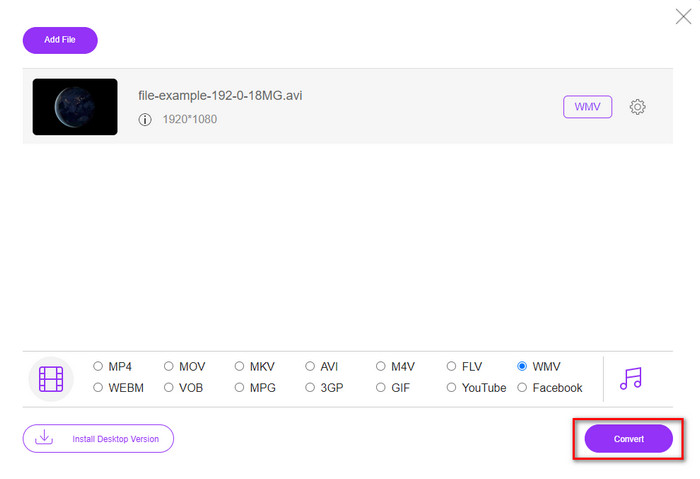
Trin 4. Hvis du nu vil starte konverteringen, kan du klikke på knappen Convert, og processen går i gang.
Del 3. Hvad er forskellen mellem AMV og WMV
Først og fremmest blev disse to mediecontainere populære på grund af deres unikke muligheder som format. Men i dag vil vi studere om, hvad der er fordele og ulemper ved selve formatet. Desuden vil vi specificere tre aspekter ved at gøre det til et spørgsmål at vide mere om AMV og WMV.
Hvilket format har bedre medieopløsning?
Mellem de to formater har WMV uden tvivl en bedre kvalitet. En WMV-fil kan gemme og streame en videoopløsning på op til 300.000 pixels for et mere detaljeret visuelt output. Men du kan indstille hastigheden til 528x576 skærmopløsning. Og for AMV er kvaliteten, den kan indeholde, 96x96 til 320x240, hvilket er ret lavt sammenlignet med den lave opløsning af WMV. En grund til, at AMV har en mindre opløsning, er, at den skal passe på skærmen på den kinesiske medieafspiller.
Hvilket format har en mindre filstørrelse?
Denne sejr vil gå med AMV, fordi dette format er super komprimeret. Selvom WMV har en kompressor, er størrelsen af AMV stadig mere økonomisk venlig, især på dit computerdrev, end WMV.
Hvilket format er mere kompatibelt?
Når vi taler om kompatibilitet, kan vi sige, at de har forskellige styrker, fordi WMV udelukkende er målrettet Windows‑programmer. Hvis du er Mac‑bruger, kan du ikke bare bruge dette format og afspille det i QuickTime eller redigere det i iMovie. I stedet skal du konvertere WMV til MOV for at gøre det kompatibelt. Når det gælder AMV, bruges dette format oprindeligt af bærbare kinesiske medieafspillere til at afspille filerne. I dag kan du dog bruge andre bærbare medieafspillere i stedet for at købe en specifik AMV‑afspiller. Det er imidlertid virkelig besværligt at finde en AMV‑afspiller, fordi der kun findes få afspillere, som understøtter denne type format og encoder. Man kan sige, at WMV har opnået langt større kompatibilitet end AMV, især når vi overfører filer til Windows.
Og nu hvor vi kender årsagen, er det nødvendigt at konvertere filen til et nyt format i dette tilfælde. Af den grund skal du lære at konvertere AMV til WMV for at gøre mediefilen kompatibel med Windows-software.
Del 4. Ofte stillede spørgsmål om AMV- og WMV-konvertering
Hvordan ændrer jeg min AMV til MOV?
Der findes en masse teknikker og metoder, vi kan søge efter og afprøve, når vi kigger på nettet. Men det kan være svært at vælge, hvilket værktøj der er bedst til at konvertere AMV til MOV. For at gøre det kort: klik på dette link og få forklaret, hvordan du konverterer AMV til MOV, så filerne bliver kompatible med macOS.
Kan jeg bruge en VLC-medieafspiller til at se og afspille AMV?
Ja, du kan sagtens downloade VLC‑medieafspilleren til din computer for at afspille dine AMV‑filer uden at skulle hente en ekstra codec. Hvis du vil vide mere om VLC og dets alternativer, kan du læse denne artikel ved at klikke på dette link.
Hvorfor skal jeg komprimere AMV?
Vi komprimerer vores mediefiler og AMV‑filer, fordi vi har brug for at frigøre plads på harddisken. Vil du lære hvordan man komprimerer AMV‑filer? Så klik på dette link.
Konklusion
Disse to løsninger giver ekspertise til at gøre din konvertering fra AMV til WMV nem og vellykket. Desuden er det de bedste løsninger, vi kan finde på nettet. Så nu er det i din hånd at vælge, hvilken konverter du bruger til at konvertere din AMV-fil til WMV. For at opnå succes skal du bruge FVC-værktøjerne ovenfor.
-
 Bedste metode til brug ved konvertering af AMV til AVI [Godkendt]
 Har du svært ved at konvertere din AMV-format videofil til AVI? Her er nogle tips forudsat, som du kun kan finde i denne artikel.
-
 [Bevist] 2 måder at konvertere AMV til FLV Offline & Online
 Har du nogensinde overvejet at prøve en konverter til at konvertere dine AMV-filer til FLV-filformat. For at løse dit problem med at se en AMV-video, læs denne artikel for at kende de passende konvertere, du skal bruge.
-
 Gratis | De 3 bedste metoder til at konvertere MP4 til WMV uden at miste kvalitet
 Dette indlæg deler, hvordan man konverterer MP4-video til WMV-format på Mac eller Windows. Vi vil også tilbyde dig flere muligheder, herunder både desktop-software og webbaserede online-konvertere. Klar til at kende de bedste MP4 til WMV konverteringsværktøjer?
