


 Video Converter Ultimate
 Skærmoptager
 Video reparation
 Sikker download
Hurtigste måder at konvertere FLAC og WAV (Offline/Online)
Free Lossless Audio Codec, almindeligvis kendt som FLAC, er et lydfilformat, der minder bemærkelsesværdigt om MP3. Det giver brugerne fremragende lydkvalitet, samtidig med at det kun optager relativt lidt plads på din harddisk. Derudover er denne type format tabsfrit, hvilket betyder, at en stor del af dine lyddata bevares på trods af komprimeringsprocessen. På den anden side findes der situationer, hvor du har brug for at konvertere FLAC-filer til et andet format som WAV, hvis du vil optimere din lytteoplevelse til maksimal og overlegen kvalitet. Skal du vælge mellem de to? Find ud af herunder, hvordan du kan få det bedste fra begge verdener ved hjælp af de bedste værktøjer til FLAC til WAV-konvertering.

Del 1. Konverter FLAC og WAV offline
Video Converter Ultimate er et førsteklasses værktøj til at konvertere filer til ethvert lydformat, herunder WAV og FLAC. Dette program tilbyder en batchkonverteringsfunktion, der giver dig mulighed for at konvertere en samling lydfiler på én gang. Desuden kan du maksimere kvaliteten af hver sang, du ønsker at arbejde med, da programmet lader brugerne justere tekniske indstillinger for output, såsom samplerate og bitrate. Hvis du ønsker at batchkonvertere WAV til FLAC eller omvendt, kan du læse den hurtige guide, vi har forberedt nedenfor.
Trin 1. Start programmet på din enhed ved at vælge den passende knap til Gratis download nedenfor. Følg derefter vejledningen på skærmen for at starte programmet. Når det er installeret, kan du hurtigt vænne dig til dets grænseflade.
Gratis download til Windows 7 eller nyere Sikker download
Gratis download til MacOS 10.7 eller nyere Sikker download
Trin 2. Tryk på Tilføj-ikonet på hovedskærmen, og importer den lydfil, du vil arbejde med. Derefter bliver du ført til en forhåndsvisning af den importerede fil. Du kan uploade en mappe, hvis du ønsker at konvertere i bulk. Vælg i din mappeoversigt den mappe, der indeholder alle de lydfiler, du har brug for.
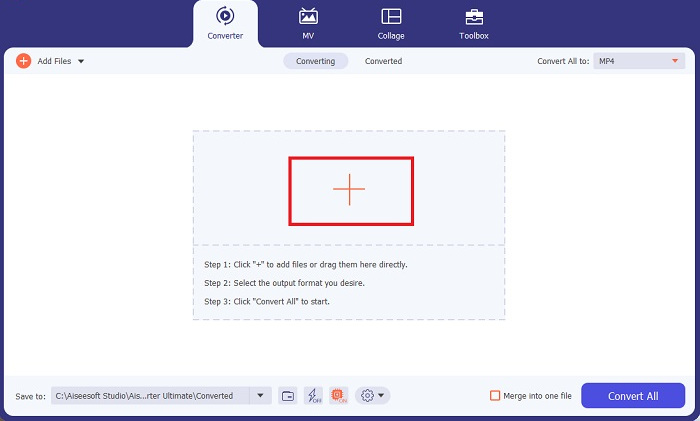
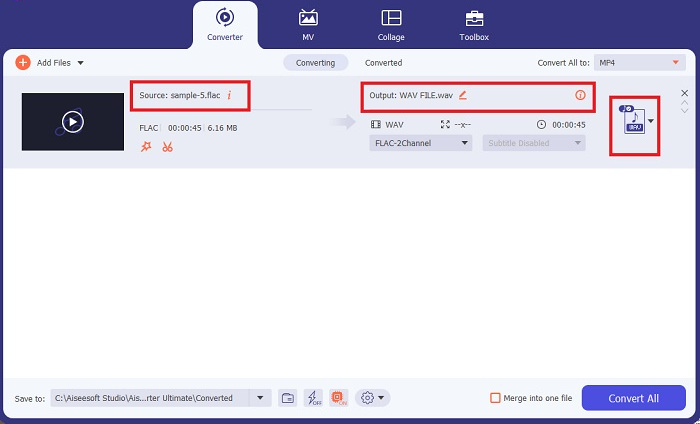
Trin 3. Nu kan du ændre outputformatet ved at klikke på Converter-knappen øverst i programmets vindue. Vælg derfra WAV i fanen Lydoutput. Samtidig kan du justere samplerate og bitrate for din outputfil, så de matcher den kvalitet, du foretrækker.
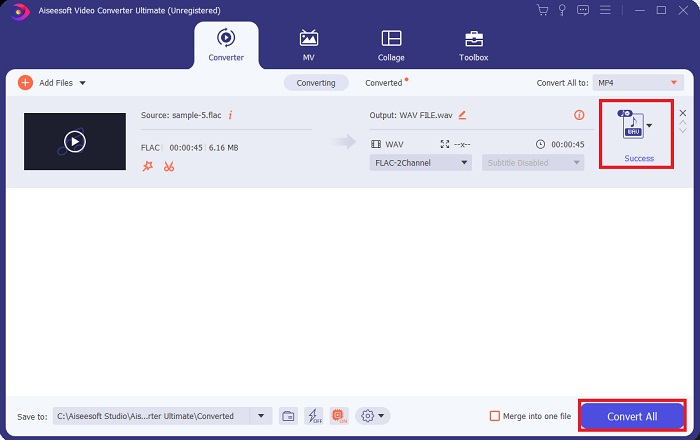
Trin 4. Til sidst starter du konverteringsprocessen ved at klikke på knappen Konvertér alle nedenfor. Derefter åbner programmet automatisk outputmappen, så du kan kontrollere din fils nye format.
Fordele
- Det kan batchkonvertere FLAC til WAV lydfilformat.
- Programmet fungerer godt med både Windows og Mac OS.
- Det har en hurtig konverteringshastighed.
Ulemper
- Det kræver et betalt abonnementsgebyr efter den gratis prøveperiode.
- Programmet virker ikke på Linux OS-enheder.
Del 2. Konverter FLAC til WAV eller WAV til FLAC Online
Selv om din søgemaskine kan vise dig et væld af onlinekonvertere til FLAC til WAV eller WAV til FLAC, kan vi her hjælpe dig med at gøre det nemmere. Free Audio Converter Online er et fremragende valg, hvis du vil undgå at installere et desktopprogram. Denne onlinekonverter fungerer problemfrit og giver sikkerhed og beskyttelse af dine personlige data, mens den udfører konverteringen. Desuden kan du udnytte programmets batchkonverteringsfunktion, næsten som hvis du brugte et desktopprogram.
Trin 1. Klik på linket ovenfor for at komme til hovedsiden for Free Online Video Converter. Vælg Tilføj filer til konvertering på hovedskærmen, og upload din lydfil.
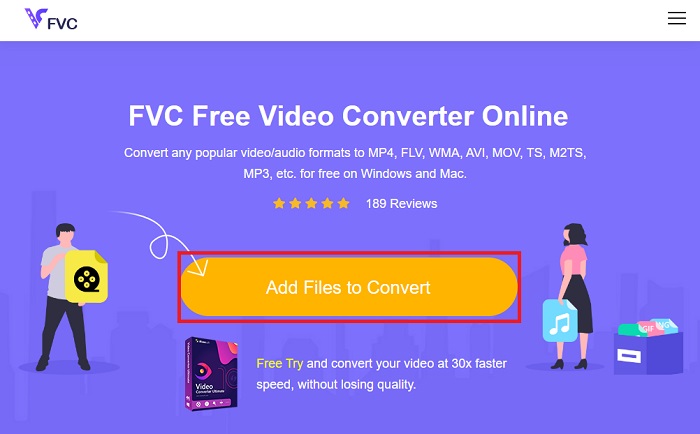
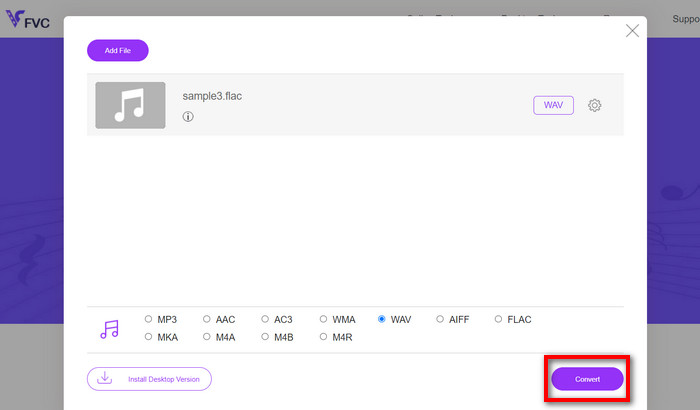
Trin 2. Forhåndsvisningen af din originalfil vises på skærmen. Fra det samme panel går du nedad og vælger dit ønskede outputformat.
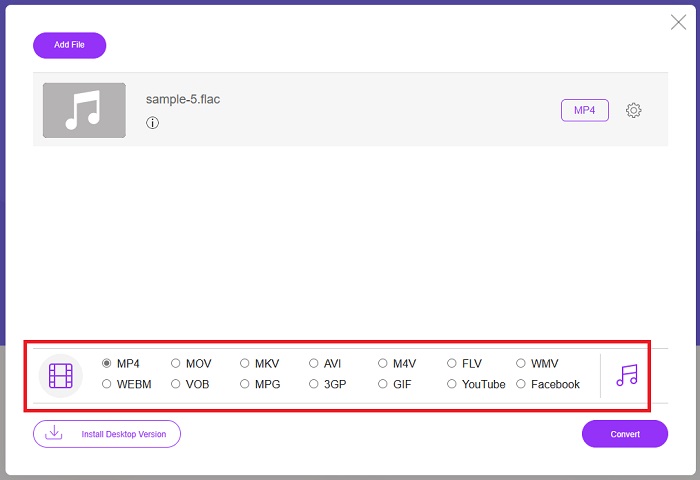
Trin 3. Tryk på knappen Konvertér for at ændre FLAC til WAV-format. Hvis du vil konvertere en anden fil, gentager du denne vejledning fra starten.
Fordele
- Det virker på enhver søgemaskine som Google Chrome, Safari, Firefox og mere.
- Det tilbyder forskellige populære lydfilformater som MP3, AAC og WMA.
- Brugere kan nyde ubegrænsede konverteringer pr. dag.
Ulemper
- Konverteringshastigheden afhænger af internetforbindelsens styrke.
Yderligere læsning:
Konverter FLAC til MP3 for at bevare lydkvaliteten
Nem guide til at konvertere WAV til OGG for optimal lydstørrelse
Del 3. Ofte stillede spørgsmål om FLAC- og WAV-konvertering
Vil konvertering af en fil fra FLAC til WAV falde i kvalitet?
Konvertering af dine lydfiler fra FLAC til WAV vil ikke forringes i kvalitet, da opløsningen er ukomprimeret. Antag dog, at du konverterer en fil fra WAV til FLAC. I så fald vil du muligvis bemærke små ændringer, især for dem, hvis ører er ret i detaljer. Hvis du har brug for hjælp til at beslutte, hvilken du skal beholde, er her et stykke perspektiv, du kan se på; FLAC-lydformater er et godt valg til at gemme en skare af sange, mens størrelsen af WAV-filer er større, men velegnet til lydredigering.
Er WAV lydformatet med den højeste opløsning?
WAV er Waveform Audio File Format-forkortelsen udviklet af IBM og Microsoft. Dette format betragtes som det højeste opløsningsformat i den digitale musikindustri, fordi det indeholder rå og kompromisløse lydfrekvenser.
Hvad er den bedste online FLAC til WAV-konverter?
Uden tvivl er FVC Free Online Video Converter den bedste gratis FLAC til WAV-konverter online. Du behøver ikke at erhverve dig teknisk dygtighed for at transformere nogen video- og lydfiler ved hjælp af softwaren. Det kan udføre dit arbejde effektivt, fordi det er brugervenligt og har uovertruffen konverteringshastighed. Desuden giver dette online program, hvis ikke alle, men de fleste af de populære lydformater, vi kender.
Konklusion
Konvertering kan ske begge veje, fra FLAC til WAV og WAV til FLAC. Da begge filformater er udbredte i digital musik i dag, kan valget af, hvilket du skal bruge, afhænge af den opgave, du skal bruge dem til. Med de ovennævnte værktøjer kan du skifte frem og tilbage mellem formaterne når som helst. Følg trinnene ovenfor for at ændre FLAC til WAV eller WAV til FLAC, og du bør ikke støde på nogen problemer.
-
 Find ud af hvordan du konverterer MP3 til et WAV -format
 Vil du vide, hvordan du konverterer MP3 til WAV? Bestem hvilket af værktøjerne, der producerer den bedste kvalitetskonvertering, du kan få.
-
 WAV Player - Top 5 WAV Player Apps til Android, iPhone, PC og Mac
 Sådan afspilles WAV-filer på Android-telefonen? Hvilken spiller kan spille WAV? Dette indlæg deler 5 bedste gratis WAV-afspillere til Android, iPhone, Mac og PC.
-
 Top 3 FLAC Metadata Editors på Mac og Windows [Opdateret 2023]
 Vil du ændre FLAC-metadata? I dette tilfælde skal du læse denne artikel, da vi giver tilstrækkelig viden om den nyeste FLAC-metadataeditor til at kunne bruge.
