


 Video Converter Ultimate
 Skærmoptager
 Video reparation
Forstå hvad er konvertere, der let kan bruges til at konvertere DivX til AVI
DivX og AVI er ikke konkurrenter, selv om de begge forbindes med videofiler – de to har stadig mange forskelle. DivX bruges f.eks. til at komprimere beholderen for lange videoer og gøre dem så små som muligt uden at miste selve videoens kvalitet. AVI er derimod et eksempel på en videobeholder, du kan bruge til at gemme en video i høj opløsning, men i en større filstørrelse. Nu har vi et kort overblik over de to. Lad os så gå mere i dybden for bedre at forstå dem og lære, hvordan man gratis konverterer DivX til AVI ved at læse videre i denne artikel.
Del 1. DivX vs AVI
Som sagt tidligere er DivX og AVI ikke rigtig deres egne konkurrenter, fordi de kan bruges både i en eller anden fil. Derudover er DivX en filkomprimering udviklet af DivX, Inc. selv. Denne kompressor er proprietær, og den siges at være den næste generation af videoudlejning af dvd'er. Men nu er DivX blevet lukket ned på grund af det mislykkede forsøg på at erstatte DVD'erne. Men nu kan du stadig få adgang til værktøjet og se det i nogle gamle medieafspillere, der understøtter den type komprimering, DivX giver.
AVI er et mediefilformat, der bruges til at indeholde video- og lydfiler med forskellige codecs. Formatet er udviklet af Microsoft til afspilning af video- og lydstreams. I slutningen af 1992 blev AVI skabt for at give forbedret og fremtidsrettet video og lyd, der oprindeligt kun skulle bruges på Windows-operativsystemer. Men i dag kan du bruge AVI på Mac eller Linux og endda også på din telefon. Der er dog stadig én ting, AVI-formatet endnu ikke har forbedret, og det er komprimeringen og filstørrelsen.
DivX
◆ Kompressorer bruges til at gøre filstørrelsen på en beholder mindre uden at røre ved kvaliteten af den.
◆ Det er proprietær kompressor tilhørende DivX Inc.
◆ Det blev sagt at være den bedre version af DVD'er, men det mislykkedes i sit forsøg.
◆ De fleste af de nye medieafspillere i dag understøtter ikke DivX.
AVI
◆ Det er kendt som en af de revolutionerede video- og lydbeholdere i denne moderne æra.
◆ Dette format er understøttet i de fleste platforme og software.
◆ Den understøtter ingen nøjagtig komprimering, fordi den er tabsfri.
Og nu, hvor vi kender forskellen mellem de to, er det nu det rigtige tidspunkt at kende DivX til AVI-konverteren online og offline, som du kan bruge til at se DivX-filen.
Del 2. 4 af de bedste konvertere og lær hvordan du konverterer DivX til AVI
Top 1. FVC Video Converter Ultimate
Hvis det er et problem for dig at konvertere din DivX-fil, så er FVC Video Converter Ultimate svaret. I modsætning til mange andre konvertere er denne software løbende blevet forbedret gennem årene og er blevet en af de mest anerkendte konvertere. Ud over at være en af de bedste har den også en af de hurtigste konverteringsprocesser, du kan opleve, fordi den er drevet af hardwareacceleration og hurtig konvertering. Og takket være de indbyggede funktioner har den hurtigt indtaget en topplacering. Selvom den er betalingsbaseret, behøver du ikke betale meget for at bruge den. Så hvis du vil lære, hvordan man konverterer DivX til AVI på Mac eller PC, skal du følge trinene nedenfor, mens vi prøver det af selv.
Trin 1. Først og fremmest skal du downloade værktøjet til din harddisk, før du kan bruge det. Installer det derefter, gennemfør opsætningen, og klik på Start Now for at fortsætte.
Gratis download til Windows 7 eller nyere Sikker download
Gratis download til MacOS 10.7 eller nyere Sikker download
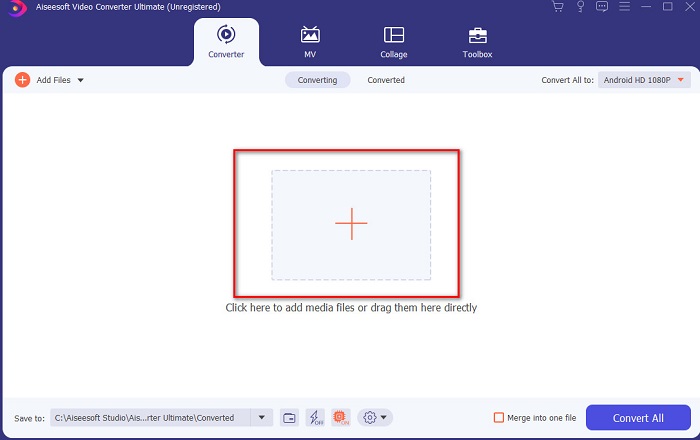
Trin 2. Start værktøjet for at fortsætte – derefter vises en grænseflade som denne. Klik på +-knappen i midten, find den DivX-fil, du vil indsætte, og klik på Open.
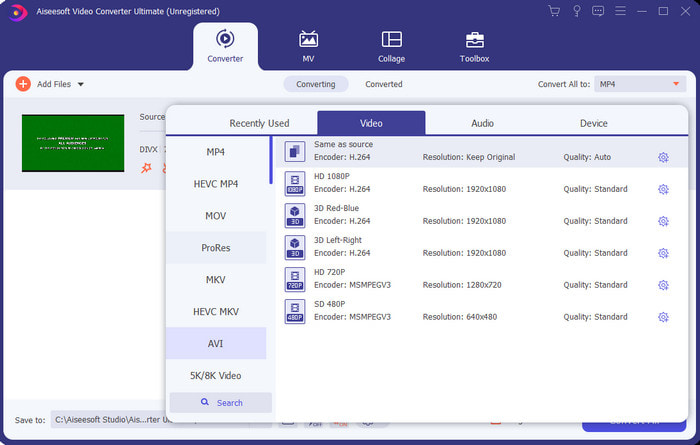
Trin 3. For at ændre DivX til AVI skal du klikke på Convert All to og finde AVI-formatet og klikke på det.
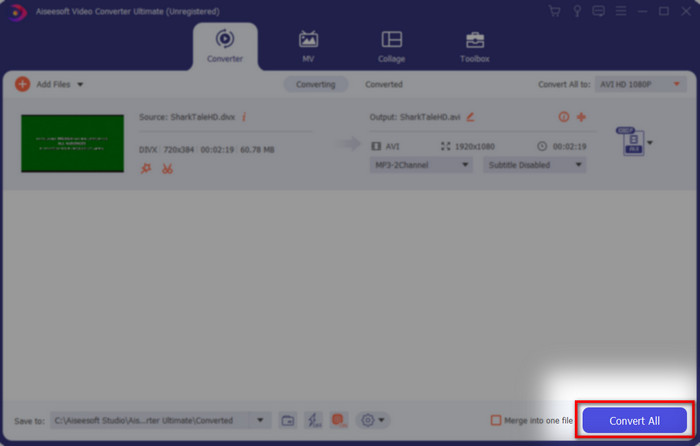
Trin 4. For at starte konverteringsprocessen skal du klikke på Convert All og vente, til processen er færdig.
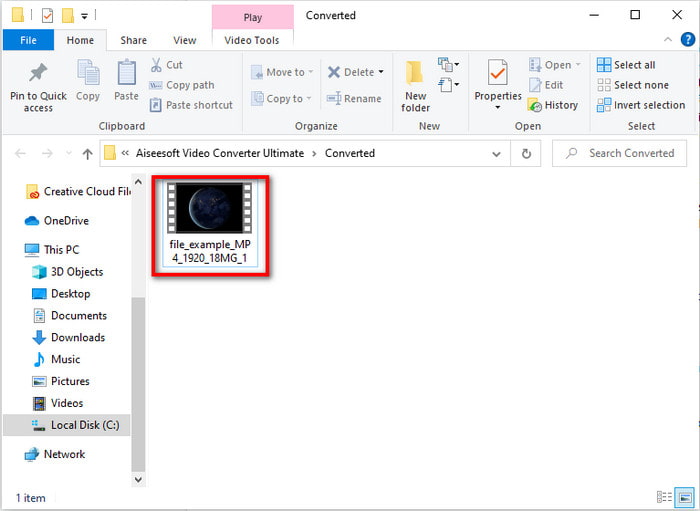
Trin 5. Vent, til konverteringsprocessen er afsluttet. Når det er sket, åbnes der en mappe på skærmen med den konverterede fil – klik på den for at se og nyde videoen.
Top 2. Freemake Video Converter
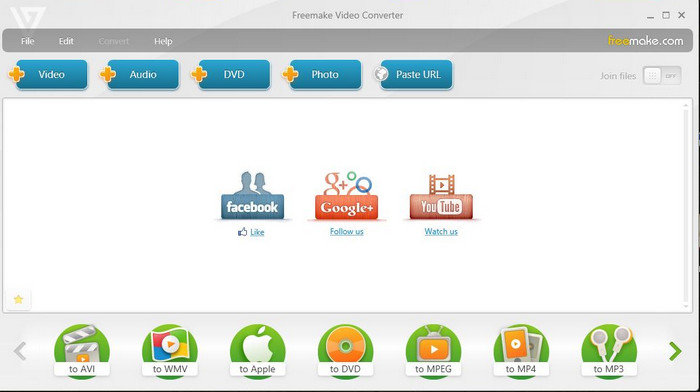
Et andet downloadbart program, du kan bruge til at konvertere formater, er Freemake Video Converter. Dette værktøj har allerede hjulpet mange brugere med at konvertere enhver mediefil til et nyt format. Det betragtes også bredt som et af de bedste programmer, du kan downloade og stole på. Selvom værktøjet er godt, mangler det stadig nogle understøttede formater, og konverteringsprocessen er meget langsom, fordi værktøjet ikke har hardwareacceleration som FVC Video Converter Ultimate. Så hvis du vil konvertere DivX til AVI gratis, bør dette være dit foretrukne program.
Fordele
- Gratis at downloade enhver software.
- Udseendemæssigt er det enkelt.
Ulemper
- Har ikke hardwareacceleration.
- Nogle formater understøttes ikke her.
Top 3. FVC Free Video Converter
Hvad nu, hvis du vil konvertere en mediefil til et nyt format, men ikke ønsker at downloade noget? Så er FVC Free Video Converter klar til at hjælpe dig. I modsætning til de to andre værktøjer nævnt ovenfor kan dette værktøj tilgås uden download. Selvom softwaren er gratis at bruge, er der stadig nogle formater, som ikke understøttes i dette værktøj. Du har også kun et begrænset udvalg af formater at konvertere til. Processen med at konvertere er dog meget hurtigere, hvis vi sammenligner med Freemake Video Converter. Så hvis du vil vide, hvordan man konverterer DivX til AVI online, skal du følge trinene nedenfor.
Trin 1. Gå til hovedsiden for FVC Free Video Converter ved at klikke på dette link.
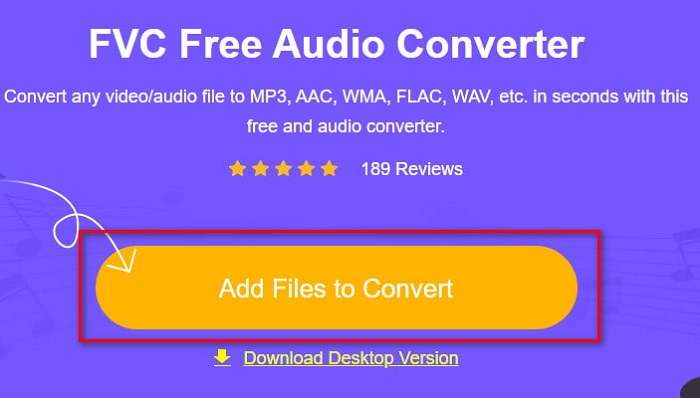
Trin 2. Tryk på Add Files to Convert for at downloade startprogrammet, hvis det er første gang. Hvis startprogrammet allerede er installeret, skal du klikke på Add Files to Convert igen, finde filen i mappen, klikke på den og trykke på Open.
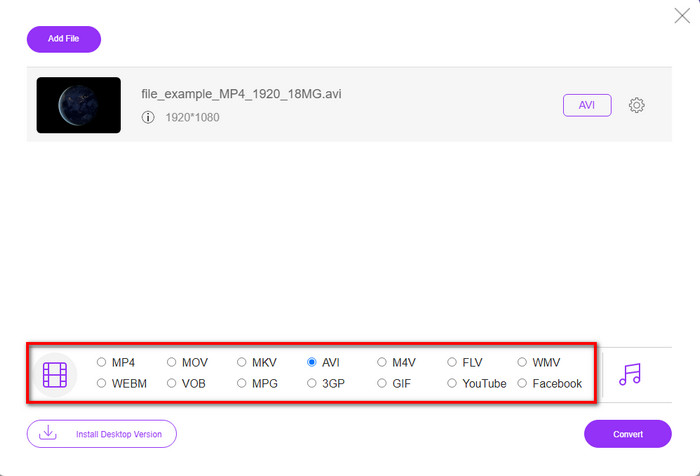
Trin 3. Vælg AVI-formatet i mulighederne nedenfor – eller et andet format, du ønsker at konvertere til.
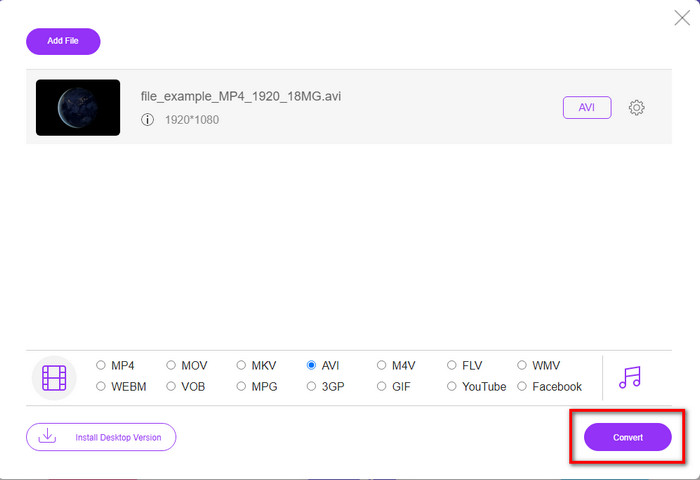
Trin 4. Når du er færdig med at vælge format, er det tid til at gemme det på din harddisk ved at klikke på Convert.
Trin 5. Når processen er gennemført, skal du vente, til filmappen dukker op på skærmen. Åbn filen ved at klikke på den, og se den konverterede mediefil.
Top 4. Online-Convert.com
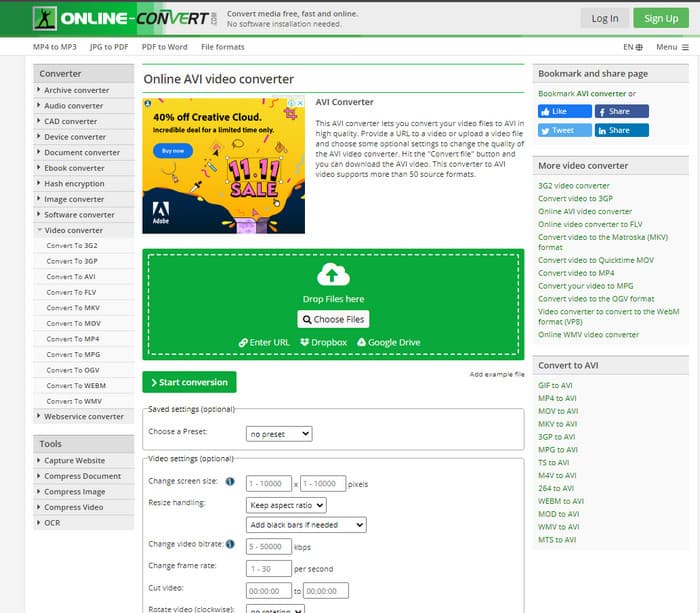
Et andet onlineværktøj, du kan bruge til at konvertere enhver mediefil, er Online-Convert.com. Ligesom nogle andre onlineværktøjer understøtter denne konverter kun et begrænset antal formater. Den har dog indbyggede videojusteringer, du kan bruge, men de er svære at håndtere, især hvis du ikke har erfaring med dem. Desuden er upload og download af filer her meget langsom sammenlignet med FVC Free Video Converter.
Fordele
- Gratis at få adgang til på nettet.
- Værktøjets grænseflade er fantastisk, og det har få eller ingen annoncer.
- Konverteringsprocessen vil være afhængig af internetforbindelse.
Ulemper
- Kan ikke tilgås uden internet.
- Processen med at importere og eksportere vil tage meget tid sammenlignet med de andre værktøjer.
Del 3. Hvilken er den bedste til at konvertere DivX til AVI?
| Funktioner | FVC Video Converter Ultimate | Freemake Video Converter | FVC Free Video Converter | Online-Convert.com |
| Konverter video og lyd |  | | | |
| Batchkonvertering | |  | | |
| Hardware Acceleration | | | | |
| Programbaseret værktøj | Desktop baseret værktøj | Desktop baseret værktøj | Web-baseret værktøj | Web-baseret værktøj |
| Netværksforbindelse | Ikke påkrævet | Ikke påkrævet | Påkrævet | Påkrævet |
Del 4. Ofte stillede spørgsmål om DivX til AVI-konvertere
Hvilken er bedre? DivX og XviD?
DivX er en velkendt proprietær codec til video- og lydbeholderfilen, og den har også specialiseret sig i at rippe filen på disken, mens den komprimeres uden at miste kvaliteten. Mens XviD er knock-off-versionen af DivX, og den er noget meget bedre end DivX. Det er også ikke-proprietær, hvilket betyder, at alle kan bruge dette, når som helst eller hvad du vil.
Hvad er codecs?
Et codec bruges til at komprimere en fil og distribuere enhver af lyd- og videofilerne meget hurtigere inden for en mindre filstørrelse. Det bruges også til at dekomprimere en fil, der er bundet til det nævnte codec, for at åbne den komprimerede fil, du har lavet, uden at ødelægge dens troværdighed.
For at have en mindre filstørrelse, er den så ideel at komprimere eller konvertere?
Hvis du vil bevare kvaliteten af en video og gøre den mindre, er det ideelt at komprimere den ved hjælp af dette link. Men hvis du vil have en nemmere metode, bør du overveje at konvertere videoer til MP4 ved at læse denne artikel for at få en idé om, hvordan man gør.
Konklusion
Nu hvor vi afslutter denne artikel, er det blevet lettere for os at vide, hvad DivX er, og hvad AVI er. Vi har også præsenteret de 4 nyttige værktøjer, du kan bruge til at afspille din DivX-fil ved at konvertere den til AVI-format. Så hvis du vil opleve en 100%-succes, skal du bruge FVC Video Converter Ultimate for at sikre succes.
Gratis download til Windows 7 eller nyere Sikker download
Gratis download til MacOS 10.7 eller nyere Sikker download
-
 [Gratis og online] 7 måder at konvertere MTS til AVI på Mac/Windows-computer
 Sådan konverteres MTS til AVI med lethed? I denne vejledning finder du 7 gratis og nemme måder at konvertere MTS-filer til AVI på Windows eller Mac uden kvalitetstab.
-
 Tutorial til at konvertere MP4 til AVI-filer med 7 gratis videokonvertere
 Vil du have alle gratis måder at konvertere AVI til MP4-video? Du bør ikke gå glip af denne artikel. Her er 7 måder at konvertere AVI-filer til MP4 gratis på Windows, Mac, iPhone, Android og online.
-
 3 nemme metoder til at konvertere FLV til AVI på desktop og online
 Her er tre metoder til at hjælpe dig med effektivt at konvertere dine FLV -videofiler til AVI -format på Windows og Mac, så du kan se dem med høj kvalitet.
