


 Video Converter Ultimate
 Skærmoptager
 Video reparation
2 hurtige og nemme måder at konvertere M2TS til AVI med medfølgende trin
Efterhånden som vi bevæger os længere ind i fremtiden, er der mange formater, som ikke længere får så meget støtte, f.eks. M2TS. Dette format bruger stadig den gamle Blu-ray Audio Video-container, som anvender MPEG-2-streamen til at transportere data. Du kan ikke afspille dette format på visse enheder som iPhone, iPod og endda Android, fordi de ikke kan læse strukturen i formatet. Hvis du alligevel har filer med denne filendelse og gerne vil se dem, anbefaler vi at konvertere formatet til AVI. Lad os derfor se nærmere på, hvilken metode der er bedst til at hjælpe dig med at konvertere en M2TS-fil. Hvis du fortsætter med at læse denne vejledning, lærer du desuden at konvertere M2TS til AVI-format både online og offline.

Del 1. M2TS vs. AVI
Som vi forklarede tidligere, plejede M2TS-filer at være en container på Blu-ray, der understøtter forskellige videoer, lyd og en anden stream i en enkelt container. Også, hvis din filtypenavn på din Blu-ray eller AVCHD er i dette format, så forvent, at kvaliteten af den er fremragende. Selvom dette filformat fungerer godt, er den støtte, det får på nogle medieafspillere, stadig ringe. En anden er, at når du vil afspille denne type filtypenavn, skal du bruge plug-in-play, et codec og nogle komponenter for at se videoen i dette format. I modsætning til hvis din filtypenavn er .avi. Dette format vinder fans på hele nettet på grund af hvor god videokvalitet dette format kan indeholde. Filstørrelsen er dog et stort problem, fordi den ikke har noget passende codec til at reducere din filstørrelse. Men hvis vi sammenligner M2TS og AVI, er de begge fremragende. Alligevel er understøttelserne forskellige, og fleksibiliteten i AVI-formatet kan give dig.
Del 2. Den første måde er at konvertere M2TS til AVI online med det nemmeste webværktøj
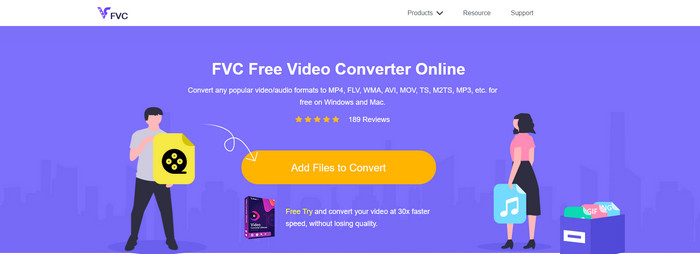
Hvis du spekulerer på, om du kan konvertere M2TS til AVI gratis, er dette værktøj til dig: FVC Free Video Converter. Dette onlineværktøj er en af de bedste konvertere på nettet. Hvis du har problemer med at konvertere dit format, er dette også en løsning: du kan ændre bithastighed, opløsning og billedfrekvens. Selvom værktøjet understøtter et middelstort udvalg af forskellige formater, har det stadig ikke avancerede funktioner til at gøre dit slutresultat lige så imponerende, som FVC Video Converter Ultimate kan. Men hvis du ikke ønsker at betale og har internetforbindelse, bør dette være dit valg til at konvertere formatet til en ny version.
Fordele
- Ingen software er nødvendig for at downloade, fordi den kan tilgås på nettet.
- Det understøtter mellemstore varianter af det format, du kan vælge.
- Gratis og ingen annoncer på webstedets grænseflade.
Ulemper
- Den skal have en internetforbindelse for at kunne få adgang til den.
- Nogle formater understøttes ikke her, og det har begrænset formatunderstøttelse.
Trin til, hvordan du bruger den online konverter på nettet
Trin 1. Klik på dette link for at åbne hovedsiden for den online konverter. Du behøver ikke være bekymret – dette link er sikkert at åbne, vi har selv testet det.
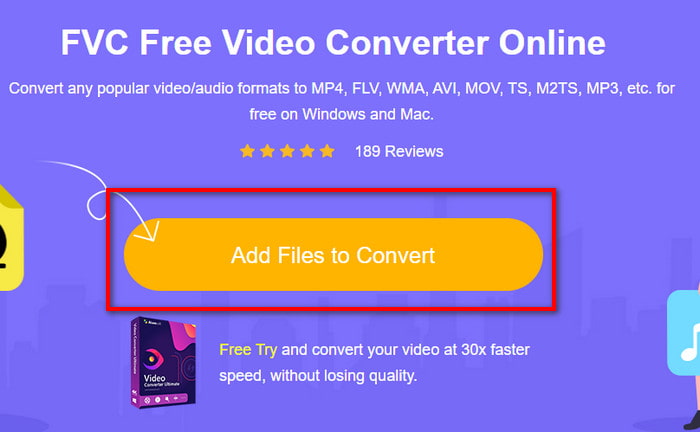
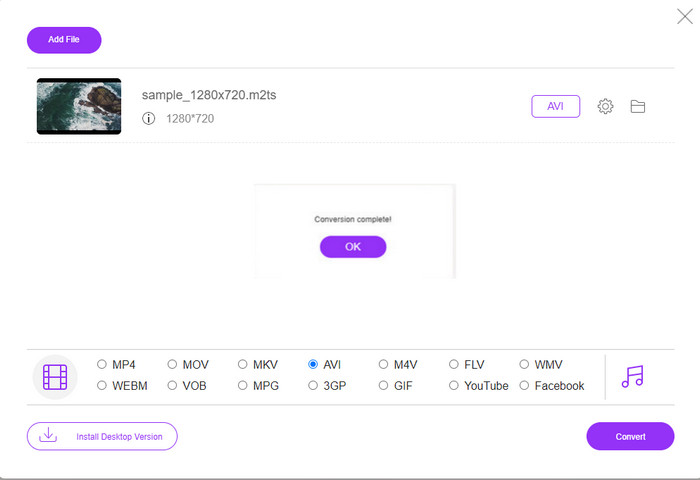
Trin 2. Klik derefter på Add Files to Convert, hvorefter en mappe vises på skærmen. Vælg filen med filendelsen .m2ts, og klik på Open.
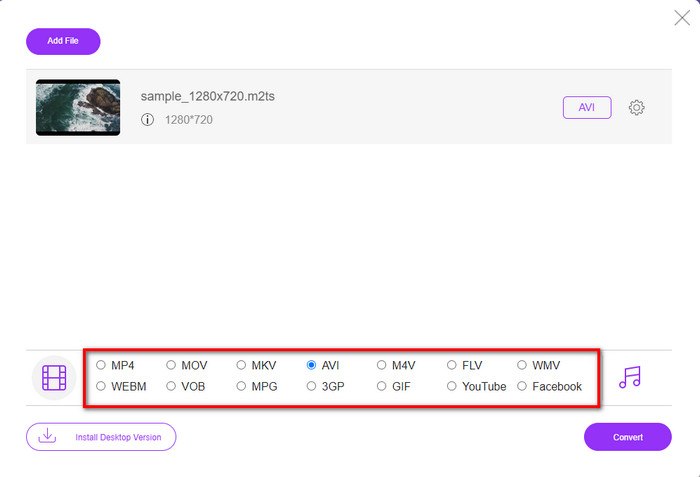
Trin 3. Når du har indsat filen, vises et vindue på skærmen med de tilgængelige formatindstillinger nedenfor; vælg AVI-formatet på listen.
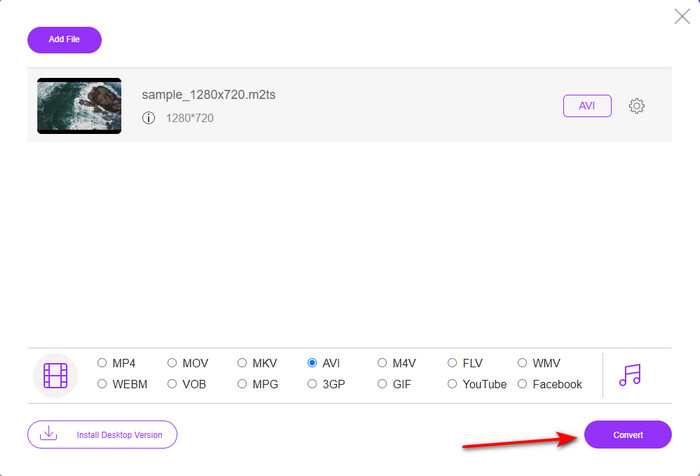
Trin 4. Når du har valgt format, skal du klikke på Convert for at begynde at ændre formatet til AVI.
Trin 5. Konverteringen tager næsten et minut; derefter vises en mappe med den fil, du netop har konverteret.
Del 3. 2. måde er at bruge det ultimative værktøj til at konvertere M2TS til AVI offline
Hvis du vil have et værktøj, der præsterer markant bedre end de online- eller offlinekonvertere, der ellers findes, er FVC Video Converter Ultimate det perfekte værktøj til dig. Dette program klarer sig særdeles godt til mange forskellige opgaver, hvad enten det er redigering, oprettelse af GIF, formatændring, forøgelse af lydstyrke og meget mere. Der er allerede tilføjet mange avancerede, men brugervenlige funktioner til denne software for at levere det bedste resultat til brugerne. Det er rigtigt, at du skal være kunde for at få adgang til dette ultimative værktøj. Men der er ingen grund til at blive skuffet, for det er ikke dyrt og præsterer bedre end mange andre konvertere. Programmet understøtter også alle kendte formater og naturligvis de filformater, som dine enheder eller din computer understøtter. Hvis du vil opleve den bedste konverteringsproces, skal du følge de angivne trin-for-trin-instruktioner i brugen af denne M2TS til AVI-konverter.
Fordele
- Det understøtter meget mere avancerede funktioner, du ville elske at bruge.
- Kan konvertere en fil inden for et par sekunder på grund af den hardwareacceleration og hurtige konvertering dette værktøj giver.
- Tilgængelig på alle platforme, og den understøtter alle formater.
Ulemper
- For at få adgang til værktøjet skal du betale.
- Det skal først downloades på dit computerdrev.
Trin til, hvordan du konverterer M2TS-videoformatet til AVI-format offline
Trin 1. Download softwaren til din platform ved at klikke på download-knappen nedenfor. Installer den derefter, gennemfør opsætningen, og åbn programmet.
Gratis download til Windows 7 eller nyere Sikker download
Gratis download til MacOS 10.7 eller nyere Sikker download
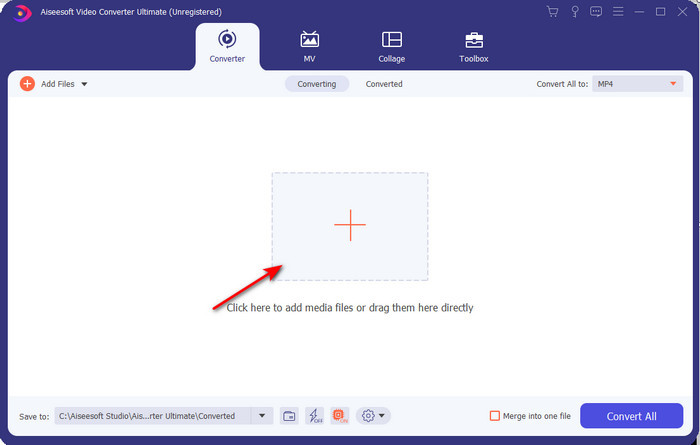
Trin 2. Start softwaren, klik på +-knappen for at placere .m2ts-filen i mappen, og klik på Open.
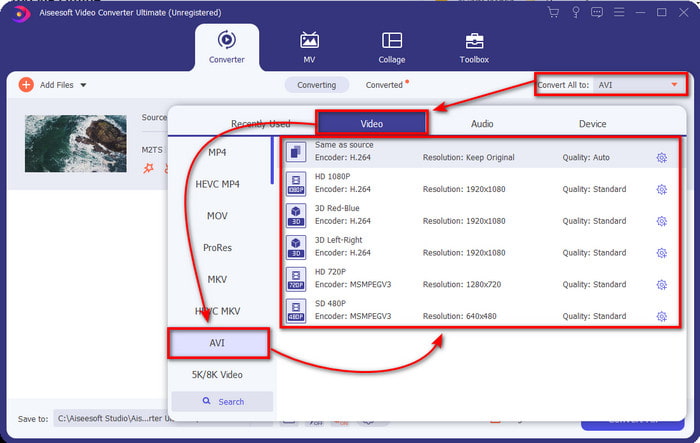
Trin 3. Nu ser du øverst til højre i grænsefladen menuen Convert All to, klik på den. En undermenu vises efter klik; find AVI-formatet på listen.
Trin 4. Når du har valgt formatet, kan vi starte konverteringen ved at klikke på Convert All.
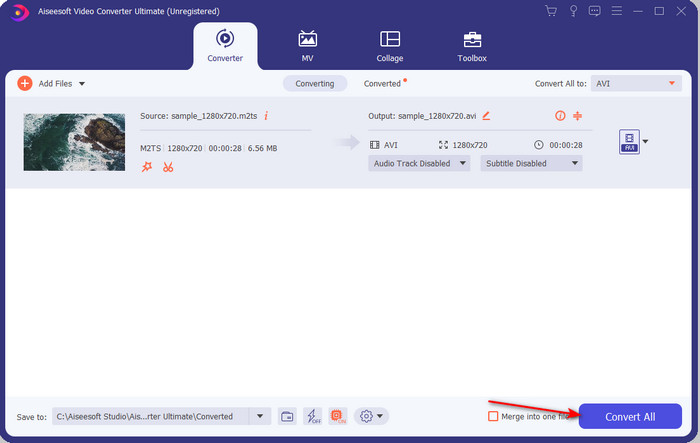
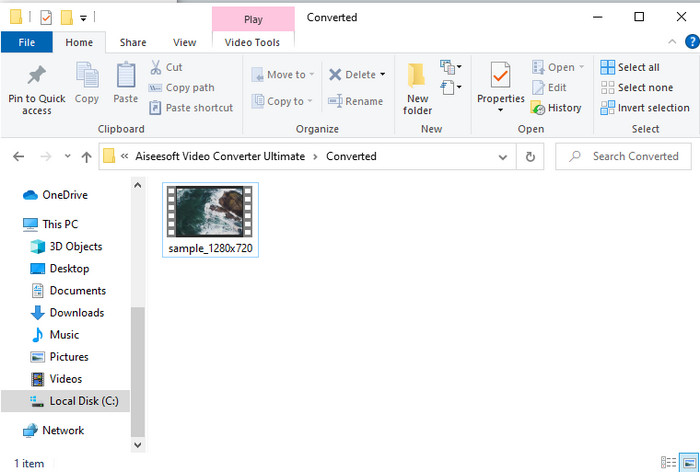
Trin 5. Når konverteringen er færdig, vises en mappe på skærmen; klik derefter på filen for at se den konverterede .m2ts.
Del 4. Ofte stillede spørgsmål om M2TS og AVI
Forbliver kvaliteten af det efter konvertering af M2TS til AVI?
Efter konvertering af M2TS til AVI skal kvaliteten af videoen bevares. Der er dog en chance for, at kvaliteten ændres, hvis du indstiller kvalitetsoutputtet til medium eller lav. Dette kan undgås, hvis du indstiller det til 1080 eller 4k, men filstørrelsen på det vil være større sammenlignet med de lav kvalitet.
Hvorfor kan jeg ikke spille M2TS på min Windows Media Player?
Der er grundlæggende én årsag til, at du ikke kan afspille filer med filendelsen .m2ts: de er ikke understøttet. Hvis du stadig vil se din .m2ts-fil, er du derfor nødt til at konvertere den eller finde en anden medieafspiller fra tredjepart, som kan afspille M2TS-filer.
Er MTS og M2TS forskellige?
Hvis vi skulle sammenligne disse to formater, skal du ikke forvente en stor forskel. De bruger begge AVCHD-videoformatet, som gemmer din videokvalitet så høj som muligt. For at få flere oplysninger om MTS- og M2TS-filer kan du læse mere i artiklen Hvad er forskellen mellem MTS og M2TS.
Konklusion
Sammen fandt vi nu de forskellige teknikker til, hvordan du konverterer din M2TS-fil til AVI. Da vi undersøgte hvert værktøj individuelt, fandt vi ud af, at FVC Video Converter Ultimate klarer sig godt ved konvertering af filer. Så i sidste ende foreslår vi, at du downloader den fænomenale konverter for lettere konvertering og oplever den hurtigste konverteringsproces nogensinde.
-
 Sådan konverteres M2TS til MKV gratis og online
 Vil du konvertere M2TS til MKV, mens du opretholder den originale kvalitet? Dette indlæg viser dig gratis og online metoder til at skifte M2TS til MKV tabsfrit.
-
 [2021] Top 6 gratis og online måder at konvertere M2TS til MP3
 Kan en M2TS-fil konverteres til MP3? I dette indlæg har vi listet top 6 gratis og online måder at hjælpe dig med at konvertere M2TS til MP3, AAC, AIFF og mere lydformater.
-
 Sådan konverteres M2TS til MOV gratis [Online & Offline]
 Brug for at konvertere M2TS til MOV til afspilning af videofiler på et antal afspillere og platforme? Denne artikel hjælper dig med at finde den bedste online / offline-metode til at konvertere M2TS til MOV på Windows / Mac.
