


 Video Converter Ultimate
 Skærmoptager
 Video reparation
[Gratis og betalt] Mestrer kunsten at konvertere til MKV til AVI-format
Matroska udviklede MKV‑formatet for at bevare filer, så de kan bruges i fremtiden. Grundlæggende er filer i dette format individuelt indkapslet med forskellige codecs i sig. Men i nogle tilfælde kan de ikke afspilles i den indbyggede medieafspiller på din pc eller Mac. Det bedste valg er derfor at konvertere den til et AVI‑filformat eller til et andet brugbart format. Vil du vide hvordan man ændrer en MKV‑fil til AVI‑format? Så skal du nøje læse de detaljerede oplysninger nedenfor, da vi kun har skrevet sandheden og intet andet end sandheden.

Del 1. Sådan konverteres MKV til AVI gratis online og offline
1. FVC Gratis Online Video Converter
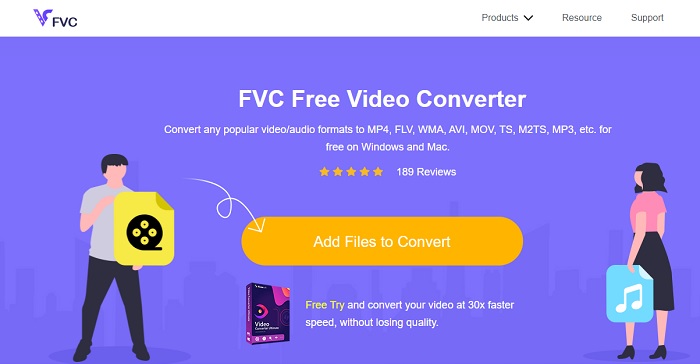
Du kan bruge dette til at konvertere MKV til AVI online ved hjælp af den bedste løsning. FVC Free Video Converter er lavet til at være brugervenlig og gratis, sådan som brugerne ønsker det. I modsætning til andre værktøjer, der er nævnt her, giver dette værktøj en rigtig god komprimering af hver fil. Du kan også justere bitrate, fps, codec og mere i den fil, du vil konvertere. Omvendt er alle de vigtigste funktioner, der findes i premiumversionen af dette værktøj, ikke tilgængelige her. Det giver kun brugeren adgang til færre formater, de såkaldte basisformater. Lad os nu fortsætte og se, hvor bølgerne fører os i konverteringen af videoer. Følg trinene, og lad os sætte sejl ud på konverteringens hav.
Trin 1. Gå til det link, der kun er stillet til rådighed for dig, for at komme i gang.
Trin 2. For at starte værktøjet skal du klikke på Add Files to Convert.
Download skrivebordsversionen for at konvertere filer i batch.
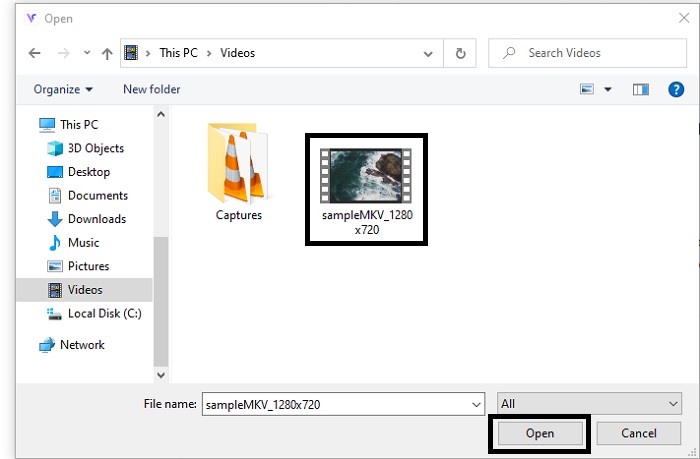
Trin 3. Vælg den MKV‑fil, du vil konvertere, og klik på open for at fortsætte.
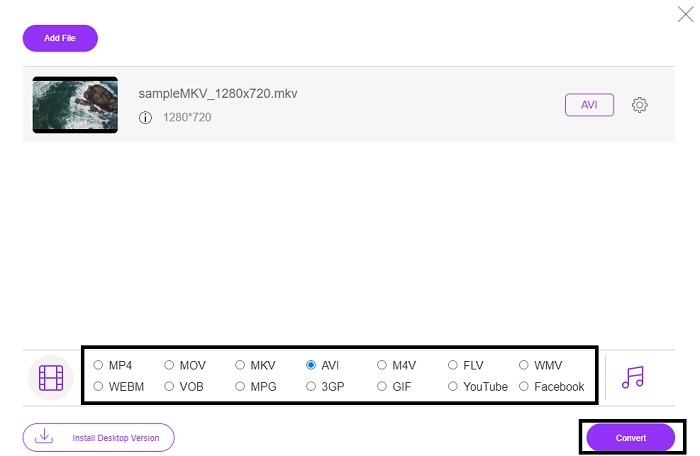
Trin 4. Vælg AVI‑formatet nederst i grænsefladen og klik på Convert for at starte processen.
Strin 5. Vent, til den er færdig. Efter et minut vises et klikbart folder‑ikon på skærmen, som åbner filhåndteringen med den fil, du har konverteret.

Fordele
- Ingen download nødvendig, fordi du kan få adgang til den til din søgemaskine.
- Det giver mere format end de to andre gratis værktøjer nedenfor.
- God til kompression også.
Ulemper
- Tilbyder ikke redigeringsfunktioner, og det tilgængelige format er begrænset.
- Hvis forbindelsen ikke er tilgængelig, kan du ikke bruge dette værktøj.
2. VLC Media Player
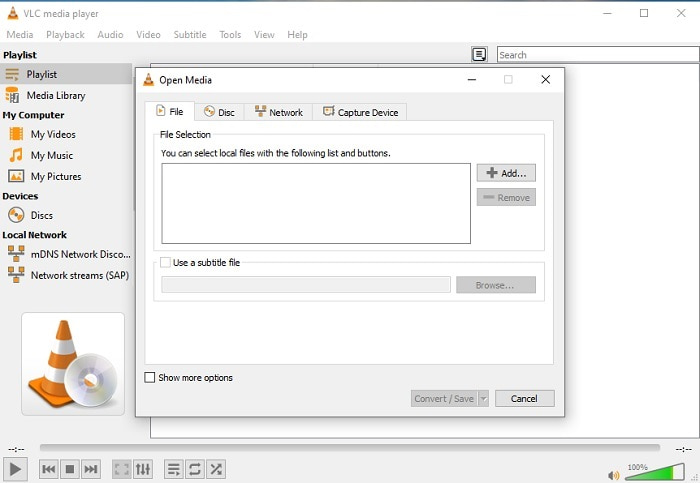
Hvis du har VLC, hvorfor så ikke prøve at bruge den til at konvertere? Som sagt kan du konvertere MKV til AVI på Mac med VLC. Men den er ikke lavet til at være den bedste til selve konverteringsopgaven på grund af dens begrænsede formater og andre årsager. Dog er dette værktøj meget kendt for at være en af de fremragende medieafspillere, du kan bruge til at se og lytte. Så hvis du vil prøve at bruge VLC som konverter, skal du følge trinene nedenfor.
Trin 1. Åbn VLC på din computer.
Trin 2. Klik på Filer, og find værktøjets konverteringsfunktion.
Trin 3. Tilføj den fil, du vil konvertere, og start processen.
Fordele
- En af de største medieafspillere, der tilbyder konverteringsfunktioner.
- Gratis at downloade.
- Understøtter de fleste codecs.
Ulemper
- Det er ikke begyndervalget for nye til at konvertere
- Svært at læse og forstå instruktionerne.
3. Freemake
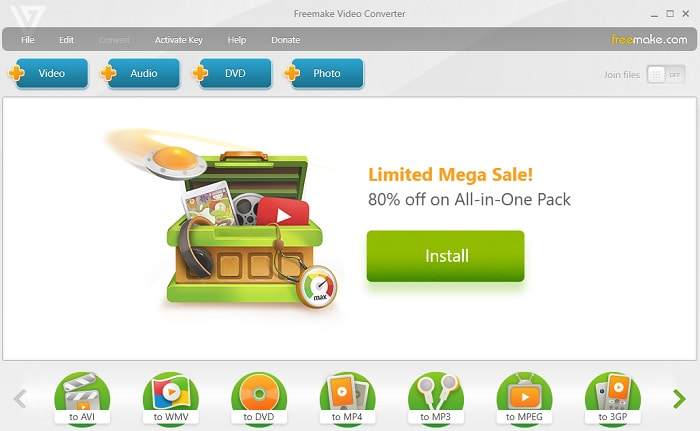
Freemake er et af de desktopværktøjer, du kan bruge til at konvertere MKV til AVI på Mac og pc. Dette værktøj kan downloades, så du ikke behøver internetforbindelse for at bruge det. De formater, det understøtter, er meget begrænsede sammenlignet med den online FVC‑konverter ovenfor. Desuden er værktøjets grænseflade forældet – den er let at forstå, men kedelig at se på. Ikke desto mindre kan du stole på dette værktøj til selve konverteringsopgaven. Lær at bruge Freemake ved at følge trinnet nedenfor.
Trin 1. Download Freemake til din computer, og start programmet.
Trin 2. Vælg det filformat, du vil konvertere til.
Trin 3. Vent i mere end et minut, til konverteringen er afsluttet.
Fordele
- Intet internet nødvendigt for at bruge det.
- Brugervenlig.
- Nemt at forstå interface.
Ulemper
- Farvekombinationen af grænsefladen er lidt kedelig, og den har også en barnlig stemning.
- Begrænset til at tilbyde format og funktioner.
Del 2. Bedste måde at ændre MKV-fil til AVI-format med detaljerede trin
Hvis du vil tage formatkonvertering til det næste niveau, er det et must at lære at bruge dette værktøj. Desuden giver FVC Video Converter Ultimate dig den bedste konvertering, du ønsker at udføre. Det gør det også muligt for brugeren at lave flere konverteringer på én gang. Så konverter, indtil du bliver træt af det – men du bliver ikke træt, fordi det har så mange specialfunktioner. Vil du for eksempel konvertere MKV til AVI og derefter forbedre den senere? Med FVC Video Converter Ultimate kan du gøre meget mere. For at finde ud af, hvor imponerende værktøjet er, er her trinene til, hvordan du bruger den unikke konverteringsfunktion, det tilbyder.
Trin 1. Installer værktøjet på din harddisk, og følg installationsguiden for at starte programmet.
Gratis download til Windows 7 eller nyere Sikker download
Gratis download til MacOS 10.7 eller nyere Sikker download
Trin 2. Start værktøjet efter installationen. Dette er et eksempel på værktøjets grænseflade.
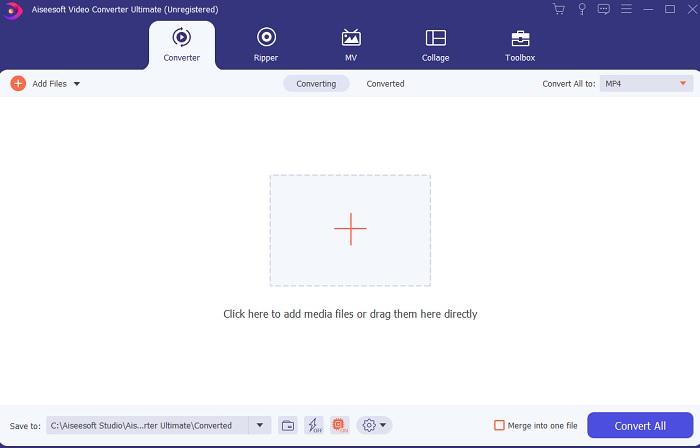
Trin 3. Klik på plus-knappen for at indsætte den MKV‑fil, du vil konvertere. Hvis filen for eksempel er mere end to eller tre, er det bedste at gøre at trække og slippe dem ind i grænsefladen.
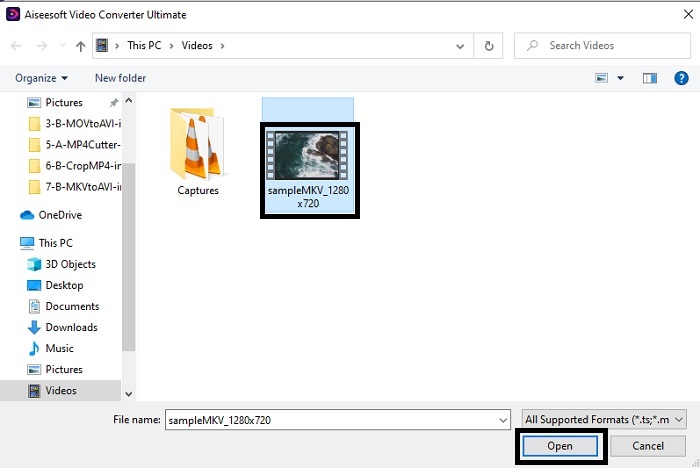
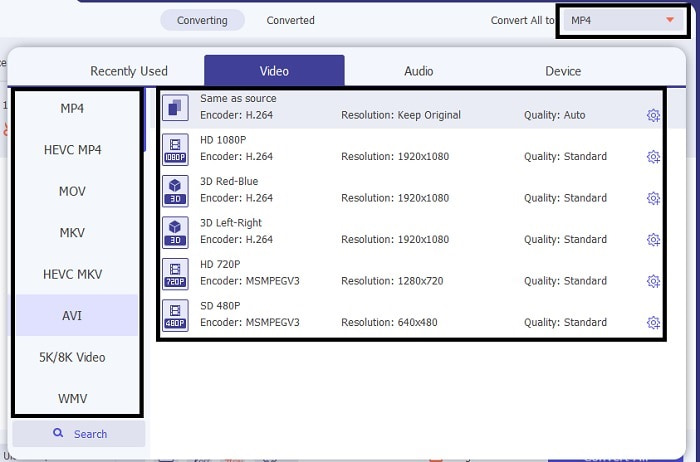
Trin 4. Vælg det format, du vil have, i drop-down-menuen. Klik på Convert All, og vent på, at konverteringen bliver færdig.
Trin 5. Konverteringen tager kun under et sekund, så du behøver næsten ikke at vente. Når den er færdig, vises Stifinder automatisk på skærmen med den fil, du har konverteret. Klik på den, og nyd den nykonverterede fil, du lige har lavet.
Fordele
- Giver store redigeringsfunktioner for at gøre din mediefil bedre.
- 30 gange hurtigere i konvertering end onlineværktøjet. Og det er 100 gange bedre i komprimering end det andet værktøj.
- Nem som 1-2-3 at bruge. Ingen grund til at blive professionel for at bruge dette værktøj.
Ulemper
- Det skal betales, men det er ikke særlig dyrt.
- Du skal downloade værktøjet til dit skrivebord.
MKV vs. AVI
Matroska multimediebeholderformatet, udgivet i 2002, er et open source-format, der kan omfatte en række video-, lyd-, billed- og undertekstspor. Så du kan nemt bruge den til at gemme korte videoklip, tv-shows og film. Det er ret populært til anime-fan-subbing.
Baseret på Resource Interchange File Format (RIFF), blev AVI-formatet introduceret af Microsoft i 1992. Det kan gemme video/lyd i høj kvalitet, da det bruger mindre komprimering. Men det forårsager også den store filstørrelse af en AVI-fil, hvilket kan være et problem, når der er begrænset plads.
Del 3. Ofte stillede spørgsmål om MKV til AVI
Kan håndbremse konvertere MKV til AVI?
Ja, du kan bruge Handbrake til at konvertere ethvert format. Men dette værktøj er kun begrænset til Windows 10 og nyere.
Er MKV tabs- eller tabsfri?
MKV er en form for tabsfri komprimering.
Hvad er ulemperne ved MKV?
Mens MKV baner vejen for et nyt fremtidssikret format verden over, er dette format stadig under udvikling, da det, som nævnt tidligere, kan indeholde forskellige codecs. Det betyder, at det er meget større end et AVI‑format og også mere kompliceret. Du kan dog vælge at konvertere MKV til MP4 for at få en mindre fil.
Konklusion
For nu er det vigtigt at lære at konvertere – især for dem, der elsker at se film og videoer. Der er tidspunkter, hvor vores filformat ikke kan afspilles i vores standardmedieafspiller, fordi formatet eller codec'en ikke understøttes. Det bedste, vi kan gøre for at løse dette problem, er at konvertere det til et nyt format. FVC Video Converter Ultimate er det ultimative værktøj, der giver dig den kvalitet, du ønsker. I stedet for at vælge et værktøj i lav kvalitet, hvorfor så ikke prøve det ultimative værktøj, der løser alle dine problemer med konvertering, forbedring, sammenfletning og oprettelse?.
-
 MKV til MOV - Sådan konverteres MKV til MOV
 Hvordan konverterer jeg MKV til MOV på Mac? Kan iMovie læse MKV? Hvad betyder MOV-format? Dette indlæg fortæller 2 enkle måder at hjælpe dig med at konvertere MKV til MOV med gratis online og professionelle videokonvertere.
-
 Sådan konverteres MKV-filer til afspilning på PS3 glat [Løst]
 Vil du afspille MKV-videoer på din PS3? PS3 kan dog ikke afspille MKV-filer direkte. Denne artikel vil vise dig måder at konvertere MKV-videoer til PS3-understøttede videoformater for at afspille på PS3 uden besvær.
-
 Sådan konverteres MKV -videoer til animerede GIF'er uden Photoshop/FFmpeg
 Efter at have downloadet og set MKV -film på din computer, vil du måske dele nogle vidunderlige øjeblikke med venner eller på internettet som GIF'er. I denne artikel kan du lære om de 2 nemmeste måder at konvertere MKV til GIF.

