


 Video Converter Ultimate
 Skærmoptager
 Video reparation
Konverter MPEG til AVI med 5 tilgængelige MPEG til AVI Video Converter
MPEG er et af de bedste formater, du sandsynligvis allerede er stødt på, da det gemmer filer til video og lyd. Det er heller ikke kun en container, men bruger også MPEG‑1- og MPEG‑2-komprimering. MPEG‑1 og MPEG‑2 er dog gamle formater, som tidligere blev lagret på Blu‑ray-diske. Så nu vil vi forklare, hvordan du kan forbedre det ved at konvertere formatet til AVI. I listen nedenfor præsenterer vi forskellige værktøjer, du kan bruge til at konvertere MPEG til AVI, samt mere dybdegående oplysninger om MPEG og AVI.
Del 1. Kort forklaring om MPEG- og AVI-filformater
MPEG og AVI er et af de bedste formater, du kan bruge til at gemme en mediefil. Selvom de er fantastiske, er der stadig nogle grunde til, hvorfor du skal bruge MPEG til AVI videokonverter. Men indtil videre vil vi forklare en masse detaljer om de to formater og have en idé om MPEG og AVI.
Som sagt tidligere er MPEG ikke kun en beholder, men den har også en indbygget kompressor. Grundlæggende er det et filformat med dobbelt formål. Dette format er også det mest brugte format på Blu-ray på grund af kvaliteten og den komprimering, det giver. Desuden er MPEG-formatet klassificeret i 6, men vi vil diskutere de to almindeligt anvendte, og det er MPEG-1 og MPEG-2. Desuden er MPEG-1 den første generation af MPEG'er. Dette format gemmer standardbaseret opløsning, men sammenlignet med opløsningen i det andet format er MPEG-1 meget mindre. Mens MPEG-2 tilbyder meget bedre kvalitet end MPEG-1, fungerer den dog bedst på Blu-ray og DVD'er. Også dette format bruges mest af tv-stationen til at overføre og afspille en video.
Men AVI er helt anderledes end MPEG, fordi det er ukomprimeret. Kvaliteten, dette format giver, er også høj, fordi det ikke komprimerer filen, det indeholder. Selvom formatet fylder meget, får det stadig bred støtte på alle platforme sammenlignet med MPEG-filer.
Del 2. 2 af den bedste konverter, der bruges til at konvertere MPEG til AVI-format offline
1. FVC Video Converter Ultimate
Hvis du leder efter en alsidig MPEG-til-AVI-konverter og -downloader, så er FVC Video Converter Ultimate det rette værktøj. Dette værktøj har allerede fået en høj placering i denne artikel på grund af de funktioner og den enkelhed, det tilbyder. Selvom det er let at bruge, kan du opnå det fantastiske resultat, du altid har ønsket. I modsætning til andre konvertere sætter denne software desuden standarden meget højt. Så hvis du vil opnå 100% succes før, under og efter din konvertering, er det et must at bruge dette værktøj. Og nu går vi videre til trin-for-trin-vejledningen i, hvordan du bruger FVC Video Converter Ultimate.
Trin 1. For at downloade værktøjet til din computer skal du klikke på knappen nedenfor. Installer det, når downloadprocessen er færdig, lav en hurtig opsætning og klik på Start Now.
Gratis download til Windows 7 eller nyere Sikker download
Gratis download til MacOS 10.7 eller nyere Sikker download
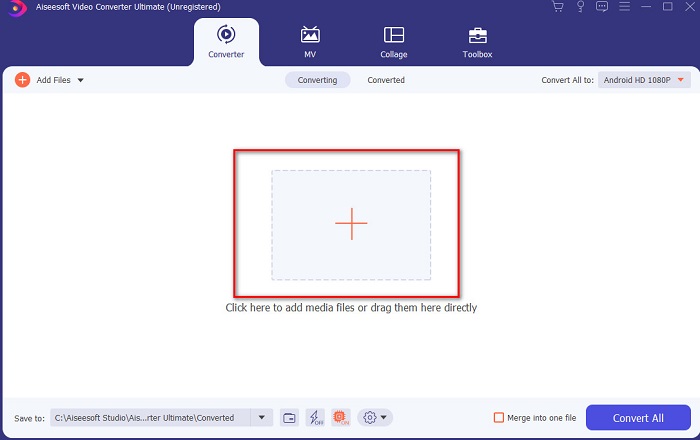
Trin 2. Programmets grænseflade bør se sådan ud, og derefter skal du klikke på +-tegnet i midten. En mappe vises derefter på skærmen; vælg den MPEG‑videofil, du vil konvertere, og klik på Open.
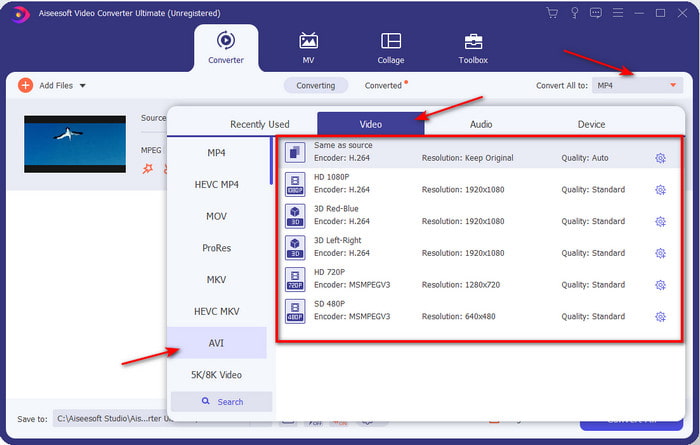
Trin 3. Når filen allerede er i grænsefladen, skal du klikke på Convert All to: og finde AVI-formatet.
Trin 4. For at starte konverteringen af MPEG‑4-film til AVI-format skal du nu trykke på Convert All.
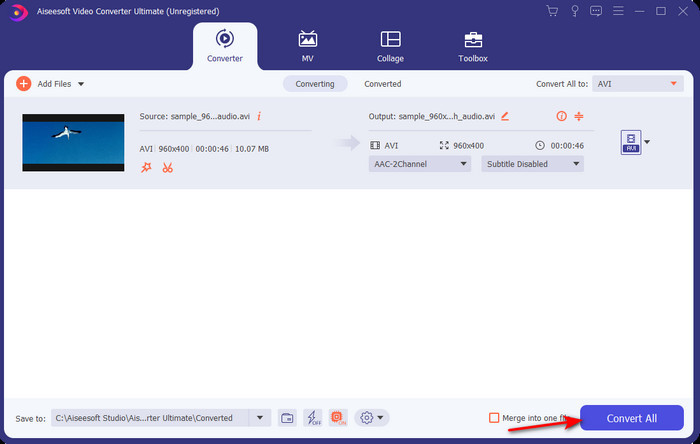
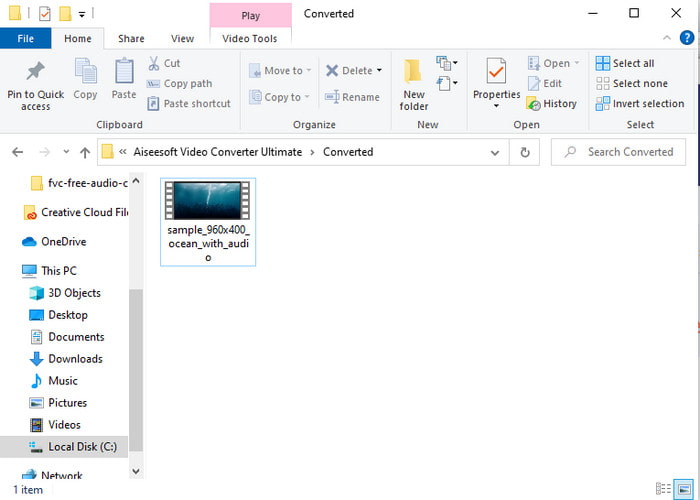
Trin 5. Download af filen tager kun et par minutter, og når det er færdigt, vises der en mappe med det konverterede format. Klik nu på filen for at se det nykonverterede format af din MPEG.
2. FFmpeg
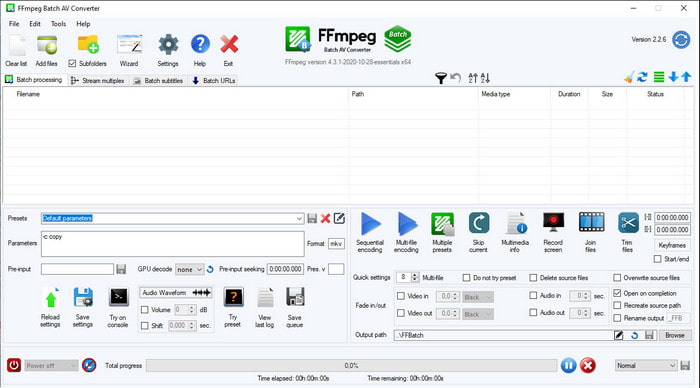
Et andet program på denne liste er FFmpeg. Hvis du leder efter open source-software, er dette et af de valg, du kan finde på nettet. Grænsefladen i dette værktøj er dog svær at forstå, især for begyndere og selv for øvede brugere. Selve konverteringsprocessen er generelt fremragende og giver et højt output, ligesom andre konvertere. Hvis du vil konvertere MPEG til AVI med FFmpeg, skal du derfor følge disse trin, som vi har gjort lette at forstå.
Trin 1. Download FFmpeg til din computer, og opret en ny mappe, og udpak derefter filen i denne mappe.
Trin 2. Søg efter CDM i Windows, og åbn det.
Trin 3. Find filen via kommandoprompten, indsæt derefter denne kode ffmpeg -i input.mpeg -vn -ar 44100 -ac 2 -b:a 192k output.avi og tryk på Enter på tastaturet for at starte processen.
Del 3. 3 af den bedste konverter, der bruges til at konvertere MPEG til AVI-format online
3. FVC Free Video Converter
Hvis du leder efter den bedste gratis MPEG-til-AVI-konverter online, er FVC Free Video Converter den online-konverter, der vil passe til dine behov. Det skyldes blandt andet, at webværktøjet har en meget enkel grænseflade. Derudover er det en stor fordel ved dette onlineværktøj, at du nemt kan få adgang til det via din foretrukne browser. Desuden er der ingen begrænsninger på konvertering med dette værktøj, hvilket betyder, at du kan konvertere alle formater når som helst. Du kan dog ikke foretage batchkonvertering her, som du kan i FVC Video Converter Ultimate. Hvis du nu vil prøve og bruge dette onlineværktøj, skal du følge trinene nedenfor.
Trin 1. For at gå til hovedsiden for FVC-konverteren skal du først klikke på dette link.
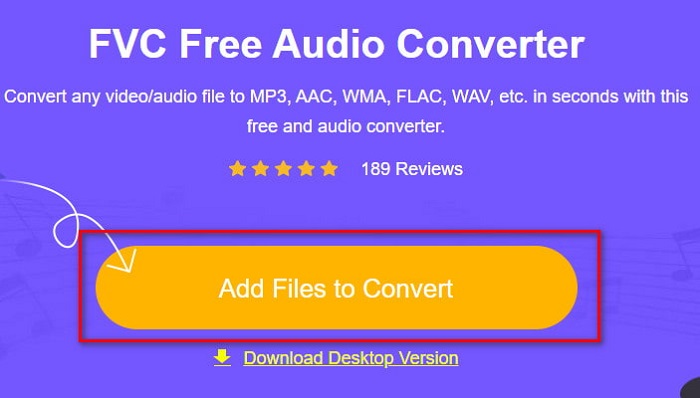
Trin 2. Klik på Add Files to Convert, hvorefter webværktøjet startes, og en mappe vises. Find filen, og klik på Open.
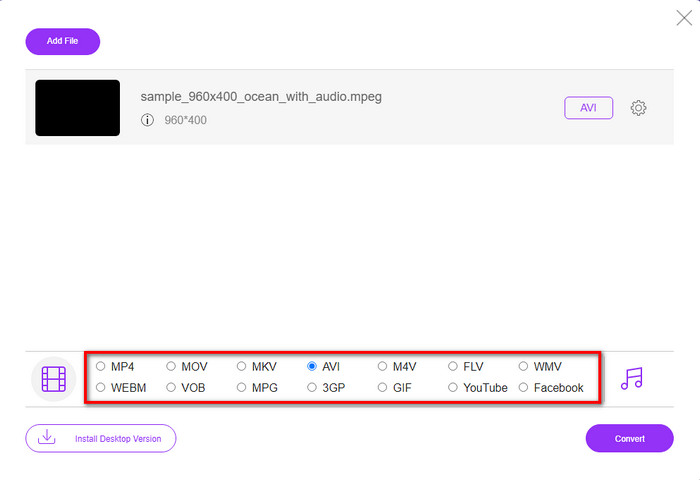
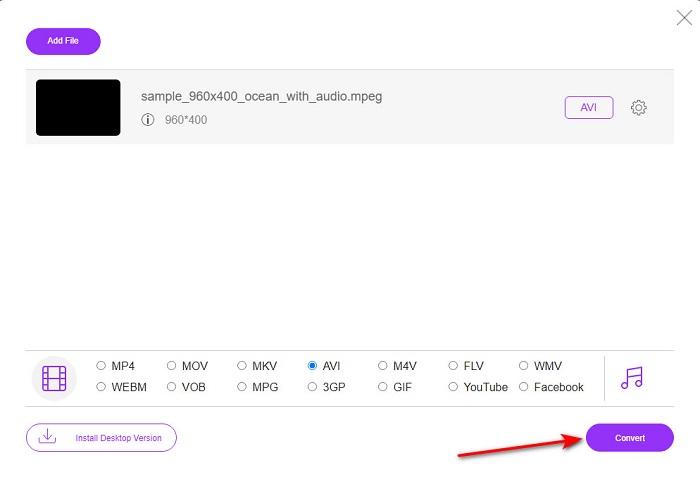
Trin 3. Når webværktøjet er startet, skal du vælge det format, der vises i dette afsnit.
Trin 4. Når du har valgt formatet, er det tid til at konvertere ved at klikke på knappen Convert.
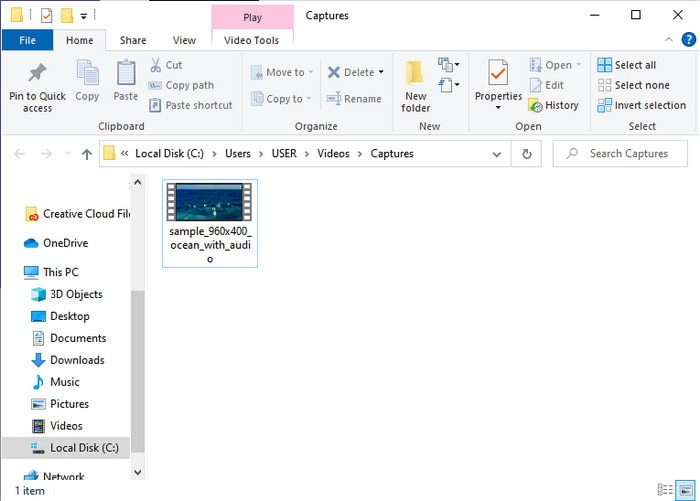
Trin 5. Vent et øjeblik, til processen begynder. Når processen er færdig, vises der en mappe med den konverterede fil, du lavede tidligere.
4. Freeconvert.com
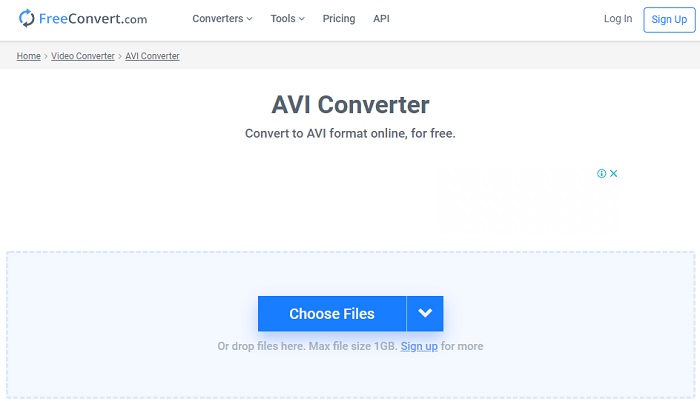
Ligesom onlineværktøjet nævnt ovenfor er dette et andet onlineværktøj, du kan bruge, Freeconvert.com. Dette webværktøj har allerede opnået popularitet blandt brugere på nettet. Mange brugere roser også dette værktøj, fordi det er så nemt at bruge og har andre praktiske funktioner. Men hvis du vælger dette webværktøj, er der en væsentlig ulempe: De formater, værktøjet understøtter, er begrænsede. Derudover er konverteringsprocessen her en smule langsommere end forventet. Hvis du nu vil vide, hvordan du bruger denne online-konverter, skal du følge trinene.
Trin 1. Søg efter websiden freeconvert.com på nettet. Klik derefter på AVI under Video Converters.
Trin 2. Tryk på Choose File, og find MPEG-filen i den mappe, der nu vises. Når du har valgt filen, skal du klikke på Convert To AVI.
Trin 3. Vent, til uploadprocessen er færdig, og klik derefter på Download AVI for at gemme filen.
Del 4. Ofte stillede spørgsmål om MPEG til AVI-konvertering
Taber konvertering af MPEG kvaliteten?
Nå, det afhænger af, hvilket format du vil gøre det til. Så hvis du ændrer din MPEG til GIF, så forvent en drastisk ændring, fordi den understøtter en mindre farvekombination end det andet format. Men hvis du bruger et andet format end GIF, så forvent intet tab.
Er MPEG tabs- eller tabsfri?
MPEG understøtter komprimering med tab, så hvis du bruger dette format, så forvent en mindre filstørrelse, selvom du har en lang video og lyd.
Er MPEG et godt format?
Før var det et af de bedste formater, du kan bruge til at gemme data på dine dvd'er. Men i denne æra er MPEG ikke det bedste valg til at gemme data. Men hvis du vil gemme det på dvd'er, cd'er eller Blu-ray og overføre dem meget hurtigere, så må dette være et valg.
Konklusion
For at opsummere det, er al den online og offline software, der præsenteres her, fantastisk til at blive brugt til at konvertere formatet. Der er dog et værktøj, der beviser, at du nemt kan opnå en fænomenal konvertering med FVC Video Converter Ultimate. Faktisk kan vi forklare det inden for 3 ord, og det er også nemt at bruge, effektivt og sikkert. Så hvis du vil opnå storhed, så download dette værktøj lige nu og prøv det.
-
 Sådan konverteres MPEG til MP4-filer gratis på Windows, Mac, Online
 Læs og få 3 gratis måder at konvertere MPEG til MP4-filer på din computer. Du kan bruge online- og desktopvideoomformere til nemt at vende MPEG til MP4-format.
-
 [2021] Bedste værktøjer og nemme måder til at konvertere MPEG til MP3
 Denne artikel taler hovedsageligt om, hvordan du kan konvertere dine MPEG -videoer til MP3 ved hjælp af de mest pålidelige værktøjer på listen.
-
 Tutorial til at konvertere MP4 til AVI-filer med 7 gratis videokonvertere
 Vil du have alle gratis måder at konvertere AVI til MP4-video? Du bør ikke gå glip af denne artikel. Her er 7 måder at konvertere AVI-filer til MP4 gratis på Windows, Mac, iPhone, Android og online.
