


 Video Converter Ultimate
 Skærmoptager
 Video reparation
 Sikker download
Tutorial om, hvordan du redigerer MKV-metadata på skrivebordet på den nemmeste måde
MKV er en filendelse, der er meget populær til Matroska‑multimediebeholderformater. Hvad gør MKV mere populær end andre formater? Mange brugere tror, at MKV er en videokomprimering, der bruges på lyd og video, men det er det ikke. Formatet blev populært på grund af dets fleksibilitet til at tilpasse codecs til lyd, video og undertekster, mens de gemmes i én enkelt fil. Med disse funktioner er formatet blevet fremtidssikret, hvilket betyder, at filformatet aldrig bliver forældet, heller ikke den metadata, der er gemt her. Så hvis du vil tilføje, fjerne eller redigere metadata i din MKV‑fil, skal du læse videre i denne artikel og lære hvordan man redigerer MKV‑metadata hurtigere.

Del 1. Sådan redigeres metadataene for MKV-filen med de 3 bedste software på skrivebordet
FVC Video Converter Ultimate – Den mest kraftfulde MKV Tag Editor på Windows og Mac
FVC Video Converter Ultimate er den bedste MKV‑metadataeditor, du kan downloade på begge operativsystemer for at udføre opgaven som en professionel. Det ultimative program kan nemt håndtere MKV‑filer og åbne dem, så du kan ændre deres metadata, hvis du vil have dem ændret. Med dens brede understøttelse af video‑ og lydformater har det aldrig været besværligt at uploade noget medieformat som f.eks. MKV. Når du bruger programmet, vil du opleve en nem proces og hurtigt forstå, hvordan du bruger det. Vil du gerne bruge værktøjet, men har ingen vejledning at støtte dig til? Heldigvis vil oplysningerne nedenfor hjælpe dig med at udføre opgaven som en professionel; læs detaljerne herunder for at lære, hvordan du ændrer titlen på en MKV‑fil på under ét minut.
Trin 1. Klik først på downloadknappen, så downloades programmet straks til din computer, og vælg den version, der passer til det system, du bruger. Installer det derefter på din computer, og start det for at tilføje metadata til dine MKV‑filer.
Gratis download til Windows 7 eller nyere Sikker download
Gratis download til MacOS 10.7 eller nyere Sikker download
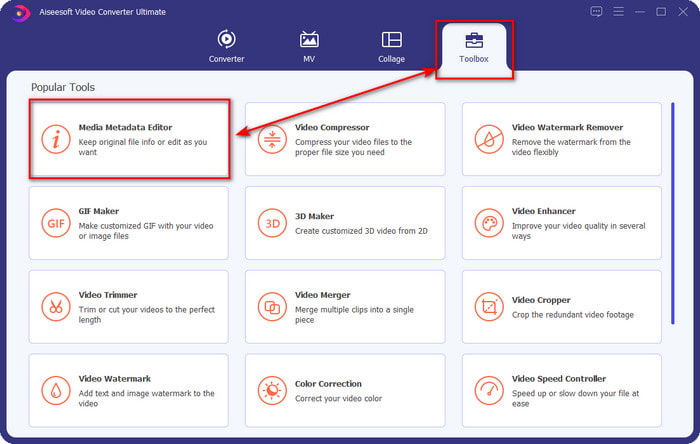
Trin 2. Nu hvor du har startet værktøjet, skal du gå til sektionen Værktøjskasse og finde Media Metadata Editor på listen nedenfor.
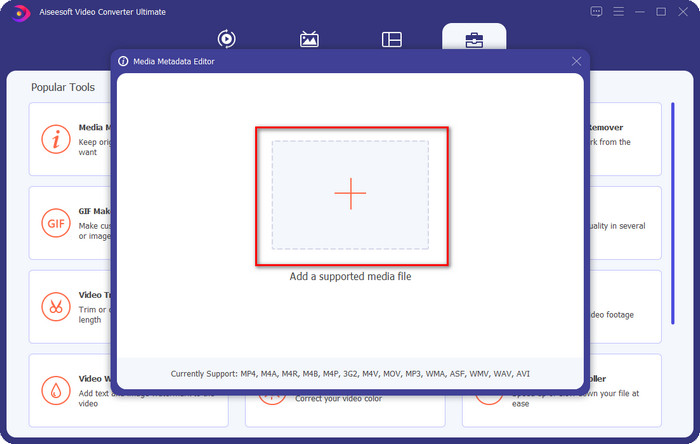
Trin 3. For at tilføje MKV‑filen skal du klikke på +-knappen, der vises på skærmen, finde .mkv‑filen i mappen og klikke på Åbn for at gå videre til næste trin.
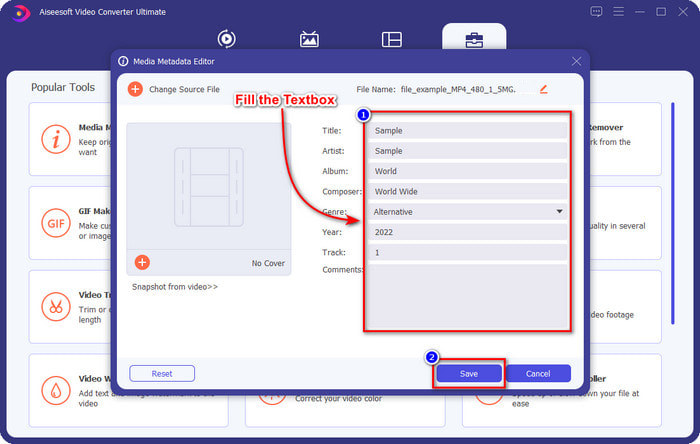
Trin 4. Her kan du nu tilføje de metadata, du har brug for i din MKV‑fil, udfylde dem efter dine ønsker og klikke på Gem, når du er færdig og klar til at anvende ændringerne. Dermed har du tilføjet tags til din MKV‑fil, så du hurtigt kan se, hvad filen indeholder.
VLC Media Player – Gratis MKV Metadata Editor
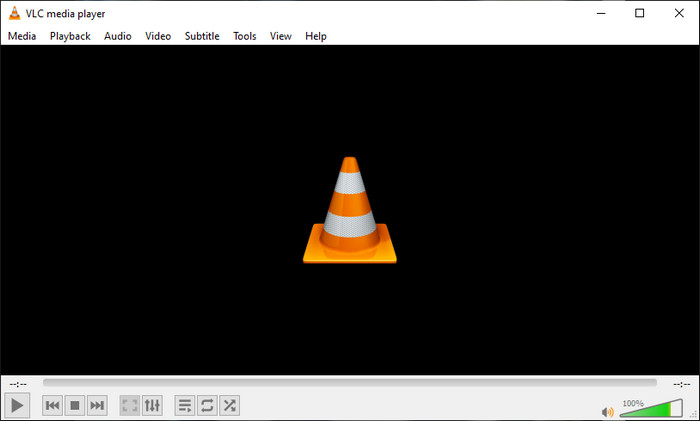
VLC Media Player kan nemt afspille og redigere tags i dine MKV‑filer. Dette værktøj er open source, så du behøver ikke bekymre dig om at downloade programmet til din computer, for du kan udnytte dets fulde potentiale gratis, men du kan donere, hvis du vil. Selvom værktøjet ikke er lige så godt som de andre metadataeditorer på denne liste, betragtes det stadig som et pålideligt værktøj, du kan bruge på din enhed. Derudover kan du frit tilføje grundlæggende oplysninger til din MKV‑fil, hvad enten det er forfatterens navn, titel, kunstner, album osv. Følg trinene og lær, hvordan du redigerer MKV‑metadata ved at bruge medieafspilleren som metadataeditor.
Trin 1. Download og åbn derefter VLC på din computer.
Trin 2. Gå til Værktøjer, og klik på Medieoplysninger. Hvis du vil have en nemmere metode, kan du i stedet bruge en genvej ved at trykke på CTRL + I. Uanset hvilken metode du vælger, er funktionen den samme.
Trin 3. Skriv de oplysninger, du har brug for, og klik på Luk for automatisk at gemme metadataene.
MKVToolNix GUI – Dedikeret MKV Tag Editor
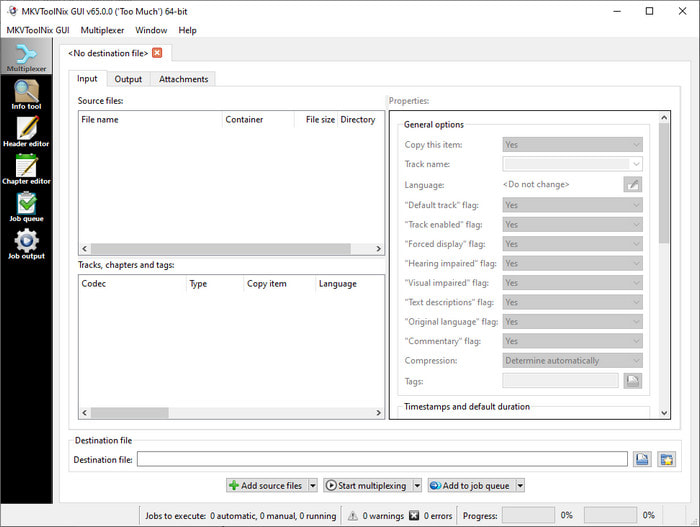
MKVToolNix GUI er en dedikeret løsning til MKV‑filer; selv om du kan uploade andre formater, vil programmet konvertere deres format til MKV. Værktøjet er blevet kendt som en alt‑i‑én‑løsning, når det gælder MKV, da det understøtter et sæt værktøjer, hvilket betyder, at du får funktioner ud over metadataredigering. Med dets enkle GUI er der ikke så meget at lære for at bruge det; grundlæggende kan du lære at bruge det på få minutter. Selvom værktøjet er ligetil, har nogle brugere, der allerede bruger mere avancerede metadataeditorer, sammenlignet dets GUI med andre og sagt, at værktøjet ikke er intuitivt nok for dem. På trods af alt, hvad de siger, er der stadig ingen tvivl om, at værktøjet kan lære os, hvordan man ændrer titlen på en MKV‑fil.
Trin 1. Download programmet til din computer, åbn det, klik på Add Source File, og find MKV‑filen i mappen.
Trin 2. Tryk på Output, og ændr metadataene her.
Trin 3. Når du har gjort alt dette, kan du nu gemme ved at klikke på Start Multiplexing.
Del 2. Ofte stillede spørgsmål om MKV Metadata Editor
Kan jeg konvertere VOB til MKV?
Du kan nemt konvertere VOB til MKV ved at klikke på dette link, hvorefter en ny fane åbnes, som direkte hjælper dig med at konvertere VOB til MKV. Hvis du vil have flere oplysninger om VOB og MKV, er dette den rette artikel for dig.
Hvorfor har mine MKV-filer en større filstørrelse?
Grunden til, at dine MKV‑filer er store, er, at formatet ikke kun indeholder video og lyd. Det indeholder også flere elementer som undertekster, metadata, variabel bithastighed og meget mere. Så hvad skal du gøre, hvis du vil komprimere en MKV‑fil, så den bliver mindre uden at ødelægge kvaliteten? Der findes ikke mange pålidelige videokompressorer, og derfor har vi lavet noget research for at hjælpe dig med nemt at komprimere MKV uden kvalitetstab.
Hvad er ulemperne ved MKV-formatet?
Selvom filformatet er kendt, kan nogle medieafspillere og redaktører stadig håndtere formatet på grund af problemet med codec og elementer. Formatet har også en enorm størrelse, og ikke al software understøtter upload af en stor filstørrelse, fordi import og eksport af det ville tage meget tid. Filstørrelsen vil også stige, fordi den er en del af filen, det samme som det andet format, du har tilføjet metadata. Selv det har sin svaghed, det er stadig konkurrencedygtigt med hensyn til at gemme mediefilen og holde dem sikre til fremtidige formål.
Konklusion
Er det ikke fantastisk? Hvad kan disse tre desktop-software tilbyde dig? Den anden er en medieafspiller, mens den anden er en dedikeret editor til MKV, men hvilket værktøj skal du bruge? Vil du have det bedste, bringer vi gerne det ultimative værktøj til dig. At lære at redigere MKV-metadata med FVC Video Converter Ultimate blev nemt og effektivt. Så hvad venter du på? Hav værktøjet på din rækkevidde, og brug det til at rette metadataene på dine MKV-filer som en professionel med et par klik væk.
-
 2 bedste måder at redigere OGG-metadata på, du bør prøve gratis
 Har du brug for at redigere OGG-metadata? Nå, du kan nemt håndtere redigering af tags ved at bruge den korrekte software. Hvis du ikke har én, er det et must at læse denne artikel.
-
 En absolut oversigt over Pentaho Metadata Editor [Opdateret 2022]
 Finder du ikke en pålidelig artikel om Pentaho Metadata Editor? Heldigvis har vi selv gennemgået værktøjet for at give de fakta, du vil vide om værktøjet.
-
 Tips og tricks om VLC Metadata Editor, du skal kende i 2022
 Vil du bruge VLC som en metadata-editor? I dette tilfælde kan du læse denne artikel, da vi giver en uvildig gennemgang af VLC-metadataeditoren.
