


 Video Converter Ultimate
 Skærmoptager
 Video reparation
Tilføj din egen magi til videoen ved hjælp af Mac Video Editors
I dag har videodeling fået langt mere opmærksomhed og popularitet end nogensinde før. Mediedelingsplatforme har allerede erobret verden, og intet ser ud til at kunne stoppe dem. Når kedsomheden melder sig, underholder vi os selv ved at se eller lave videoer. Derfor er efterspørgslen efter videoredigeringsprogrammer også steget, så man kan forbedre sine videoer og gøre dem mere attraktive. Men hvis du går i gang med at lede efter den bedste Mac‑videoredigering på markedet, er der rigtig meget at vælge imellem. I stedet for at prøve dig frem på må og få med forskellige værktøjer, har vi nu samlet en række muligheder, du kan vælge imellem. Så lad os holde bolden i spil og gøre jagten på de rette redigeringsprogrammer lettere end nogensinde. Uden yderligere forsinkelse går vi videre til de bedste værktøjer, der giver imponerende resultater og redigeringsfunktioner, du kan stole på.

Del 1. Fænomenal Premium Video Editor til Mac (betalt version)
Den fænomenale konverter er nu klar til at hjælpe dig og tage det første skridt i videoredigering. FVC Video Converter Ultimate er den bedste til både konvertering og redigering. Dette PC‑ og Mac‑videoredigeringsprogram hjælper allerede brugere, der har problemer med at forbedre deres video og lyd. Værktøjet er en alt‑i‑én editor, hvilket betyder, at det tilbyder avancerede funktioner, som ingen andre – og som du kan bruge med letforståelige instruktioner. Hvis du vil have en enestående redigeringsoplevelse, selvom du er nybegynder, så prøv dette værktøj. Følg trin‑for‑trin‑guiden nedenfor, lavet til brugere, der elsker at få deres videoer til at skille sig ud.
Trin 1. Klik på download‑knappen til Mac og installer programmet. Udfør den hurtige opsætning, og start det derefter.
Gratis download til Windows 7 eller nyere Sikker download
Gratis download til MacOS 10.7 eller nyere Sikker download
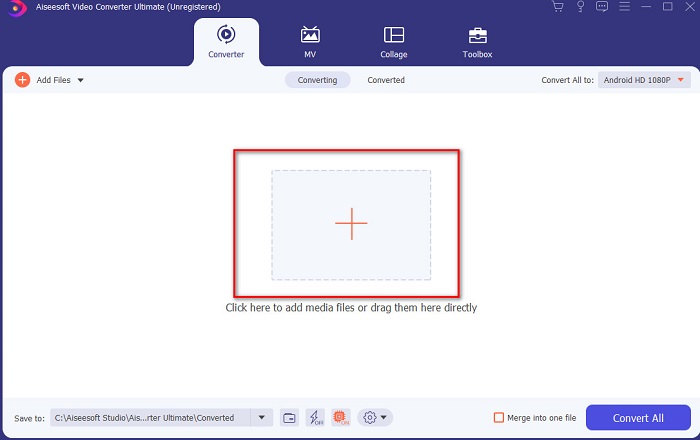
Trin 2. Når den ultimative konverter kører på dit system, skal du klikke på knappen Add Files eller +‑ikonet i midten for at tilføje den videofil, du vil redigere.
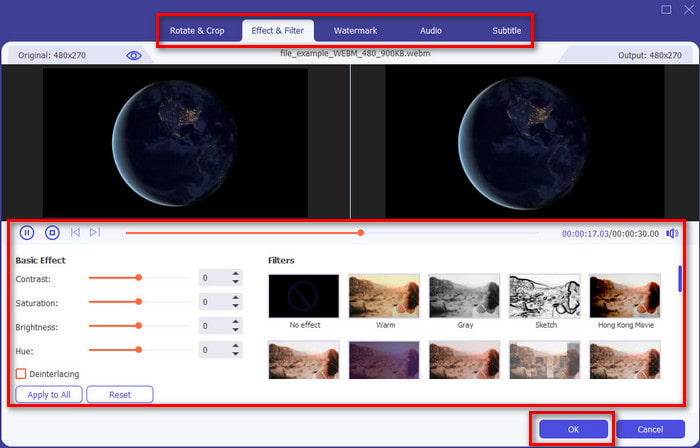
Trin 3. Klik derefter på tryllestavs‑ikonet for at redigere og udføre din magi på videoen. Der er flere muligheder, du kan tilføje til dine videoer, såsom filtre, effekter, beskæring osv. For at gemme de ændringer, du har lavet, skal du klikke på OK.
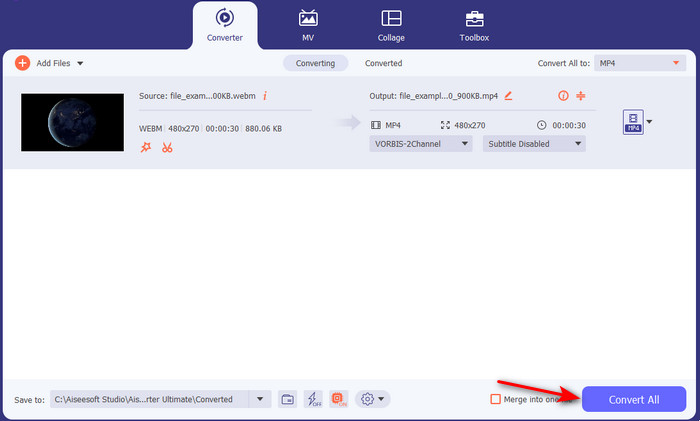
Trin 4. For at eksportere videoen, du redigerede før, skal du klikke på Convert All. og vente et øjeblik, til den er færdig.
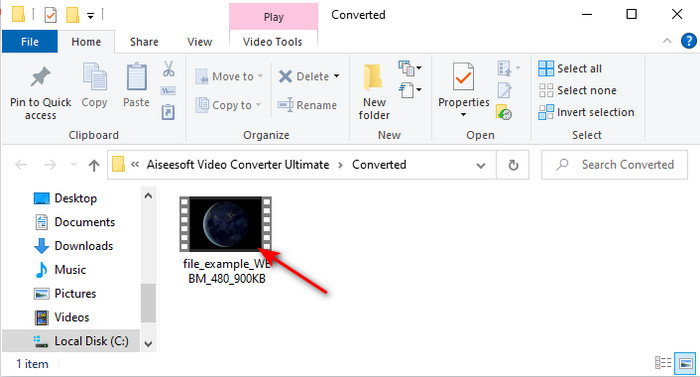
Trin 5. En mappe med din redigerede video vises på skærmen. Klik på den for at afspille videoen, og hvis du vil flette den med en anden video, kan du også prøve det imponerende videoflette‑værktøj i Toolbox‑menuen.
Del 2. Andre nyttige videoredigerere til Mac (gratis version og forudinstalleret værktøj)
1. iMovie
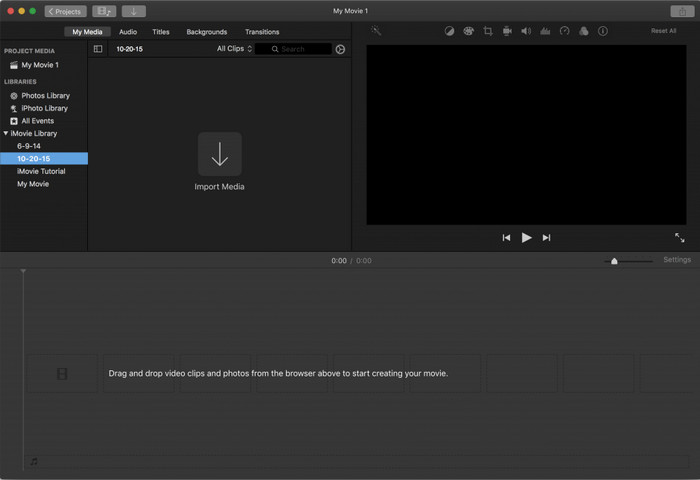
iMovie er en forudinstalleret gratis videoredigering til Mac, så hvis du har et stramt budget, kan du bruge den. Selvom værktøjet har et mellemniveau af redigeringsfunktioner, mangler det stadig avancerede funktioner som f.eks. motion tracking. Det er dog stadig et godt redigeringsprogram – ikke det bedste – men du kan bruge det gratis på Mac. Hvis du vil have et mere professionelt resultat, bør dette dog være din sidste udvej, da det primært tilbyder grundlæggende redigering til simple videoer. Til gengæld er det gratis og forudinstalleret, så du behøver ikke downloade nogen tredjepartsapp for at redigere.
Fordele
- Let at forstå værktøj.
- Native editor til Mac-brugere.
Ulemper
- Det mangler de fleste af de avancerede funktioner, som en professionel har brug for.
- Ikke det bedste værktøj, hvis du vil have en kvalitetsvideo at dele.
2. Avidemux
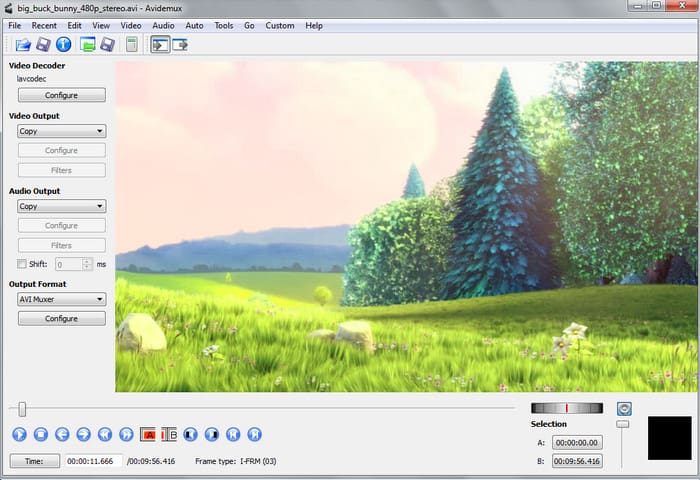
Avidemux er et slowmotion‑videoredigeringsprogram til Mac, som også er effektivt. Det tilbyder simple redigeringsfunktioner, men iMovie har mere at byde på end denne editor. Når du går ind på hovedsiden for dette værktøj, er det desuden ikke ideelt at give oplysninger om dig selv, da den ikke er beskyttet. Hvis du forsøger at indtaste personlige oplysninger som f.eks. bankkontodata, er der stor risiko for, at du bliver hacket. Alligevel giver det anstændig videoredigering, hvis du har brug for det, men for professionelle brugere ligger det kun på et nogenlunde niveau.
Fordele
- Redigeringsfunktioner er fint.
- Det understøtter mange filtyper til redigering.
Ulemper
- Ikke det bedste valg, hvis du er en professionel i redigering, fordi det mangler avancerede funktioner.
- Værktøjets grænseflade er også så kedelig.
3. Kdenlive
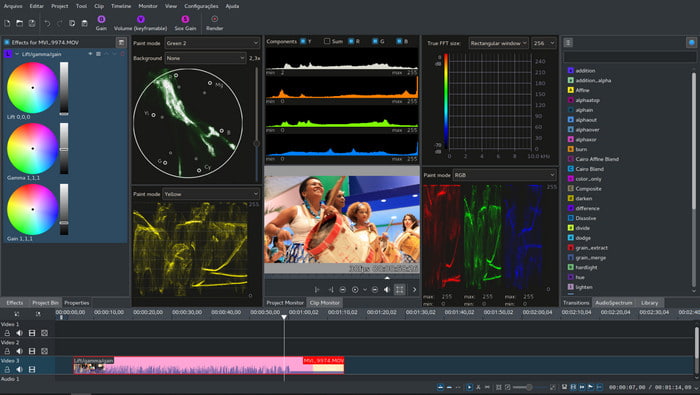
Et andet Mac‑videoredigeringsprogram, som du nemt kan downloade til din computer, er Kdenlive. Dette værktøj har de funktioner, en editor bør have. Men både mindre og større fejl eller bugs opstår stadig, når du prøver at bruge det. Programmet er bedre egnet til PC end til Mac, fordi det har flere brugere på PC. På Mac er det en ældre version, der er tilgængelig, men den fungerer. Selvom det måske kan se ud, som om det ikke rigtig vil kunne hjælpe dig på grund af fejlene eller manglen på funktioner, er det stadig udmærket til at lære grundlæggende videoredigering.
Fordele
- Det understøtter alle de kendte platforme.
- Ingen grund til at betale, fordi det er gratis.
Ulemper
- Videoer, du vil redigere her, har en lav chance for at skille sig ud.
- Har en masse tekniske problemer, som ikke er rettet endnu.
Del 3. Ofte stillede spørgsmål om Mac Video Editor
Hvordan kombinerer man forskellige videoer på iMovie?
Hvis du vil kombinere to eller flere videoer, du har optaget separat på din iPhone, kan du prøve at bruge iMovie til at sætte dem sammen. For at lære mere om fletning i iMovie skal du gå til dette link.
Hvorfor redigerer vi vores videoer?
Redigering af video er kendt som post-produktion, hvor du forbedrer din video og fjerner unødvendige klip. Dette trin er meget afgørende, fordi dette vil hjælpe din video til at være mere imponerende og skiller sig ud end andre. Selvom du har fantastisk indhold, hvis din redigerede video ikke er så god, vil den få mindre opmærksomhed på de andre.
Hvordan redigerer man GIF'er på Mac?
Selvom iMovie kan redigere videoer, kan det ikke redigere GIF‑filer. Derfor har vi samlet forskellige værktøjer, du kan bruge til at redigere GIF’er på Mac. Her er de 9 bedste programmer, du kan bruge til at redigere GIF’er.
Konklusion
Nu hvor vi er nået til afslutningen, kan du selv gå i gang med at redigere ved hjælp af de værktøjer, der er nævnt i denne artikel. Ikke alle værktøjerne kan levere de fænomenale redigeringsfunktioner, du måske ønsker. Men sammenlign ikke Video Converter Ultimate med de andre, for dette værktøj har rigtig meget at byde på. Hvis du vil imponere dine seere, så brug det ultimative værktøj til at skabe et fantastisk resultat.
-
 Concrete Tutorial - Sådan flettes to lydspor i Audacity
 Audacity nyder ry for at redigere lyd. Du downloadede Audacity, men ved ikke, hvordan du flette lydspor i Audacity? Dette indlæg vil fortælle dig, hvordan du flette spor i Audacity.
-
 2 Effektive metoder til at flette MPEG-filer for at kombinere gamle tv-serier
 Når du har nogle gamle tv-serier i MPEG, kan du lære mere om de 2 effektive metoder til at flette MPEG-filer til en film efter dine behov.
-
 [2025 Opdateret] 9 bedste GIF-editorer til pc, Mac, iOS og Android
 Har du brug for at tilføje et personligt præg på din GIF, så den kan blive mere udtryksfuld? Fortsæt med at læse denne artikel for at vide, hvordan du redigerer og det bedste værktøj til jobbet.
