


 Video Converter Ultimate
 Skærmoptager
 Video reparation
Dyb forståelse af de 5 tilgængelige slowmotion-videoredigerere
Do you love watching high-speed striking sports like racing, boxing, baseball, volleyball and more? All of the mentioned sports need a high-speed camera just to make a motion analysis. If you do so want to analyze every movement of each athlete then try to read the best slow motion video maker you can use. Also, with the help of the tool below, you will not need any extra equipment other than your desktop, internet, or phones. As we proceed, read the tools carefully and choose which one is the best for you to go with.

Del 1. 3 Bedste Slow-Motion Video Maker til Windows PC, Mac og Online
1. Video Converter Ultimate
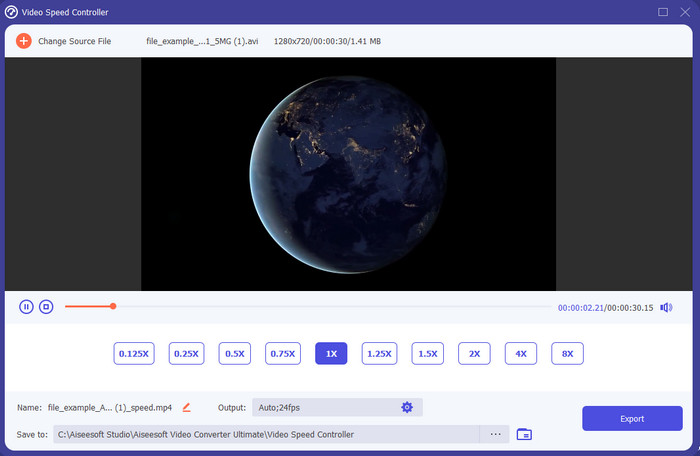
Do you want to know which of the slow-motion video editors is the best to use to make your playback into slow motion? Then try to use Video Converter Ultimate because this tool is not just the best, it is phenomenal. This tool already obtained a lot of advanced features you would like to use even if you are not pro on editing. Even though you are a pro this software is the best choice no matter what level your editing skills are on. Moreover, you can quickly add slow motion effects on your video without reading a manual or watching videos on how to do it. Because the tool presents a much simpler instruction other than the tool below. Although the tool needed to be paid before you can access it still it is not that high in price. If you want to know more about this tool then read the key features below.
Nøglefunktioner ved Video Converter Ultimate:
◆ Advanced slow motion video maker app with basic instructions.
◆ Brugervenlig værktøjsgrænseflade.
◆ Juster nemt videoens hastighed på Video Speed Controller.
◆ Understøtter mere end 200+ video- og lydformater.
◆ Den kan downloades og tilgås på pc- og Mac-operativsystemer.
Gratis download til Windows 7 eller nyere Sikker download
Gratis download til MacOS 10.7 eller nyere Sikker download
2. Boris Continuum Time Unit
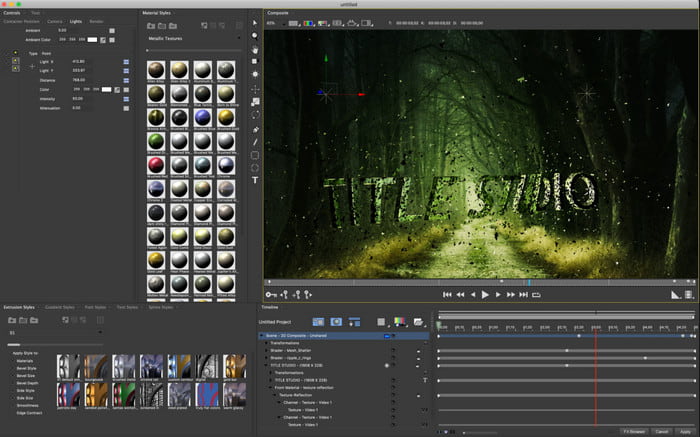
Boris Continuum Time Unit is the best choice if you want to have a heavy-duty slow motion video maker app. There is no other tool that can do anything like this tool provides to have a professional output. Furthermore, this tool has the best detailed editing features you would like to try. Although the tool is greater than the other tools, it is still literally super expensive. Also, if you want to try using this tool then you must have a high-grade desktop system unit because you won't be able to use this on old version desktops.
Fordele
- Bedste værktøj til at lave tung redigering.
- Den er kompatibel med alle platforme.
- Værktøjets grænseflade ligner mere et pro-værktøj.
Ulemper
- Denne software er den dyreste i denne artikel.
- Brug for en systemenhed af høj kvalitet.
- Ikke det bedste valg for en begynder, der ikke har en baggrund inden for redigering.
3. VEED.IO
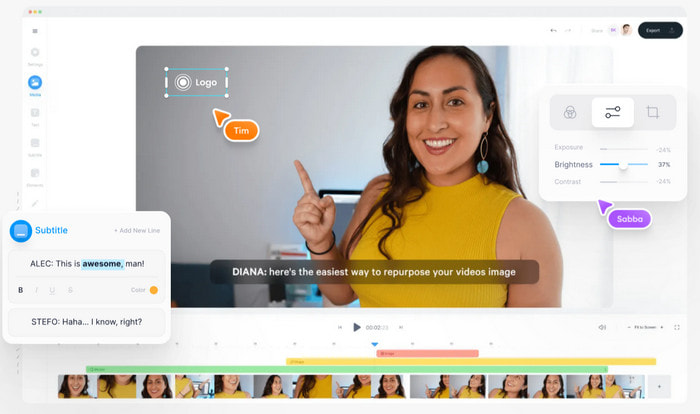
So, if you don't want to spend a penny and have an internet connection then try to access the VEED.IO. This is the best software to make slow motion video online because it is simple and easy to access. The overall interface of the tool is very neat with straightforward instruction so it is very convenient for everyone. However, you can only upload files with less than 50 mb and if you want to add a bigger file size then this tool will demand you to upgrade. Also, if you didn't buy the tool expect the final output to have a watermark.
Fordele
- Kan nemt tilgås af alle med internetforbindelse.
- Ingen irriterende annoncer på hjemmesiden.
- Let at blive håndteret af nybegyndere på redigering.
Ulemper
- Værktøjsfunktioner er meget begrænsede på den gratis version af værktøjet.
- Internet afhængig. Så hvis dit internet er langsomt, så forvent et langsomt tempo i upload, download og redigering. Du kan heller ikke få adgang til dette værktøj, hvis du ikke har en internetforbindelse.
Del 2. 2 af den bedste slowmotion-videoapp på Android og iOS
1 SloPro
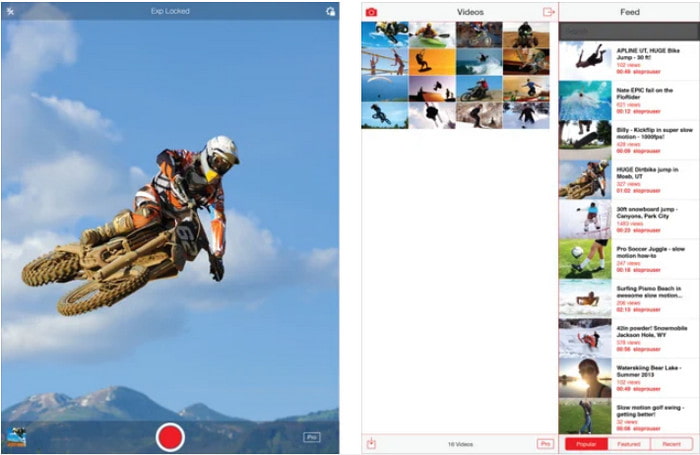
SloPro is the best slow motion video app you can download for free on iOS. The app can do the playback slow motion up to 500 to 1000 fps. Another, you can manipulate the video from fast to slow motion playback or vice versa. Although the tool might be a great option, there are still a lot of drawbacks on the app. Like, the video output will be saved on the gallery of the app and not on the camera roll. Also, if you try to use the 1000 fps the video becomes buggy according to the user who has already tried it. Furthermore, this tool is still great because it is free to use and slowing it down can be easily done here.
Fordele
- Bedste slowmotion-afspilning, du kan bruge på iOS gratis.
- Den får allerede en fair vurdering og en 3,3 stjerne.
- Enkel og nem at bruge.
Ulemper
- Det endelige output gemmes ikke direkte i galleriet.
- Alle videoer, der er gemt i SloPro-galleriet, er tilfældige og ikke kategoriseret korrekt.
- Hvis du bruger 1000 fps, så forvent en buggy video-output.
2. Slow Motion Video Maker
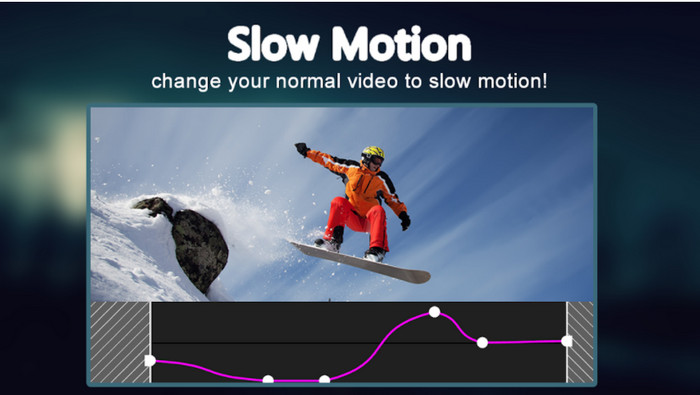
One of the best slow motion video makers you can download for free on your Android phone is the Slow Motion Video Maker. With the help of this app, you can perform fast forward and slow-motion playback easily on your videos. However, the app has a lot of annoying ads popping out of nowhere. Also, the slow-motion playback you can do by 0.5 only. But overall, it is great to be used for slowing down a video on Android but the ads hurt the app badly.
Fordele
- Appen er gratis at downloade i Play Butik.
- Det er fantastisk at blive brugt til at bremse videoen jævnt.
- Appen er nem at administrere.
Ulemper
- Det har en masse irriterende annoncer, der dukker op ud af ingenting.
- Det kan tage meget tid at downloade videoen, fordi den ikke har nogen fremskyndelse af behandlingen.
Del 3. Ofte stillede spørgsmål om Slow Motion Video Maker
Hvad er FPS's rolle?
Det bruges til at beregne den fortløbende række af rammer, der vises på dit skærmpanel. Dette ses oftest i hver motion capture som i videospil, kameraer, film, og selv vores øje kan se 30 til 60 fps.
Hvad er den bedste FPS-hastighed ved slowmotion?
Den ideelle FPS, du kan bruge til at se video i slowmotion-afspilning, er mellem 120 og 240 fps. Så hvis du vil have en mere detaljeret slowmotion-afspilning, så gør FPS højere.
Hvordan afspiller man en video i hurtig afspilning?
To have an idea on how to play a video in a fast motion then try to click this link. Learn what are the 5 best tools you can use to speed up a video.
Konklusion
To conclude, all of the tools presented in here are the best slow motion makers you can search on the web. Also, this article already helped you out and make your searching easier than ever. However, there is one specific tool you might want to use to make your video better with the help of Video Converter Ultimate. All of the advanced features you can use here are phenomenal and yet easy to use. Moreover, if you are still not believing then try to download the tool first and try it for yourself.
-
 Bedste Android -applikation til at afspille MOV -filer på dine mobiltelefoner
 Har du det svært, fordi din MOV-optagelse ikke kunne afspilles på din Android? Så i dette tilfælde leder du efter, hvad der er den bedste MOV-afspiller til Android.
-
 5 kraftfulde AVI-afspillere til at se og afspille AVI-filer [Web & Desktop]
 Lær, hvilke AVI -afspillere du kan bruge til at afspille og se .avi -filer. Fortsæt med at læse herunder og vælg, hvilken der er den bedre medieafspiller end den anden.
-
 Effektive måder til MKV -filer på Xbox One S 2021
 Find måder, der kan hjælpe dig med at afspille MKV -filer på din Xbox One S ved hjælp af nogle af de bedste konvertere.
