


 Video Converter Ultimate
 Grabador de pantalla
 Reparación de vídeo
Lo mejor de los mejores convertidores que puede usar para convertir 3GP a AVI en línea y fuera de línea
El formato 3GP es un formato flexible que transfiere las secuencias de audio y vídeo a los teléfonos móviles de tercera generación que usan GSM. Se ajusta a la conectividad 3G para una transmisión más rápida del archivo. Este formato se utilizaba con mayor frecuencia en los modelos de teléfonos antiguos porque es polivalente y se transfiere rápidamente. Sin embargo, hoy en día no se pueden reproducir archivos 3GP en tu reproductor multimedia habitual porque este formato no permite que los reproductores actuales entiendan su estructura. Así que la mejor forma de ver todos tus archivos 3GP en el móvil o en el ordenador es convertirlos. En lugar de seguir buscando en Internet cuál es el mejor conversor que puedes usar, hemos reunido cuatro conversores entre los que puedes elegir. Las herramientas que se mencionan a continuación son perfectas y pueden convertir 3GP a AVI sin ninguna pérdida de calidad.

Parte 1. Convierta 3GP a AVI sin conexión con Ultimate Converter
FVC Video Converter Ultimate
Si no quieres complicarte nada a la hora de convertir tus archivos 3GP, te recomendamos encarecidamente usar FVC Video Converter Ultimate. Este software es una de las mejores opciones para convertir archivos y realiza la conversión en cuestión de segundos, con gran rapidez. Además, muchos usuarios que lo han probado comparten la misma opinión. En resumen, afirman claramente que esta herramienta les ayudó a resolver sus problemas de conversión en un abrir y cerrar de ojos.
Explicación adicional, esta herramienta no solo es la mejor para convertir el archivo; también tiene las funciones más avanzadas que le gustaría probar. Los ejemplos son editor, creador de GIF, amplificador de volumen, sincronización de audio y video, inversión y más. Si compra esta herramienta, obtendrá todas las herramientas mencionadas antes, y hay muchas más por venir. Así que ahora, intentemos seguir el paso a paso para convertir 3GP a AVI en Mac y PC sin perder su calidad.
Paso 1. Haz clic en el botón de descarga y elige si eres usuario de PC o de Mac, luego instálalo.
Descarga gratuitaPara Windows 7 o posteriorDescarga segura
Descarga gratuitaPara macOS 10.7 o posteriorDescarga segura
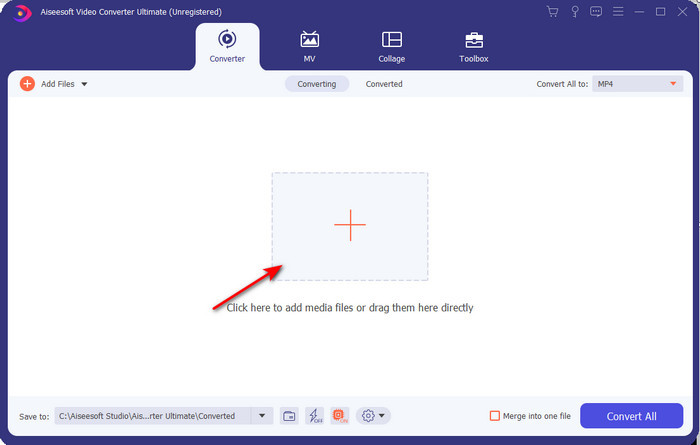
Paso 2. Inicia la herramienta, haz clic en el signo + en el centro de la interfaz, selecciona el archivo .3gp en tu carpeta y pulsa en Open. También puedes hacer una conversión por lotes: haz clic en Add Files para añadir más archivos.
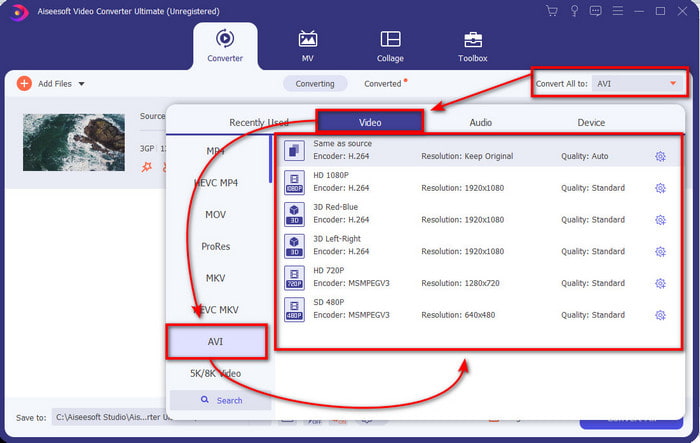
Paso 3. Para cambiar el 3GP, haz clic en la opción Convert All y elige el formato AVI en la categoría Video.
Paso 4. Para iniciar el proceso de conversión, haz clic en Convert All y comenzará a convertirse tu archivo o archivos 3GP.

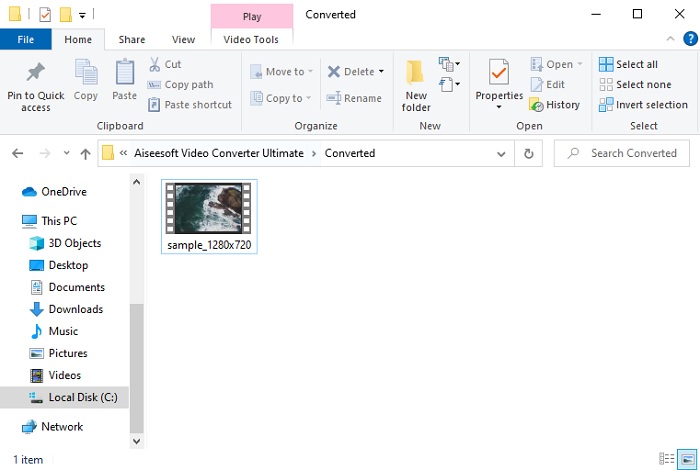
Paso 5. Tras la conversión, aparecerá en pantalla una carpeta con el archivo 3GP ya convertido. Haz clic en el nuevo AVI que acabas de crear para verlo y editarlo más tarde si lo deseas.
Parte 2. 3 convertidores en línea disponibles para convertir 3GP a AVI
1. Convertidor de video gratuito FVC en línea

Te aseguramos que la mejor herramienta de esta lista para convertir 3GP a AVI en línea es FVC Free Video Converter Online. Todas las funciones que te gustaría ver en un conversor online están aquí. Es el mejor conversor online que mencionamos desde todos los puntos de vista. Por ejemplo, si quieres un conversor en línea eficiente, un proceso de conversión seguro y sin anuncios, entonces esta es tu herramienta web. Aunque la herramienta web tiene una gran apariencia y funciona perfectamente bien, solo admite un rango de formatos medio. Las funciones avanzadas que podrías encontrar en FVC Video Converter Ultimate no están disponibles aquí. Pero la ventaja frente a la versión de escritorio es que es totalmente gratuita. Sin más demora, pasemos a los pasos para convertir tu archivo a una nueva versión.
Paso 1. Haz clic en este enlace para ir al sitio web.
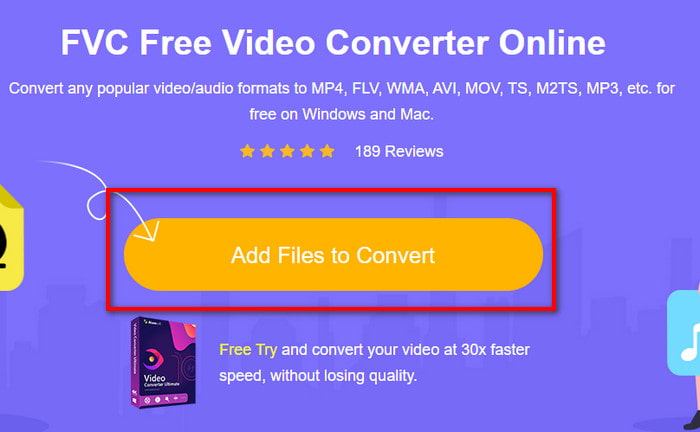
Paso 2. Pulsa en Add Files to Convert para ejecutar la herramienta online; se abrirá una carpeta, busca el archivo .3gp. Si es la primera vez que usas esta herramienta, tendrás que descargar el lanzador haciendo clic en Add Files to Convert y, después, volver a hacer clic para iniciarla.
Paso 3. Una vez seleccionado el archivo, elige el formato AVI en la sección inferior.
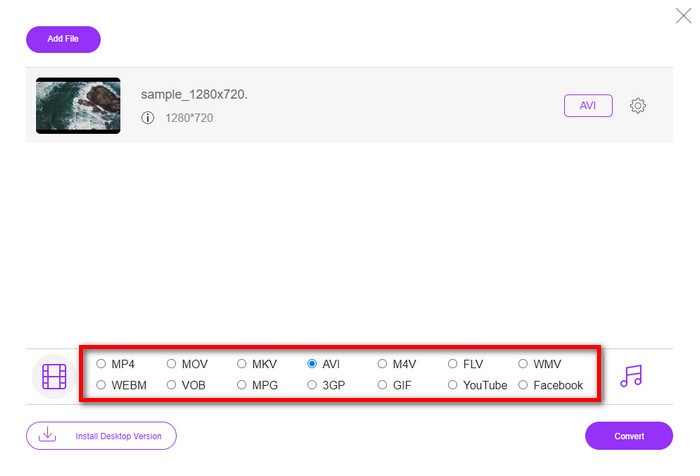
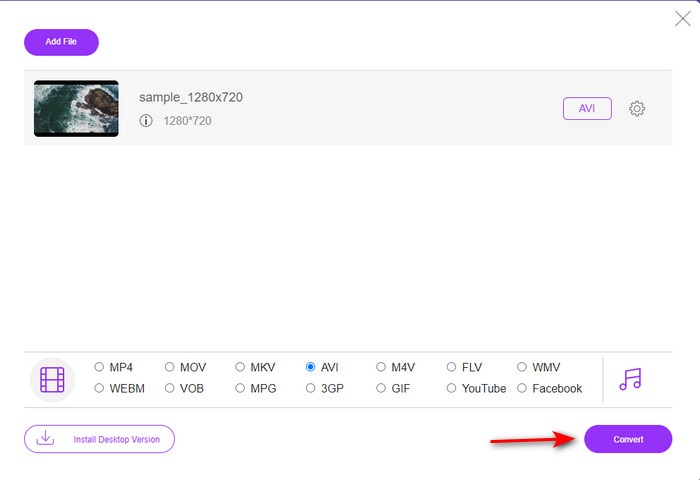
Paso 4. Si ya estás listo para convertir el archivo, haz clic en Convert.
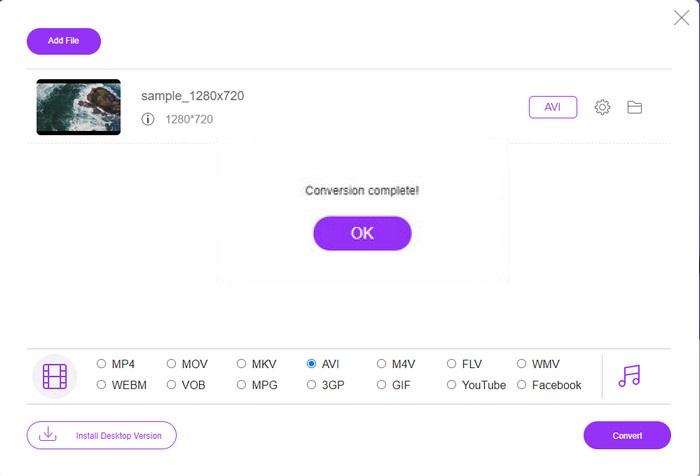
Paso 5. Después de la conversión, volverá a aparecer una carpeta, esta vez con el archivo que has convertido antes.
2. Fconvert.com
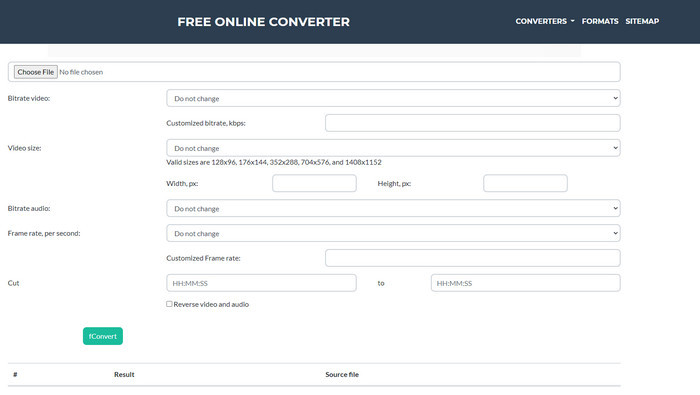
En el ámbito de la conversión de archivos, Fconvert.com debe estar en la lista, porque esta herramienta web es uno de los conversores más destacados que puedes utilizar de forma gratuita. Este conversor puede convertir casi todos los formatos que conozcas y, seguramente, también el de alguno de tus archivos. Sin embargo, tiene un inconveniente: los anuncios. Cada vez que haces clic en algo en la web, aparece un anuncio antes de realizar la acción. Aunque los anuncios son molestos, la aplicación sigue teniendo una apariencia ordenada y ofrece un gran rendimiento al convertir formatos. Así que, si quieres comprobar por ti mismo lo buena que es esta herramienta, sigue los pasos que aparecen a continuación y aprende a convertir 3GP a AVI gratis.
Paso 1. Busca la página principal de esta herramienta en tu navegador.
Paso 2. Haz clic en AVI en la sección video, haz clic en Choose File, localiza el archivo .3gp, luego desplázate hacia abajo y haz clic en fConvert.
Paso 3. Desplázate hacia abajo y verás la sección Result; haz clic en el archivo para descargarlo.
3. Cualquier conversión
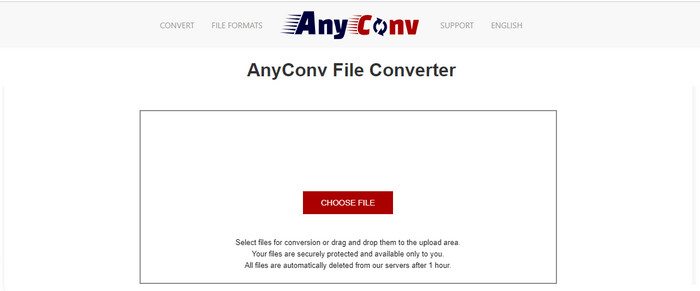
Otra herramienta especializada en la conversión de formatos es Anyconv. Esta herramienta web es muy diferente de Fconvert.com porque es bastante mejor y más rápida. Además, tiene menos anuncios que la herramienta anterior. Aunque tenga menos anuncios, estos son de mayor tamaño que los de Fconvert.com, pero, en cuanto a rendimiento, esta herramienta funciona muy bien. Probemos esta herramienta para ver si realmente sirve para convertir 3GP a AVI gratis, sin más dilación.
Paso 1. Abre tu motor de búsqueda y encuentra la página web de Anyconv.
Paso 2. Pulsa en Choose File; se abrirá una carpeta, inserta el archivo .3gp en la herramienta web y continúa. Para cambiar el formato, debes hacer clic en el botón drop-down y buscar AVI. Para iniciar la conversión, haz clic en Convert.
Paso 3. Espera a que termine el proceso y, después, haz clic en Download AVI para descargar el archivo convertido.
Parte 3. ¿Qué formato es el mejor? 3GP o AVI
Si está utilizando un teléfono de tercera generación y desea almacenar video de alta calidad, transfiéralo más rápido en la tercera generación de teléfonos, entonces 3GP es el formato para el trabajo. Sin embargo, si intenta enviar el formato AVI a teléfonos de tercera generación, el archivo no se abrirá porque este formato no es compatible. Pero en el caso actual, AVI es mucho mejor. Ya ha obtenido mucho apoyo de todos los reproductores y editores de medios en comparación con 3GP. Aunque el formato AVI es la mejor opción hoy en día, el tamaño del archivo es enorme en comparación con 3GP, y si estuviera a punto de guardarlo en su teléfono, ocuparía mucho espacio. Además, ambos formatos son geniales, pero tienen propósitos y usos diferentes.
Parte 4. Preguntas frecuentes sobre 3GP y AVI
¿Puedo usar FFmpeg para convertir 3GP a AVI?
Puedes usar FFmpeg para convertir tu archivo 3GP; sin embargo, es un poco complicado, aunque manejable si te tomas tu tiempo. El primer paso es descargar el archivo zip de FFmpeg en tu ordenador y descomprimirlo. El segundo paso es abrir el CDM para comunicarte con la herramienta. Después, localiza tu archivo usando la línea de comandos, copia este código ffmpeg -i input.3gp -vn -ar 44100 -ac 2 -b:a 192k output.avi, pégalo en el CDM y pulsa Enter para iniciar el proceso de conversión.
¿Se puede reproducir 3GP en teléfonos de cuarta generación?
Este formato se utiliza en teléfonos de tercera generación y todavía puedes reproducir vídeos en formato 3GP en algunos teléfonos de cuarta generación, pero no en todos. Porque, como ya se ha dicho, 3GP es para móviles de tercera generación y no para ciertos modelos de cuarta. O puedes recurrir a reproductores profesionales de 3GP para disfrutar de tus vídeos.
¿Qué formato es mejor: 3GP o MP4?
En cuanto a calidad y compatibilidad, MP4 es mucho mejor en este terreno. Sin embargo, 3GP es mucho más pequeño y funciona mejor en redes 3G para transferir este tipo de archivos más rápidamente. ¿Quieres convertir MP4 a 3GP o viceversa? Haz clic aquí para obtener más información.
Conclusión
Cada viaje debe llegar a su fin, y ahora puede convertir fácilmente 3GP a AVI con la ayuda de las herramientas mencionadas anteriormente. Además, todas las herramientas presentadas anteriormente, incluyamos FFmpeg, funcionan muy bien. Aún así, la mejor opción siempre recae en FVC Video Converter Ultimate. Esta herramienta supera todo lo que los convertidores en línea pueden hacer en conversión y muchos más aspectos. Entonces, si desea obtener el software, haga clic en el botón de descarga y realice la conversión rápidamente.
-
 [En línea y gratis] 3 métodos para convertir MP4 a 3GP sin problemas
 ¿Quiere convertir MP4 a 3GP de forma rápida y sencilla? Aquí compartiremos 3 convertidores MP4 a 3GP para cambiar MP4 a 3GP para reproducir en varios teléfonos móviles.
-
 Las 3 mejores formas gratuitas de convertir FLV a 3GP en Windows / Mac
 ¿No puede abrir archivos FLV en un teléfono inteligente o tableta? ¡No te preocupes! Aquí compartimos tres métodos para convertir FLV a 3GP sin perder calidad para jugar en dispositivos móviles.
-
 Excelente opción para convertir MKV a formato AVI
 Domine cómo convertir videos MKV con sencillos pasos proporcionados exclusivamente para usted. ¿Quieres saber cómo? Luego haga clic en este enlace para obtener más información.
