


 Video Converter Ultimate
 Grabador de pantalla
 Reparación de vídeo
 Descarga segura
Reductores de calidad de imagen definitivos que debe tener este 2022
Subir varias imágenes y compartir lo que nos pasa por todo internet se ha vuelto fácil gracias a las diferentes redes sociales a las que podemos acceder gratis. Lamentablemente, las imágenes se vuelven de mala calidad cuando las publicas en estos sitios web, sobre todo si la calidad original es más alta que el estándar. Puede que estés pensando en subir tu imagen directamente a la web, ¡pero detente un momento! Vamos a enseñarte un truco con el que al menos podrás reducir la compresión que se aplica a la imagen, y es bajando su calidad antes. En esta publicación te mostraremos los mejores reductores de calidad de imagen que puedes usar para solucionar este problema. Lee con atención los siguientes detalles para ayudarte a determinar qué herramienta utilizar.

Parte 1. Reductores de calidad de imagen que debe conocer para reducir la calidad de imagen fácilmente [Revisión]
ReducirImages.com
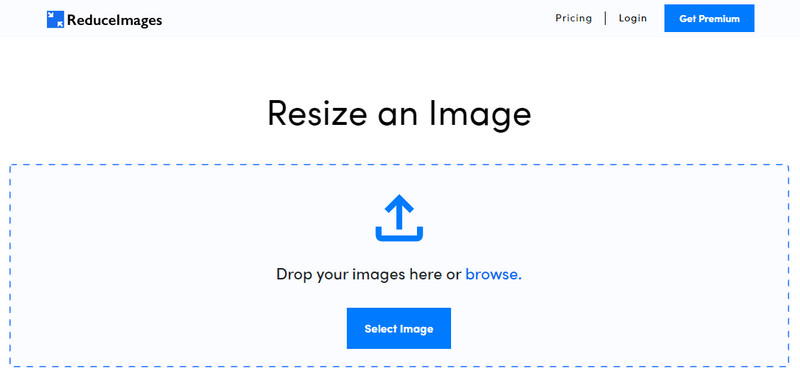
ReduceImages.com es una popular solución online que puedes usar para bajar la calidad de una imagen y adaptarla al estándar de los sitios web. Por suerte, es una herramienta en línea, así que no tendrás que descargar nada; puedes empezar a usarla en cualquier navegador de tu dispositivo simplemente buscándola por su nombre. Además, puedes redimensionar los JPG, PNG y GIF que subas aquí. Aunque puedes usar esta herramienta online de forma gratuita, tiene algunos inconvenientes que pueden frustrarte, sobre todo si quieres trabajar por lotes o no te gustan los anuncios. Si tienes algo de dinero disponible, puedes adquirir un plan; los precios empiezan a partir de 3,99.
Pros
- De uso gratuito y sin necesidad de instalación.
- Puede cambiar el tamaño de la imagen aquí si lo desea.
- Cambia el fondo de una imagen transparente a blanco y negro.
- Todos pueden descubrir cómo usar esto en poco tiempo.
Contras
- Hay algunos anuncios en la versión gratuita.
- No puede hacer procesamiento por lotes en la versión gratuita.
Lunático
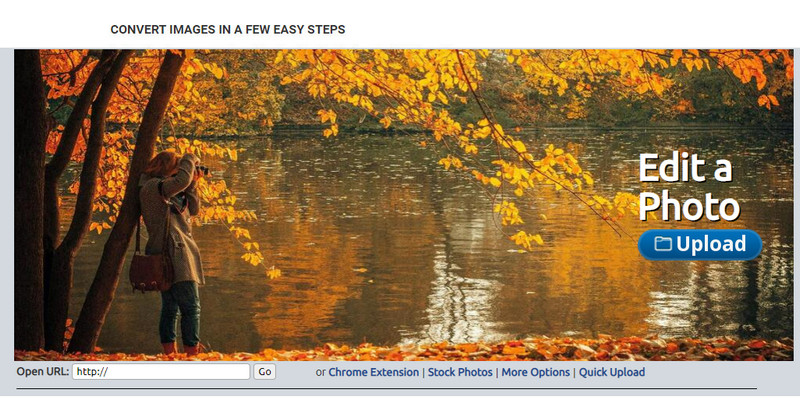
Lunapic es una herramienta muy fácil de usar para disminuir la calidad de la imagen hasta la resolución que desees, con una interfaz similar a la de Paint. Te puedes familiarizar rápidamente con esta herramienta online precisamente por lo parecida que es al conocido Paint de los dispositivos Windows. Aunque puedes confiar en este servicio para optimizar la calidad de imagen que buscas, el único formato que admite es JPEG y ninguno más. Copiando la URL de la imagen que quieras, puedes subir aquí la imagen que deseas ajustar incluso si aún no la has descargado. Al igual que con la primera herramienta, no necesitas instalar nada para usarla, ya que está disponible en la web.
Pros
- Interfaz de usuario intuitiva que le permite manipular la calidad fácilmente.
- El panel de vista previa es compatible para ver la calidad de imagen ajustada.
- Puede copiar y pegar la URL de la imagen que desea cargar.
- Es gratis y no es compatible con la versión premium.
Contras
- El formato admitido es solo JPEG.
- La GUI está desactualizada y necesita algunos ajustes.
EzGIF
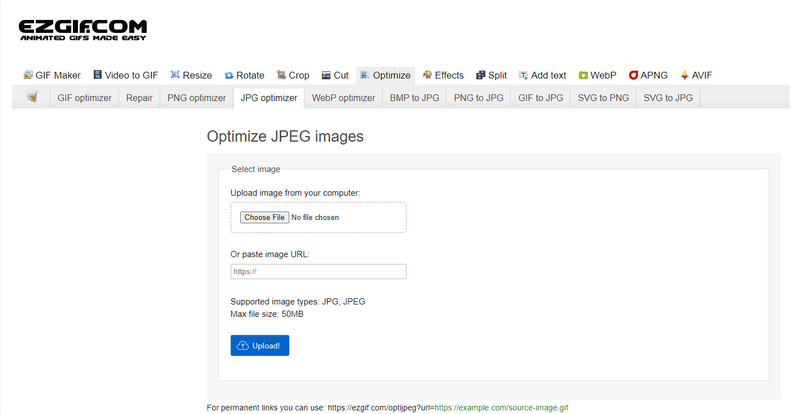
EzGIF puede ser tu creador de imágenes de baja calidad o, dicho de forma sencilla, puede optimizar la calidad de las imágenes que subas. Es conocido por ser un reparador de GIF, pero ahora también se puede usar para cambiar la calidad de JPEG, WebP y PNG cuando sea necesario. Esta herramienta es más popular que las otras dos que hemos mencionado antes por su eficacia y por el tiempo que lleva funcionando como servicio web en internet. Ofrece una solución práctica pero efectiva que puedes aprender a manejar sin dificultad. No puedes subir ni procesar varios archivos a la vez a pesar de ser una herramienta muy útil. Asimismo, no puedes subir imágenes que no sean JPEG o JPG, PNG, WebP y GIF, ya sean estáticas o animadas.
Pros
- Admite muchas funciones, como ajustar la calidad, mejorar, convertir y muchas más.
- Puede acceder y utilizarlo libremente en diferentes navegadores web.
- Optimice su imagen aquí y vea el resultado en el panel de vista previa antes de exportar.
- No agrega una marca de agua después de cambiar la calidad de la imagen.
Contras
- La interfaz gráfica de usuario necesita algunos ajustes.
- No es compatible con otros formatos de imagen como BMP, SVG, HEIF y otros.
- No se admite la carga de imágenes por lotes.
Adobe Photoshop
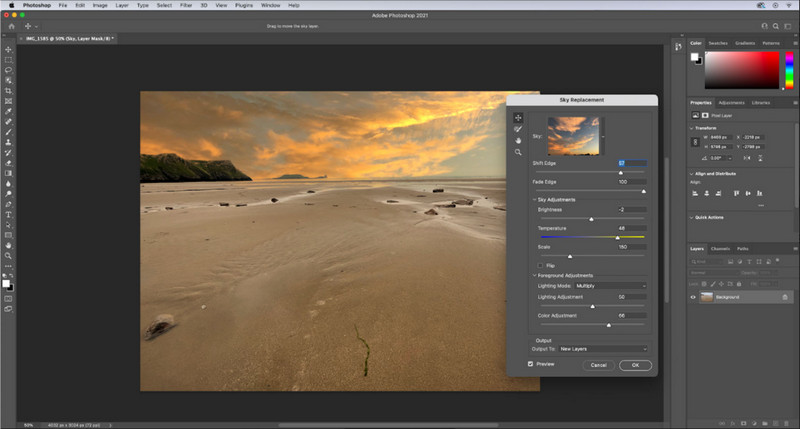
Adobe Photoshop es como un truco definitivo para reducir la calidad de una imagen, ya que es el mejor a la hora de transformarla. Con él puedes cargar cualquier foto y ajustar el algoritmo de la imagen. A todo el mundo le gusta usar una herramienta profesional porque está repleta de funciones avanzadas que no encontrarás en otros editores del mercado ni en línea. Hay una diferencia entre una herramienta excelente y otra simplemente aceptable, y esta herramienta te lo deja muy claro. Dicho esto, algunos usuarios tienen problemas para dominarla debido a su interfaz tan completa y pesada. Así que, si es la primera vez que usas este programa, es posible que tengas dificultades al principio. En conjunto, es el editor de imágenes más profesional que puedes usar, con ventajas que las tres primeras herramientas que hemos mencionado no ofrecen.
Pros
- Proporciona características exclusivas que el otro editor de imágenes en línea no tiene.
- Proporciona características exclusivas que el otro editor de imágenes en línea no tiene.
- Es, con mucho, la mejor opción para realizar la edición de imágenes profesional.
- Una herramienta compacta y con todas las funciones que puede descargar en diferentes dispositivos.
Contras
- Los usuarios primerizos tienen problemas para descubrir cómo usarlo.
- Debe comprar un plan para continuar usándolo después de la prueba gratuita.
Parte 2. Bono: Cómo mejorar la imagen de baja calidad con Top Image Upsclaer en la Web
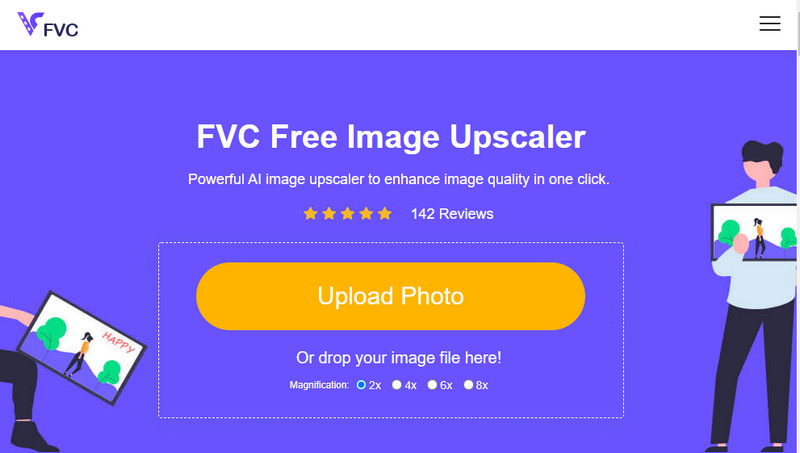
¿Has creado alguna vez una imagen de baja calidad que ha quedado pixelada o borrosa y quieres devolverla a su calidad original? Si es así, puedes usar el FVC Free Image Upscaler. Esta solución online puede hacer el trabajo por ti rastreando el algoritmo de la imagen, ajustando la calidad y ampliándola en función de lo que detecte la IA. Obtendrás varias ventajas al usar esta herramienta, como un rendimiento excelente en ampliación, ausencia de instalación, seguridad, facilidad de uso y un servicio de atención al cliente 24 horas que puede ayudarte. Además, puedes subir archivos JPEG/JPG, PNG, BMP, SVG y muchos más para aumentar la resolución de la imagen aquí. Es más, puedes seguir usando este software aunque no hayas bajado previamente la calidad y simplemente quieras mejorar la calidad general. ¡Empieza a usar la herramienta haciendo clic en el nombre y subiendo de inmediato la imagen que quieres escalar!
Parte 3. Preguntas frecuentes sobre cómo reducir la calidad de una imagen
¿Cambiar la calidad hace que el tamaño del archivo sea más pequeño?
No, no lo hará. Si has ajustado los píxeles de la imagen y los has reducido, el aspecto de la imagen se verá afectado, pero no el tamaño del archivo. Aquí tienes algunos de los mejores mejoradores de píxeles que puedes probar.
¿Por qué cambió la tasa de bits de mi imagen después de bajar la calidad?
Después de cambiar la calidad de la imagen, verá un cambio significativo en la tasa de bits una vez que la exporte, significativamente al cambiar la resolución de la imagen.
¿Por qué el GIF animado se vuelve estático después de bajar la calidad?
El programa que usas para bajar la calidad te permite cargar el GIF animado pero no puede exportar un GIF animado, por lo que el resultado se convertirá en un GIF estático. La extensión de la imagen permanecerá como está, pero la animación no.
Conclusión
Puede elegir su reductor de calidad de imagen con los cuatro software que agregamos que puede descargar y acceder en la web. Si te diviertes leyendo este artículo, te agradeceríamos mucho que califiques estas cinco estrellas.
-
 Las 7 mejores ampliadoras de fotos en línea y fuera de línea
 ¿Quiere conocer las ampliadoras de fotos de mayor rendimiento para su dispositivo Windows o Mac? Lee este post para conocer las mejores ampliadoras de fotos que vale la pena probar.
-
 Los 4 mejores ampliadores de GIF sin conexión y en línea que no debe perderse
 Esta publicación es para ti si estás buscando las mejores ampliadoras de GIF. Enumeramos las ampliadoras de GIF en línea y fuera de línea de mejor rendimiento para su computadora.
-
 Las mejores aplicaciones de cambio de tamaño de fotos en línea y sin conexión para computadora
 ¿Está buscando las mejores aplicaciones de cambio de tamaño de fotos para su escritorio? Enumeramos las aplicaciones de cambio de tamaño de fotos en línea y fuera de línea de mejor rendimiento que debe probar.
