


 Video Converter Ultimate
 Grabador de pantalla
 Reparación de vídeo
Exprese mejor sus emociones con los 8 mejores creadores de GIF en línea para PC y Mac
Lo primero que nos viene a la mente cuando hablamos de GIF es la comedia. Estas simples imágenes de video pueden convertir nuestro antiguo mensaje de texto en una melodía más animada. Por lo tanto, los GIF se han vuelto populares hoy en día porque muestran algunas de las emociones exageradas que queremos que el mundo vea. Pero, de hecho, es más fácil agregar GIF a su mensaje para expresar mejor sus emociones. Pero no todos los GIF en Internet brindan las emociones específicas que desea transmitir. Por lo tanto, tener GIF engañosos puede transmitir su mensaje con la intención equivocada. Pero en lugar de buscar en Internet o dependiendo de sus aplicaciones de mensajería, ¿por qué no crea su propio GIF?

De hecho, es fácil crear uno. Si estás buscando el mejor creador de GIF online, entonces estás en el lugar adecuado. Así que debes prestar atención a las listas de abajo y descubrir cuál es el que crea el mejor GIF que puedas usar para expresar tus emociones o incluso ayudar a otros usuarios que tienen problemas para encontrar el mejor GIF para mostrar lo que sienten. Aprender a crear tus propios GIF y ayudar a los demás es como matar dos pájaros de un tiro. Así que, sin más explicaciones, exploremos cuáles son los mejores y cómo usarlos correctamente para crear un GIF excepcional. La siguiente lista recoge los 8 mejores creadores de GIF que puedes encontrar gratis en la web.
Top 1. Convertidor de video en línea gratuito
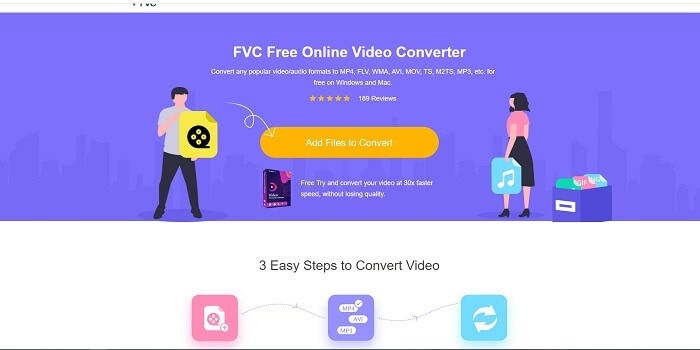
Si estás buscando un creador de GIF online excepcional, esto es para ti; lee con atención para saber más al respecto. FVC conversor de vídeo online gratis Esta herramienta es una aplicación web que probablemente encontrarás en Internet. La mejor manera de crear GIF a partir de vídeos es convertirlos al formato GIF. Quizá pienses: ¿es realmente posible crear GIF con un conversor en lugar de un creador? Entonces la respuesta es sí. Esta es la forma más sencilla de crear un GIF. Pero esta herramienta no es como cualquier otro conversor o creador de la lista de abajo. A diferencia de otras herramientas en Internet, este servicio ofrece el conversor más rápido y fiable que podrías querer utilizar. No hay limitaciones en las conversiones, lo que significa que puedes convertir todos los vídeos o audios que quieras mientras tengas conexión a Internet. El tamaño de archivo tampoco está limitado a un número concreto de MB y la calidad de salida que ofrece es increíble.
Pero ¿sabías que esta herramienta también ofrece una versión premium sin rival? También se la conoce como el padre de todos los conversores. Su nombre es Video Converter Ultimate. Esta herramienta proporciona al usuario una experiencia mucho mejor al convertir, con su gran velocidad de conversión y funciones premium de prestigio, además de permitir convertir a todos los diferentes formatos que puedas conocer. A diferencia de cualquier otra herramienta disponible en esta lista y en la web, el Ultimate Converter es la mejor herramienta para crear GIF al convertir cualquier archivo de vídeo en un GIF. Además, puedes añadir tu toque personal al GIF para hacerlo más expresivo. La velocidad de conversión al formato GIF es 30 veces más rápida que la herramienta online y 100 veces más rápida que el conversor o creador de GIF que se menciona más abajo. Puedes usarlo instalándolo en tu disco. Aunque es una herramienta de pago, no te costará demasiado. Y, de hecho, es un conversor multipropósito, especialmente para GIF. Así que no esperes menos, porque esta herramienta es mucho más que un conversor.
Descarga gratuitaPara Windows 7 o posteriorDescarga segura
Descarga gratuitaPara macOS 10.7 o posteriorDescarga segura
Pero por ahora, centrémonos en la herramienta online gratuita de este software. Por lo tanto, para proporcionarle la evidencia de que esta herramienta en línea es muy efectiva en la conversión, debe seguir estos sencillos pasos a continuación. Si tienes alguna duda al respecto. Pero para decirte, no todas las funciones de Converter Ultimate están aquí en la herramienta en línea, pero producen un formato sorprendente.
Paso 1. Para iniciar la herramienta, debes hacer clic en el enlace para ir a la página principal de FVC.
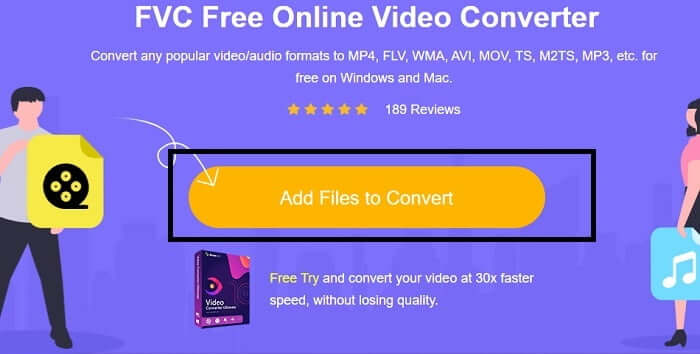
Paso 2. Haz clic en Añadir archivos para convertir y en Permitir para lanzar el conversor.
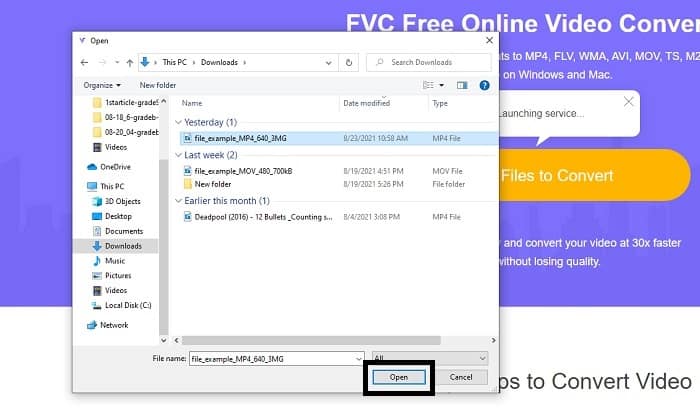
Paso 3. Si aparece en tu pantalla un explorador de archivos como este, entonces vas por buen camino. Busca y haz clic en el archivo de vídeo que quieras convertir y pulsa Abrir.
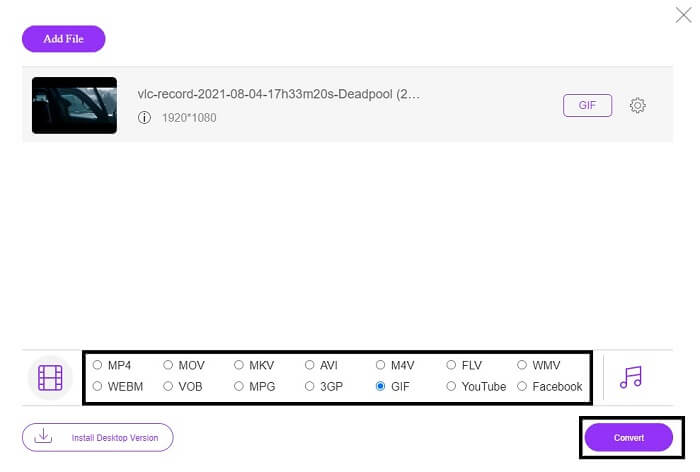
Paso 4. Cambia el formato de archivo a GIF. Como información adicional, también puedes convertir tu vídeo o audio a otro formato que te resulte más adecuado. Si todo está listo, haz clic en Convertir para iniciar la conversión. Elige dónde quieres que se guarde el archivo final.
Paso 5. Cuando la conversión haya terminado, tu explorador de archivos aparecerá en pantalla y podrás localizar el archivo final. Luego, disfrútalo.
Arriba 2. Ezgif
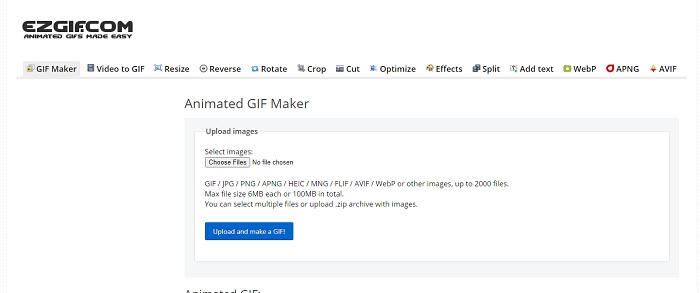
Uno de los mejores creadores de GIF online es Ezgif. Básicamente puedes crear un GIF con esta herramienta y mejorarlo, redimensionarlo, recortarlo, optimizarlo, añadir texto y otras opciones. También convierte vídeo únicamente a formato GIF. Aunque las funciones de esta herramienta son muchas, todas están separadas entre sí. Así que, en lugar de hacerlo todo en una sola interfaz, tienes que ir de una sección a otra para crear y editar. Es algo engorroso de usar, sobre todo porque no permite arrastrar y soltar para subir archivos más fácilmente. Pero a pesar de todo, sigue siendo uno de los mejores creadores online.
Arriba 3. Imgflip
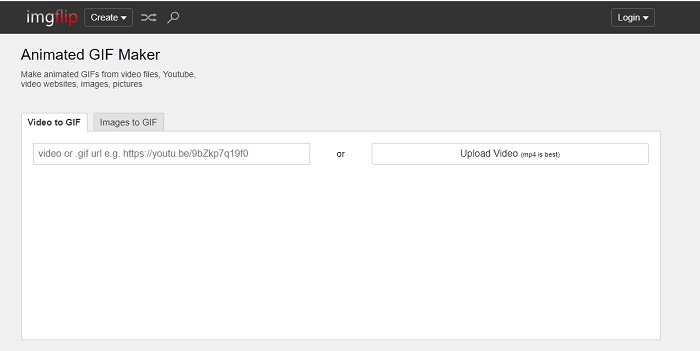
Creador de GIF online a partir de vídeo y enlace que ofrece una gran oportunidad para hacer un GIF; si es lo que buscas, esto es para ti. Imgflip puede ayudarte a crear un meme, un GIF o una gráfica, y cumple muy bien con su función. También permite una edición sencilla de tu GIF. Pero la resolución máxima que ofrece es de 360 píxeles en la versión gratuita y 480 en la premium. Así que, si tu vídeo es 1080 o 4K, la calidad del resultado final será más baja de lo que esperas.
Arriba 4. Visme
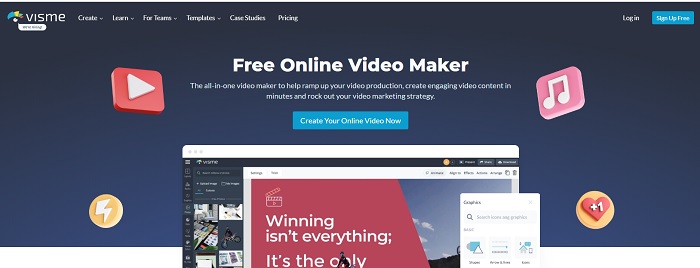
Esta herramienta le permite obtener más detalles en su GIF. Visme es conocido porque proporciona un creador de videos más detallado. Además, esta herramienta necesita que su cuenta esté conectada antes de que se le permita usarla. Puede usar Facebook, Gmail o registrarse en su sitio web. Entonces, si eres fanático de la privacidad de datos, esta herramienta no es una gran opción. Aunque iniciar sesión en esta herramienta no filtrará información sobre usted, algunos de nosotros no queremos proporcionar información importante sobre nosotros porque queremos que nuestros datos sean más privados y por nuestra seguridad. Pero no se preocupe porque no hay caso de que esta herramienta filtre su privacidad.
Top 5. FreeGIFMaker.me
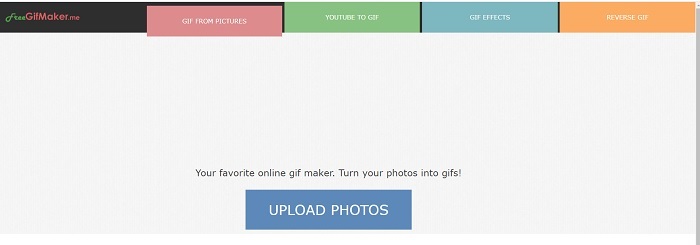
Si está buscando un enlace de video a un convertidor GIF, este es para usted. Específicamente, solo admite enlaces de video de la plataforma de YouTube. FreeGIFMaker. puede hacer una conversión simple de video a GIF. Pero también proporciona imágenes para gif, editar su gif y gif inverso. Aunque esta herramienta proporciona la característica más común que debe proporcionar un creador de GIF, todavía no es una de las mejores, pero puede incluirse en la lista de los 30 principales creadores de GIF. Las características enumeradas están en diferentes partes, por lo que en lugar de producir una salida final GIF con edición, deberá ir tras una a la otra para hacer la edición que desee.
Top 6. Haz un gif
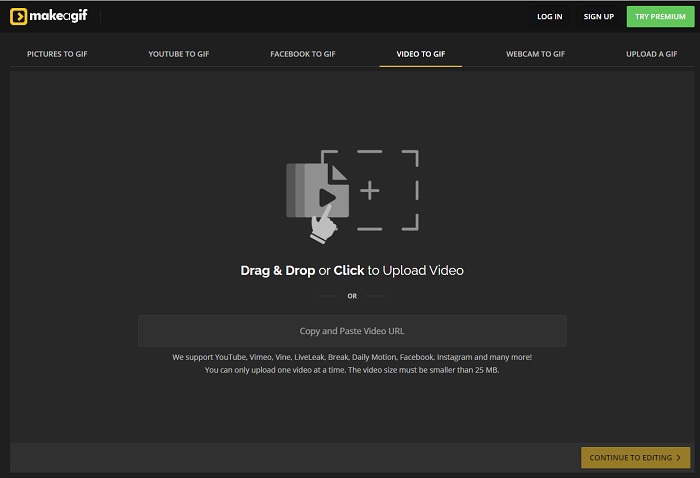
Otro creador de GIF online que quizá ya hayas visto en la web. Make A Gif ofrece al usuario una interfaz más serena; si te gusta un estilo más oscuro, esta herramienta es una de ellas. Es una herramienta realmente flexible porque se centra en crear GIF tanto a partir de imágenes, como de vídeos de Facebook, vídeos de YouTube, tus propios vídeos e incluso vídeo de la cámara web. Pero el vídeo que subas siempre debe ser de menos de 25 MB, así que si quieres un GIF largo, esta no es tu mejor opción; en cambio, si quieres uno corto, de unos 10 segundos, entonces sí es para ti.
Top 7. Editor de imágenes en línea
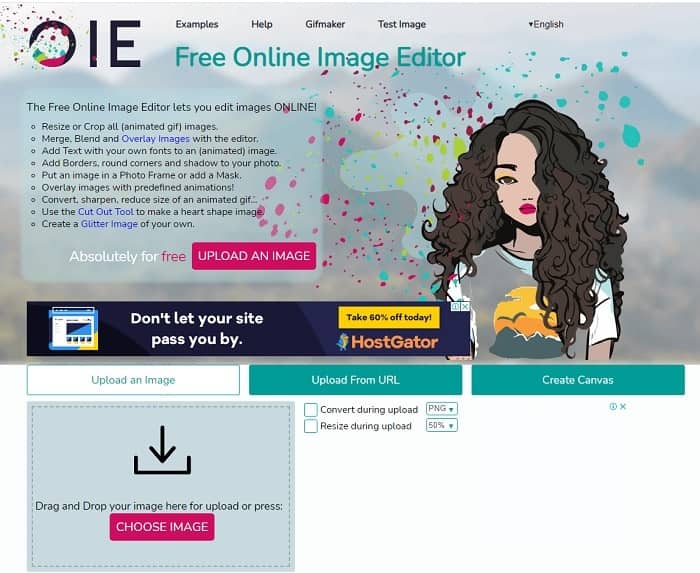
Esta herramienta te permite editar tu imagen y convertirla en formato GIF. El Editor de imágenes en línea le permite crear un GIF mediante el uso de sus imágenes. Además, proporciona animaciones y funciones simples de herramientas de edición. Pero es más difícil crear un GIF con esta herramienta porque necesita tomarse su tiempo para crear uno. Entonces, si eres nuevo en la creación de un GIF, esta herramienta puede ser buena pero no la mejor para ti. Es como si estuvieras haciendo un GIF en Photoshop, pero mucho peor debido a la herramienta en sí. Aunque la página web principal es sobresaliente, la interfaz de la herramienta es tan simple que resulta más aburrido mirar una y otra vez. Parece que todavía nadie está actualizando la interfaz. Pero a pesar de eso, es una gran elección si quieres crear un GIF con imágenes.
Arriba 8. Kapwing
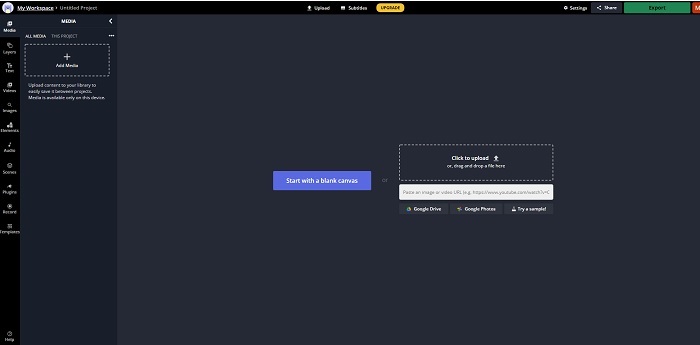
Esta herramienta es otro creador de GIF online gratuito. Te dará la sensación de estar usando Photoshop, pero en línea. Kapwing te ayuda a crear tu propio GIF con los vídeos o imágenes que proporciones. Aunque el nombre no suene muy bien o parezca poco serio, es una gran opción como creador de GIF animados online. Esta herramienta no es un conversor, sino un creador de GIF. También puedes compartir el resultado final en las principales aplicaciones como Facebook, Twitter e Instagram. A pesar de ser fácil para crear GIF, la exportación del vídeo es mucho más lenta que con cualquier otra herramienta de la lista. Así que, si tienes una conexión a Internet lenta, puedes seguir utilizándola, pero tendrás que esperar bastante más para obtener el resultado final. El límite máximo del vídeo que debes subir es de menos de 60 segundos para mantener una buena calidad. Si no tienes experiencia previa con Photoshop, esta herramienta podría resultarte complicada de usar.
Preguntas frecuentes sobre el creador de GIF en línea
¿Por qué se desarrollan los GIF?
A fines de 1987, un científico informático estadounidense llamado Steve Wilhite que trabajaba para CompuServe tuvo un problema porque querían mostrar una imagen en movimiento mientras ahorraban espacio, por lo que desarrollaron GIF. Basado también en su declaración de que se pronuncia como JIF, no GIF, pero la ortografía es GIF con una pronunciación G suave. Aunque ambos tienen la ortografía correcta.
¿Puedo usar Photoshop para convertir mi archivo a GIF?
Sí, puede convertir MPG a GIF usando Photoshop o cualquier formato conocido a GIF.
¿Es posible convertir MP4 en GIF?
Sí, puedes convertir MP4 a GIF o convertir también cualquier otro formato de vídeo a GIF.
Conclusión
Después de toda la discusión, ahora está más claro que todas las herramientas son capaces de crear formato GIF. Aunque tienen diferentes habilidades, cómo funcionan, como convertirlo en un GIF, hacer un GIF, vincular a GIF o imágenes a GIF. Pero todas las herramientas tienen sus propias cualidades únicas, pero una de ellas: FVC Video Converter Ultimate es la mejor opción. Esto no solo es lo mejor para hacer GIF, sino que también le brinda la oportunidad de convertir, fusionar, hacer un collage, MV y muchos más. Aunque no puede acceder a las funciones de la versión premium en línea, siempre está disponible para que pruebe, pruebe o realice una conversión en línea con la versión gratuita. El Video Converter Ultimate es el mejor de todos, no solo en la conversión, como se dice. También puede usar su magia para crear una hermosa salida sin límites. Así que nunca ponga ningún límite a su habilidad porque esta herramienta es fácil, simple pero crea resultados majestuosos.
-
 (Guía) Cómo convertir videos M4V a GIF animados en Windows / Mac
 Si desea crear archivos GIF animados a partir de sus videos M4V favoritos, puede aprender sobre 2 formas fáciles y eficientes de convertir videos M4V a GIF con configuraciones personalizadas.
-
 WebM a GIF: 3 convertidores de WebM a GIF gratuitos para crear sus propios GIF
 ¿WebM es un GIF? ¿Cómo convertir un video en un GIF? ¿Existe algún conversor gratuito de WebM a GIF? Esta publicación comparte 3 formas gratuitas de ayudarlo a convertir WebM a GIF.
-
 Cómo convertir videos MKV a GIF animados sin Photoshop / FFmpeg
 Después de descargar y ver películas MKV en su computadora, es posible que desee compartir algunos momentos maravillosos con amigos o en Internet como GIF. En este artículo, puede aprender sobre las 2 formas más fáciles de convertir MKV a GIF.
