


 Video Converter Ultimate
 Grabador de pantalla
 Reparación de vídeo
2 de los mejores convertidores DivX: cómo convertir DivX a FLV en Windows y PC
DivX es uno de los primeros contenedores de vídeo propietarios utilizados en DVD. Este formato de compresión ayuda a almacenar vídeo de alta calidad sin necesidad de una gran capacidad de almacenamiento. Aunque los archivos DivX ocupan poco espacio, aún necesitarás instalar un códec específico para poder reproducirlos. Sin embargo, podemos evitar esto convirtiendo el archivo a FLV u otros formatos compatibles. ¿Quieres saber cómo convertir DivX a FLV? Entonces lee la información completa a continuación y decide qué conversor puedes usar que mejor se adapte a tus necesidades.

Parte 1. Convierta DivX a FLV con FVC Video Converter Ultimate
Este extraordinario conversor DivX tiene la mejor interfaz y el mejor proceso de renderizado entre todos los conversores. FVC Video Converter Ultimate se ha convertido en el conversor de referencia que puedes descargar en tu Windows o Mac. Convertir archivos es más fácil y rápido gracias a este conversor y a su aceleración por hardware y conversión de alta velocidad. A diferencia de otras herramientas que puedes descargar o usar en línea, esta es la más ligera pero a la vez muy potente. Además, puedes convertir tu DivX a FLV, MP4, MOV, AVI, MKV y a más de 200 formatos adicionales. Entonces, ¿quieres aprender a utilizar esta herramienta? Sigue los pasos que se indican a continuación.
Pasos para convertir DivX a FLV con la ayuda de FVC Video Converter Ultimate:
Paso 1. Descarga FVC Video Converter Ultimate en tu ordenador haciendo clic en el botón de descarga que aparece abajo. Una vez descargado el archivo, haz clic en él para instalarlo y completar rápidamente la configuración.
Descarga gratuitaPara Windows 7 o posteriorDescarga segura
Descarga gratuitaPara macOS 10.7 o posteriorDescarga segura
Paso 2. Pulsa el botón + para insertar el archivo o, si el archivo que quieres convertir es más de uno, te sugerimos que lo arrastres y sueltes en la interfaz.
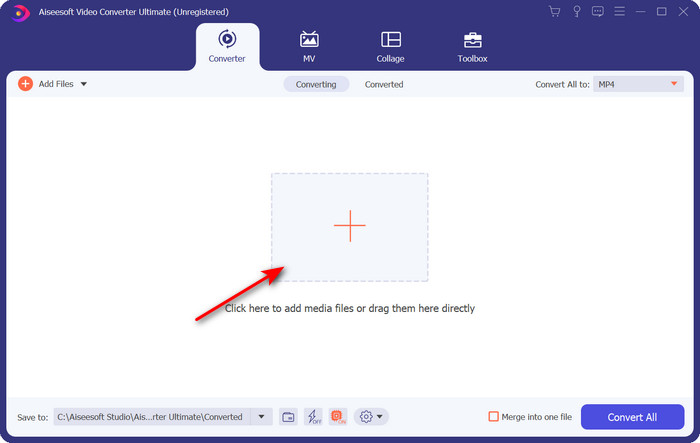
Paso 3. Cambia tu archivo DivX a FLV haciendo clic en el botón desplegable.
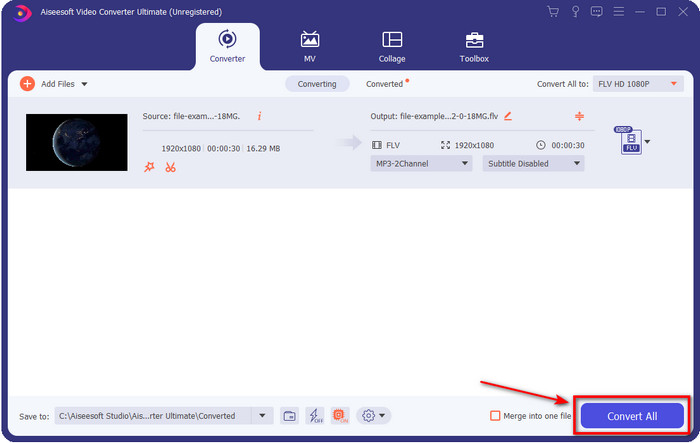
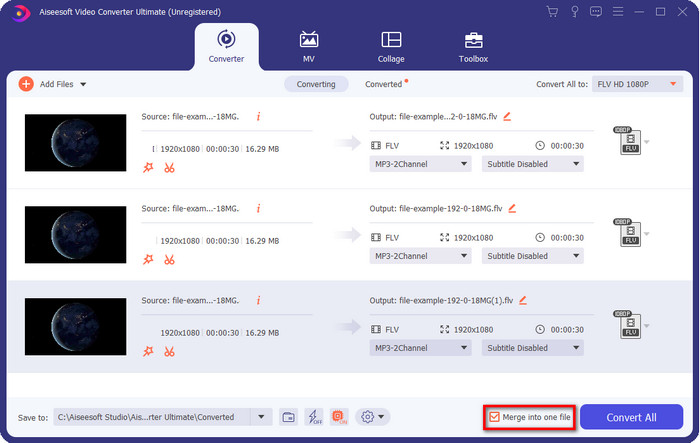
Si quieres combinar tus archivos DivX y unirlos en uno solo, entonces marca la casilla para juntar todos los archivos DivX después de la conversión.
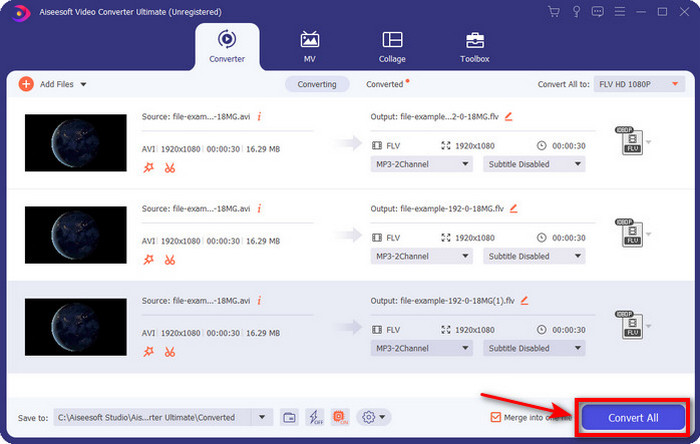
Paso 4. Para iniciar la conversión, haz clic en Convert All. No tendrás que esperar, porque el proceso tardará menos de un minuto. Tras finalizar, se abrirá en tu pantalla la carpeta con el archivo .flv ya convertido.
Pros
- Convierta DivX a FLV 30 veces más rápido en comparación con otros convertidores en línea y fuera de línea.
- Disponible en todos los sistemas operativos como Windows y Mac.
- Las funciones avanzadas de edición de video están disponibles.
- Convierta tantos archivos como desee con la ayuda de la conversión por lotes.
Contras
- Necesita ser comprado e instalado en su computadora.
Parte 2. Convierta DivX a FLV con FVC Free Video Converter Online
Si estás buscando una solución en línea para resolver tu problema con la conversión de DivX, utiliza entonces el FVC Free Video Converter Online. Esta herramienta web es compatible con un número medio de formatos, funciona con todos los navegadores y es gratuita. Aunque este conversor está disponible en línea, no tendrás que preocuparte por los molestos anuncios en la interfaz de su sitio web. Si consideras que esta solución en línea es la mejor ayuda, sigue los pasos detallados a continuación.
Pasos para convertir DivX a FLV con la ayuda de FVC Free Video Converter Online:
Paso 1. Primero, haz clic en este enlace para abrir la página web del conversor en línea.
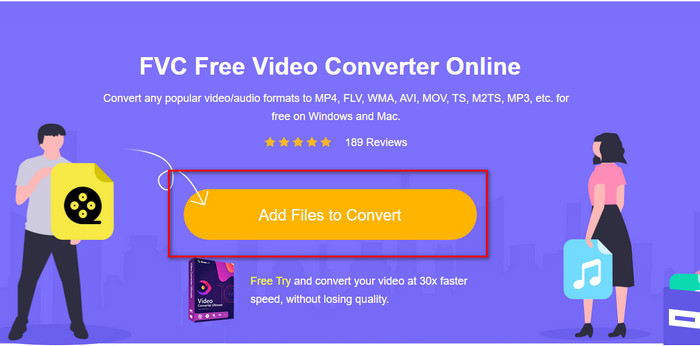
Paso 2. A continuación, haz clic en el botón Add Files to Convert y permite que se abra la herramienta. Selecciona el archivo en la carpeta y pulsa Open.
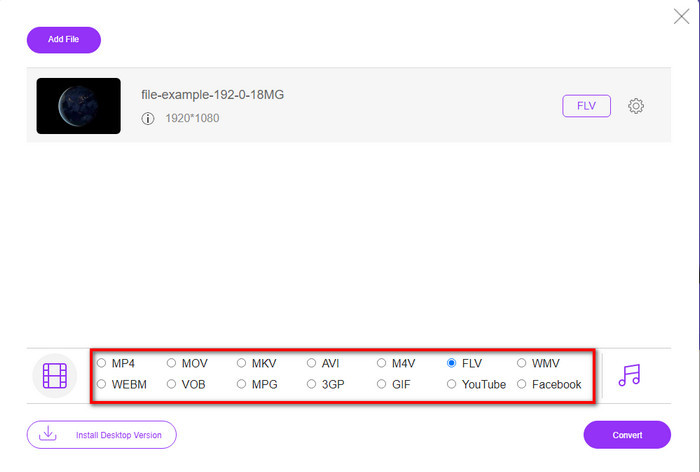
Paso 3. Elige el formato FLV u otro de los formatos disponibles en la parte inferior.
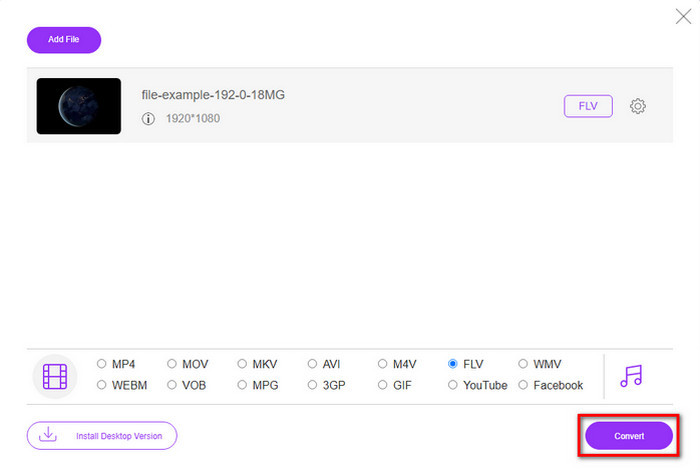
Paso 4. Una vez listo, haz clic en Convert para iniciar el proceso de conversión.
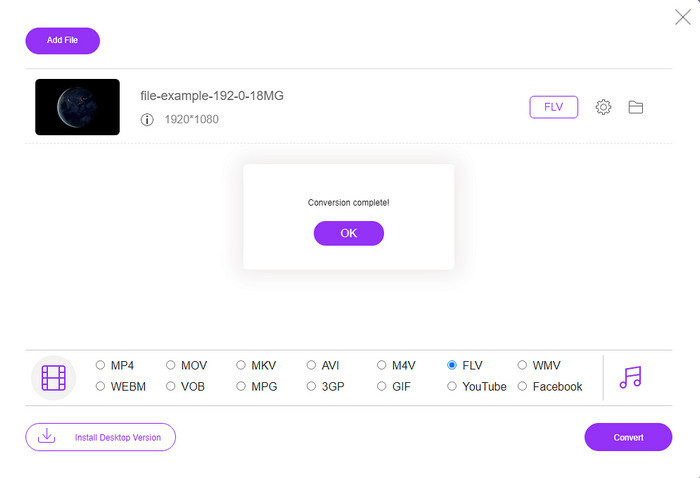
Paso 5. La conversión se completará y se mostrará en tu pantalla junto con la carpeta y el archivo.
Pros
- No es necesario descargar el software en su disco.
- Libre de malware y sin anuncios molestos en la interfaz.
- Acceso sin restricciones a convertidores en línea para cualquier persona.
Contras
- Admite formatos limitados y codificadores para convertir.
- No tiene funciones avanzadas como las que tiene FVC Video Converter Ultimate.
Parte 3. DivX frente a FLV
DivX
Digital Video Express, abreviatura de DivX, es el mejor formato para transmisiones de video de alta compresión y DVD con cambios mínimos de calidad. Este códec funciona casi como MPEG-4, pero la principal diferencia es que es propietario. Además, no puede reproducir un video .divx sin la ayuda adecuada de un software adecuado. En lugar de reproducirlo correctamente en su Windows o Mac, incluso en teléfonos inteligentes, solo recibirá alertas de que este formato no es compatible. Aunque el formato es un poco molesto de usar, todavía lo ayuda a ahorrar ancho de banda y espacio en su disco.
FLV
Sin embargo, FLV o Flash Video es el formato de elección más utilizado en HTML 5. Este formato funciona de manera diferente a DivX porque utiliza el soporte de Adobe Air y Flash Player para distribuir eficientemente el archivo multimedia en la web. Además, este ha sido el formato estándar durante mucho tiempo para incrustar videos en plataformas para compartir videos que contienen archivos multimedia. Aunque FLV es mejor que DivX, si hablamos de comprimir el archivo, DivX tiene un tamaño más pequeño que FLV. Pero si desea distribuir su archivo en línea más rápido, la extensión de su archivo debe ser .flv.
Parte 4. Preguntas frecuentes sobre la conversión de DivX a FLV
Después de convertir DivX, ¿cambia la calidad?
Aunque los archivos DivX están en formato de versión anterior, aún puede almacenar videos de alta calidad comprimidos en tamaños pequeños. Entonces, después de convertir su DivX a FLV, MP4, MOV, AVI o cualquier otro formato, la calidad del video DivX no debería cambiar. Sin embargo, si usa la herramienta incorrecta que no admite resultados de alta calidad, espere una pérdida de calidad. Pero podemos evitarlo usando las herramientas que están disponibles arriba.
¿Por qué no puedo reproducir archivos DivX en Windows Media Player?
Aunque los archivos DivX se hicieron populares en Internet, es posible reproducirlos en tu Windows Media Player si descargas el códec adecuado. Pero si no quieres complicarte, lee este artículo y descubre los 5 reproductores de DivX que puedes utilizar para reproducir este tipo de archivo.
¿La conversión de archivos DivX lleva tiempo?
Bueno, depende del tamaño de tu archivo DivX. En todos los casos, cuanto más grande sea el archivo DivX, más tiempo tendrás que esperar para terminar de convertirlo. Suponga que está utilizando una herramienta con aceleración de hardware y conversión rápida. En ese caso, estás de suerte porque no necesitarás esperar ni pasar mucho tiempo esperando para convertir el archivo.
Conclusión
En definitiva, la información detallada mencionada anteriormente nos ayuda a entender por qué necesitamos convertir DivX a FLV. Usar la mejor herramienta para obtener el mejor resultado es fundamental para evitar inconvenientes. Al buscar en Internet, hemos encontrado el mejor conversor que puedes usar tanto en línea como sin conexión. Además, si quieres usar el FVC Free Video Converter Online como tu solución en línea, entonces debes hacer clic en el enlace. Sin embargo, si deseas obtener el resultado final más excepcional, con compatibilidad con más de 200 formatos y funciones especiales, debes descargar FVC Video Converter Ultimate.
-
 4 formas de convertir DivX a MOV gratis [en línea y fuera de línea]
 ¿Luchas con las limitaciones de un DivX o no tienes los reproductores multimedia para acceder a videos en este formato? Si desea convertirlo a formato MOV, continúe leyendo este artículo para llenar los vacíos.
-
 Enfoque excepcional para convertir M2TS a FLV en línea y fuera de línea
 ¿Alguna vez ha intentado convertir M2TS a FLV en una plataforma diferente? Lea este artículo para obtener más información sobre la mejor herramienta y software en línea fáciles de usar que debería considerar para convertir M2TS a FLV.
-
 El mejor convertidor de 3GP a FLV para usar en la conversión de 3GP a FLV [2022]
 ¿Alguna vez ha intentado convertir 3GP a FLV, pero no sabe qué tipo de convertidor usará? Lea este artículo para conocer todos los detalles sobre cómo convertir 3GP a FLV.
