


 Video Converter Ultimate
 Grabador de pantalla
 Reparación de vídeo
Guía detallada sobre cómo convertir GIF animado a FLV con pasos
Agregar GIFs a tus mensajes para hacer una declaración clara se ha vuelto algo muy de moda hoy en día. Por ahora, se utiliza como táctica de marketing por la forma en que se acerca a las audiencias. Aun así, algunas plataformas no permiten publicar GIFs en sus sitios. Este problema es un auténtico fastidio, pero es pan comido convertir el GIF en un formato de vídeo como FLV y compartirlo. ¿No tienes ni idea de cómo convertir GIFs animados a FLV en PC, Mac, Online, Android y en tu iOS? Veamos paso a paso las herramientas que puedes usar y que te ayudarán.

Parte 1. Cómo convertir GIF animado a FLV con FVC Video Converter Ultimate
¿No puedes compartir GIFs porque no son compatibles? Entonces intenta cambiar tu GIF animado a FLV con FVC Video Converter Ultimate. Esta herramienta permite convertir tus GIFs y elegir entre más de 200 formatos disponibles con distintas resoluciones. Además, cuenta con aceleración por hardware y conversión rápida para que no tengas que dedicar mucho tiempo a convertir tu archivo. Asimismo, la herramienta definitiva está disponible en todos los sistemas operativos, tanto Windows como Mac. Sin duda, es la mejor opción en el ámbito de la conversión de archivos multimedia. Así que sigamos el ritmo y aprendamos a transformar tu GIF para compartirlo después.
Paso 1. Haz clic en el botón de descarga e instala la herramienta; después, haz clic en Start Now para pasar al siguiente paso una vez finalizado.
Descarga gratuitaPara Windows 7 o posteriorDescarga segura
Descarga gratuitaPara macOS 10.7 o posteriorDescarga segura
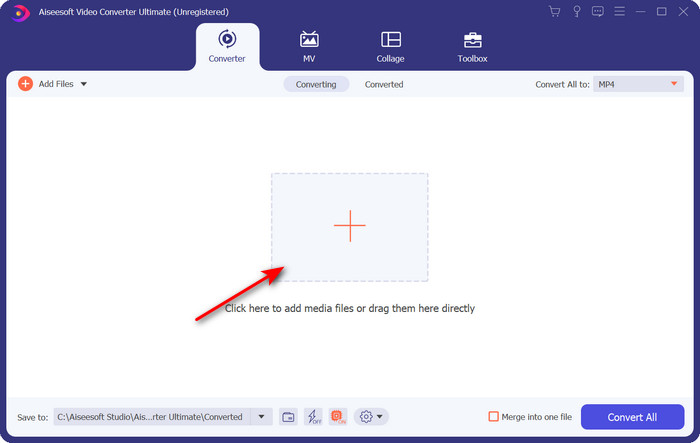
Paso 2. Luego haz clic en Add Files o en el botón + para subir el archivo GIF al programa y haz clic en Open.
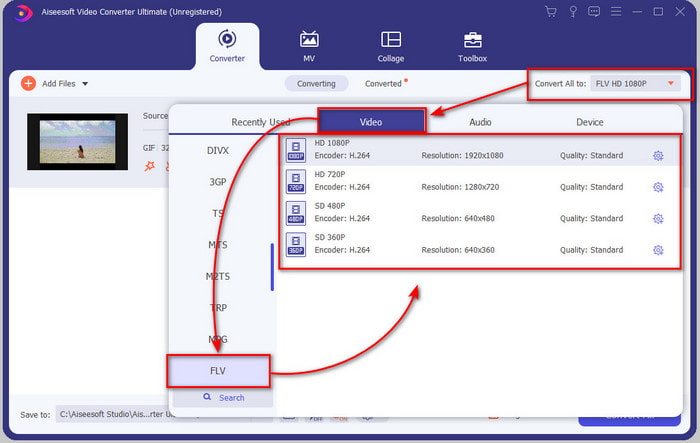
Paso 3. En el lado izquierdo de la interfaz del conversor, haz clic en Convert All to y luego selecciona FLV como formato de salida final.
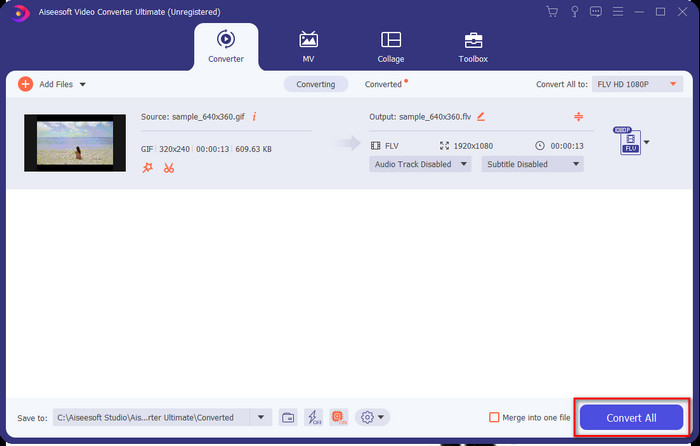
Paso 4. Si ya estás listo para convertir el GIF a FLV, haz clic en Convert All.
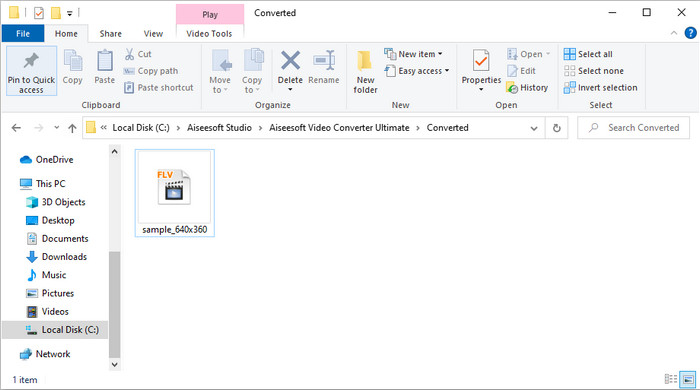
Paso 5. Aparecerá en pantalla una carpeta con el archivo convertido, y ya estará listo para enviarse a todos.
Parte 2. Convertir GIF a FLV en línea
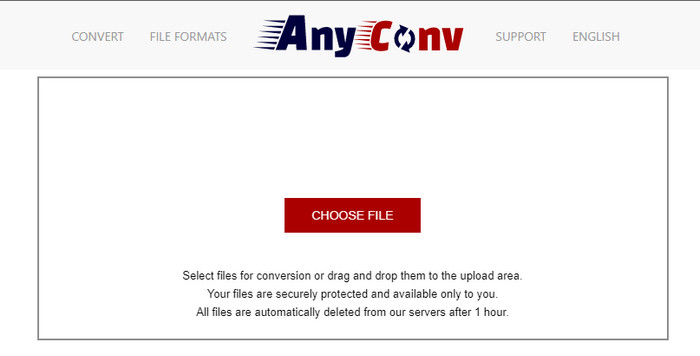
Puedes usar AnyConv para convertir GIF a FLV online de forma gratuita; además, admite una amplia variedad de formatos de archivo para imágenes, libros electrónicos, documentos y más. Asimismo, puedes usar este conversor en cualquier momento y lugar con conexión a Internet. Pero no puedes hacer conversiones por lotes para ahorrar tiempo convirtiendo archivos uno a uno. Tampoco puedes subir archivos multimedia de más de 50 MB porque no son compatibles. Si quieres saber cómo usar esta herramienta web, sigue el procedimiento.
Paso 1. Localiza la herramienta web en tu navegador accediendo a ella.
Paso 2. Pulsa Choose File para subir el GIF y luego cambia el formato a FLV. Una vez hecho, haz clic en Convert para iniciar el proceso de conversión.
Paso 3. Haz clic en Download .FLV para guardarlo en tu unidad.
Parte 3. Convertir GIF a FLV en iPhone
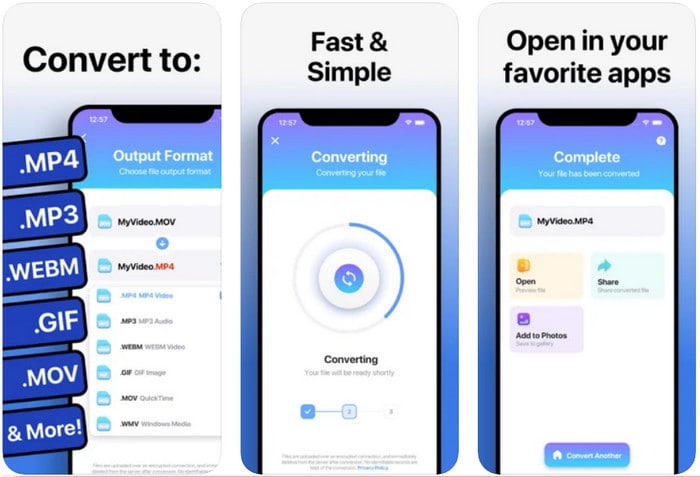
The Video Converter es el conversor de primera categoría que puedes descargar en tu dispositivo iOS para cambiar GIF a FLV. Este conversor para iOS recibe una puntuación de 4,2 por parte de sus usuarios, ya que funciona de forma fantástica. Sin embargo, algunos usuarios se arrepienten de haber comprado el pase de por vida que ofrece la herramienta porque han sufrido muchos cierres inesperados y errores tras la compra. Pero si quieres probarlo, puedes usar la versión gratuita descargándola y siguiendo los pasos que indicamos a continuación.
Paso 1. Después de descargar la herramienta, ábrela, pulsa Photos y localiza el GIF.
Paso 2. El menú desplegable aparecerá automáticamente; luego busca el formato FLV y haz clic en él.
Paso 3. Haz clic en Convert Files para iniciar la conversión.
Parte 4. Convertir GIF a FLV en Android
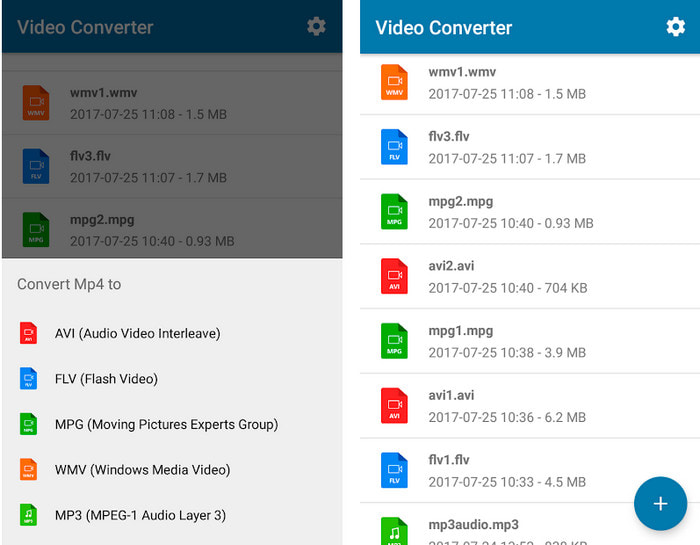
Si eres usuario de Android, puedes usar Video Converter: MP3, AVI, MPEG, GIF, FLV, WMV, MP4 para convertir GIF a FLV rápidamente. Esta herramienta está disponible en la Play Store de tu móvil si te gusta convertir formatos a una versión nueva. A diferencia de la puntuación de la primera herramienta mencionada, este conversor recibe una baja valoración de 2,3 estrellas basada en 1K reseñas. Aunque la puntuación sea muy baja, sigue pudiendo convertir tu archivo a una nueva versión. Así que, si quieres descubrir cómo hacerlo, pasemos a los pasos.
Paso 1. Descarga la app en tu Android buscándola en la Play Store.
Paso 2. Ábrela, pulsa el botón plus bajo GIF para buscar el archivo que quieras convertir. Aparecerá una nueva opción; pulsa FLV (Flash Video).
Paso 3. Después de convertir el archivo, localiza el vídeo en la carpeta de tu teléfono.
Parte 5. Breve discusión sobre GIF y FLV
El formato GIF es fácil de entender porque lo vemos y usamos casi todos los días. Este formato contiene una imagen en movimiento; aunque los archivos multimedia están animados, todavía no se considera un formato de video. Profundicemos un poco sobre los GIF; este formato admite 8 bits por píxel para imágenes con una paleta de colores de hasta 256 colores en una combinación de colores RGB de 24 bits. Aunque los colores son muchos, esto todavía no es suficiente, considerando que JPG y PNG contienen más combinaciones de colores. Pero si no desea tener una imagen fija aburrida, debe usar un GIF porque es pequeño y animado.
Por otro lado, FLV es el mejor formato para transmitir archivos de video y audio a través de Internet. Teniendo en cuenta este archivo como un formato de video estándar en HTML 5, incluso si no usa complementos flash para reproducir video. Hasta ahora, este formato ha ganado mucho apoyo para compartir en línea en comparación con GIF.
Para continuar, si desea agregar o compartir un GIF en todos los sitios de redes sociales, es imprescindible convertir el archivo primero a FLV sin perder la calidad.
Parte 6. Preguntas frecuentes sobre la conversión de GIF a FLV
¿Cómo hacer un GIF?
Aunque puedes descargar o generar GIFs online, es mejor crear uno propio. Si quieres conocer el secreto para hacer GIFs personalizados, haz clic en este enlace y lee la información que contiene.
¿Cuánto tiempo puede reproducirse un GIF?
La duración máxima de un GIF no debe superar los 15 segundos, pero si su GIF está en bucle, no hay límite de tiempo. Es el estándar para cada GIF enviar el archivo más rápido y con menos carga.
¿Puedo reproducir GIF en VLC?
Como se ha dicho antes, los GIF son un formato de imagen y no un formato de vídeo. Por ello, si subes archivos GIF a VLC, se verán como una imagen fija en lugar de una imagen en movimiento. Aquí tienes los mejores reproductores de GIF que puedes usar.
Conclusión
Como resultado de todo lo anterior, ahora nos resulta sencillo convertir GIFs a FLV, AVI, MP4, MOV y otros formatos sin ninguna complicación. Sin embargo, si quieres realizar la conversión de forma eficaz, debes descargar FVC Video Converter Ultimate. Porque esta herramienta no solo es la mejor en la conversión de formatos, sino que también es extraordinaria en otros aspectos. ¿Quieres saber cuáles son las funciones de esta herramienta? Entonces haz clic en este botón de descarga y explora todas las funciones de este software.
-
 ¿Cuál es la mejor manera de convertir GIF a AVI [Open-source & Premium]
 ¿Quieres convertir tu GIF a formato AVI sin perder la calidad del video? Siga leyendo para aprender cómo convertir su archivo GIF a AVI.
-
 Mejor convertidor de GIF para convertir GIF animado a formato MOV [2021]
 Convierta su GIF a formato MOV sin esfuerzo sin afectar la calidad del archivo de video. Con pasos y diferentes herramientas también.
-
 Los 10 mejores convertidores de GIF a MP4 para convertir GIF animados a MP4 [2021]
 Descubra qué convertidor es el mejor para convertir GIF a MP4. Con la ayuda de este artículo, hablaremos sobre las diferentes herramientas que puedes usar y mantente atento.
