


 Video Converter Ultimate
 Grabador de pantalla
 Reparación de vídeo
El mejor convertidor de MPG a GIF para convertir MPG a GIF [Versión premium y sin costo]
La mejor manera de expresar sus sentimientos a sus seres queridos es crear un mensaje significativo. Pero, ¿quieres saber qué es mucho mejor expresar de otra manera? Puedes usar un GIF. También conocido como formato de intercambio de gráficos, estas son las imágenes que envía, pero se actualizan. Estas imágenes en movimiento se crean para expresar simplemente sus sentimientos hacia alguien directa o indirectamente. ¿Sabías que la mayoría de las aplicaciones de mensajería son compatibles con GIF y con nuestro mensajero integrado? Pero en algunas versiones antiguas del teléfono, no proporciona este formato. Aunque GIF es divertido, no todo el tiempo te proporcionará la emoción que deseas expresar.
Entonces, estás aquí para saber cuál es la mejor manera de cambiar tu formato MPG a GIF. ¿No es emocionante crear tu propio GIF? En lugar de buscar qué deberías usar, ¿por qué no intentas crear tu propio GIF añadiéndole tu toque personal? La mejor manera de saber cómo hacerlo es leer este artículo, porque te ofrece información suficiente, pasos y herramientas para el trabajo. Así que, sin más rodeos, pasemos a los detalles importantes de este artículo. Sigue leyendo para saber más sobre esta lista de conversores.

Parte 1. La mejor herramienta de 4 para convertir MPG a formato GIF para PC o Mac
1. FVC Video Converter Ultimate
Si quieres compartir un mensaje divertido sin tener que escribir demasiados detalles, entonces esta herramienta te ayudará. Esta herramienta te permite convertir mpg a gif animado y además ha sido desarrollada por FVC. FVC Video Converter Ultimate permite al usuario convertir cualquier tipo de formato a un formato reproducible que quieras usar. Quizá te preguntes por qué elegir esta herramienta. ¿Tiene algo especial? Sí, esta herramienta es multipropósito. Puede ser tu conversor y extractor de confianza, creador de MV, collage y mucho más. Esto significa simplemente que esta herramienta puede hacer mucho más de lo que cualquier otra puede ofrecer. Otra función increíble es su conversión Ultrafast, que convierte tu vídeo en un abrir y cerrar de ojos con la ayuda de esta herramienta. Para saber cómo usarla, sigue estos pasos con atención para lograr una conversión satisfactoria con la calidad de formato que deseas.
Paso 1. Instala la herramienta en tu PC o Mac. Sigue las instrucciones después de la instalación y haz clic en “Finalizar” para iniciar la herramienta.
Descarga gratuitaPara Windows 7 o posteriorDescarga segura
Descarga gratuitaPara macOS 10.7 o posteriorDescarga segura
Paso 2. Después de todo el proceso de instalación, aparecerá en tu pantalla una miniinterfaz como esta.
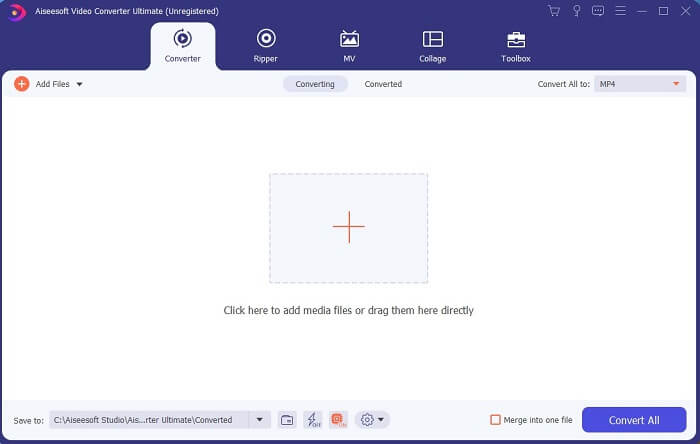
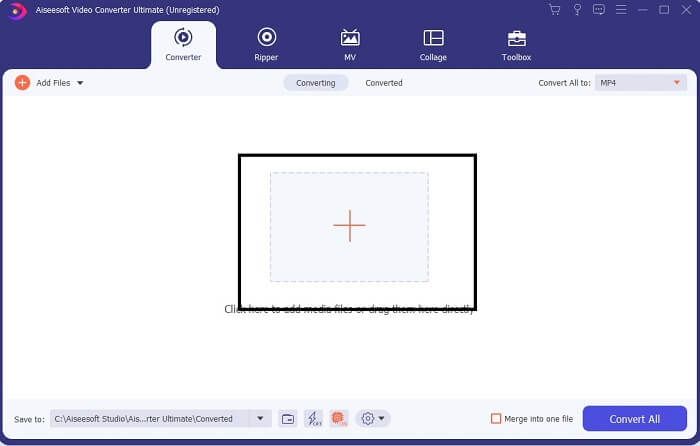
Paso 3. Haz clic en el signo más para añadir el archivo y haz clic en Abrir para iniciar la conversión, o simplemente puedes arrastrar y soltar el archivo de vídeo en la herramienta. La duración del vídeo no importará en absoluto.
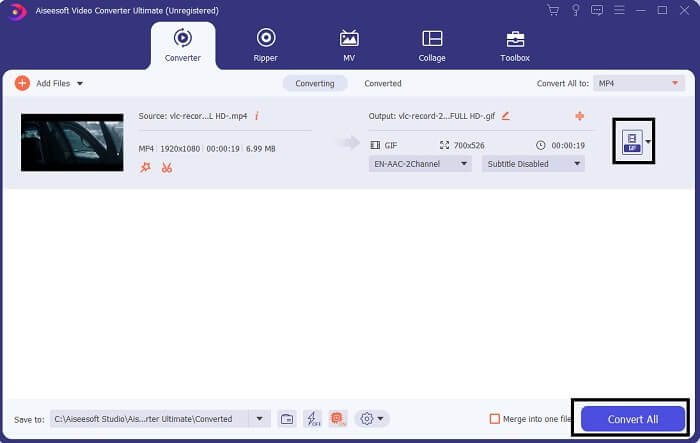
Paso 4. Haz clic en el botón desplegable en la parte superior derecha de la interfaz, desplázate hacia abajo y haz clic en el formato GIF. Elige la resolución que quieras; puede ser Grande, Mediana o Pequeña. Si todo está listo, haz clic en Convertir todo para iniciar la conversión.
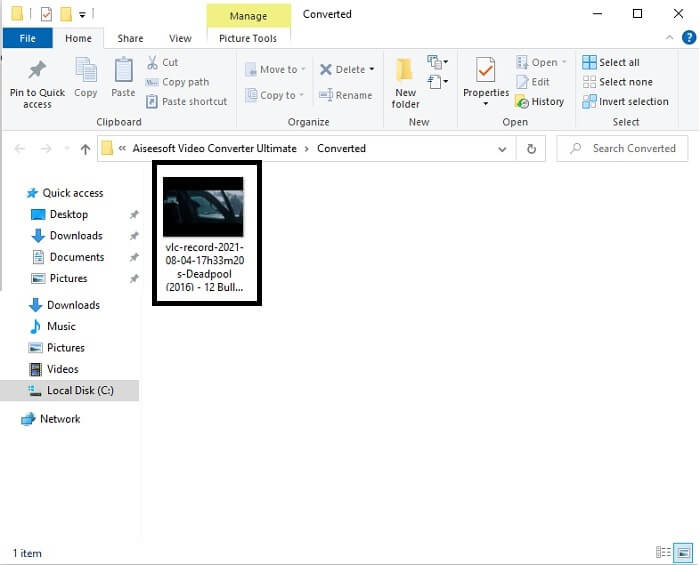
Paso 5. Después de la conversión, se abrirá el administrador de archivos y te mostrará tu resultado final; ahora ya puedes disfrutar de tu formato GIF. Pero también puedes convertir un archivo .gif a .mpg siguiendo los mismos pasos, solo cambiando el formato.
2. FVC Free Online Video Converter
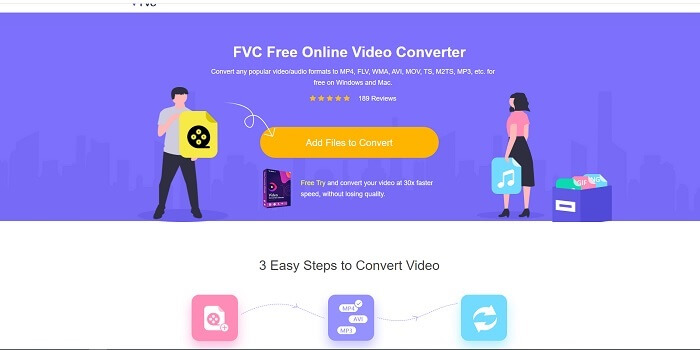
Tal vez esté pensando, ¿y si no tiene dinero, puedo experimentar la misma conversión que la primera? La respuesta es un gran SÍ. FVC siempre brinda la mejor experiencia para sus clientes que no tienen dinero y también para aquellos que quieren probar su herramienta. Sin embargo, esta herramienta solo realiza una conversión simple, así que no espere demasiado, ya que la versión premium puede proporcionar. Y no puede convertir múltiples formatos de video y audio de una manera más rápida.
Pero el proceso de conversión que ofrece es mucho mejor que el de otros conversores de pago y gratuitos. FVC Free Online Video Converter está aquí para salvarte el día. Como indica su nombre, es una herramienta online gratuita que te permite convertir al máximo nivel. A diferencia de otros conversores, esta herramienta no tiene anuncios ni malware, no necesita registro, ni inicio de sesión, ni tus datos personales antes de usarla. Si buscas un conversor sencillo, entonces esta es la herramienta adecuada para ti. Sigue estos pasos para saber cómo funciona esta herramienta como conversor.
Paso 1. Ve al sitio web oficial haciendo clic en este enlace.
Paso 2. La página web debería verse así. Luego haz clic en Add Files to Convert para lanzar esta herramienta online.
Descarga la versión de escritorio para convertir archivos por lotes.
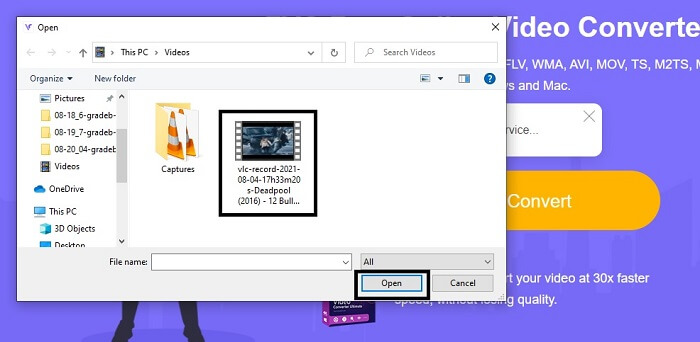
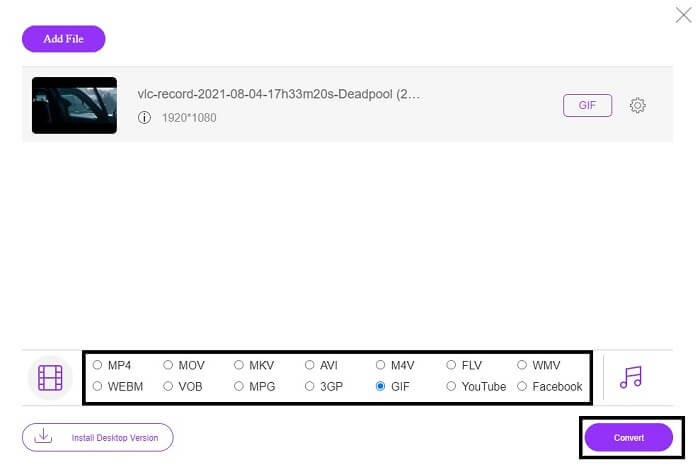
Paso 3. Elige el vídeo que quieres convertir. Después de seleccionar el vídeo, selecciona el formato de archivo GIF. Como información adicional, también puedes elegir otros formatos de vídeo y audio; puedes echarles un vistazo más tarde si quieres.
Paso 4. Elige dónde quieres guardar el resultado final. Después, si todo está listo, haz clic en Convert para iniciar la conversión. Solo tardará unos segundos en completarse.
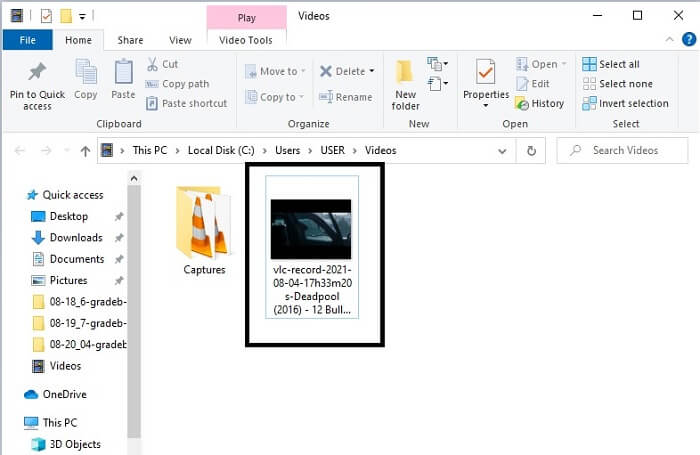
Paso 5. Para comprobar que la conversión se ha realizado correctamente, localiza tu archivo GIF convertido en tu administrador de archivos o explorador. Haz clic en él y disfrútalo.
3. VLC Media Player
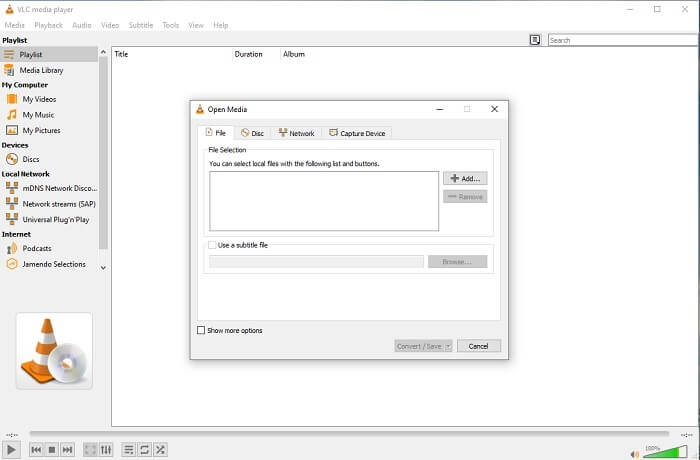
Esta herramienta es conocida por ser uno de los reproductores multimedia más potentes. Pero ¿sabías que el reproductor VLC también puede convertir MPG a GIF? Sin embargo, los formatos que ofrece son muy limitados y solo admite formatos conocidos. A pesar de ser considerado el mejor reproductor multimedia, su función de conversión no es la mejor opción para ti. Así que, si quieres un conversor mejor, deberías elegir la herramienta online mencionada arriba en lugar de esta. Pero si lo que quieres es ver el vídeo, entonces VLC Media Player debe ser tu elección, porque la otra herramienta no ofrece reproducción de vídeo, ya que su propósito principal es la conversión.
4. Zamzar
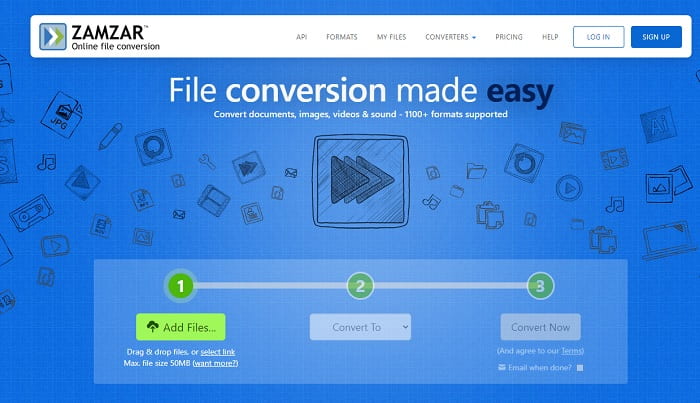
Otra herramienta en línea que proporciona una gran conversión es Zamzar. Como cualquier otro convertidor en línea, comparten la misma interfaz y también proporciona instrucciones puntuales sobre cómo convertirlo. Pero el proceso de conversión y descarga es diferente. Aunque es la versión gratuita, solo puede convertir un tamaño de archivo máximo de 50 MB. Porque luego de convertir el video, debes pasar a la fase de descarga. Es una gran molestia para aquellos que abandonan su conversión y solo esperan a que se reproduzca el producto.
Parte 2. Cuadro comparativo
| Característica de la herramienta | FVC Video Converter Ultimate | Convertidor en línea gratuito de FVC | Reproductor de multimedia VLC | Zamzar |
| Convertidor |  | | | |
| Herramienta de edición | |  | | |
| Convertidor de gran alcance | | | | |
| Registro necesario | | | | |
| Plataformas | Aplicación basada en escritorio | Aplicación basada en web | Aplicación basada en escritorio | Aplicación basada en web |
| Rango de precios | $25.00 1 mes / 1 PC $55.20 Compra única para 1 PC $119.00 Vida útil 5 PC | Es una herramienta online gratuita. | Es una herramienta online gratuita. | Herramienta online gratuita Pero también proporciona una prima mensual. Para el básico: $9 Para los profesionales: $16 Para empresas: $25 |
MPG vs. GIF
Creado por el Grupo de expertos en imágenes en movimiento (MPEG), MPG es un formato de video digital común para almacenar información de video, audio y metadatos. Es bastante útil a la hora de crear películas para compartir en Internet. Esos archivos en MPG generalmente contienen compresión de video/audio MPEG-1 o MPEG-2.
GIF es un formato de imagen común para gráficos web. Además de guardar imágenes pequeñas e imágenes que contienen texto, GIF también puede contener y mostrar animaciones básicas en sitios web. Es un formato sin pérdidas y la compresión GIF no degrada la claridad de la imagen.
Parte 3. Preguntas frecuentes sobre MPG a GIF
¿Hay alguna forma de usar Photoshop y convertir videos en GIF?
Sí, puedes convertir MPG a GIF con Photoshop. Pero no solo el formato MPG; también puedes elegir otros formatos y convertirlos a GIF. Otra función especial es que también puedes mejorar el GIF para que tenga mejor calidad. Haz clic aquí para saber cómo convertir MP4 a GIF.
¿Cuál es la mejor herramienta de grabación de pantalla para grabar GIF?
La mejor herramienta de grabación de pantalla que puedes usar para ese trabajo es FVC Screen Recorder. Esta herramienta no solo es ideal para grabar vídeos, sino que también tiene su propio grabador de audio integrado y un grabador de partidas para una experiencia de juego de mucha mejor calidad. Sin embargo, esta herramienta requiere pago antes de usarla. No te preocupes, porque dispone de una herramienta online que puede hacer las grabaciones.
¿Por qué se creó el GIF?
Se creó para mostrar una imagen ocupando menos espacio de almacenamiento. El creador del GIF es Steve Wilhite, un científico informático estadounidense, con la ayuda del gigante tecnológico CompuServe a finales de 1987. Haz clic aquí para obtener más información sobre los GIF.
Conclusión
Por fin, ahora que sabes cómo hacer un GIF contigo mismo, es mejor que lo pruebes y disfrutes. Con solo usar esta sencilla herramienta, puede marcar la diferencia. En lugar de buscar en la web, ahora es un creador de GIF certificado. Además, ahora puede expresar sus sentimientos a su manera con su toque personal y experiencia desarrollada con solo leer este artículo. Espero que puedas disfrutar de la vida de un mejor GIF que crees y compartir tu mejor GIF con el mundo.
-
 [Guía] Cómo convertir videos M4V a GIF animados en Windows / Mac
 Si desea crear archivos GIF animados a partir de sus videos M4V favoritos, puede aprender sobre 2 formas fáciles y eficientes de convertir videos M4V a GIF con configuraciones personalizadas.
-
 WebM a GIF: 3 convertidores de WebM a GIF gratuitos para crear sus propios GIF
 ¿WebM es un GIF? ¿Cómo convertir un video en un GIF? ¿Existe algún conversor gratuito de WebM a GIF? Esta publicación comparte 3 formas gratuitas de ayudarlo a convertir WebM a GIF.
-
 Cómo convertir videos MKV a GIF animados sin Photoshop / FFmpeg
 Después de descargar y ver películas MKV en su computadora, es posible que desee compartir algunos momentos maravillosos con amigos o en Internet como GIF. En este artículo, puede aprender sobre las 2 formas más fáciles de convertir MKV a GIF.

