


 Video Converter Ultimate
 Grabador de pantalla
 Reparación de vídeo
 Descarga segura
3 formas gratuitas de convertir WebM a GIF animado
Los GIF se han vuelto muy populares recientemente en diversas aplicaciones sociales. ¿Estás buscando una forma de convertir vídeo como WebM a GIF?
De hecho, es bastante sencillo crear tus propios GIF a partir de pequeños videoclips, siempre que cuentes con un buen conversor de GIF animados o creador de GIF. Y muchos conversores de vídeo a GIF, incluidos los gratuitos en línea, aseguran que pueden ayudarte a convertir WebM a GIF con facilidad. Sin embargo, con tantas herramientas disponibles en el mercado, puede que no sepas cuál deberías usar.

Teniendo en cuenta tus necesidades, esta publicación quiere compartir 3 formas gratuitas de convertir WebM a GIF. Se recomiendan 3 excelentes conversores de vídeo a GIF para que crees GIF animados. Además de WebM, también admiten vídeos en otros formatos habituales como MP4, MOV, AVI, FLV y más. Puedes seguir una guía detallada sobre cómo convertir WebM a GIF con ellos.
Parte 1. Convierta WebM a GIF con Free Online Converter
En la primera parte, queremos presentarte un popular conversor de vídeo a GIF en línea, Free Online Video Converter. Puede funcionar como conversor de vídeo a GIF para ayudarte a convertir tu vídeo WebM en un GIF en línea.
Además del formato WebM, es totalmente compatible con todos los formatos de vídeo populares, incluidos MP4, MOV, MKV, AVI, FLV, WMV, M4V y otros. Eso significa que puedes subir fácilmente cualquier vídeo a este conversor de GIF en línea y convertirlo en un archivo GIF. Ahora puedes seguir la siguiente guía para convertir WebM a GIF gratis en línea.
Paso 1. Abre tu navegador web como Google Chrome, Microsoft IE, Safari, Yahoo o Firefox y ve a este sitio de conversor gratuito de WebM a GIF. Cuando llegues, haz clic en el botón Add Files to Convert para instalar rápidamente un lanzador para la conversión a GIF. Solo la primera vez requiere instalación.
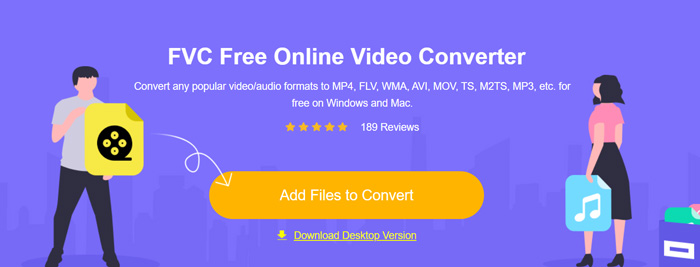
Paso 2. Después de eso, puedes buscar y seleccionar tu vídeo WebM en la ventana emergente. En algunos casos, tendrás que hacer clic de nuevo en el botón Add Files to Convert para subir el archivo manualmente. A continuación, se te llevará a la ventana del conversor.
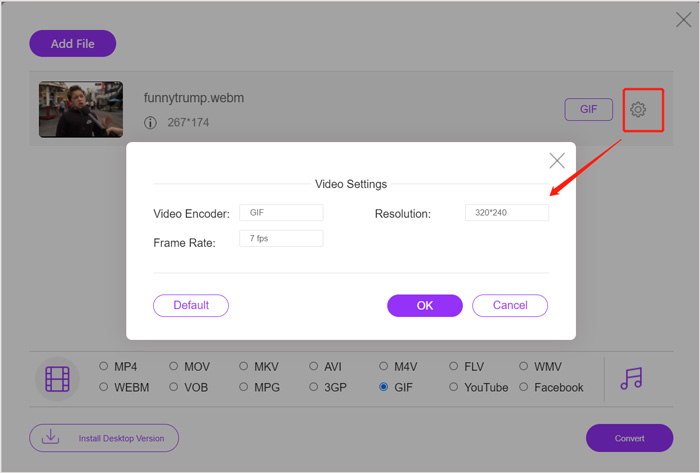
Paso 3. Allí se muestran muchos formatos de vídeo de uso frecuente. Aquí debes elegir GIF como formato de salida. Haz clic en el icono de settings junto al formato de salida GIF y podrás personalizar el códec de vídeo, la resolución y la velocidad de fotogramas. Haz clic en OK para guardar los cambios. Después de todas estas operaciones, simplemente puedes hacer clic en el botón Convert para iniciar la conversión de WebM a GIF. Como se ha mencionado antes, también te permite convertir MP4 a GIF fácilmente.
Parte 2. Manera gratuita de convertir WebM a GIF sin pérdida de calidad
Además del conversor de WebM a GIF en línea, también hay otros conversores de GIF gratuitos que pueden ayudarte a cambiar WebM a GIF. Aquí recomendamos encarecidamente Free Video to GIF Maker. Está diseñado específicamente para gestionar diversas conversiones de vídeo y audio. Te permite convertir WebM a GIF sin pérdida de calidad.
Descarga gratuitaPara Windows 7 o posteriorDescarga segura
Descarga gratuitaPara macOS 10.7 o posteriorDescarga segura
Paso 1. Este conversor de WebM a GIF te permite crear tus propios GIF tanto en un PC con Windows 10/8/7 como en un Mac. Puedes elegir la versión adecuada según tu sistema y luego instalarla gratis en tu ordenador.
Inícialo y haz clic en More Products en la parte izquierda para mostrar más herramientas. Localiza Video to GIF Converter y haz clic en su icono para instalarlo.
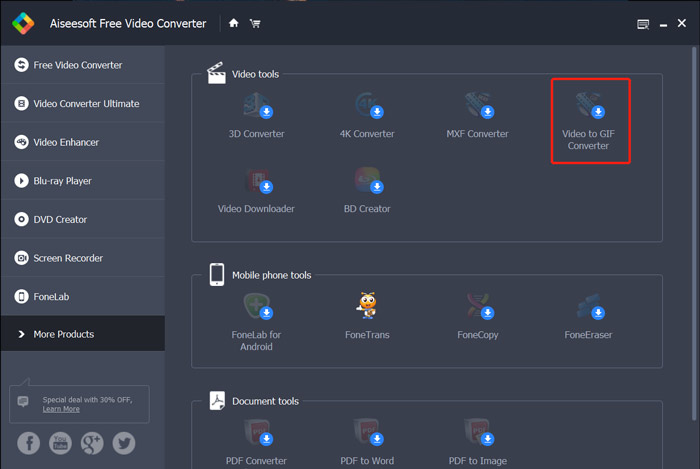
Paso 2. Cuando finalice la instalación, se te dirigirá a Video to GIF Converter. Aquí puedes hacer clic en Add File para cargar tu archivo WebM.
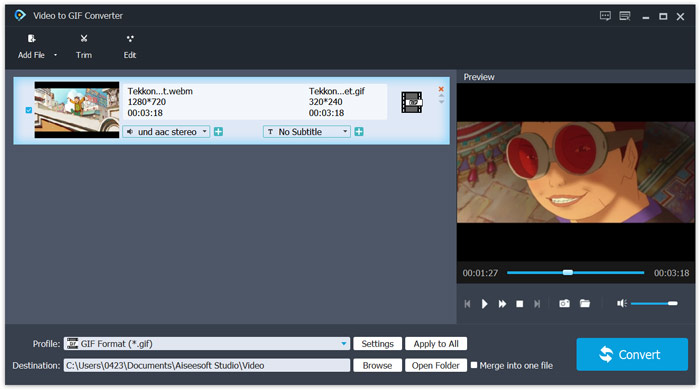
Paso 3. Este conversor gratuito de WebM a GIF está equipado con muchas funciones de edición, como recortar, unir, rotar, efectos, marca de agua y más. Antes de la conversión a GIF, puedes utilizarlas para editar tu archivo y ajustar los efectos de salida.
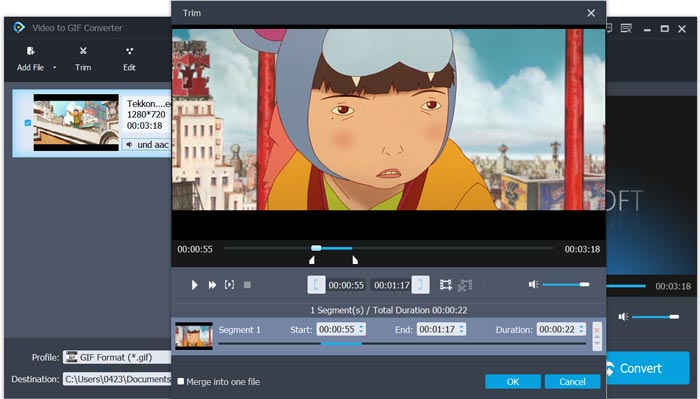
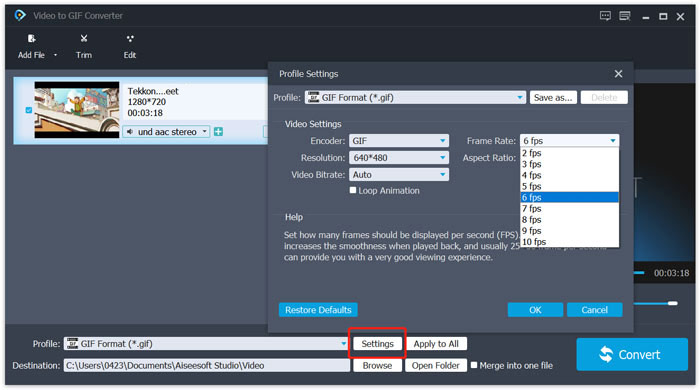
Paso 4. El formato de destino se establecerá automáticamente como GIF. Puedes hacer clic en el botón Settings junto a Profile para personalizar más opciones. Después de eso, haz clic en el botón Convert para empezar a convertir WebM a GIF animado.
Parte 3. Cómo cambiar WebM a GIF con ZAMZAR
Zamzar es un conversor de archivos en línea todo en uno que puede ayudarte a convertir WebM a GIF animado con facilidad. Ofrece diferentes servicios de conversión para que los usuarios conviertan vídeos, audio, documentos, libros electrónicos y otros archivos. Dispone de una página WEBM to GIF para que puedas realizar directamente la conversión de WebM a GIF.
Paso 1. Accede a esta página gratuita de conversor en línea de WebM a GIF en tu navegador.
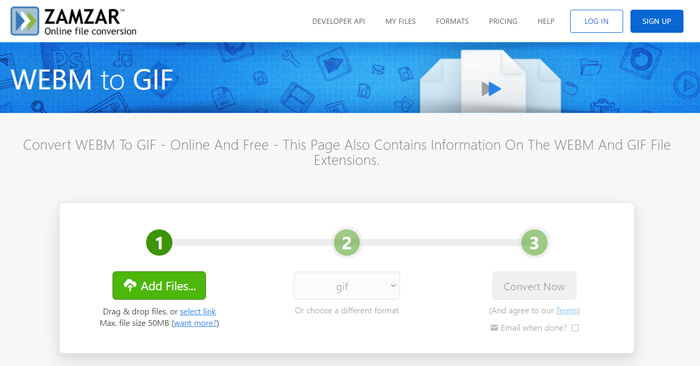
Paso 2. Haz clic en el botón Add Files para subir tu archivo WebM. El tamaño del archivo que se sube está limitado a 50 MB.
Paso 3. Asegúrate de que el formato de salida sea GIF y luego haz clic en el botón Convert Now. Este conversor de GIF gratuito en línea iniciará el proceso de subida y conversión del archivo.
Paso 4. Cuando se complete el proceso de conversión, puedes hacer clic en Download para guardar el archivo GIF convertido en tu ordenador. El archivo convertido se almacenará en sus servidores durante 24 horas.
Parte 4. Preguntas frecuentes sobre la conversión de WebM a GIF
Pregunta 1. ¿WebM es un GIF?
No. WebM es un tipo de alternativa al formato GIF. Comparado con GIF, WebM tiene una calidad mucho mayor y un tamaño de archivo más pequeño. Además, WebM le permite controlar su reproducción como detener, iniciar, reproducir automáticamente y repetir. GIF no requiere que nadie presione reproducir.
Pregunta 2. ¿Puedo cambiar la extensión del archivo para convertir WebM en GIF?
Puede cambiar fácilmente la extensión de archivo WebM a .gif para realizar la conversión de WebM a GIF. Con este método, finalmente puede obtener un archivo GIF. Sin embargo, en la mayoría de los casos, el archivo GIF estará dañado y no podrá abrirlo ni reproducirlo normalmente.
Pregunta 3. ¿Por qué los GIF son de tan baja calidad?
La mayoría de los GIF se crean con baja resolución y tamaño pequeño. En comparación con la imagen estática, es difícil mantener una serie de imágenes en movimiento con el mismo tamaño de archivo. Entonces, la mayoría de los GIF se ven de tan baja calidad. Por otro lado, los archivos GIF se pueden compartir con frecuencia. Por lo tanto, el archivo de origen se comprimirá y se verá peor cada vez que se guarde o se vuelva a cargar. Pero todavía hay muchos convertidores de video a GIF y los creadores de GIF pueden exportar fácilmente GIF de alta calidad.
Conclusión
Crear GIF con vídeos WebM es sencillo. En esta publicación puedes obtener 3 métodos gratuitos para convertir WebM a GIF en tu ordenador o gratis en línea. Con los conversores recomendados en este artículo, también puedes convertir FLV a GIF. Cuando quieras convertir un videoclip en un GIF animado, puedes elegir la herramienta que prefieras para realizar la tarea.
-
 Las 5 mejores grabadoras de teclado y mouse para Windows y Mac
 Estos son los cinco mejores programas de grabación de teclado y mouse que pueden guardar los movimientos del mouse y los clics del teclado, y repetir los eventos.
-
 Tutorial para comprimir GIF y reducir su tamaño de archivo con alta calidad
 Aquí hay 2 formas sencillas de comprimir GIF en su computadora o teléfono móvil. Puede utilizar FVC Free Online Video Compressor y Photoshop para reducir el tamaño del archivo GIF en diferentes aspectos.
-
 GIF Player: los 5 mejores reproductores GIF para PC con Windows, Mac, Android y iPhone
 ¿Qué programa abre archivos GIF? ¿Cómo veo GIF en Android? ¿El iPhone tiene un reproductor de GIF para abrir GIF? Esta publicación comparte los 5 mejores reproductores GIF para ti.
