


 Video Converter Ultimate
 Grabador de pantalla
 Reparación de vídeo
 Descarga segura
Las 5 mejores aplicaciones increíbles para cambiar el tamaño de fotos que debes probar
A otras personas les resulta difícil cambiar el tamaño de una foto porque no encuentran una herramienta que pueda comprimir sin pérdidas. Y muchas personas cambian el tamaño de sus fotos para mejorar la calidad de sus imágenes. Aunque redimensionar una imagen afectará a la calidad, es la mejor opción si no tienes suficiente almacenamiento en tu dispositivo. Además, cambiar el tamaño de una imagen también es una gran opción para mejorar una imagen borrosa. La buena noticia es que hay aplicaciones online, offline, para Android y para iPhone que pueden redimensionar tu imagen sin perder calidad. Por lo tanto, termina de leer este artículo para conocer las cinco mejores apps para cambiar el tamaño de fotos.

Parte 1. Aplicación de cambio de tamaño de fotos gratis en línea
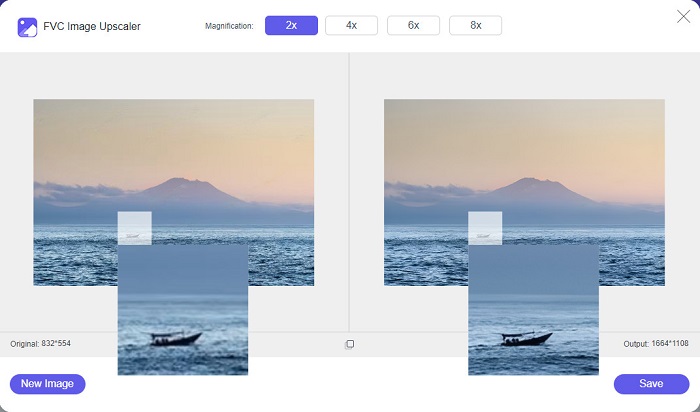
Mucha gente quiere usar un redimensionador de fotos en línea porque no requerirá que descargue nada en su dispositivo. Una herramienta en línea es la mejor opción si desea ahorrar espacio de almacenamiento para su dispositivo. Además, las aplicaciones en línea suelen ser de uso gratuito, al igual que la herramienta que muchos usuarios recomiendan, que es FVC Free Image Upscaler.
FVC Free Image Upscaler es una aplicación online para cambiar el tamaño de imágenes accesible en todos los navegadores web, incluidos Google, Firefox y Safari. Además, esta increíble app puede ampliar tu imagen con aumentos de 2x, 4x, 6x y 8x. Asimismo, es compatible con casi todos los formatos de imagen, como PNG, JPG, JPEG y BMP. Lo que resulta aún mejor de esta herramienta es su interfaz intuitiva, que la convierte en una herramienta fácil de usar para principiantes. Además, FVC Free Image Upscaler utiliza tecnología de IA (Inteligencia Artificial) que identifica automáticamente las partes borrosas de tu imagen y las mejora de inmediato. Además de ampliar tu imagen eligiendo la magnificación que quieras, esta herramienta es conocida por sus capacidades de mejora mediante IA. Y como es una aplicación online, no necesitas descargar nada en tu dispositivo, lo que te permite ahorrar almacenamiento. Entonces, ¿a qué esperas? Visita ya esta mejor app gratuita para cambiar el tamaño de fotos.
Pros
- Tiene un proceso de escalado rápido.
- No requiere que inicie sesión para obtener una cuenta.
- Tiene una interfaz de software fácil de usar.
- Puede acceder a él en su dispositivo Windows o Mac.
Contras
- Es una herramienta dependiente de Internet.
Parte 2. La mejor aplicación de cambio de tamaño de fotos para su computadora
Puede usar muchas aplicaciones en su computadora si está buscando un redimensionador de imágenes o un escalador. Sin embargo, no todas las aplicaciones descargables son de uso gratuito. A menudo, las aplicaciones de software para su PC no son gratuitas. Afortunadamente, encontramos una aplicación para su computadora que se puede descargar gratis. Lea esta sección para obtener más información sobre esta mejor aplicación gratuita de cambio de tamaño de fotos para su PC con Windows.
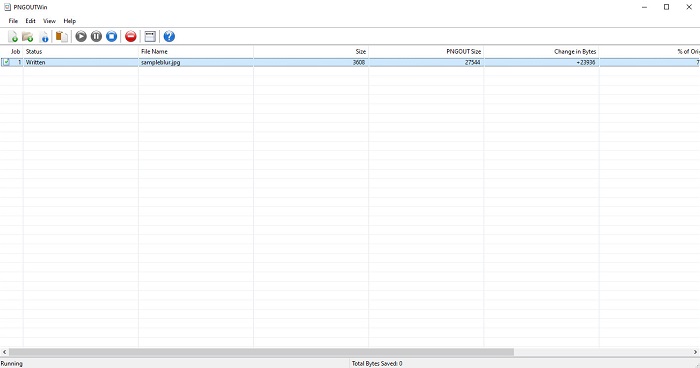
PNGOUTWin es un redimensionador de fotos offline que puedes descargar gratis en tu ordenador con Windows. Esta app para cambiar el tamaño de fotos es compatible con formatos de imagen estándar, como PNG y JPG. Además, redimensiona automáticamente tu foto después de subir la imagen que quieres comprimir. Aunque es fácil de usar, sus funciones son difíciles de manejar. Pero tras varios usos, seguro que le cogerás el truco a esta herramienta. Dispone de un proceso de redimensionado por lotes, que te permite cambiar el tamaño de varias imágenes simultáneamente y guardarlas en una misma carpeta.
Pros
- La descarga es gratuita.
- Es seguro y fácil de usar.
- Ofrece un proceso de escalado por lotes.
Contras
- Solo disponible en dispositivos Windows.
- No puede obtener una vista previa de su imagen mejorada.
Parte 3. La mejor aplicación para cambiar el tamaño de las fotos en Android
Hoy en día, muchas personas usan teléfonos Android. Y si tiene una imagen de baja calidad en su galería, es posible que desee mejorarla con una aplicación de cambio de tamaño de fotos. Afortunadamente, hay muchas aplicaciones gratuitas para cambiar el tamaño de las fotos que puede descargar en PlayStore para ayudarlo a mejorar su imagen de baja calidad.
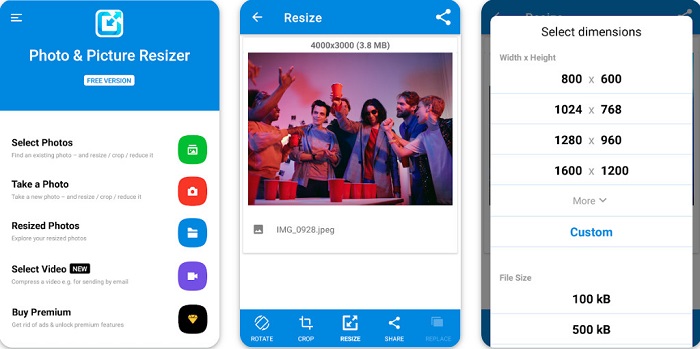
Photo & Picture Resizer aparece en primer lugar si buscas apps para cambiar el tamaño de fotos en PlayStore. Es una de las mejores aplicaciones para redimensionar imágenes que puedes descargar en tu dispositivo Android. Además, ofrece un proceso de ampliación por lotes, con el que puedes comprimir dos o más imágenes al mismo tiempo. Asimismo, puedes seleccionar en los ajustes predefinidos de dimensiones qué tamaño quieres para tu imagen. Además, también puedes cambiar el tamaño de archivo y la resolución de tu imagen. La app Photo & Picture Resizer también puede comprimir tus vídeos. El inconveniente de Photo & Picture Resizer es que requiere comprar la versión premium antes de acceder a sus funciones especiales de edición.
Pros
- Es gratis y seguro para descargar.
- Tiene un proceso de cambio de tamaño rápido.
- Puede exportar su salida a otras plataformas de redes sociales.
Contras
- Compra la versión premium para usar funciones especiales.
- Contiene anuncios molestos.
Parte 4. Las mejores aplicaciones para cambiar el tamaño de fotos para iPhone
Mucha gente está usando iPhones en estos días, y ¿lo sabías? Puede descargar muchas aplicaciones gratuitas de cambio de tamaño de fotos en su iPhone para cambiar el tamaño o mejorar su imagen. Y si quieres saber cuál es el mejor para usar, lee esta parte con todo incluido.
Remini
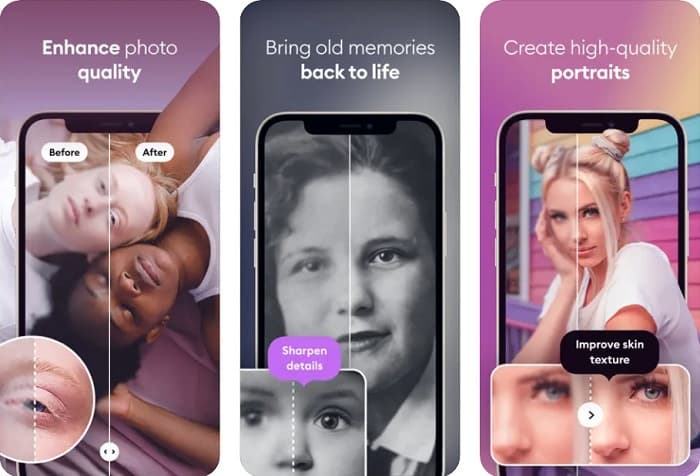
Remini es la mejor app para cambiar el tamaño de fotos en iPhone. Remini se puede descargar gratis en la AppStore y es segura de usar. Además, utiliza tecnología de IA (Inteligencia Artificial) que redimensiona y mejora tu imagen automáticamente. Asimismo, esta app te permite ver los cambios realizados en tu imagen antes de guardarla en tu dispositivo. También te permite exportar tu resultado a las redes sociales más populares como Facebook, Instagram y TikTok. Y en su versión Pro, hay más funciones de edición que puedes usar para mejorar tu imagen. Así que, si quieres que tu imagen tenga un aspecto nítido y claro, esta app puede ser justo lo que estás buscando.
Pros
- Es compatible con los formatos de imagen para el iPhone.
- Tiene una interfaz de usuario simple.
- Puede corregir imágenes de baja resolución.
Contras
- Debe comprar la aplicación para mejorar las imágenes.
Cambiar el tamaño de la imagen
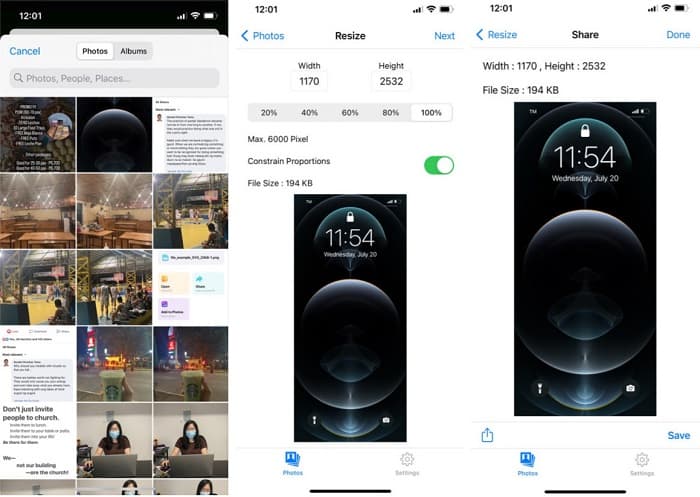
Otra de las mejores aplicaciones para cambiar el tamaño de una imagen es Image Resize. Image Resize también se puede descargar gratis en tu iPhone. Esta app te permite redimensionar tu imagen eligiendo el porcentaje que quieras para ella. Además, con esta aplicación puedes ajustar el ancho y el alto de tu imagen. Lo que resulta aún más fantástico de esta app es su rápido proceso de cambio de tamaño, que muchos usuarios consideran muy práctico.
Pros
- Admite imágenes HEIC, Exif y PNG.
- Es una aplicación fácil de usar.
Contras
- Solo puede cambiar el tamaño de los marcos de su imagen, pero no la mejora.
Relacionado con:
Cómo mejorar fácilmente la calidad de una imagen en Windows y Mac
Cómo aumentar la resolución de una imagen [5 formas de mejorarla]
Parte 5. Preguntas frecuentes sobre la mejor aplicación Photo Resizer
¿Puedo cambiar el tamaño de una foto sin perder calidad?
Cambiar el tamaño de una imagen no significa necesariamente que arruinará la calidad de la imagen. Aunque afecta el tamaño de su imagen, la mayoría de las veces, las aplicaciones pueden cambiar el tamaño de una imagen sin perder calidad.
¿Puedo cambiar el tamaño de una imagen con Adobe Photoshop?
Sí. Adobe Photoshop es la aplicación de edición fotográfica más impresionante y cuenta con una función con la que puedes cambiar el tamaño de tu imagen. Para hacerlo, abre Adobe Photoshop, selecciona la imagen que quieres redimensionar y, a continuación, ve a la barra de menú principal > selecciona Image (Imagen) > Image Size (Tamaño de imagen) para abrir el cuadro de diálogo Tamaño de imagen y ajustar así el tamaño de tu imagen.
¿Qué formatos de imagen admite Adobe Photoshop?
Adobe Photoshop es compatible con casi todos los formatos de imagen conocidos, como JPG, JPEG, PNG, GIF, TIFF y más.
Conclusión
Ahora que conoces la mejor app para cambiar el tamaño de fotos, puedes elegir la que prefieras. Hay distintas aplicaciones para online, offline, Android y iPhone, y depende del dispositivo que estés utilizando. Pero si no quieres descargar nada en tu dispositivo, utiliza ya FVC Free Image Upscaler.
-
 Mejore la resolución de fotos del iPhone con los mejores potenciadores
 ¿Quieres necesitar mejorar la resolución de fotos del iPhone? Bueno, en este artículo cubrimos las mejores herramientas que puedes usar y otros trucos que debes saber.
-
 Restauración de fotos antiguas en línea y fuera de línea [Pasos sencillos]
 ¿Quieres restaurar una foto antigua? Con estas herramientas, conocerá el proceso de restauración de fotos antiguas. Lea esta publicación para conocer los métodos más sencillos.
-
 Los 7 principales potenciadores de píxeles para todos los navegadores web que debe usar
 Si desea conocer los mejores potenciadores de píxeles para usar, es mejor que consulte esta publicación. Este artículo enumera los siete mejores potenciadores de píxeles de fotos para todos los navegadores web.
