


 Video Converter Ultimate
 Grabador de pantalla
 Reparación de vídeo
 Descarga segura
¿Cuáles son los mejores reemplazos de QuickTime disponibles en todos los programas (gratuitos y de pago)?
QuickTime Player is the local media player in the Mac’s system. It is the best Apple free media player indeed but the accessibility of the media player is unavailable in the other operating systems. Like the Windows OS and such. So, users who use Mac are having difficulties on choosing what is the best QuickTime player replacement that they should use. Without furthermore, this write-up will provide you with sufficient evidence about the tool themselves. And what are the other alternatives you should use to watch in such as efficient QuickTime can provide. Carry on reading this article to know more about these media players.

Parte 1. El mejor reemplazo de QuickTime en línea
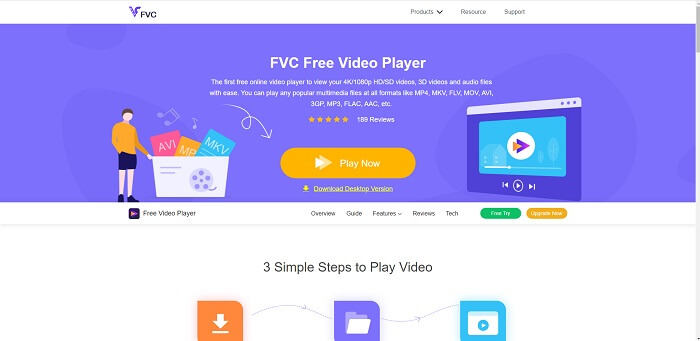
If you’re looking for the best alternative to QuickTime player online then this is for you. It doesn’t require you to sign-up or log-in and pay. Also, the amazing feature of it is that you can access it anytime anywhere with the help of internet connection without asking you if you are a robot and asking you to pinpoint if this is a fire hydrant, cars, bus, crosswalks, and more. FVC Free Video Player is here to change your game on watching your favorite videos and audio online. It is like a QuickTime player but online. No download needed and no need to worry it is malware free.
Pros
- Una herramienta de reemplazo QuickTime en línea a la que puede acceder a través de la web.
- Grabador de la mejor opción en la web. Además, no necesita que descargue la herramienta. Simplemente ejecútelo, colóquelo y mírelo.
- Seguro contra malware, sin anuncios en la web y mientras juegas.
Contras
- Depende de Internet.
- Si Internet es inestable, no podrá disfrutar viendo el archivo.
Parte 2. La alternativa de Prime Elite QuickTime Player para Mac y Windows 10
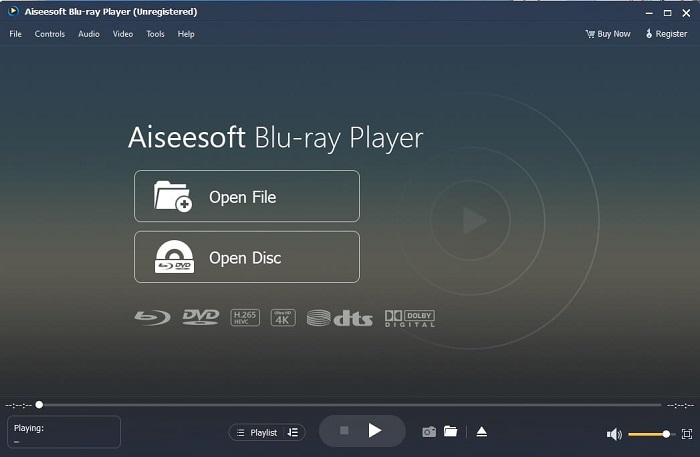
If the free online tool provides you a good quality on watching and listening to your favorite video and audio then this tool will change all of that. If you’re searching for a treasure that has been hidden for a long time. Then this is the time to let you know that searching for it is over because as of today you already found it. This tool is the best QuickTime player alternative for Windows 10 and Mac because it performs much better and in more file formats. Blu-ray Player is the lost treasure. If you’re looking for the media player that provides you with excellent performance to listen and watch your favorite video or song. Also, they say that every treasure you take, you must pay a price. It is the most common conception that this will cost you a lot because it is said that it is better than the QuickTime itself. But to tell you that, it is not. To be honest this tool is far more superior than the other media player that you will find in this article or in the web itself. It is a must try media player if you’re looking for the best like you’re watching from cinema’s quality.
Descarga gratisPara Windows 7 o posteriorDescarga segura
Descarga gratisPara macOS 10.7 o posteriorDescarga segura
Pros
- Reproductor multimedia clase S.
- Funciona bien sin conexión a Internet.
- Es compatible con todas las plataformas que conoce y no conoce. Con más calidad en video y audio.
Contras
- Es necesario descargarlo en su PC o Mac.
- Le costará $36.00.
Parte 3. Otras 4 alternativas útiles de QuickTime Player
La lista a continuación son los ejemplos que le gustaría usar o encontrar a través de la web si está buscando un reemplazo para QuickTime. Porque dijo antes que QuickTime es el reproductor multimedia predeterminado para Mac OS. Lea las otras alternativas al reproductor QuickTime para Mac y Windows que probablemente use para ver videos si QuickTime no es compatible con su plataforma.
1. VLC Media Player
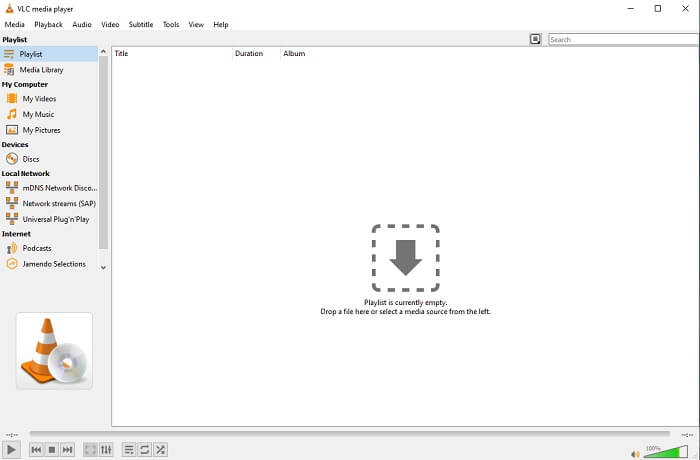
Esta herramienta construye su nombre como el mejor reproductor multimedia de toda la web. Debido a su accesibilidad, la mayoría de los usuarios lo utilizan como primera opción. Además, puede reproducir DVD, VCD, CD y más sin agregar más códecs. Para hacerlo simple, es un jugador rápido y de clase A.
Pros
- Uno de los mejores reproductores multimedia.
- Interfaz sencilla.
- Las herramientas sin conexión deben descargarse.
Contras
- Algunos formatos no se pueden reproducir.
- Encontrará algunos errores que aún no se han solucionado.
2. KM Player

A QuickTime replacement for windows and mac that allows you to play different file formats with high quality one. Unlike VLC Media Player, WMV playback can be easily played using this KM Player. Also, it can play 3D video playback and do some of the editing.
Pros
- Reproductor multimedia más utilizado.
- Conocido por su aceleración por hardware.
- Reproducción de video 3D.
Contras
- Es un software espía / adware.
- Puede hacer que su sistema sea lento debido a la inevitable instalación que hará. así que tenga cuidado si desea descargar este software.
3. MPlayer
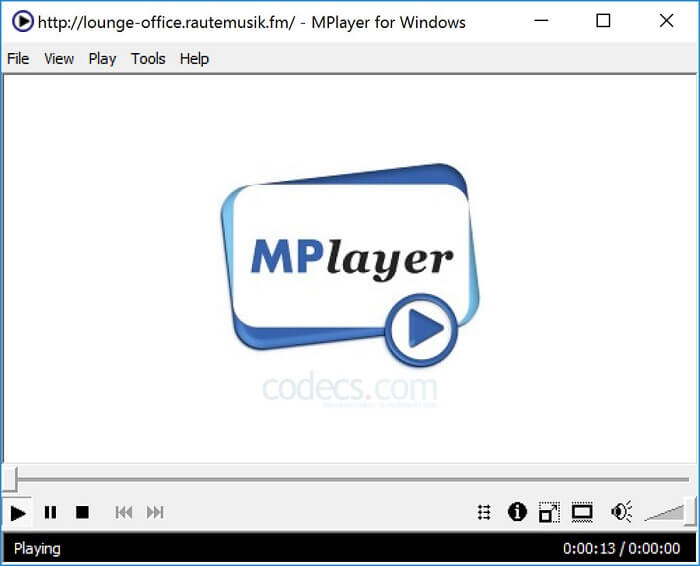
This tool allows the user to work with two separate windows. For example, the video window is separated from the main interface. MPlayer can play different formats. Also, it supports specially the files that have been recorded over the Ffmpeg.
Pros
- Herramienta puntual.
- no se necesita un códec adicional.
- Teclas de atajo.
Contras
- En algunos casos, los archivos que reproduce en el otro reproductor multimedia se pueden reproducir, pero si lo usa, existe la posibilidad de que no se reproduzca. Todavía lo es por razones desconocidas.
- Falta de reproducción de directorio.
4. Perian
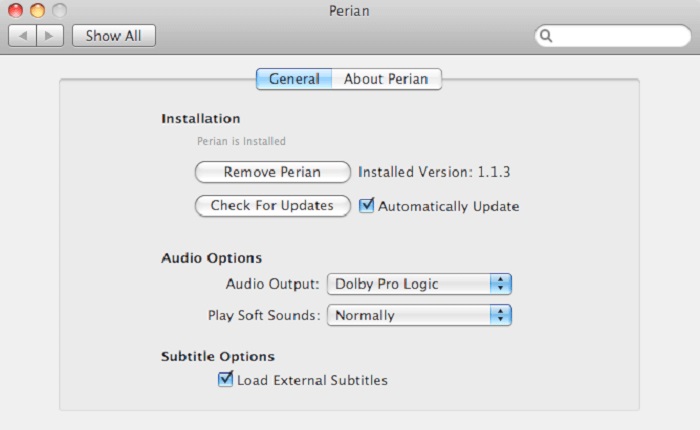
If you have an outdated QuickTime and still want to know what are the other options for you then this is for you. Perian is known as the Swiss knife you may use on your Mac operating system. If the old version of the QuickTime can’t play your desired format, then you may use this. Because it allows you to play more file formats in the QuickTime Player.
Pros
- Todavía funciona incluso en QuickTime obsoleto.
- Admite más reproducción para versiones anteriores de QuickTime.
- El formato de subtítulos SSA y SRT de QuickTime aún es compatible.
Contras
- No funcionará en la versión moderna de QuickTime 10.
- Si está utilizando una versión de QuickTime de 2012, no es necesario utilizarla. Porque QuickTime puede proporcionar lo que esta herramienta puede proporcionar aún más.
Parte 4. Preguntas frecuentes sobre QuickTime Player
¿Qué puedo hacer además de reproducir videos en QuickTime?
QuickTime also has these other features like recording, editing and trimming it, rearrange, rotate and you may as well share a video and images.
¿QuickTime tiene una versión pro?
Sí, también tiene una versión pro. Como de costumbre, la versión pro ofrece más funciones que la versión gratuita.
¿Existe un formato de archivo que no se puede reproducir si está utilizando QuickTime?
In some cases, MOV & MP4 are unplayable because they are complex codecs. Also, this is most commonly encountered if your QuickTime is the older version. So, the best solution is to convert MOV into MP4.
Conclusión
Now that you know what are the tools that can be used if you want a media player like QuickTime. As it is mentioned earlier, these different tools have their own specialty, common traits, and what separates them from other media players. But it is clearer that the best QuickTime player replacement or to be more specific the tool that can beat the QuickTime is the Blu-ray Player. It overpowers QuickTime players in all aspects, especially the availability of the tool and more. But maybe you're still thinking about why you need to buy this tool. Only reason is that it is far superior with the other tools you might find over the web or in other articles. So what are you waiting for? Watch like a boss by using this as your personal choice media player.
-
 El mejor reproductor de vídeo HD de 1080p para Windows, Mac, iOS y Android en 2025. Comentarios.
 Si está buscando un reproductor de video para ver videos de alta definición de 1080p en su computadora, consulte nuestra selección de los mejores reproductores de video HD de 1080p para Mac, PC con Windows, iOS y Android.
-
 5 métodos viables para arreglar QuickTime no puede abrir archivos MOV Feed de comentarios
 El formato MOV se crea principalmente para su reproducción en QuickTime Player. Sin embargo, a veces puede encontrar que no juegan en él. Aprenda cómo arreglar QuickTime no reproducirá archivos MOV de esta publicación.
-
 Cómo convertir archivos MKV para reproducirlos en PS3 sin problemas
 ¿Quieres reproducir videos MKV en tu PS3? Sin embargo, PS3 no puede reproducir archivos MKV directamente. Este artículo le mostrará formas de convertir videos MKV a formatos de video compatibles con PS3 para reproducirlos en PS3 sin ningún problema.
