


 Video Converter Ultimate
 Grabador de pantalla
 Reparación de vídeo
 Descarga segura
La mejor grabadora de audio MP2 con pasos y consejos confiables para PC y Mac
MP2 es otro tipo de archivo de audio con compresión con pérdida. Aunque el formato MP3 es muy popular frente a otros formatos de audio, el estándar sigue siendo el MP2. Al ser el formato de audio estándar, es más propenso a la pérdida de datos. Por ello, transferir datos por Internet no será un problema para ti. En algunos casos, los usuarios tienen dificultades para decidir cuál es la mejor grabadora MP2 que se ajusta a sus necesidades. En ese caso, la siguiente lista ofrece pasos detallados e información que te puede resultar útil. Continúa leyendo este artículo para ver cuáles son esas grabadoras de audio que pueden producir archivos en formato MP2.

Parte 1. La mejor grabadora MP2 para Windows y Mac
Grabador de audio gratuito FVC
Una de las mejores grabadoras de audio en línea puede ayudarte. FVC Free Audio Recorder, tal como indica su nombre, es una herramienta gratuita utilizada por muchos usuarios en Internet. Si la conexión a Internet no es un problema para ti, entonces puedes confiar en esta grabadora MP2 de VHS en línea para obtener un buen formato de salida. Sin mencionar que esta herramienta está desarrollada por FVC, por lo que está 100% libre de malware, así que no tendrás de qué preocuparte al usarla. Además, a continuación encontrarás la lista de pasos, asegúrate de seguirlos cuidadosamente.
Paso 1. Haz clic en este enlace para ir al sitio web.
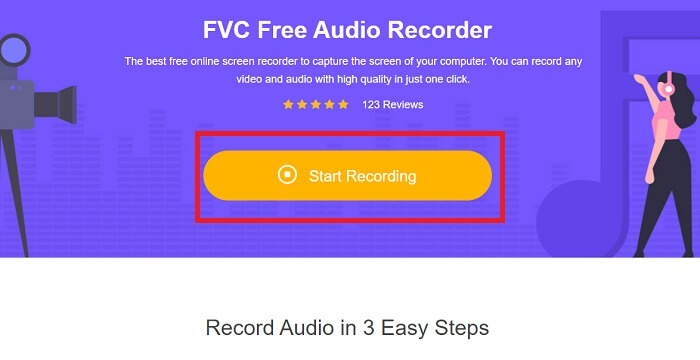
Paso 2. Haz clic en Start Recording para iniciar la grabadora.
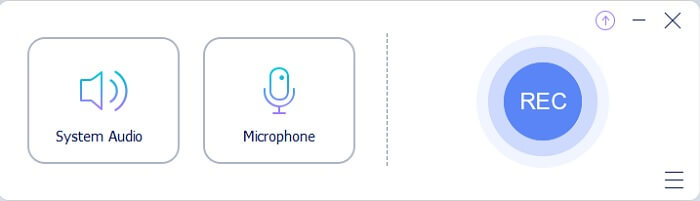
Paso 3. Aparecerá en tu pantalla una barra de herramientas flotante como esta.
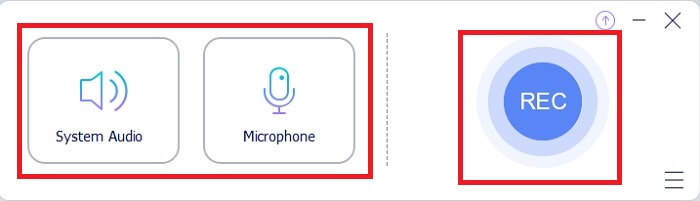
Paso 4. Haz clic en System Sound y Microphone para añadir el sonido del sistema y tu voz. Cuando esté todo listo, haz clic en el botón redondo REC para empezar a grabar.
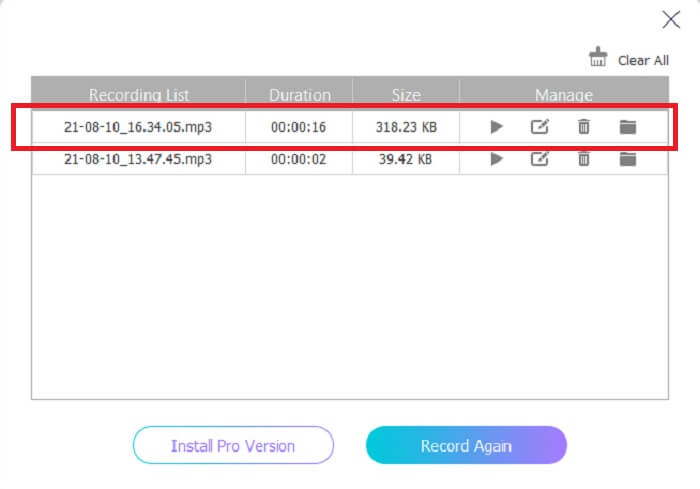
Paso 5. Cuando hayas terminado la grabación, haz clic en el botón con forma de cubito para detenerla. Se guardará automáticamente en tu ordenador para que puedas disfrutarla.
Parte 2. Grabador MP2 extendido y fácil de usar para grabar audio MP2
1. Grabador de pantalla FVC
Si la herramienta en línea ya te ha impresionado, esta otra te parecerá excelente. A diferencia de la grabadora en línea, FVC Screen Recorder es una herramienta multifuncional que no limita tu creatividad, y mejora tus grabaciones de audio llevándolas a un nivel que otras herramientas no pueden ofrecer. Puede que aún te preguntes si esta herramienta puede ser tu grabadora MP2; digamos que eso lo descubrirás tú mismo. Sin más rodeos, pasemos a demostrarte que esta herramienta es exactamente lo que buscas. Lee con atención los pasos que se indican a continuación.
Paso 1. Descarga la herramienta en tu PC o Mac. Instálala en tu equipo y ajusta las Preferences; cuando todo esté configurado, haz clic en Finish para iniciar la herramienta.
Descarga gratuitaPara Windows 7 o posteriorDescarga segura
Descarga gratuitaPara macOS 10.7 o posteriorDescarga segura
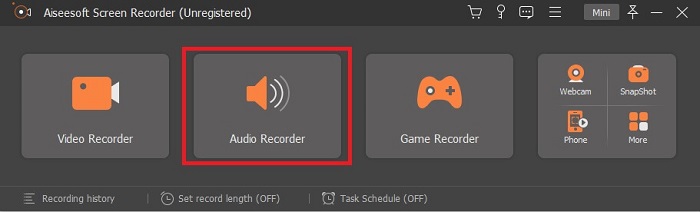
Paso 2. La herramienta se abrirá automáticamente. Verás una barra de herramientas como esta en la pantalla. Haz clic en Audio Recorder para continuar.
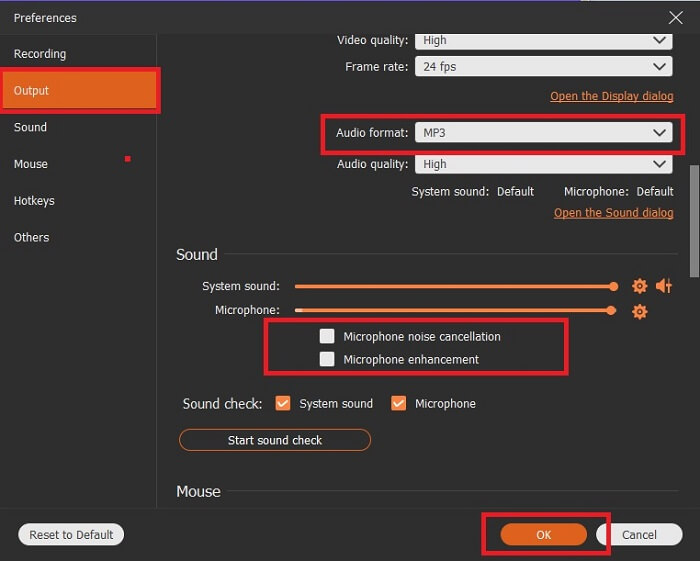
Paso 3. Busca el icono de engranaje y haz clic en él. Cambia los ajustes de Output según tus preferencias. Haz clic en OK para guardar los cambios.
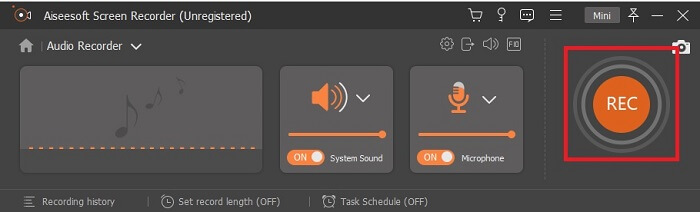
Paso 4. Comprueba que System Sound y Microphone estén activados antes de grabar. Cuando esté todo listo, haz clic en el botón con forma de disco para empezar a grabar.
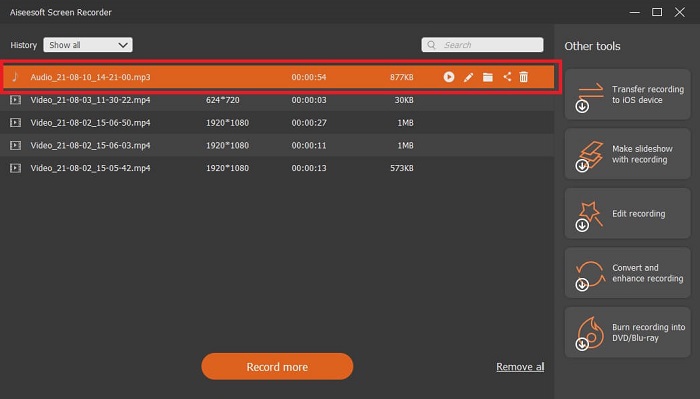
Paso 5. Cuando quieras terminar la grabación, haz clic en el botón con forma de cuadro para detenerla. Después, guárdala y haz clic en Next para generar la grabación. Si quieres volver a escucharla, haz clic en el botón de líneas paralelas para revisar la grabación que acabas de hacer. El primer archivo será tu grabación más reciente y el último será la más antigua.
2. Audio Boo
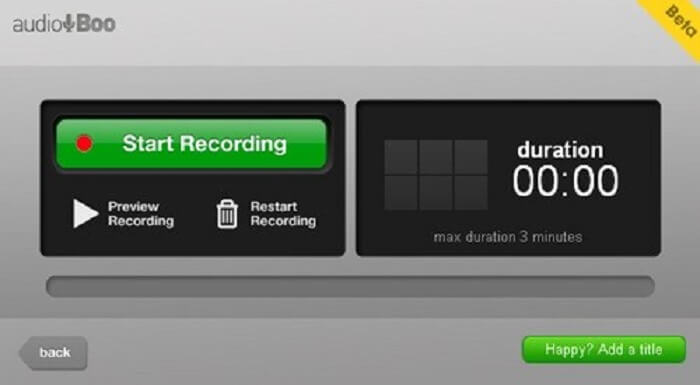
Otra herramienta que puedes utilizar para grabaciones cortas es Audio Boo. Permite al usuario hacer grabaciones breves. Por ejemplo, cantar para un ser querido y enviarle el audio, un diario de voz, un recordatorio corto en audio y mucho más. Pero debido a sus limitaciones no podrás grabar una conversación completa, largas sesiones musicales, etc. Si te preguntas cuál es la duración máxima de la grabación, es de 3 minutos.
3. Adobe Audition
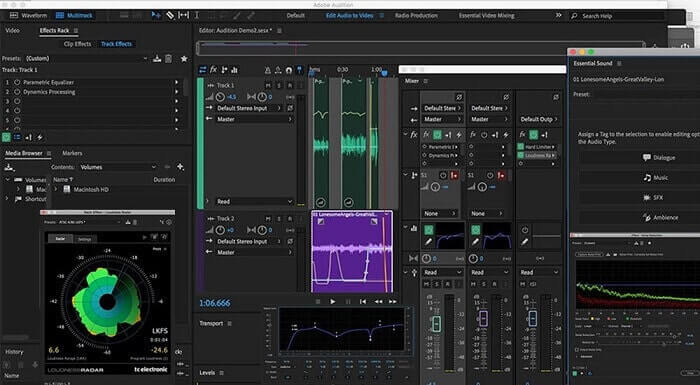
Una herramienta que permite al usuario grabar una grabación de calidad. Además, es compatible con Adobe, así que espere una salida de buena calidad que producirá. Esto es más comúnmente utilizado por el productor musical, cantantes, arreglista musical y como tal. Esta es una grabadora más industrializada. Es un poco abrumador para el nuevo usuario utilizar este tipo de grabadora Mp2. Pero produce una buena calidad como las otras grabadoras MP2.
Lectura adicional
Parte 3. Cuadro comparativo
| Característica de la herramienta | Grabador de audio gratuito FVC | Grabador de audio FVC (Premium) | Audio Boo | Adobe Audition |
| Grabadora de audio | SÍ | SÍ | SÍ | SÍ |
| Cancelación de ruido | NO | SÍ | NO | SÍ |
| Mejora del micrófono | NO | SÍ | NO | SÍ |
| Herramientas de edición | NO | SÍ | NO | SÍ |
| Programas disponibles | Todos los programas son compatibles | Todos los programas son compatibles | iPhone, iPod touch y iPad. | Windows 7, Windows 8.1 o Windows 10 OS X Yosemite, OS X El Capitan o macOS Sierra |
| Formatos disponibles | MP3 y MP2 | MP3, MP2, WMA, AAC, M4A, FLAC, OGG, AMR, Opus y muchos más. | MP3 | AC3, M4A, MAT, VOX, W64, WAV y muchos más |
| Precio de la herramienta (si es pagadera) | Herramienta en línea gratuita | Por 1 mes: $25.00 Por un año: $31.20 Para licencia de por vida: $55.20 | Herramienta descargable gratuita | $27.62 / momento, para anual $315.61 / años, para anual $41.43 / plan mensual |
Parte 4. Preguntas frecuentes sobre la grabadora MP2
¿Puedo convertir mi MP2 a otro formato?
Sí, puedes hacerlo usando este convertidor MP2 disponible en línea; también quizá quieras probar este conversor definitivo para obtener un resultado aún mejor.
¿Cuál es el mejor MP? 1, 2, 3 o 4?
Estos formatos de archivo MP son todos contenedores de audio, video y texto. Pero la principal diferencia entre ellos es lo que contienen. MP1 es el primero en ser el primero en hacer un formato de casete. MP2 admite de 1 a 2 canales y el estándar para la reproducción de estaciones de radio y televisión digital. MP3 es el formato más utilizado que guarda grabaciones de audio o formato de audio. MP4 contiene formato de audio, video y texto.
Quiero reproducir mi video pero mi reproductor multimedia no es compatible con el formato, ¿qué debo hacer?
Puedes utilizar este reproductor multimedia, ya que es compatible con casi todos los formatos que conozcas.
Conclusión
Por fin, gracias a este artículo, ya conocemos las diferentes herramientas disponibles en la web. Así que, si aún tienes dificultades para elegir cuál es la mejor herramienta para ti, estos consejos pueden ayudarte a decidir cuál es la más adecuada. La grabadora que elijas debe ser fácil de usar, fiable, disponible en todas las plataformas por si cambias de dispositivo, de modo que esto no afecte a tus grabaciones de audio; además, debe ser duradera, actualizarse con frecuencia, ser económica y, sobre todo, estar libre de malware. Si tu elección es FVC Screen Recorder, entonces has acertado. Porque esta herramienta no te pone límites, no es difícil de usar y no es demasiado cara. Así que no necesitas buscar otra herramienta si esta ya puede ofrecerte más que las demás.
-
 Los 5 mejores grabadores de pantalla de WebM para Windows / Mac
 Obtenga más información sobre los archivos de extensión WebM leyendo el artículo y descubra las aplicaciones de grabación de pantalla de WebM que puede usar para grabar videos de WebM en pantalla.
-
 Las 4 mejores grabadoras de video SWF accesibles en línea de forma gratuita Feed de comentarios
 ¿Ha oído hablar del archivo SWF? Obtenga más información sobre este formato de archivo y descubra formas de grabar archivos SWF con herramientas gratuitas en línea.
-
 Grabadores de video MTV incomparables compatibles con Mac / Windows Computer Comments Feed
 Este artículo lo ayudará a conocer el formato de archivo MTV y una lista de grabadoras de video MTV que puede usar para grabar pantallas de computadora con facilidad.
