


 Video Converter Ultimate
 Grabador de pantalla
 Reparación de vídeo
2 formas rápidas y fáciles de convertir M2TS a AVI con los pasos proporcionados
A medida que avanzamos hacia el futuro, muchos formatos dejan de recibir suficiente soporte, como el M2TS. Este formato sigue utilizando el antiguo contenedor Blu-ray Audio Video, que emplea un flujo MPEG-2 para transportar los datos. No puedes acceder a este formato en algunos dispositivos como iPhone, iPod e incluso Android, porque no pueden leer la estructura del formato. Sin embargo, si aún tienes archivos con esta extensión y quieres verlos, te sugerimos convertir el formato a AVI. Así que ahora, vamos a explorar cuál es la mejor manera de ayudarte en tu objetivo de convertir un M2TS. Además, si sigues leyendo este artículo, aprenderás a convertir M2TS a AVI tanto online como sin conexión.

Parte 1. M2TS frente a AVI
Como explicamos anteriormente, los archivos M2TS solían ser un contenedor en Blu-ray que admite diferentes videos, audio y otra transmisión en un solo contenedor. Además, si la extensión de su archivo en su Blu-ray o AVCHD está en este formato, espere que la calidad sea excelente. Aunque este formato de archivo funciona bien, el soporte que obtiene en algunos reproductores multimedia aún es escaso. Otra es que cuando quieras reproducir este tipo de extensión de archivo, necesitarás plug-in-play, un códec y algunos componentes para ver el video en este formato. A diferencia de si su extensión de archivo es .avi. Este formato gana seguidores en toda la web debido a la buena calidad de video que puede contener este formato. Sin embargo, el tamaño del archivo es un gran problema porque no tiene un códec adecuado para reducir el tamaño de su archivo. Pero si comparamos M2TS y AVI, ambos son excelentes. Aún así, los soportes son diferentes y la flexibilidad del formato AVI puede brindarle.
Parte 2. La primera forma es convertir M2TS a AVI en línea con la herramienta web más fácil
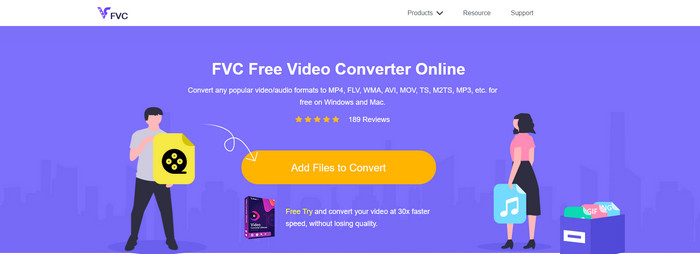
Quizá te preguntes si puedes convertir M2TS a AVI de forma gratuita; entonces esto es para ti: te presentamos FVC Free Video Converter. Esta herramienta web es uno de los mejores conversores online que puedes encontrar en Internet. Además, si tienes algún problema al convertir tu formato, también es una solución: puedes cambiar la tasa de bits, la resolución y la velocidad de fotogramas. Aunque la herramienta admite una gama media de formatos diferentes, todavía no dispone de funciones avanzadas para que el resultado final sea tan sobresaliente como el que puede ofrecerte FVC Video Converter Ultimate. No obstante, si no quieres pagar y dispones de conexión a Internet, esta debe ser tu elección para convertir el formato a una nueva versión.
Pros
- No se necesita ningún software para descargar porque se puede acceder a él en la web.
- Admite variedades medianas del formato que puede elegir.
- Gratis y sin anuncios en la interfaz del sitio web.
Contras
- Se necesita una conexión a Internet para poder acceder a ella.
- Algunos formatos no son compatibles aquí y tiene soporte de formato limitado.
Pasos para usar el conversor online en la web
Paso 1. Haz clic en este enlace para abrir la página principal del conversor online. No tienes que preocuparte, porque este enlace es seguro de acceder; lo hemos probado nosotros mismos.
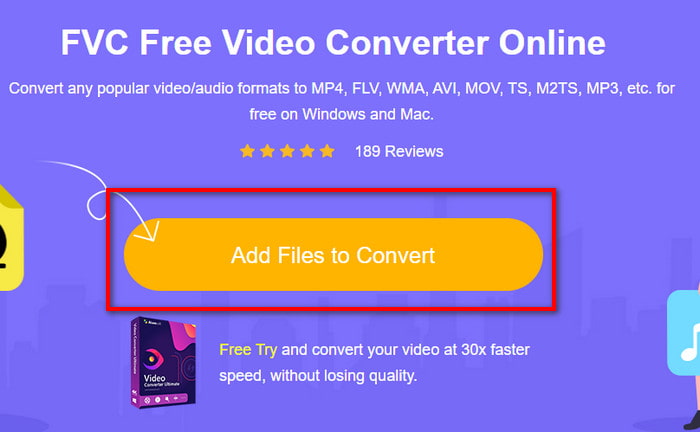
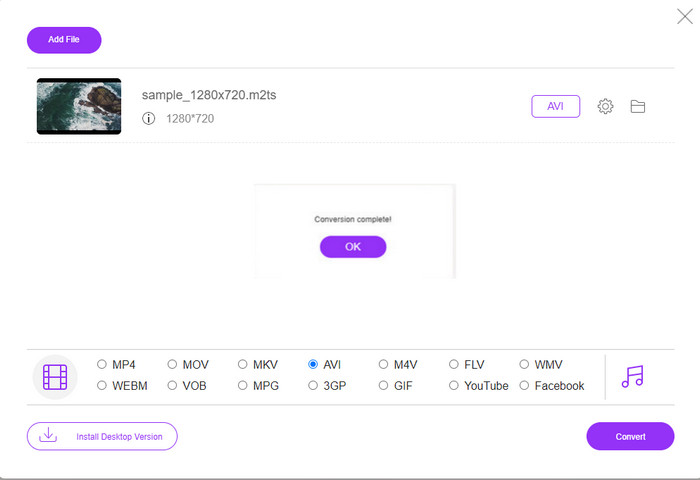
Paso 2. Luego haz clic en Add Files to Convert y aparecerá una carpeta en tu pantalla; selecciona el archivo con la extensión .m2ts y haz clic en Open.
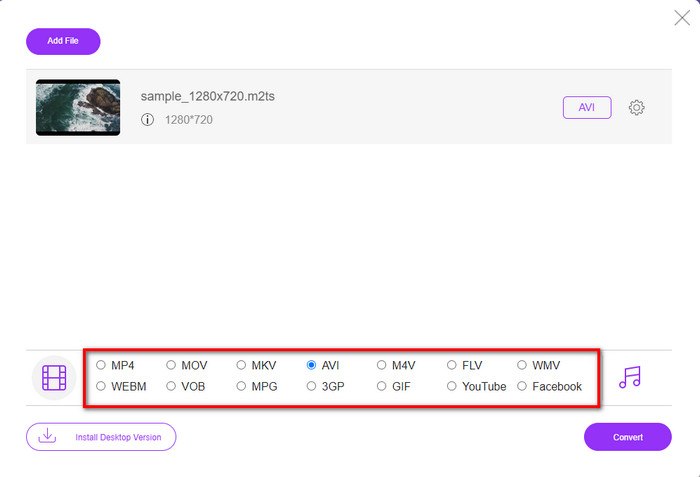
Paso 3. Después de insertar el archivo, verás que aparece en tu pantalla una interfaz con las opciones de formato disponibles en la parte inferior; elige el formato AVI de la lista.
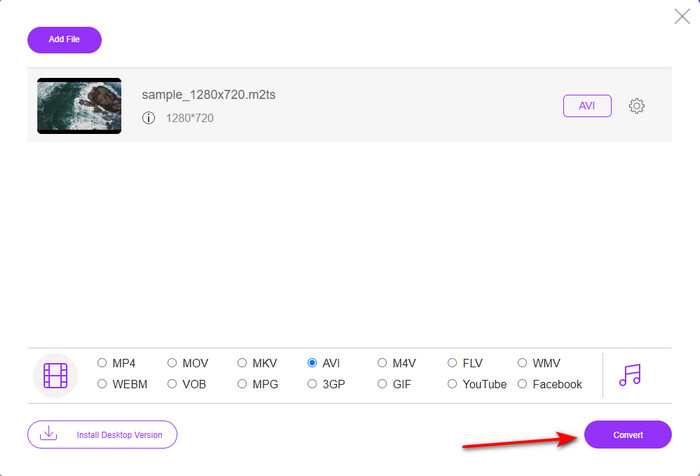
Paso 4. Una vez que hayas seleccionado el formato, haz clic en Convert para empezar a cambiar el formato a AVI.
Paso 5. La conversión del formato llevará aproximadamente un minuto; aparecerá una carpeta que mostrará el archivo convertido que has creado antes.
Parte 3. La segunda forma es usar la herramienta definitiva para convertir M2TS a AVI sin conexión
Si quieres una herramienta que funcione mucho mejor que los conversores online u offline disponibles, entonces FVC Video Converter Ultimate es la herramienta perfecta para ti. Este programa rinde muy bien en diferentes tareas, ya sea editar, crear GIF, cambiar el formato, aumentar el volumen y mucho más. Se han añadido muchas funciones avanzadas y simplificadas a este software para ofrecer el mejor resultado a sus clientes. Sí, es cierto: tendrás que ser cliente antes de acceder a esta herramienta definitiva. Y no hace falta que te pongas triste, porque no es cara y ofrece un rendimiento muy superior al de otros conversores. Además, esta herramienta admite todos los formatos conocidos y, sin duda, el formato de archivo que tus dispositivos o tu ordenador admiten. Asimismo, si quieres experimentar el mejor proceso de conversión, sigue los pasos indicados para usar este conversor de M2TS a AVI.
Pros
- Es compatible con funciones mucho más avanzadas que le encantaría usar.
- Puede convertir un archivo en unos pocos segundos debido a la aceleración de hardware y la conversión rápida que proporciona esta herramienta.
- Disponible en todas las plataformas y soporta todos los formatos.
Contras
- Para acceder a la herramienta, deberá pagar.
- Primero debe descargarse en la unidad de su computadora.
Pasos para convertir el formato de vídeo M2TS a formato AVI sin conexión
Paso 1. Descarga el software en tu plataforma haciendo clic en el botón de descarga que aparece abajo. Después instálalo, realiza la configuración y abre la herramienta.
Descarga gratuitaPara Windows 7 o posteriorDescarga segura
Descarga gratuitaPara macOS 10.7 o posteriorDescarga segura
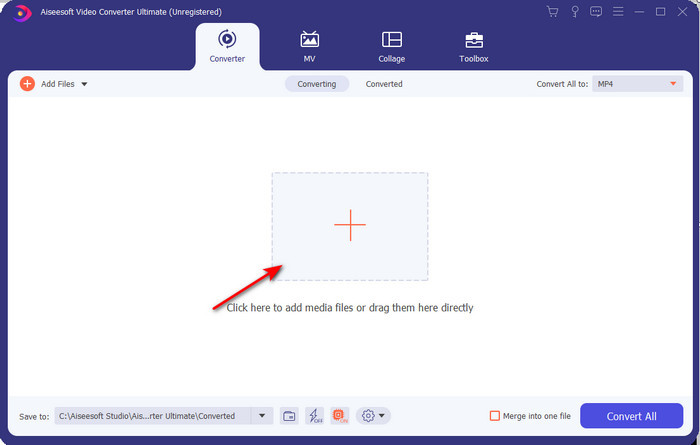
Paso 2. Ejecuta el software, haz clic en el botón + para colocar el archivo .m2ts desde la carpeta y haz clic en Open.
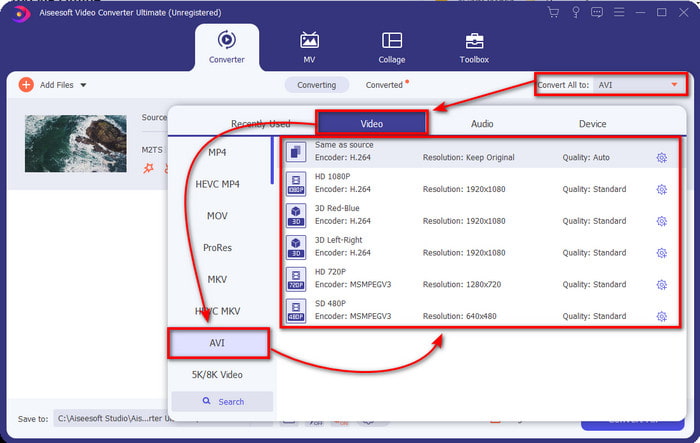
Paso 3. Ahora, en la parte superior derecha de la interfaz, verás el menú Convert All to; haz clic en él. Al hacerlo, aparecerá un submenú: localiza el formato AVI en la lista.
Paso 4. Una vez seleccionado el formato, inicia la conversión haciendo clic en Convert All.
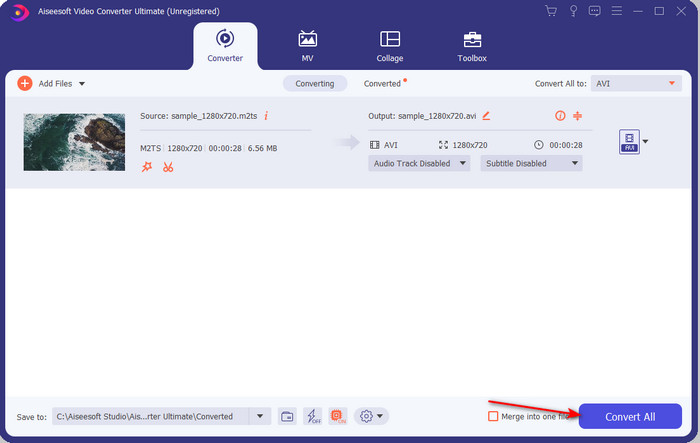
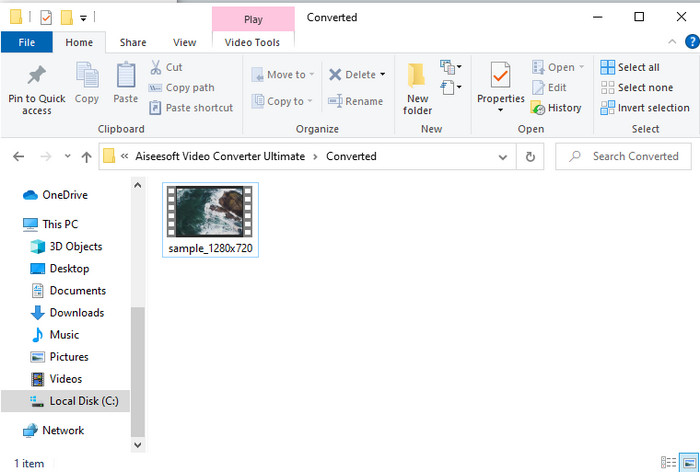
Paso 5. Cuando termine la conversión, aparecerá una carpeta en tu pantalla; haz clic en el archivo para ver el .m2ts convertido.
Parte 4. Preguntas frecuentes sobre M2TS y AVI
Después de convertir M2TS a AVI, ¿permanece la calidad?
Después de convertir M2TS a AVI, se debe conservar la calidad del video. Sin embargo, existe la posibilidad de que la calidad cambie si establece la salida de calidad en media o baja. Esto se puede evitar si lo configura en 1080 o 4k, pero el tamaño del archivo será mayor en comparación con los de baja calidad.
¿Por qué no puedo reproducir M2TS en mi Windows Media Player?
Hay un motivo por el que no puedes reproducir archivos con la extensión .m2ts. Y ese motivo es que no son compatibles. Así que, si aún quieres ver tu archivo .m2ts, es imprescindible convertirlo o buscar otro reproductor multimedia de terceros que pueda reproducir archivos M2TS.
¿Son MTS y M2TS diferentes?
Si fuéramos a comparar estos dos formatos, debes saber que prácticamente no hay diferencias establecidas. Además, ambos utilizan el formato de vídeo AVCHD, que guarda la calidad de tu vídeo lo más alta posible. Para obtener más información sobre los archivos MTS y M2TS, lee Qué es la diferencia entre MTS y M2TS.
Conclusión
Juntos encontramos ahora las diferentes técnicas sobre cómo convertir su archivo M2TS en AVI. A medida que investigamos cada herramienta individualmente, descubrimos que FVC Video Converter Ultimate funciona bien en la conversión de archivos. Entonces, al final, le sugerimos que descargue el convertidor fenomenal para una conversión más fácil y experimente el proceso de conversión más rápido que haya existido.
-
 Cómo convertir M2TS a MKV gratis y en línea
 ¿Quiere convertir M2TS a MKV manteniendo la calidad original? Esta publicación le muestra métodos gratuitos y en línea para cambiar M2TS a MKV sin pérdidas.
-
 [2021] Las 6 mejores formas gratuitas y en línea de convertir M2TS a MP3
 ¿Se puede convertir un archivo M2TS a MP3? En esta publicación, hemos enumerado las 6 mejores formas gratuitas y en línea para ayudarlo a convertir M2TS a MP3, AAC, AIFF y más formatos de audio.
-
 Cómo convertir M2TS a MOV gratis [en línea y fuera de línea]
 ¿Necesita convertir M2TS a MOV para reproducir archivos de video en varios reproductores y plataformas? Este artículo lo ayudará a encontrar el mejor método en línea / fuera de línea para convertir M2TS a MOV en Windows / Mac.
