


 Video Converter Ultimate
 Grabador de pantalla
 Reparación de vídeo
Conozca cuáles son los 2 mejores convertidores para convertir RMVB a AVI gratis
Si buscas una compresión más eficiente, utiliza el formato RMVB, porque este formato emplea tasas de bits variables para codificar el sonido y el vídeo. Este formato es el mejor contenedor para almacenar medios en streaming codificados a una tasa de bits constante. Aunque el formato es la mejor opción para la transmisión en línea, seguirás necesitando un reproductor multimedia o un códec multimedia para ver el vídeo con la extensión de archivo .rmvb. Así que, si ese es el caso, vamos a hacerte la vida más fácil descubriendo qué convertidor de archivos RMVB a AVI puedes usar para convertir tus archivos RMVB.
Parte 1. El mejor convertidor de RMVB a AVI sin conexión para Windows y Mac [la forma más rápida y efectiva]
El primero de esta lista es el extraordinario conversor que te encantará; FVC Video Converter Ultimate ofrece la forma más rápida y segura de convertir RMVB a AVI de forma gratuita. Todas las funciones que ofrece esta herramienta son imprescindibles para todas las personas que convierten formatos con frecuencia. Además, si quieres editar tu vídeo, potenciar el volumen de tu audio, crear un GIF único y hacer mucho más, esta herramienta es una gran opción para todo el mundo. Aunque aquí puedas convertir tu formato gratis, esta herramienta en sí no lo es. Sin embargo, no vas a gastar cientos de euros para descargarla, acceder a ella y experimentar toda la capacidad de este conversor. En el supuesto de que compres y descargues esta herramienta, ahora es el momento ideal de usar tu imaginación para lograr la mejor salida con la ayuda de este programa. Y ahora, a continuación encontrarás los pasos sobre cómo convertir tus archivos RMVB a un formato nuevo.
Pasos para convertir RMVB a AVI con FVC Video Converter Ultimate:
Paso 1. Descarga este conversor de RMVB a AVI en tu PC o Mac, instálalo, realiza la configuración inicial y haz clic en Start Now.
Descarga gratuitaPara Windows 7 o posteriorDescarga segura
Descarga gratuitaPara macOS 10.7 o posteriorDescarga segura
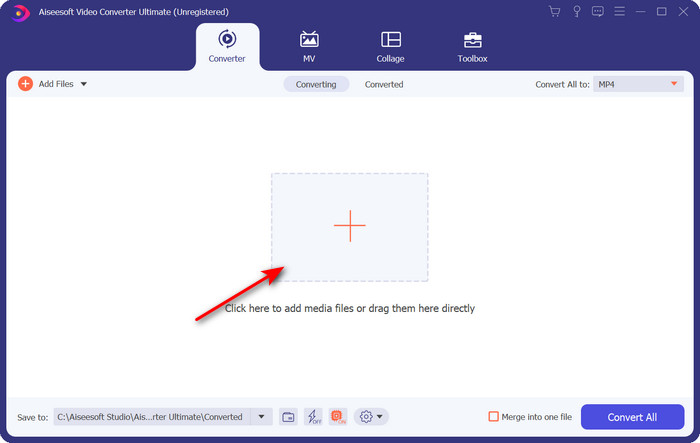
Paso 2. Ejecuta el programa y sube el archivo .rmvb a la interfaz haciendo clic en el botón + del centro. Localiza el archivo en la carpeta y haz clic en Open.
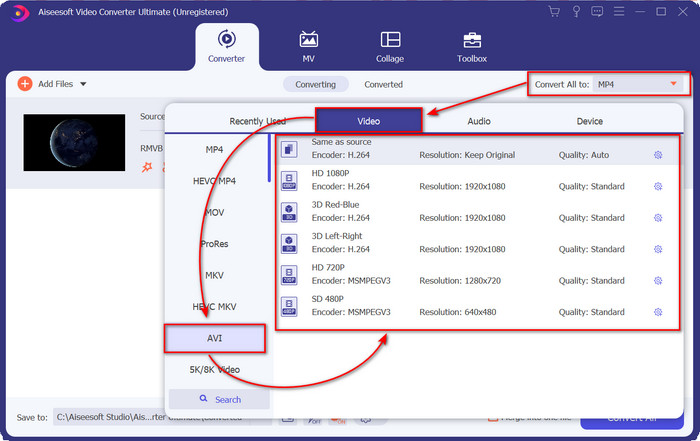
Paso 3. Ve a Convert All to: y busca el formato AVI, luego haz clic en él.
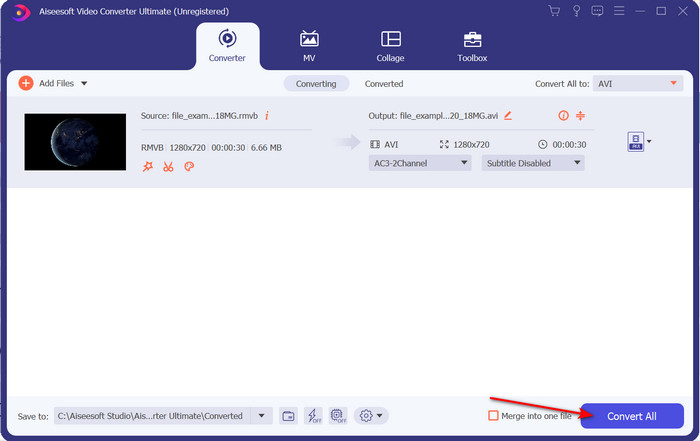
Paso 4. Una vez elegido el formato, comienza a convertir el archivo haciendo clic en Convert All.
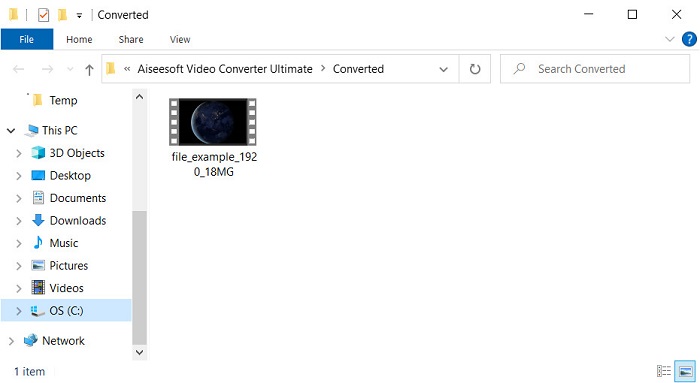
Paso 5. Aparecerá en tu pantalla una carpeta con el nuevo archivo .rmvb; haz clic en el archivo para ver el vídeo y disfrutarlo.
Pros
- La caja de herramientas ofrece múltiples utilidades populares que lo ayudarán con los diferentes problemas que pueda encontrar.
- Proporciona 30 veces más rápido en la conversión de archivos en comparación con otros convertidores en línea y fuera de línea.
- Es infalible que cualquier persona con o sin experiencia en conversión puede convertir fácilmente.
- La conversión por lotes se realiza rápidamente con diferentes formatos.
Contras
- Para acceder a la herramienta, deberá pagar por ella, pero no es más de cien dólares.
- La descarga es necesaria en su PC o Mac.
Parte 2. El mejor convertidor de RMVB a AVI en línea para navegador web [sin cargo]
¿Buscas un conversor de RMVB a AVI en línea? Entonces, FVC Free Video Converter Online es una de las opciones. Esta herramienta web te permite convertir sin descargar el software. Es accesible para quienes tienen conexión a Internet. Además, es gratuita, segura y no hay anuncios en la página mientras haces la conversión. Otro punto a favor es que puedes convertir archivos aquí sin ningún límite. Puedes elegir entre varios formatos disponibles. Sin embargo, esta herramienta web no dispone de las mismas funciones avanzadas que ofrece FVC Video Converter Ultimate. Asimismo, no podrás acceder a esta herramienta si no tienes conexión a Internet, igual que ocurre con otras herramientas web. Así que ahora, si quieres probar y convertir sin gastar dinero, sigue los pasos indicados a continuación.
Pasos para convertir RMVB a AVI en línea con FVC Free Video Converter Online:
Paso 1. Para acceder a este conversor de RMVB a AVI en línea, debes hacer clic en este enlace.
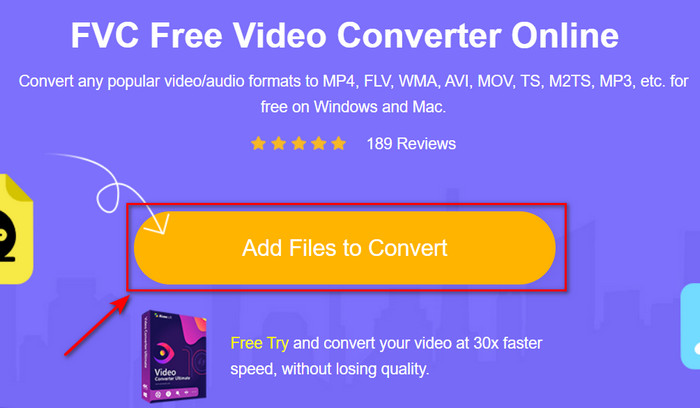
Paso 2. Pulsa Add Files to Convert y, si es la primera vez que usas esta herramienta, se descargará automáticamente un lanzador; vuelve a hacer clic en Add Files to Convert y aparecerá una carpeta. Busca el archivo .rmvb en la carpeta y haz clic en Open.
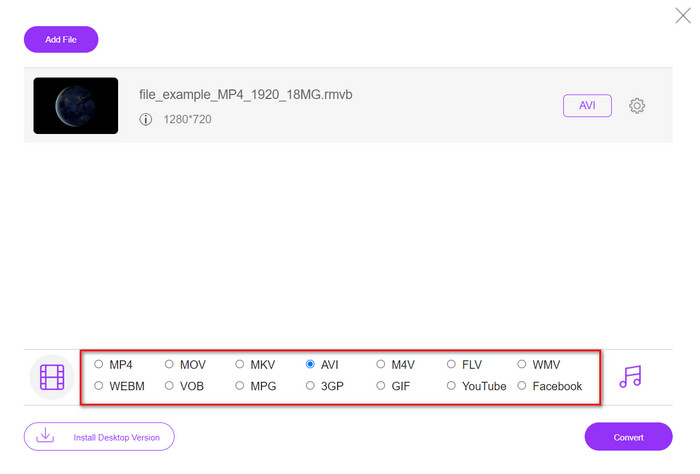
Paso 3. Cuando el archivo esté en la interfaz web, haz clic en AVI entre las opciones disponibles en la parte inferior.
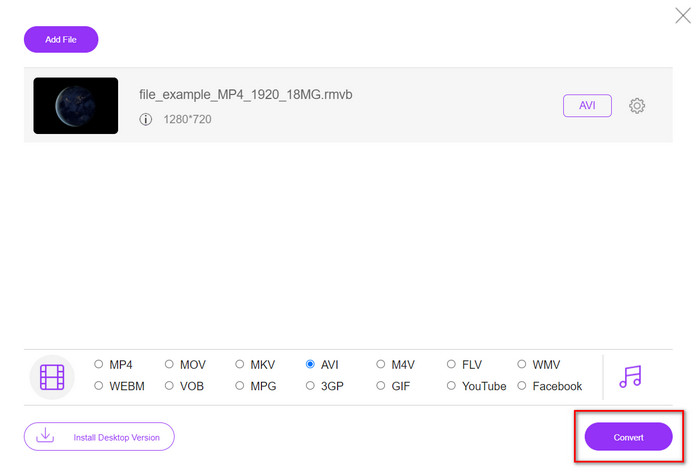
Paso 4. Después de haber seleccionado AVI, inicia la conversión pulsando Convert.
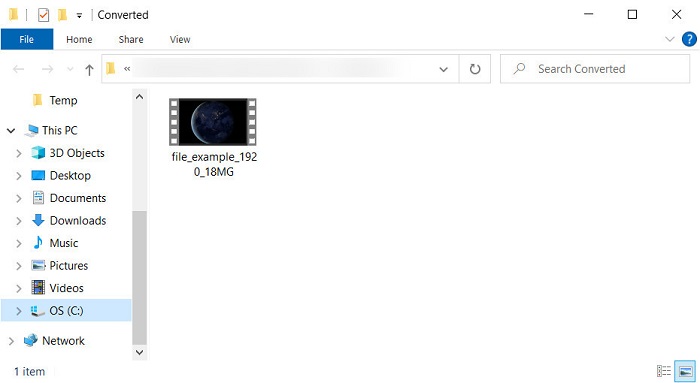
Paso 5. Cuando se termine de convertir el archivo, aparecerá en tu pantalla una carpeta con el archivo y, si quieres ver el archivo, haz clic en él.
Pros
- No se necesita ninguna descarga para acceder a él que no sea el instalador.
- Gratis, y no tiene anuncios en la interfaz web.
- Abra la herramienta web en un navegador diferente porque está disponible en todos.
Contras
- Dependiente de Internet, lo que significa que si no tiene Internet, no puede usarlo.
- No tiene funciones de edición como FVC Video Converter Ultimate.
Parte 3. Preguntas frecuentes sobre RMVB y AVI
¿Puedo reproducir el archivo RMVB en Quicktime?
QuickTime puede reproducir varios formatos, y este reproductor multimedia es compatible con diferentes códecs codificados en tu pista de vídeo o audio. Sin embargo, .rmvb no es uno de los formatos compatibles, así que, para reproducir el archivo .rmvb en QuickTime, debes convertirlo a un formato compatible como MOV, MPEG‑4, AVI y otros formatos admitidos. Pero también puedes recurrir a reproductores de RMVB para disfrutar de tus vídeos RMVB sin problemas.
¿Por qué no puedo abrir archivos .rmvb en Windows Media Player?
Debido a que el códec de sus archivos .rmvb no es compatible con este reproductor multimedia, suponga que desea ver un video con la extensión de archivo .rmvb. En ese caso, es imprescindible instalar un códec de video en su computadora antes de reproducirlo. Pero para evitar este problema, intente convertir el formato a un formato plausible que admita este reproductor multimedia.
¿Puedo guardar un video en formato RMVB en mi teléfono?
Sí, puede guardarlo, pero no puede reproducirlo en su reproductor de video predeterminado y, para reproducir el archivo, debe descargar un reproductor de video de terceros que admita este formato.
Conclusión
En resumen, ahora entendemos qué es el formato RMVB y qué tipo de codificación admite este formato. Aunque el formato es excelente para transmitir el archivo en línea, algunos reproductores multimedia todavía no lo admiten debido a lo compleja que es su estructura. Por eso presentamos dos soluciones entre las que puedes elegir para aprender a convertir archivos RMVB a AVI: una herramienta se puede usar en línea sin coste alguno, y la otra es el extraordinario conversor que realiza todas las tareas en un abrir y cerrar de ojos. En el supuesto de que elijas FVC Free Video Converter Online, podrás esperar la mejor conversión en línea. No obstante, si decides descargar una versión mucho mejor, entonces podrás esperar el máximo rendimiento.
-
 Guía sobre cómo convertir RMVB a MP4 en Windows / Mac (3 formas gratuitas)
 ¿Quiere convertir RMVB a MP4 para una fácil reproducción en su computadora o teléfono móvil? Encontrará formas sencillas de convertir sus archivos RMVB a MP4 en esta guía.
-
 Las 4 mejores aplicaciones gratuitas de conversión de RMVB a FLV en el escritorio o en línea
 Este artículo le dirá el mejor software de conversión de RMVB a FLV y aplicaciones web que pueden convertir archivos RMVB (RealMedia Variable Bitrate) a video FLV.
-
 Mejor método para usar en la conversión de AMV a AVI [Aprobado]
 ¿Tiene dificultades para convertir su archivo de video en formato AMV a AVI? Aquí hay algunos consejos proporcionados que solo puede encontrar en este artículo.
