


 Video Converter Ultimate
 Grabador de pantalla
 Reparación de vídeo
 Descarga segura
Las 6 mejores fusiones de AVI para combinar videos AVI en uno
¿Cuáles son los mejores ensambladores de AVI para combinar varios archivos AVI para DVD? Si ha descargado algunos clips AVI en línea, necesita recortar las partes no deseadas, aplicar efectos de aparición / desaparición gradual o agregar marcas de agua de video a los archivos AVI para DVD, ¿cómo debe unir los archivos AVI? Aquí están las 6 mejores fusiones de AVI con funciones avanzadas, puede obtener más detalles del artículo y elegir la deseada de acuerdo con sus requisitos.

Parte 1: 2 mejores formas de unir archivos de video AVI
1. Cómo fusionar archivos AVI gratis en línea fácilmente
FVC Fusionador Gratuito en Línea es un combinador de AVI versátil que te ayuda a unir archivos de vídeo AVI totalmente gratis en línea. Te permite combinar AVI, MP4, MKV y otros formatos de vídeo sin límite de cantidad. Además, puedes ajustar la resolución, la calidad de vídeo y otros parámetros según tus necesidades.
- 1. Combine archivos de video en cualquier formato, incluido AVI, MKVy más archivos gratis en línea.
- 2. Ajuste el códec de video, la resolución, la calidad del video y otros parámetros.
- 3. Guarde los archivos AVI combinados en su computadora o compártalos en sitios de redes sociales.
- 4. Elimine los archivos de video en 24 horas para proteger su privacidad.
Paso 1: Abre FVC Free Online Joiner en cualquier navegador. Haz clic en el botón Add Files to Merge para instalar el complemento y, a continuación, haz clic de nuevo en el botón Add Files to Merge para seleccionar los archivos AVI deseados.

Paso 2: Después de añadir los archivos de vídeo AVI en el orden correcto, elige el formato AVI y selecciona la resolución 1920*1080p para mantener alta calidad.

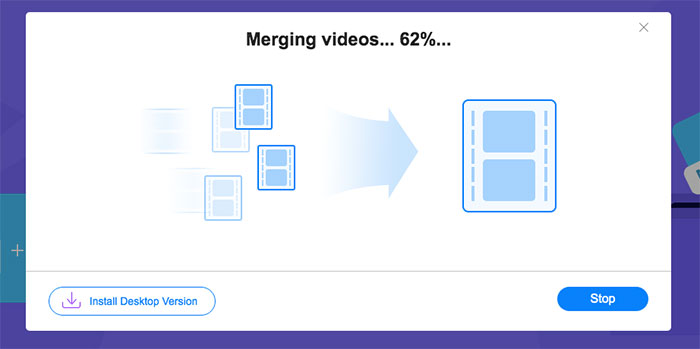
Paso 3: Haz clic en el botón Merge Now para empezar a unir automáticamente los archivos de vídeo AVI.
2. La forma profesional de unir archivos AVI sin perder calidad
Video Converter Ultimate no solo te ayuda a unir archivos de vídeo AVI, sino que también permite editar vídeos AVI para crear DVDs. Tanto si necesitas recortar la parte deseada, mejorar la resolución del vídeo, ajustar el códec de vídeo, aplicar filtros impresionantes, modificar el tema del vídeo o incluso crear un collage de vídeo para el archivo AVI, es el combinador de AVI todo en uno que te permite crear películas impactantes en unos pocos clics.
- 1. Únase a varios archivos de vídeo en cualquier formato, incluidos AVI, MKV, MP4, etc.
- 2. Capaz de ajustar los parámetros de video detallados para mantener la alta calidad original.
- 3. Proporcione herramientas de edición profesionales para crear videos más atractivos para cargar en SNS.
- 4. Velocidad 30 veces más rápida para fusionar archivos AVI y crear otros nuevos en unos minutos.
Descarga gratuitaPara Windows 7 o posteriorDescarga segura
Descarga gratuitaPara macOS 10.7 o posteriorDescarga segura
Cómo unir archivos AVI sin perder calidad
Paso 1: Descarga Aiseesoft Video Converter Ultimate para Windows/Mac y ejecútalo. Haz clic en el botón Add Files en la esquina superior derecha para elegir los vídeos AVI deseados y arrastra los archivos AVI para ajustar el orden.

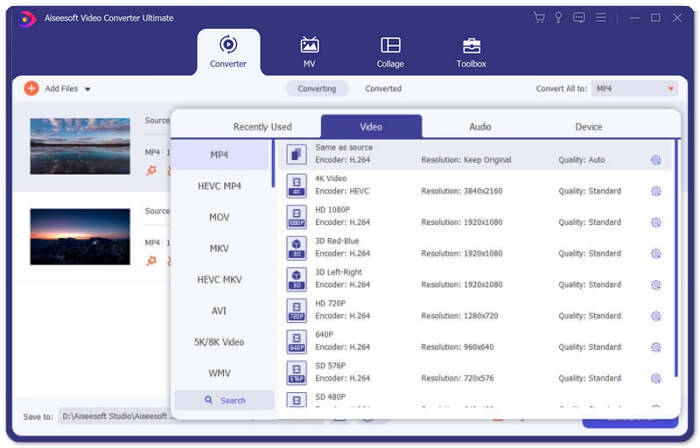
Paso 2: Luego haz clic en el botón Convert All to y elige el formato AVI en la línea de Video. Después selecciona la opción Same as Source para mantener la calidad original del vídeo.
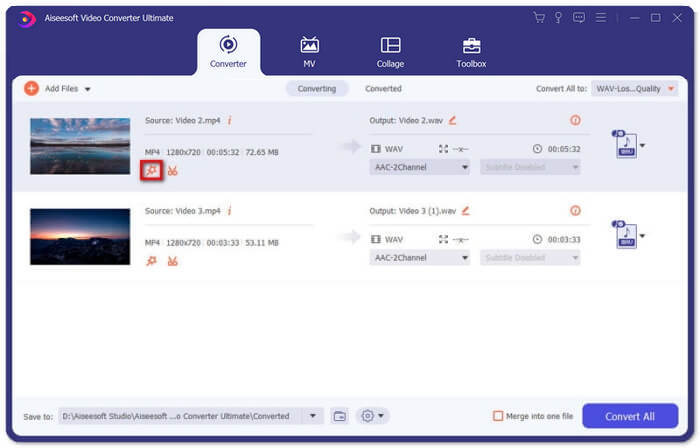
Paso 3: Haz clic en el botón Edit y selecciona el botón Effect & Filter para añadir diferentes efectos. Luego haz clic en el botón OK para guardarlos.
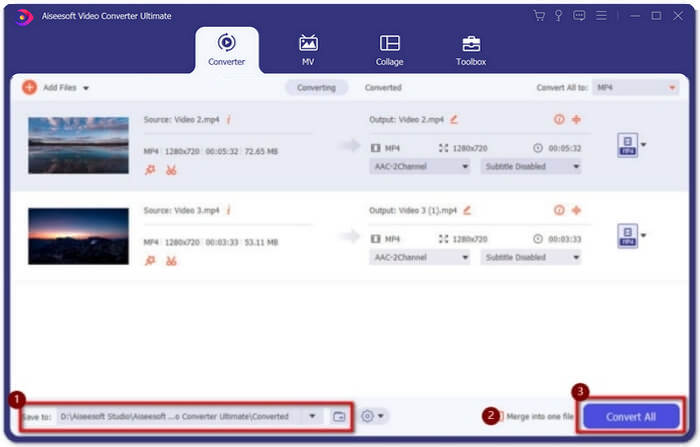
Paso 4: Tras elegir la ruta de almacenamiento deseada, marca la casilla Merge into one file y haz clic en el botón Convert All para empezar a unir archivos AVI.
Cómo combinar vídeos AVI en una película
Paso 1: Una vez que hayas iniciado el programa, puedes elegir el menú MV y entrar en la interfaz de creación de MV. Haz clic en el botón Add en la parte inferior izquierda de la ventana para importar archivos AVI al programa.
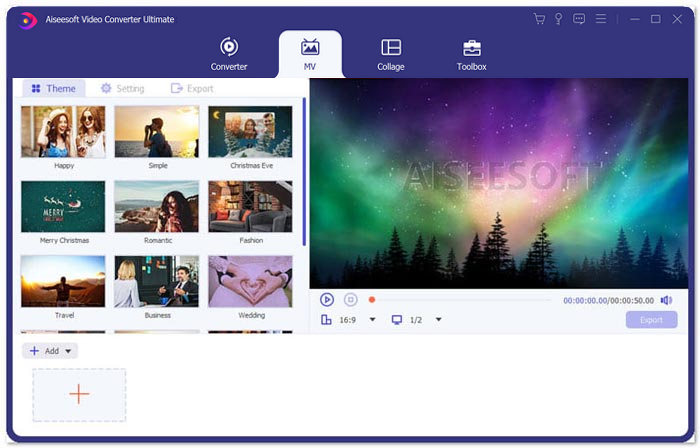
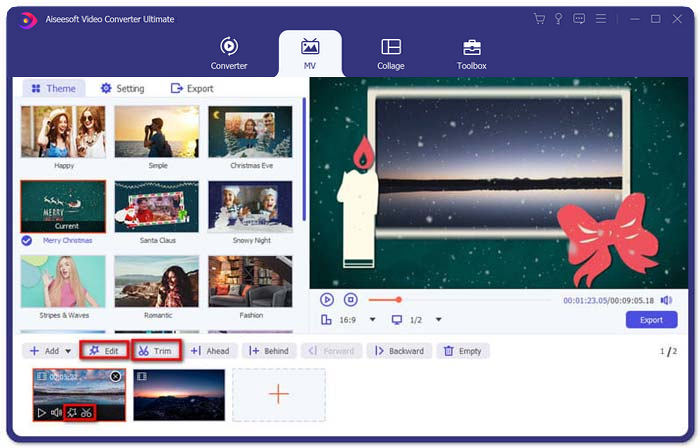
Paso 2: Después de eso, puedes ajustar el orden de los archivos AVI, recortar la parte deseada del vídeo o editar los vídeos. Además, también puedes elegir un tema para combinar los archivos AVI.
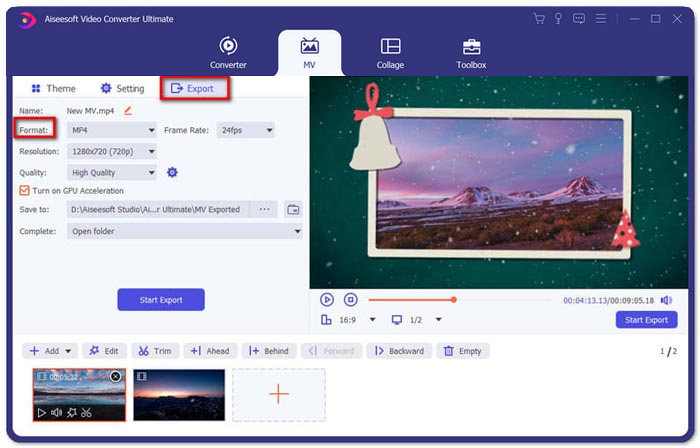
Paso 3: Si quieres guardar los archivos AVI combinados en otros formatos de vídeo, puedes elegir tu formato preferido haciendo clic en la flecha hacia abajo situada junto al icono del formato. Luego ve a la pestaña Export para poner un nombre a tu proyecto y establecer la ruta donde se guardará.
Parte 2: 4 ensambladores AVI más para fusionar archivos AVI
1. Easy Video Joiner
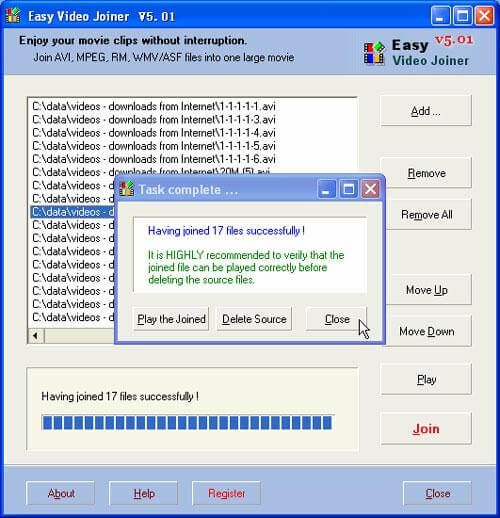
Esta es una fusión de video muy simple para unir archivos de video AVI en diferentes estilos. Y es compatible con diferentes formatos de video, velocidades de fotogramas y tamaños de fotogramas.
Pros
- Capaz de fusionar videos AVI en diferentes estilos, incluidos uno al lado del otro, hacia arriba y hacia abajo, y uno tras otro.
- Fácil de usar sin pasos complejos.
Contras
- Para la mayoría de las personas, crear videos atractivos es demasiado básico.
Sistema operativo: Windows y Mac
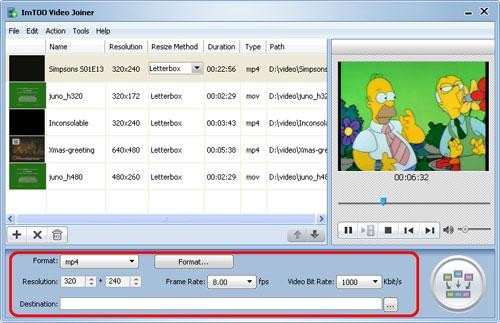
2. Video Joiner de ImTOO
Esta herramienta de escritorio puede ayudarlo a unir varios archivos de video en cualquier formato en uno. También proporciona una función de edición para agregar algunos efectos a los videos.
Pros
- Capaz de unir videos en algunos formatos poco comunes como ASF, DAT, etc.
- Obtenga una vista previa de los archivos de video originales antes de fusionarlos.
Contras
- No es de uso gratuito. Solo tiene 30 días de prueba gratuita.
SO del sistema: Windows
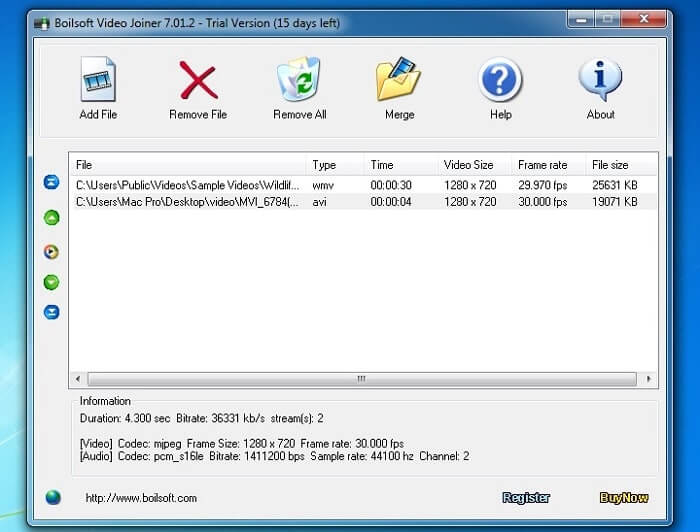
3. Video Joiner de Boilsoft
Este ensamblador de video solo se usaba para combinar archivos AVI / WMV / MPEG antes, pero ahora, puede unir muchos videos en diferentes formatos.
Pros
- Combine numerosos videos en diferentes formatos en uno rápidamente.
- Soporte para ingresar formatos poco comunes como Real Media y ASF. (Unir archivos ASF aquí.)
Contras
- Solo puede combinar archivos de video, pero casi no puede editar o ajustar el parámetro.
Sistema operativo: Windows y Mac
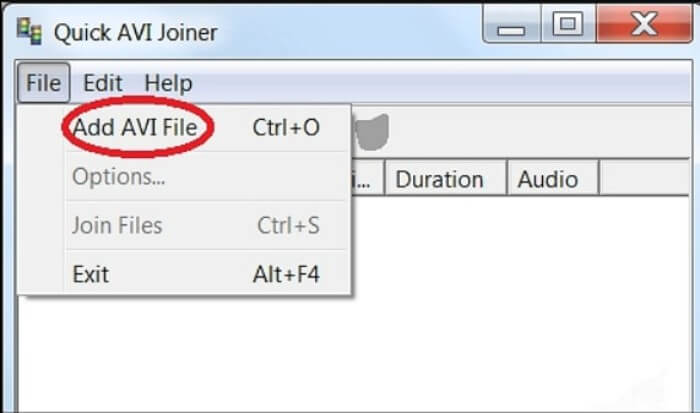
4. Quick AVI Joiner
Es un ensamblador AVI muy simple que puede fusionar archivos AVI en archivos de video grandes. Además, admite la unión de archivos AVI en diferentes tamaños y resoluciones.
Pros
- Fácil de usar para todos los niveles de usuarios.
- Capaz de fusionar archivos AVI en diferentes tamaños y resoluciones de fotogramas.
Contras
- No puedo mantener una alta calidad de imagen como otros ensambladores.
SO del sistema: Windows
Parte 3: Preguntas frecuentes sobre la unión de archivos AVI
1. ¿Puedo combinar dos videos AVI uno al lado del otro?
Si. Cuando desee agregar un efecto de lado a lado para videos AVI, Video Converter Ultimate puede ayudarlo a unir videos AVI uno al lado del otro en diferentes modos. Además, puede elegir diferentes plantillas para crear diferentes.
2. ¿Cómo conservar la calidad del video para unir archivos AVI?
Cuando necesite combinar los archivos AVI, especialmente si no son de la misma fuente, debería tener que mejorar la calidad de video para algunos archivos AVI, y luego puede configurar una velocidad de fotogramas, velocidad de bits y otros parámetros similares antes de unirse.
3. ¿Es posible combinar archivos AVI con VLC?
Sí. Puedes hacer clic en el menú Media y seleccionar el botón Open Multiple File. Haz clic en la opción Add en la pestaña File para añadir más archivos que quieras unir. Después ve al botón Play y haz clic en el botón Convert del menú para combinar archivos AVI con VLC.
Conclusión
Este artículo ha presentado los pasos detallados para unir archivos AVI con las 2 mejores fusiones de video. Y también puede conocer las características especiales de los otros 4 mejores ensambladores de AVI. Puedes elegir el más adecuado según tu necesidad.
-
 Cómo unir archivos M2TS de forma gratuita
 ¿Quiere fusionar libremente archivos M2TS / MTS capturados por videocámaras? Esta publicación comparte formas eficientes de unir 2 archivos M2TS en uno sin volver a codificar.
-
 Los 6 mejores ensambladores de MP4 para principiantes
 Hay muchos ensambladores MP4 disponibles para conectar diferentes clips MP4. En este artículo, hemos elegido algunos ensambladores MP4 gratuitos para Windows 10/8/7 y Mac.
-
 Cómo unir varios archivos de video MPG en uno en Windows y Mac
 Unir varios clips MPG en un archivo puede ser un problema para usted. Puede obtener más información sobre cómo combinar videos MPG en su computadora en este artículo.
