


 Video Converter Ultimate
 Grabador de pantalla
 Reparación de vídeo
 Descarga segura
Cómo fusionar archivos MPG en la computadora
Cuando intentas extraer una película de un DVD al ordenador, normalmente se guarda en formato MPG. Como la película extraída suele dividirse en varios clips MPG cortos, quizá quieras unir varios clips de película en formato MPG en uno solo para obtener el archivo de la película completa. En este artículo, te mostraremos cómo unir archivos MPG de 2 maneras.

Parte 1. Cómo unir archivos MPG con Video Converter Ultimate
Para fusionar películas MPG y editarlas, es posible que necesite un software de unión de video profesional. Video Converter Ultimate es la mejor manera de resolver su problema. Con potentes funciones de combinación, conversión y edición de video, puede unirse a muchos archivos MPG y ajustarlos en su computadora.
- 1. Únase y convierta varios tipos de formatos de video, incluidos archivos MPG, con un solo clic.
- 2. Múltiples funciones de edición de video MPG que incluyen recortar, dividir, rotar y agregar marcas de agua y subtítulos.
- 3. Caja de herramientas especial que le proporciona un potenciador de video MPG para mejorar la calidad del video.
- 4. Agregue temas y filtros para decorar sus clips de película mpg
Descarga gratuitaPara Windows 7 o posteriorDescarga segura
Descarga gratuitaPara macOS 10.7 o posteriorDescarga segura
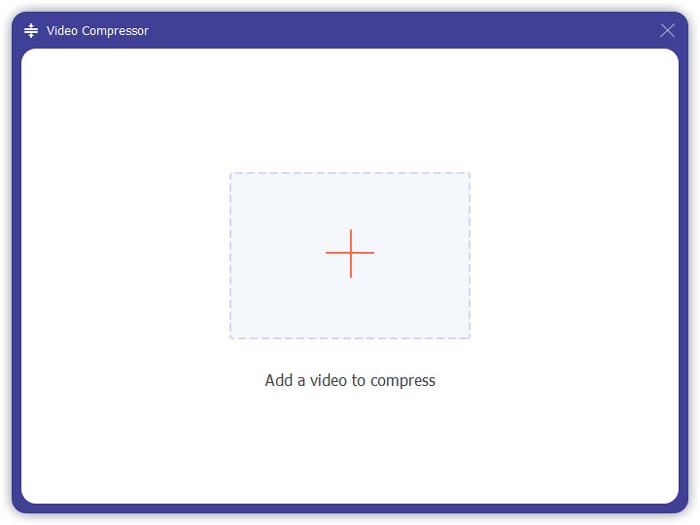
Paso 1. Descarga e instala Video Converter Ultimate. Elige la interfaz de Convertidor. Después puedes añadir los archivos MPG que quieras unir haciendo clic en el recuadro Añadir archivos en el centro de la interfaz. También puedes arrastrar varios archivos MPG al recuadro para añadirlos. Te permite añadir múltiples archivos MPG y fusionarlos en uno solo.
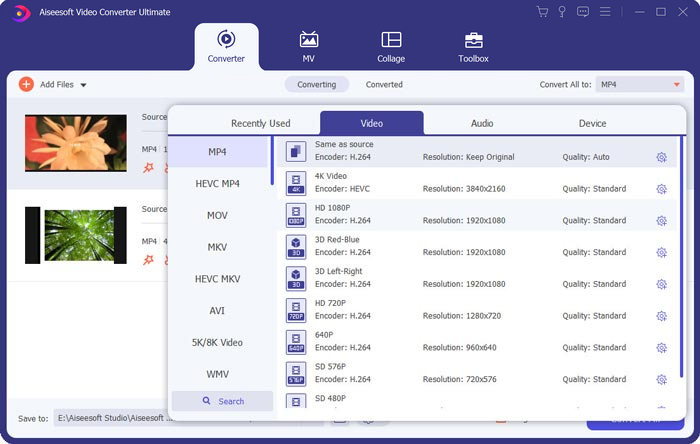
Paso 2. A continuación, elige el formato de vídeo que quieres obtener haciendo clic en el campo Convertir todo a en el lado derecho. Puedes elegir varios tipos de formatos en el menú, incluidos MP4, MOV, MKV, etc. Puedes ajustar manualmente los parámetros del formato haciendo clic en el icono de engranaje.
Paso 3. Para editar tus vídeos, puedes hacer clic en el icono de tijeras para abrir la interfaz de edición. Puedes establecer la hora de inicio y de final para recortar los vídeos. Los vídeos MPG en la barra de la izquierda se muestran en orden cronológico. Si quieres cambiar la secuencia de los vídeos, puedes arrastrarlos y colocarlos en un orden distinto. En el vídeo final unido, el vídeo situado encima se reproducirá antes que el que está debajo.
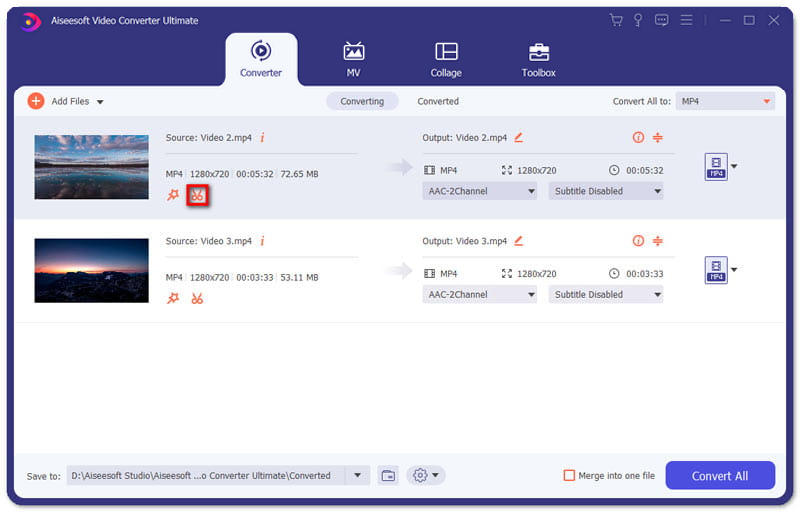
Paso 4. Cuando termines la edición, puedes fusionarlos y exportar el proyecto final. Debes saber que los vídeos se fusionarán en orden cronológico según la secuencia en la interfaz de edición. Para comenzar a fusionar, debes marcar la casilla Combinar en un archivo y hacer clic en el botón Convertir todo. Al finalizar, podrás encontrar el vídeo unido en la carpeta.
Entonces ya puedes reproducir los archivos MPG directamente con el reproductor MPG MPEG.
Parte 2. Cómo unirse a archivos MPG gratis en línea
Si quieres unir archivos MPG gratis en línea, puedes usar Free Online Video Merger. La interfaz sencilla y bien diseñada es fácil de usar para todos los usuarios.
Paso 1. Descarga el lanzador e instala el fusor. Después puedes añadir archivos MPG haciendo clic en el signo + en la interfaz. En la parte inferior de la pantalla, puedes ajustar la resolución y el formato del vídeo fusionado en el menú. La secuencia de los vídeos es cronológica de izquierda a derecha en la pantalla.
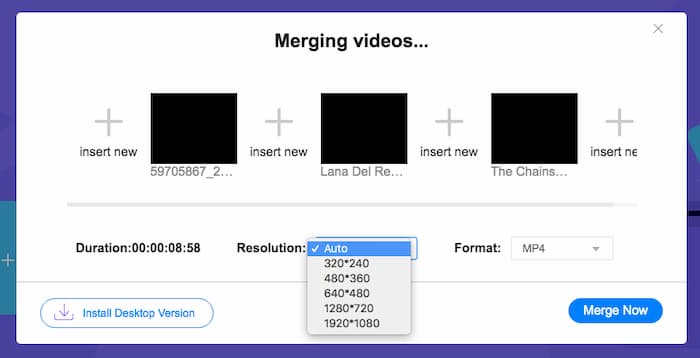
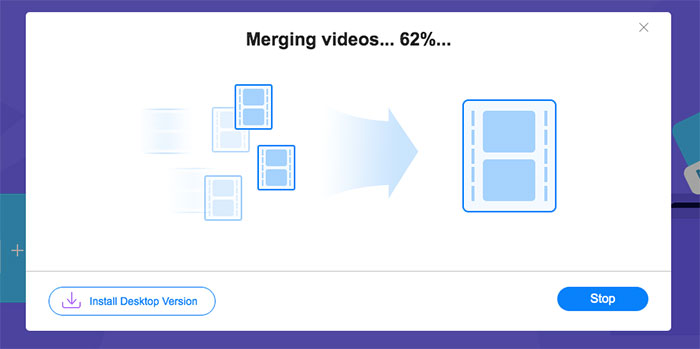
Paso 2. Para iniciar la unión, debes hacer clic en el botón Unir ahora. Cuando termine la fusión, podrás encontrar el vídeo en la carpeta predeterminada Descargas de tu ordenador.
Parte 3. Preguntas frecuentes sobre la unión de archivos MPG
1. ¿Cómo puedo abrir un archivo de video MPG?
Por lo general, el archivo de video MPG es MPEG-1 y MPEG-2. MPEG-1 es compatible con la mayoría de los reproductores multimedia convencionales como Windows Media Player y VLC Media Player. MPEG-2 está diseñado para videos en DVD. Puede descargar un decodificador de DVD de terceros para abrirlo.
2. ¿Qué es un archivo MPG?
El archivo MPG es un archivo de video muy utilizado para guardar datos de video y audio. Puede guardar y comprimir grandes datos de audio y video en tamaño pequeño sin perder calidad. Está estandarizado por Moving Picture Experts Group (MPEG). MPG se utiliza para guardar y distribuir películas en Internet. Los archivos MPG se guardan como PS o MPEG-PS en un formato de contenedor de flujo de programa.
3. ¿Cómo puedo fusionar archivos de video MPG de forma gratuita?
Hay muchas herramientas gratuitas para unir videos en Internet. Free Online Video Merger mencionado anteriormente es una herramienta gratuita con una interfaz fácil y clara que puede satisfacer su demanda.
Conclusión
Cuando quieras unir varios archivos MPG en uno, necesitas un combinador de vídeo profesional. En este artículo, puedes aprender cómo usar combinadores de vídeo para satisfacer tu necesidad. Si tienes alguna pregunta sobre las herramientas para fusionar vídeos o quieres saber más sobre cómo unir archivos MPG, deja tu comentario abajo.
-
 2 métodos definitivos para unir videos MXF de Sony X70
 Si ha tomado algunos videos MXF de Sony X70, ¿cuáles son los mejores métodos para unir archivos MXF? Aquí están los 2 métodos eficientes para combinar los videos con alta calidad.
-
 2 formas de comprimir videos para YouTube
 ¿Los videos de YouTube son grandes y lentos de cargar? Simplemente comprima el tamaño del archivo de video en un tamaño más pequeño para YouTube de 2 maneras en línea y en la computadora.
-
 GIF Player: los 5 mejores reproductores GIF para PC con Windows, Mac, Android y iPhone
 ¿Qué programa abre archivos GIF? ¿Cómo veo GIF en Android? ¿El iPhone tiene un reproductor de GIF para abrir GIF? Esta publicación comparte los 5 mejores reproductores GIF para ti.
