


 Video Converter Ultimate
 Grabador de pantalla
 Reparación de vídeo
En revisiones detalladas sobre las 5 mejores aplicaciones de amplificador de sonido accesibles
A todas las personas de todo el universo les encanta la música, ya sea pop, metal, rock, jazz, etc. Sin embargo, no todos los altavoces ofrecen una gran salida de sonido capaz de ponernos la piel de gallina. Además, comprar amplificadores puede costar más de cien dólares o, peor aún, más de mil. ¿No es caro? Pero podemos evitar gastar tanto dinero si probamos estos excelentes amplificadores disponibles en todas las plataformas. Y ahora, si quieres usar una app amplificadora de sonido, entonces lee la siguiente lista: todas cuestan menos que las cantidades mencionadas arriba y aun así ofrecen una gran amplificación.

Parte 1. Amplificador de sonido fenomenal disponible en PC y Mac
Si quieres conseguir un efecto 8D o 16D sin gastar mucho dinero en equipos de amplificación de sonido, entonces prueba a usar Video Converter Ultimate. A diferencia de cualquier equipo de amplificación, con esta herramienta gastarás menos y no tendrás que hacer ninguna instalación complicada ni leer un manual enorme para aprender a usarla. Además, este software de escritorio es excelente para mejorar tu vídeo, audio, GIF y mucho más. Aunque la herramienta es de pago, sigue siendo muy fácil de usar y sin complicaciones, a la vez que ofrece funciones avanzadas que puedes aplicar sin dificultad a tus vídeos y audios. Así que, si quieres saber cómo usar el software, es imprescindible que sigas los pasos que se indican a continuación.
Pasos para usar el potenciador de volumen de Video Converter Ultimate:
Paso 1. Antes que nada, descarga el software en el disco de tu PC o Mac. Después instálalo en tu ordenador y realiza la sencilla configuración manual.
Descarga gratuitaPara Windows 7 o posteriorDescarga segura
Descarga gratuitaPara macOS 10.7 o posteriorDescarga segura
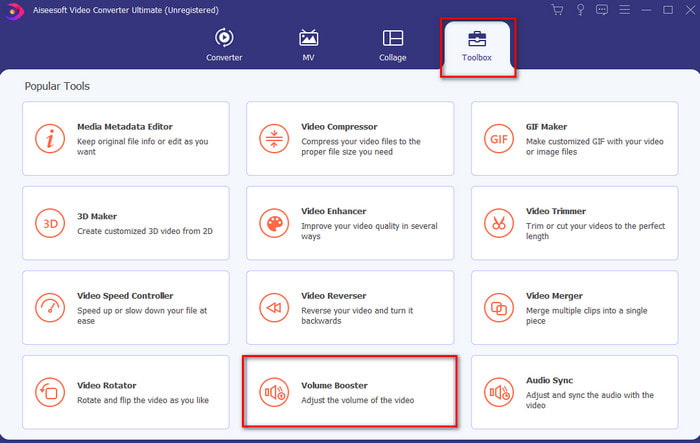
Paso 2. En la sección Toolbox haz clic en Volume Booster.
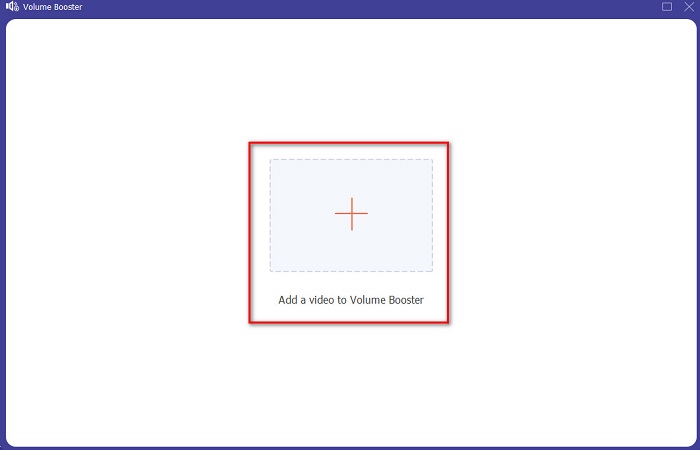
Paso 3. Haz clic en el botón + para elegir el archivo al que quieres amplificarle el sonido. Luego pulsa Open para continuar.
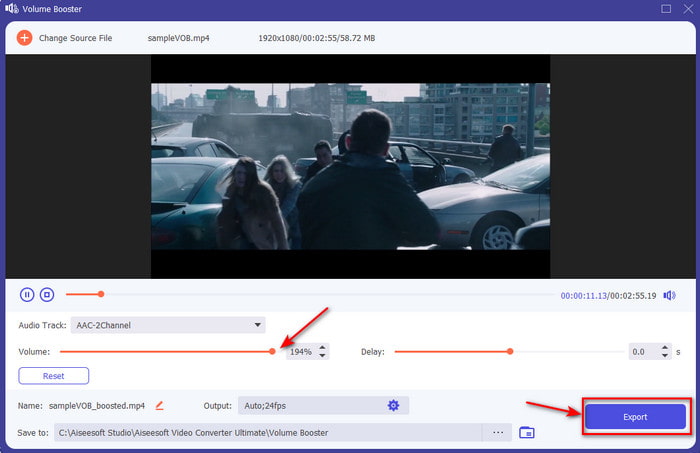
Paso 4. En la interfaz ya puedes arrastrar el control deslizante de volumen para que el sonido sea alto y claro. Cuando termines de ajustar el audio, haz clic en Export.
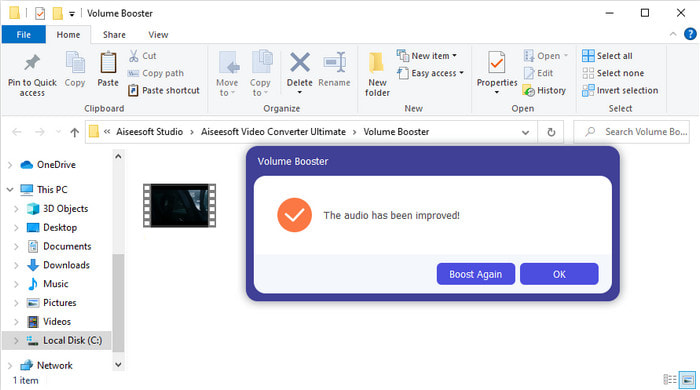
Paso 5. Espera unos segundos a que termine el proceso y, cuando finalice, aparecerá en pantalla un gestor de archivos con el archivo que has amplificado; haz clic en el archivo para escucharlo.
Pros
- Este software es fácil de usar y puede hacer que su audio suene fenomenal.
- El rendimiento del software es muy apreciado por sus clientes.
- Está disponible y se puede descargar fácilmente en PC y Mac.
Contras
- Este software no es compatible con dispositivos móviles.
- Esta herramienta es de pago, pero no es tan cara en comparación con otras herramientas de escritorio.
Relacionado:
Cómo aumentar el volumen de un vídeo MP4
Cómo corregir el retardo de audio en VLC
Parte 2. 4 de la mejor aplicación de amplificador de sonido disponible en teléfonos móviles iOS y Android
1. Aumento de volumen - Amplificador de sonido 4+ (iOS)
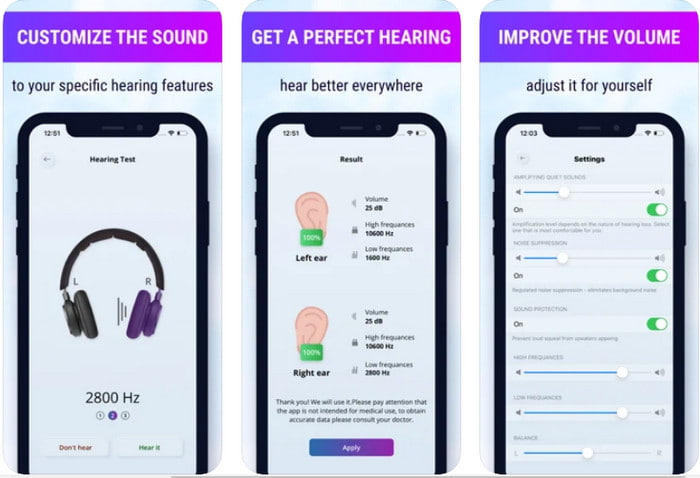
Los usuarios de iOS pueden descargar fácilmente Volume Boost- Sound Amplifier 4+ de forma gratuita. Esta app puede amplificar el sonido sin complicaciones gracias a su ajuste automático, aunque también puedes modificarlo manualmente. Además, la aplicación funciona muy bien como amplificador; sin embargo, no es compatible con altavoces Bluetooth ni con auriculares o AirPods. También es probable que te encuentres con numerosos cierres inesperados y anuncios inevitables al abrirla. Aunque la app se puede descargar gratis, hay compras integradas para eliminar los anuncios y desbloquear otras funciones.
Pros
- Gratis para descargar en cualquier dispositivo iOS.
- Amplifica fácilmente el audio de tu altavoz hasta 30db.
- Interfaz intuitiva y configuración.
Contras
- Experimente muchos bloqueos, bloqueos y errores todavía en esta aplicación.
- Los anuncios son mucho para evitar.
2. Amplificador de volumen adicional: altavoz de sonido alto (Android)
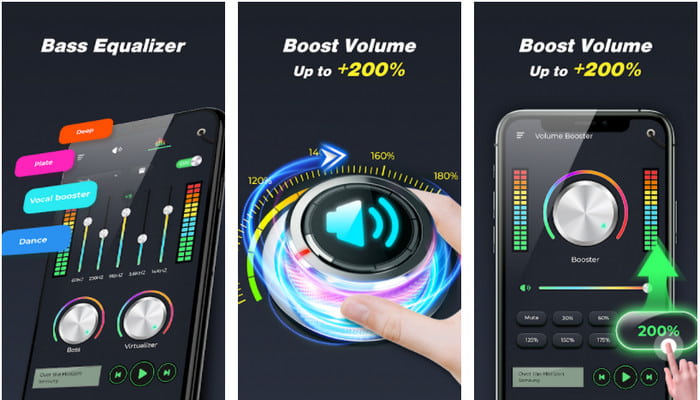
Si los usuarios de iOS tienen un amplificador de sonido en el móvil, los usuarios de Android también deberían tener algo como Extra Volume Booster. De hecho, muchos usuarios ya están satisfechos con el rendimiento de esta app, porque es muy buena amplificando y potenciando el sonido. Sin embargo, cuando abres esta aplicación, todos los sonidos generados en tu teléfono, como el tono de llamada, alarmas, notificaciones y más, se amplificarán por igual. Es decir, no tiene ajustes independientes para cada uno. Aunque la herramienta es gratuita, en cierto modo es mejor que otras apps de pago en Android e incluso en iOS. Pero si subes el volumen hasta 200%, es de esperar que se dañen los altavoces integrados o los altavoces Bluetooth que no soporten un volumen de 200%.
Pros
- Versión simplificada del amplificador que puede descargar en dispositivos Android.
- Aunque la interfaz de la aplicación no es mucho, es genial.
- Diferentes amplificadores y refuerzos están disponibles en esta aplicación.
Contras
- Espere encontrar innumerables anuncios mientras usa la aplicación.
- Mientras usa la herramienta, existe la posibilidad de que la CPU o el teléfono se calienten.
3. Aumento de altavoz: amplificador de volumen y amplificador de sonido 3D (Android)
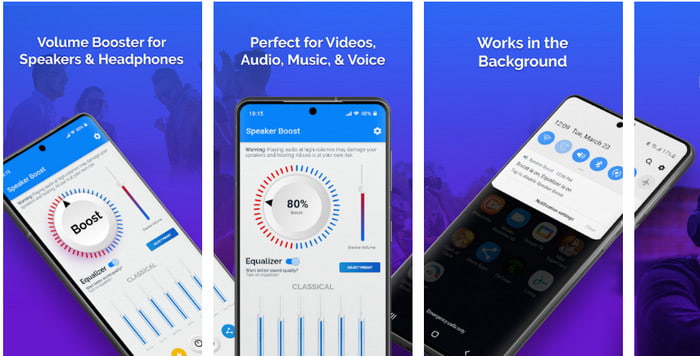
Otra app para Android que puedes usar y que ofrece una gran amplificación envolvente es Speaker Boost. Al igual que Extra Volume Booster, esta app es muy precisa y mucho más fácil de usar, incluso si no tienes experiencia. También puedes descargar esta herramienta de forma gratuita, pero incluye compras integradas que quizá te interesen, como eliminar los molestos anuncios y otras opciones. Aunque la herramienta parece bastante aceptable, las compras integradas en esta app pueden resultar más caras que las de otros programas de esta lista. Otra preocupación que inquieta a muchos usuarios es que la aplicación funciona incluso con el bloqueador de anuncios activado y existe la posibilidad de que sea un spyware.
Pros
- En el punto para aumentar el sonido fácilmente y, sin embargo, es potente de usar.
- Descargue la herramienta de forma gratuita sin problemas para amplificar los sonidos.
- Realice la anulación manual en el ecualizador.
Contras
- Esta herramienta está incompleta, lo que básicamente significa que está en fase experimental.
- Cuando aumente el sonido, escuchará algunas distorsiones.
4. Boom: potenciador de graves y ecualizador 4+ (iOS)
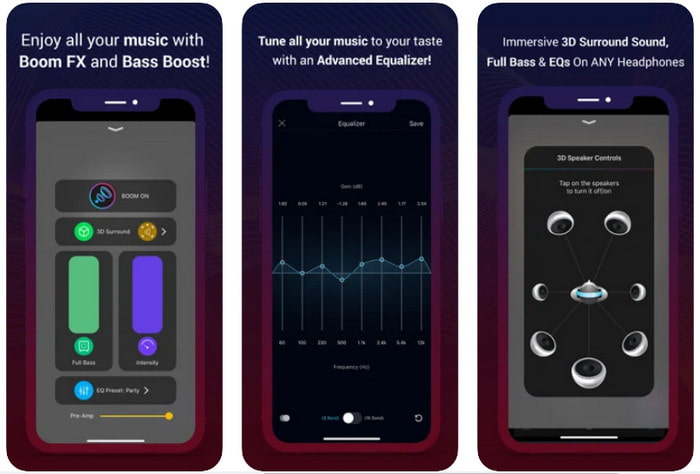
Si estás buscando una app de amplificación de sonido avanzada, entonces Boom: Bass Booster es una gran opción. Sin embargo, esta app solo está disponible en dispositivos iOS y no la encontrarás en Android. Hasta ahora, esta herramienta ya ha recibido muchos elogios de los usuarios, pero algunos formatos no son compatibles para su amplificación. Además, al usarla es posible que sufras algunos errores y cierres inesperados. Asimismo, la aplicación puede resultar confusa para los usuarios nuevos. Aunque el rendimiento de esta app es razonablemente bueno, todavía necesita mejoras para ser realmente excelente.
Pros
- Algunas de las características avanzadas están disponibles aquí.
- Amplificadores portátiles que puedes usar fácilmente.
- La aplicación recibe una estrella de 4.1 de 5 estrellas.
Contras
- No es la mejor opción para principiantes debido a la confusa estructura de la interfaz.
- La mayoría de los formatos de audio no se pueden amplificar con esta aplicación.
- Los problemas de errores y retrasos siguen ocurriendo con la aplicación.
Parte 3. Preguntas frecuentes sobre amplificadores de sonido
¿Qué es db?
Db significa decibelios y esta es la unidad de medida para expresar el volumen o potencia de la onda de sonido. Además, con la ayuda de los decibelios, podemos determinar fácilmente qué sonido estamos seguros de escuchar en mucho tiempo. Y todos los 85 decibeles a continuación son muy seguros de escuchar.
¿Cuáles son las desventajas del sonido fuerte?
Es muy común para nosotros que cuando estamos expuestos a sonidos fuertes, la audición se puede dañar. Pero, ¿sabía usted que esto puede provocar náuseas, dolor de cabeza, estrés, fatiga y más? Por lo tanto, si está a punto de usar un amplificador, utilícelo correctamente y no lo use en exceso para evitar los efectos dañinos inevitables.
¿Por qué escucho algunos crujidos en mis parlantes?
Este problema es muy común en los altavoces con una capacidad de manejo de hercios muy limitada. Entonces, si aumenta el audio, asegúrese de que el altavoz pueda manejarlo. Y si escucha algún crujido, debe bajar el sonido de inmediato. Sin embargo, si escucha algunos crujidos incluso si baja el sonido, es demasiado tarde.
Conclusión
Todas las apps y programas presentados aquí son muy útiles como amplificadores. Aunque los programas mencionados arriba tienen ciertas diferencias, sus funciones son similares. Sin embargo, si estás buscando el mejor amplificador de sonido para PC y Mac, entonces Video Converter Ultimate debería ser tu elección. Porque ofrece funciones avanzadas impresionantes que puedes usar con facilidad. Así que, si te preguntas si es la mejor opción, descárgalo primero en el disco de tu ordenador y sigue los pasos que se indican arriba.
Descarga gratuitaPara Windows 7 o posteriorDescarga segura
Descarga gratuitaPara macOS 10.7 o posteriorDescarga segura
-
 [Fácil] Cómo arreglar audio y video no sincronizados
 Suponga que va a programar su transmisión para mañana, pero cuando verifica su configuración, el audio y el video no están sincronizados. Lea este artículo para obtener más información sobre este problema.
-
 7 sencillos pasos sobre cómo solucionar problemas de retraso de audio OBS [resuelto]
 ¿Tiene dificultades para ver su videoclip después de la grabación debido al retraso del audio cuando usa OBS Studio? Lea el artículo a continuación para aprender cómo corregir el audio desincronizado de manera efectiva.
-
 Cómo agregar audio y música a videos gratis en su computadora / teléfono
 Este artículo muestra 4 formas sencillas de agregar audio a un video de forma gratuita. No importa qué pista de audio desee agregar a su video, aquí puede obtener resultados satisfactorios.
