


 Video Converter Ultimate
 Grabador de pantalla
 Reparación de vídeo
Acelera la reproducción de vídeos en Android con aplicaciones útiles [2025]
Hoy en día los teléfonos son la tecnología más versátil que utilizamos a diario. Este dispositivo nos ayuda a comunicarnos, grabar, editar cosas como recortar, cortar, acelerar y más, incluso si no contamos con mucho equipo para configurar. Así que hoy vamos a aprender cómo acelerar un vídeo en Android con la ayuda de una aplicación de terceros que puedes descargar. Como información adicional, tu teléfono Android no tiene una función incorporada para acelerar vídeos que puedas usar para ver un vídeo más rápido. Así que, si quieres tener una, continúa leyendo este artículo, ya que reunimos diferentes apps en las que puedes confiar.

Parte 1. Cómo acelerar videos en Android
1. FilmoraGo
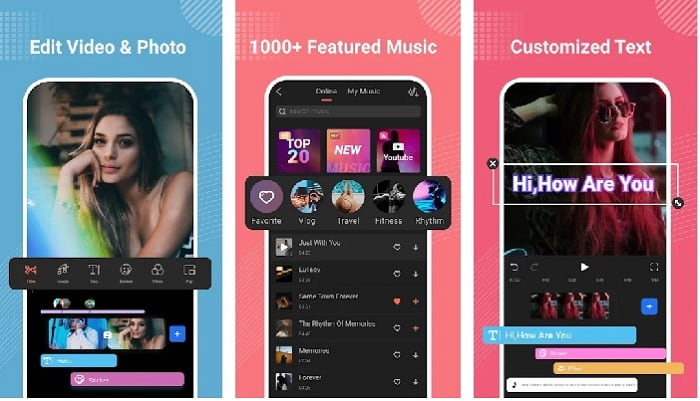
Filmora ha desarrollado una app que se puede descargar en tu Android para disfrutar de casi las mismas funciones que ofrece la herramienta en escritorio. Filmora Go es uno de los mejores editores de vídeo gratuitos que puedes usar para crear un vídeo espléndido. Además, esta herramienta tiene un conjunto completo de funciones que probablemente utilizarás aunque no tengas experiencia editando vídeos. Sin embargo, la versión gratuita solo admite algunas funciones de muestra que puedes usar. Por ejemplo, la función de acelerar vídeo en Android es gratuita, pero tiene limitaciones. Aunque la herramienta parece perfecta, hay algunos problemas que los usuarios quisieran que se solucionaran según las reseñas de la app.
Pros
- Es un editor de video gratuito pero poderoso que puedes usar en tus dispositivos Android.
- La herramienta recibe una de las mejores críticas que hemos visto y recibe 4,6 estrellas.
- La herramienta ya se ha ganado la reputación de ser uno de los mejores editores de escritorio.
Contras
- La pérdida de archivos a veces ocurre aquí.
- A veces, exportar los archivos sale mal incluso si lo edita.
- La mayoría de las veces, el audio y el video no están sincronizados.
2. Hiperlapso de tiempo
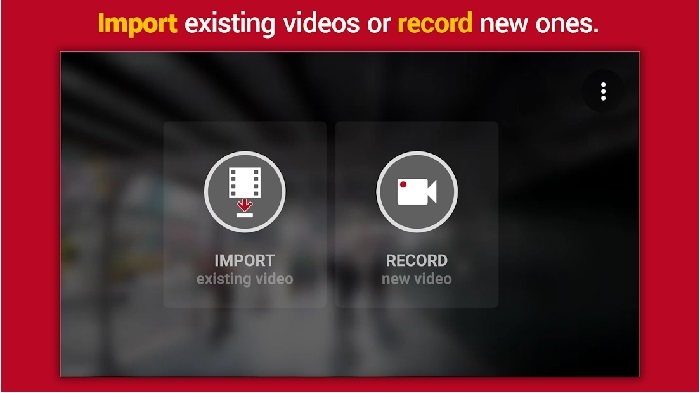
Hyper Timelapse es una de las apps para acelerar la reproducción de vídeo en Android que puedes descargar gratis. Esta aplicación ya ha alcanzado una calificación de 4,1 estrellas, lo cual está muy bien. Sin embargo, las reseñas de esta app son terribles de leer porque hay muchas quejas. Cuando probamos la app, la interfaz no es tan mala, la aceleración es buena, pero al exportar el vídeo la aplicación se cierra. Luego intentamos usar el time lapse y el tamaño del archivo del vídeo aumenta cada minuto que pasa. Básicamente, aquí no puedes grabar un vídeo de time lapse de larga duración.
Pros
- La aplicación es muy fácil de usar, incluso si eres un principiante.
- Tiene un lapso de tiempo incorporado.
- La interfaz de la herramienta no está bien.
Contras
- Todavía se producen bloqueos y errores en esta herramienta.
- No guarda el resultado final porque cada vez que lo hace se bloquea.
3. Pasalo
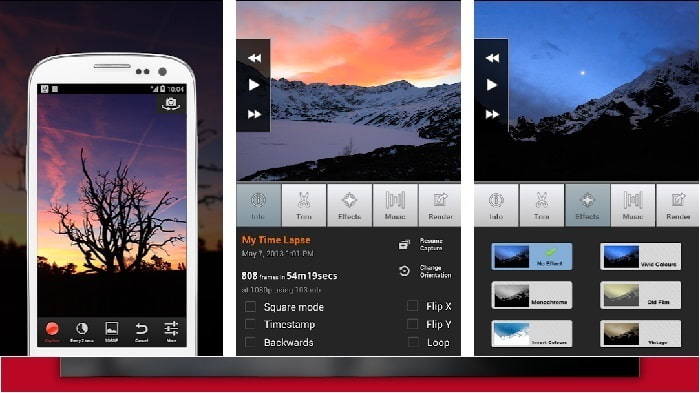
Si estás buscando una app para acelerar vídeos en Android, prueba a usar Lapse It. Esta herramienta es la combinación de las dos anteriores porque permite hacer time lapse, stop motion y también ofrece funciones de edición. Aunque la herramienta suena muy bien para usarse en Android, sigue siendo la que tiene la calificación más baja en este artículo. La app solo tiene 3,5 estrellas y muchos de los comentarios en las reseñas opinan que esta aplicación no sirve para nada. Y algunos comentarios dicen que antes era su app de referencia para crear vídeos espléndidos, pero que ahora hay muchas aplicaciones mejores que esta herramienta.
Pros
- Tiene una característica única y poderosa que a muchos usuarios les gusta usar.
- Esta aplicación puede tener la mejor representación en Android.
- La personalización del video se puede hacer fácilmente con la ayuda de esta aplicación en Android.
Contras
- La herramienta cambió de la clase S a la D porque los bloqueos y los errores siguen ocurriendo incluso después de que se realizó la actualización.
- Las instrucciones no son claras sobre cómo ejecutarlo.
- En cada final de video, siempre aparece un anuncio emergente.
Parte 2. ¿Quiere un controlador de velocidad más profesional? ¡Prueba Video Converter Ultimate!
Video Converter Ultimate es la herramienta más exclusiva que probablemente utilizarás si quieres obtener un resultado increíble. Acelerar un vídeo aquí se puede hacer fácilmente con la ayuda de esta herramienta. Además, el conjunto general de funciones de este programa es muy superior al de estas apps para Android. Sin embargo, este software no se puede usar en dispositivos Android porque no es compatible. Aunque se puede utilizar en tu teléfono (a través del ordenador), no experimentarás bloqueos, cierres inesperados ni errores mientras lo uses. Así que, si quieres aprender cómo acelerar un vídeo en Android, sigue los pasos que se indican a continuación.
Paso 1. Lo primero que debes hacer es descargar la herramienta. Instálala justo después de que finalice la descarga, realiza la configuración rápida y haz clic en “Finalizar” para continuar.
Descarga gratuitaPara Windows 7 o posteriorDescarga segura
Descarga gratuitaPara macOS 10.7 o posteriorDescarga segura
Paso 2. A continuación, ve a la Caja de herramientas (Toolbox) y localiza el Controlador de velocidad de vídeo (Video Speed Controller), haz clic para abrirlo.
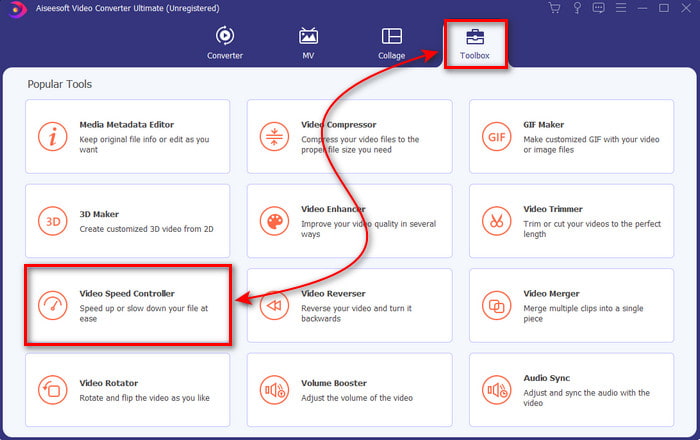
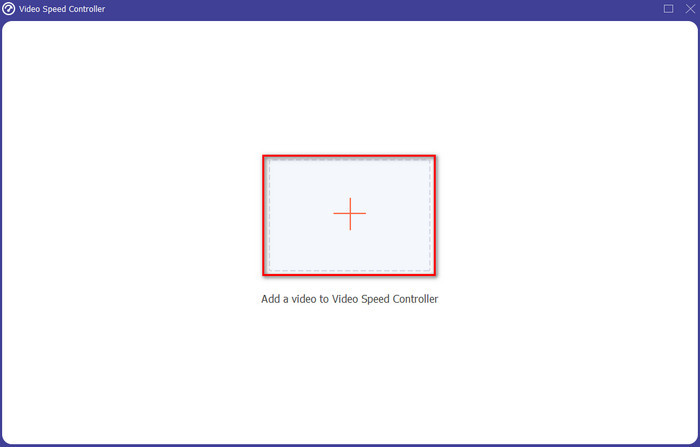
Paso 3. Después aparecerá una interfaz; haz clic en el botón + para insertar el archivo. Tras hacer clic, se abrirá una carpeta: selecciona el archivo que quieres acelerar y haz clic en Abrir.
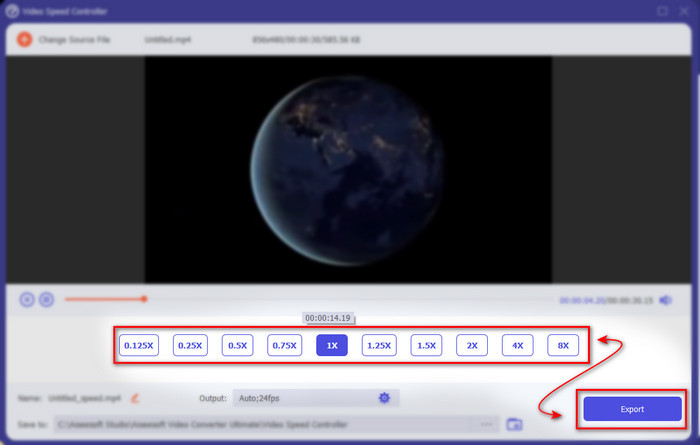
Paso 4. Volverá a mostrarse una nueva interfaz; después selecciona la velocidad que quieras en estos pequeños cuadros. Si ya estás listo para exportar el archivo acelerado, haz clic en Exportar.
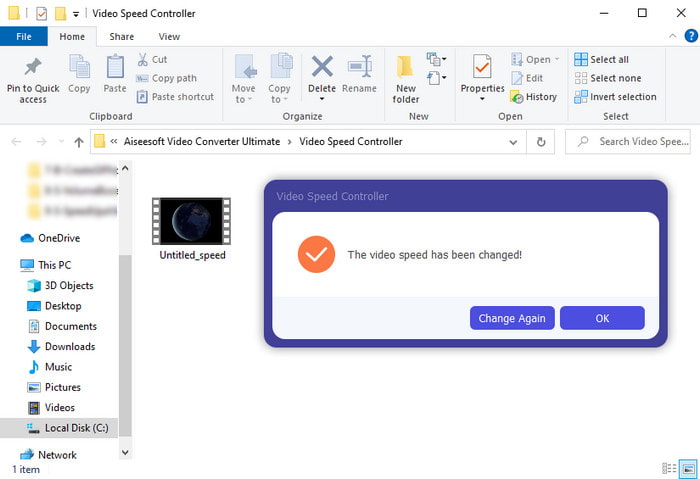
Paso 5. Espera un momento y, cuando el vídeo haya terminado, se abrirá una carpeta que contendrá el archivo acelerado que acabas de crear. Haz clic en el archivo de vídeo para ver la versión a mayor velocidad.
Parte 3. Preguntas frecuentes sobre cómo acelerar un video en Android
¿Acelerar mi video destruye su calidad?
Si está a punto de acelerar un video, no espere cambios en la calidad del video. Sin embargo, si la aplicación que está utilizando no es compatible con la salida de video de alta calidad, espere que la salida de video se reduzca automáticamente.
¿Puedo ver un video en cámara lenta?
¡Por supuesto que sí! Con la ayuda de los 5 mejores reproductores de vídeo a cámara lenta, haz clic en este enlace para ir a un nuevo artículo.
¿Por qué necesito acelerar mi video?
Hay muchas razones por las que necesitas reproducir un vídeo a 2x o más. Así que, si quieres descubrir esos motivos, intenta leer este artículo que habla sobre qué es un vídeo 2x.
Conclusión
Para terminar, todas las opciones presentadas aquí son muy buenas para usar si tienes un teléfono Android, sin embargo hay una herramienta que destaca por encima de las demás. Y esa herramienta extraordinaria es Video Converter Ultimate, porque si la utilizas nunca experimentarás errores ni problemas. Pero esta herramienta no está disponible en teléfonos Android, así que, si quieres probarla, descárgala ahora en tu ordenador. Así podrás disfrutar de todas las funciones de este magnífico software.
-
 Cómo reproducir archivos MKV en iPad (2025)
 ¿Cómo reproducir archivos MKV en iPad 2? ¿Puedo convertir MKV a MP4 para reproducir en iPad Pro / Air / 2? Esta publicación comparte 2 formas sencillas de reproducir MKV en iPad.
-
 [Resuelto] VLC no reproduce DVD, cómo solucionarlo
 ¿VLC puede reproducir un DVD? ¿Por qué no pude reproducir mi DVD con & #039; t VLC? ¿Cómo consigo que VLC reproduzca un DVD en Windows 10? Esta publicación comparte 3 consejos para solucionar el problema de que VLC no reproduce DVD.
-
 [Resuelto] Reproducir archivos MP4 en Chromebook 2025
 ¿Puedes reproducir videos en Chromebook? ¿Cómo reproducir archivos MP4 desde USB en Chromebook? Esta publicación comparte 3 formas de reproducir MP4 en Chromebook.
