


 Video Converter Ultimate
 Grabador de pantalla
 Reparación de vídeo
Conozca más sobre los 5 mejores editores de video para PC y compare
Hoy en día, a mucha gente le encanta grabar vídeos para conservar momentos memorables y la mayoría los utiliza para ganar dinero. Como los vloggers e influencers, que siempre se graban a sí mismos mostrando lo que hacen para sus fans, y también para ganar más popularidad que otros influencers o vloggers. Así que, si eres un vlogger o influencer en potencia al que le encanta grabarse en vídeo, debes plantearte tener el mejor editor de vídeo para Windows 10 para mejorar y crear vídeos impresionantes, conseguir más “me gusta”, visualizaciones, suscriptores y también beneficios a largo plazo. Antes de empezar, queremos felicitarte porque ya has dado el primer paso para convertirte en un vlogger o influencer de éxito. Pero elegir la herramienta adecuada que vas a utilizar es una de las partes cruciales con las que te vas a encontrar. Por eso, hemos reunido diferentes editores de vídeo, tan eficaces como siempre, entre los que puedes elegir a continuación.

Parte 1. Los 5 mejores editores de video de Windows en línea y sin conexión
Top 1. Convertidor de video definitivo
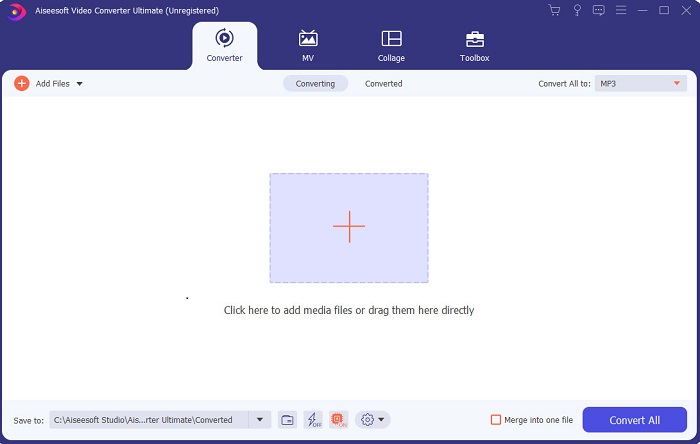
Si quieres tener ventaja y crear los mejores vídeos como los que tienen tus ídolos, entonces utiliza FVC Video Converter Ultimate. Este conversor y editor de vídeo para Windows ya ha ayudado a muchos de sus usuarios a hacerse populares en todo el mundo, y quizá tú seas el siguiente. La mayoría de los influencers, vloggers y montadores de vídeo más conocidos lo utilizan como editor, potenciador, acelerador y mucho más. Por lo tanto, si quieres obtener un resultado profesional como el de tus ídolos y ganar dinero de verdad con ello, debes descargar este software de inmediato para convertirte en la nueva sensación de Internet y también en la mejor versión de ti mismo. Además, hemos incluido ventajas y desventajas para que puedas comprender mejor esta herramienta.
Descarga gratuitaPara Windows 7 o posteriorDescarga segura
Descarga gratuitaPara macOS 10.7 o posteriorDescarga segura
Pros
- Para los principiantes, esta herramienta es la elección correcta para ellos. Como proporciona instrucciones simples para que las sigas y sean más fáciles de entender. Básicamente, está en el punto.
- Para profesionales, a diferencia de cualquier otro editor de videos para pc esta herramienta tiene muchas características futuristas. Por ejemplo, si desea aumentar la calidad de audio y mejorar el video, puede usar esta herramienta. Además, si su audio no está sincronizado con el video, tiene una función de sincronización de audio para solucionarlo.
- En general, este es el convertidor y editor fenomenal en el que puede confiar. Sobre todo si quieres hacer una entrada sorprendente en el mundo de los vloggers e influencers.
- El software de edición se puede descargar y no hay herramientas de edición que tengan las mismas características como esta.
Contras
- Esta herramienta no es gratuita, pero tiene un precio bajo. En otras palabras, es barato y produce una salida de alta calidad.
Principales 2. Creador de películas de Windows
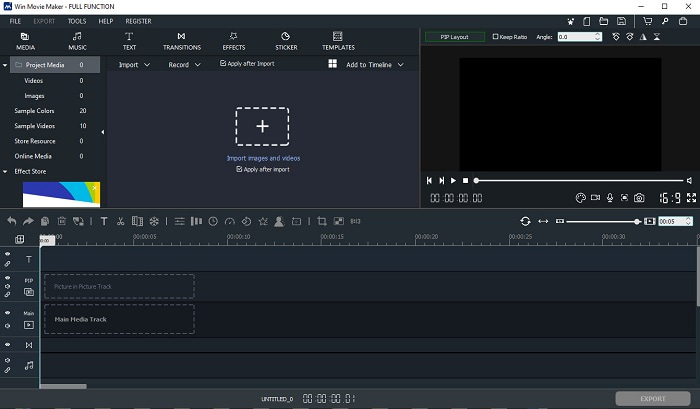
Este editor de vídeo para Windows 7, 8, 10 y XP es uno de los mejores para crear y editar. Windows Movie Maker ya ha sido descargado por muchos usuarios para editar sus propios vídeos, ya que ofrece funciones de edición avanzadas. Sin embargo, la herramienta puede resultar demasiado abrumadora para quienes se inician en la creación y edición. Pero si eres un profesional o, dicho de otro modo, ya tienes experiencia editando, entonces deberías probar esta herramienta. Dispone de una versión de pago que es muy similar a la versión gratuita que ofrece, pero el resultado no lleva marca de agua al exportar.
Pros
- Para principiantes, esta herramienta no es ideal, pero es excelente para realizar ediciones complicadas.
- Para los profesionales, las funciones que se presentan aquí son factibles si tiene experiencia.
- Proporciona transiciones, efectos y pegatinas, etc.
Contras
- La herramienta es un poco inquietante debido a las funciones que puede realizar aquí. Además, es abrumador y no tiene instrucciones sobre cómo operarlo.
- Si usa la versión gratuita de esta herramienta, espere tener una marca de agua en el video después de exportarlo.
Top 3. Tiro abierto
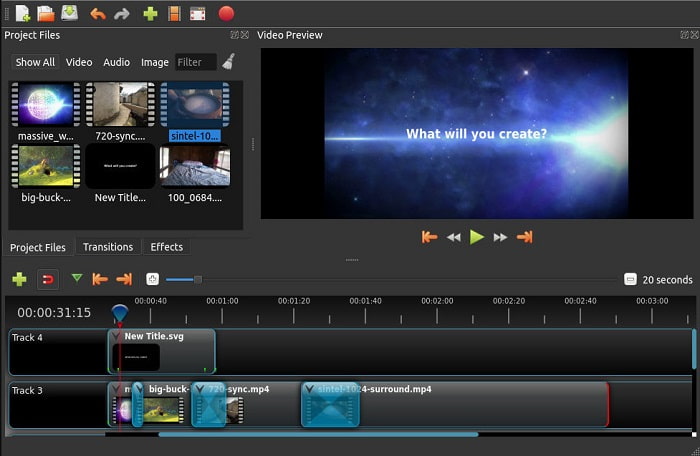
Otro software gratuito de edición de vídeo sin marca de agua es Openshot. Ofrece funciones más fáciles de entender que Windows Movie Maker. Además, una vez instalado, el programa te hace una breve visita guiada por sus funciones. Aunque están explicadas, solo se explican las características básicas. Y esta herramienta únicamente proporciona las funciones de edición más elementales, lo que significa que no puedes ser muy creativo. Además, si instalas esta herramienta, la interfaz puede resultar un poco aburrida por el uso de un solo color (monocromo).
Pros
- Para principiantes, esta es una versión más simple de Windows Movie Maker. Puede agregar efectos, transiciones y más.
- Para los profesionales está bien que lo usen pero no es lo mejor.
- El software está bien si viene con una edición simple.
Contras
- No se puede cambiar la aburrida interfaz y es menos interactivo.
- Algunos errores mayores y menores todavía están presentes aquí incluso después de la actualización.
Top 4. Obras de luz
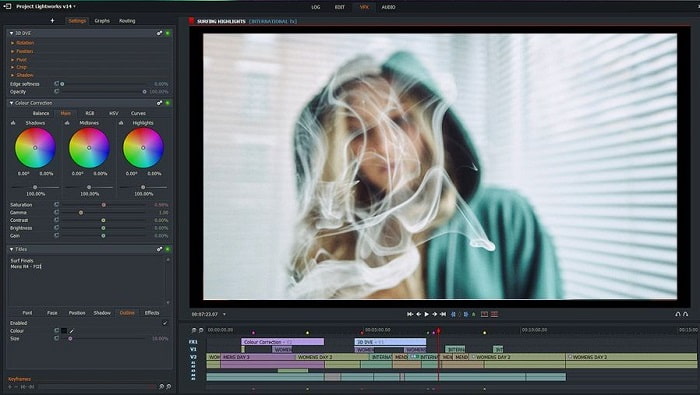
Lightworks es un editor de vídeo gratuito para Windows, aunque también dispone de una versión de pago. Sin embargo, cuando intentamos descargar la herramienta apareció un aviso indicando que el archivo .exe podía dañar el ordenador. Por ello no la descargamos e investigamos a fondo sobre esta herramienta. Si instalas el programa en tu disco, tendrás que registrarte antes de poder utilizarlo. Las funciones de edición que ofrece son demasiado numerosas si eres principiante y, incluso para un profesional, pueden resultar algo complicadas. Pero no hay de qué preocuparse, porque puedes aprender a usarlo practicando.
Pros
- Para los principiantes, la herramienta es demasiado complicada y puede resultar demasiado difícil de manejar. Especialmente si quieres probar y simplemente hacer una edición simple.
- Para los profesionales, puede utilizar las funciones de edición en tiempo real que ofrece esta herramienta. Aunque algunas de las características son nuevas y la mayoría de ellas son de pago.
- El rendimiento general de la herramienta se clasifica como clase A en la edición y creación de videos.
Contras
- Si desea tener una salida de 1080px, debe comprar la herramienta. E incluso antes de que pueda usarlo, deberá registrarse.
- El software tiene un archivo .exe dañino, así que descárguelo bajo su propio riesgo.
Top 5. Campeón de clips
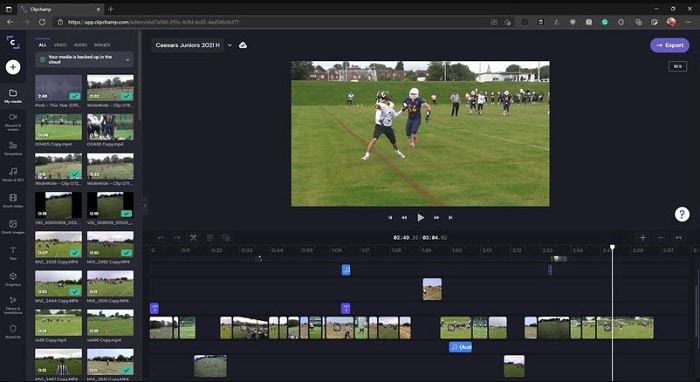
Esta herramienta online dispone de más funciones si actualizas tu plan. Además, es una de las herramientas de más fácil acceso que puedes usar para editar vídeos sin descargar un software específico. Clipchamp es una gran herramienta, pero tendrás que registrarte antes de poder acceder a ella. Este editor de vídeo online para Windows 10 tiene funciones similares a las de Lightworks, pero se utiliza en línea. No obstante, si importas archivos de vídeo aquí para editarlos, debes esperar un proceso de importación lento. La ventaja es que no necesitas descargar el programa para que funcione.
Pros
- Para los principiantes, esta herramienta es imprescindible, pero el proceso de edición e inserción de video aquí es un poco más lento.
- Para los profesionales, está bien usar y editar videos simples con recursos limitados.
- En general, la herramienta es más fácil de entender que Windows Movie Maker.
Contras
- Depende de Internet, lo que significa que si tiene un Internet lento, espere un proceso inestable.
- Necesita un formulario de registro antes de poder usar la herramienta web.
Parte 2. Cuadro comparativo de los 5 editores de video para Windows
| Características | Video Converter Ultimate | creador de películas de Windows | tiro abierto | Lightworks | ClipChamp |
| Edición de video como recortar, cortar, fusionar, etc. |  | | | | |
| Potenciador de video | |  | | | |
| Filigrana | | | | | |
| Programa apoyado | Herramienta basada en escritorio | Herramienta basada en escritorio | Herramienta basada en escritorio | Herramienta basada en web | Herramienta basada en web |
| Rango de precios | Por 1 mes: $25.00 Por un año: $31.20 | $39.95 Pago único | Gratis pero puedes donar | QScan Pro QScan Pro: activaciones de suscripción mensual $59.99 | Creador- $9/mensual Negocios- $19/ mensual |
| Para licencia de por vida: $55.20 | QScan máx. QScan Max: activaciones de suscripción mensual $119.99 | Business Platinum – $39/mensual |
Parte 3. Preguntas frecuentes sobre Windows Video Editor
¿Cuál es el mejor editor de video para Mac que puedo usar?
Aunque las herramientas presentadas aquí son todas para Windows, excepto Video Converter Ultimate. Para saber cuáles son otros editores de vídeo para Mac, haz clic en este enlace y elige uno de la lista.
¿Por qué no se pueden reproducir mis videos en Android?
Hay muchas razones por las que los vídeos pueden no reproducirse en tu Android. Para saber cuáles son, es importante identificarlas cuanto antes y solucionar el problema leyendo Cómo reparar vídeos que no se reproducen en teléfonos Android.
¿Cómo comprimir mis videos largos y compartirlos en YouTube?
Por ahora puedes subir archivos de hasta 256 de tamaño máximo, así que la mejor manera de solucionarlo es comprimirlos. Si quieres compartir tus vídeos en YouTube, entonces vamos a aprender cómo reducir el tamaño del archivo y publicarlo en YouTube.
Conclusión
Antes de convertirte en uno de esos vloggers o influencers a los que siempre admiras, tendrás que ser capaz de hacer tu propia edición. A día de hoy, esta es tu oportunidad de usar el editor increíble que ofrece funciones y calidad de edición dignas de Hollywood. De este modo, impresionarás a tus espectadores, seguidores e incluso a ti mismo. Brilla con luz propia y deja que ese rayo de luz te abra el camino hacia el éxito con la ayuda de FVC Video Converter Ultimate.
-
 El mejor editor MP4 para Windows y Mac en 2025
 Ya sea que esté usando su computadora para la edición de video MP4 o simplemente trabajando en su teléfono, podrá encontrar algunas opciones excelentes aquí, incluido el mejor editor de MP4 para Windows y Mac.
-
 Cómo agregar audio y música a videos gratis en su computadora / teléfono
 Este artículo muestra 4 formas sencillas de agregar audio a un video de forma gratuita. No importa qué pista de audio desee agregar a su video, aquí puede obtener resultados satisfactorios.
-
 Cómo cortar y fusionar canciones en línea: las 4 mejores formas que debe saber
 Cuando desee cortar y fusionar canciones en línea para crear una pieza musical, puede obtener más información sobre las 4 mejores herramientas en línea para recortar las canciones y combinar archivos del artículo.
