


 Video Converter Ultimate
 Näytön tallennin
 Videon korjaus
Kätevät työkalut, jotka sinun on tiedettävä, jotka muuntaa SWF:n MOV:ksi [ratkaistu]
Video- ja vektoripohjaisia animaatioita voidaan tallentaa SWF-tiedostoihin, jotka luodaan Adobe Flash -ohjelmistolla. ShockWave Format on toinen nimi Small Web Formatille, joka on lyhenteen koko muoto. SWF-tiedostoja käytetään yleisesti multimediasisällön jakamiseen internetissä tehokkaalla tavalla. Pienet verkkosovellukset hyötyvät ActionScript-komennoista, jotka voidaan tallentaa tähän formaattiin. Jos mietit, onko olemassa ilmaista SWF–MOV-muunninta, koska et voi toistaa tämänmuotoista tiedostoa, tämä artikkeli on sinua varten: siinä esitellään parhaat ja tehokkaimmat työkalut videoiden muuntamiseen. Aloitetaan!
Osa 1. Esipuhe: SWF & MOV
SWF on tiedostotyyppi, jota käytetään tekstin, videosisällön, vektorigrafiikan ja ActionScriptin siirtämiseen internetissä. SWF-tiedostojen käyttö vaatii Adobe Flash Playerin. SWF-tiedostomuoto on suunniteltu resurssitehokkaaksi siirtoformaatiksi, jota voidaan käyttää paitsi grafiikan välittämiseen myös muun muassa pehmennykseen (anti-aliasing) ja näytöllä esittämiseen. Anti-aliasing on tärkeää bittikarttojen ja niihin liittyvien ominaisuuksien, kuten interaktiivisten painikkeiden, varjostuksen ja animaatioiden, nopeaa renderöintiä varten.
MOV-tiedostot sen sijaan koodataan Apple QuickTime Movie -koodaussuositusten ja datan pakkausstandardien mukaisesti, ja tämän formaatin videotiedostojen tunnisteena on .mov. Apple on kehittänyt yksinoikeudella standardit ja pakkauskriteerit digitaalisille elokuville ja muille videoleikkeille. Koska nämä MOV-tiedostot on koodattu yhteensopiviksi eri käyttöympäristöille, niitä voidaan toistaa sekä Mac- että Windows-pohjaisilla digitaalisen videon soittimilla. Myös Windows Media Player tukee MOV-tiedostojen toistoa, ja niitä voidaan avata ja katsella Apple QuickTime Playerilla tai VLC Media Playerilla sekä Mac- että Windows-alustoilla.
| Tiedostopääte | SWF | MOV |
| Tiedostotyyppi | ShockWave Flash-elokuva | Apple QuickTime Movie |
| Kehittäjä | Adobe Systems | Omena |
| Plussat | Web-animaatio on mahdollista vapaasti skriptoitavan visuaalisen muodon käytön ansiosta. Koska grafiikat ovat vektoripohjaisia, niiden kokoa voidaan muuttaa ilman vaikeuksia. ladataan lyhyessä ajassa; | Jokaisessa tiedostossa on korkealaatuisia ääni- ja videokomponentteja, jotka on tallennettu itsenäisille raidoille ja joita voidaan muokata sekä ajan että sisällön suhteen. Tiedostoja voi katsella useilla eri ilmaisilla videosoittimilla. |
| Haittoja | Intensiivinen suorittimen käyttö; SWF-videota ei voi toistaa ennen kuin Flash-laajennus on asennettu tietokoneeseen; sen tekeminen vaatii muun muassa kalliita ohjelmistoja; | QuickTime-ympäristö tarjoaa tasaisemman suorituskyvyn; Tästä huolimatta .mov-tiedoston avaaminen voi vaatia tietyn koodekin. |
Osa 2. 3 tehokkaita työkaluja SWF:n muuntamiseen MOV-muotoon
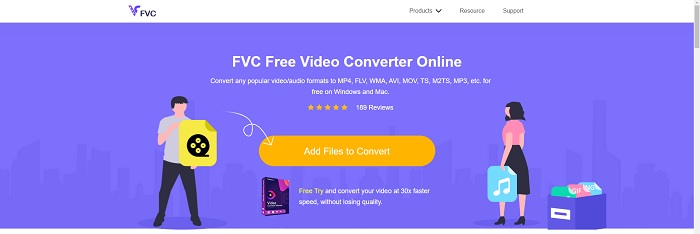
Vaihtoehto 1. Ilmainen Video Converter Online
FVC Free Video Converter Online -työkalulla voidaan muuntaa laaja valikoima video- ja ääniformaatteja. Teräväpiirtovideoita voidaan helposti muuntaa koodekkeihin, kuten MP4, FLV ja WMV, ilman laadun heikkenemistä. Sinun ei tarvitse huolehtia laadun menetyksestä, vaikka muuntaisit useita video- tai äänitiedostoja. Tämä ilmainen videomuunnin tunnetaan muunnos- ja editointiominaisuuksistaan, joiden avulla käyttäjät voivat mukauttaa videoitaan mielensä mukaan.
Plussat
- Se tukee useita videotiedostomuotoja.
- Muunnetut lähdöt ovat korkealaatuisia.
Haittoja
- Koska se on online-verkkotyökalu, se tarvitsee nopeamman yhteyden muuntaakseen suuren tiedostokoon videoita.
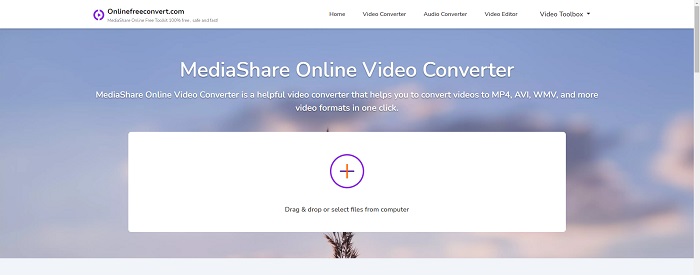
Vaihtoehto 2. Online ilmainen muunnos
Tämä ilmainen online-sovellus on paras vaihtoehto videon muuntamiseen. Tämä sovellus tarjoaa kaksi vaihtoehtoa pitää asiat yksinkertaisina ja helppokäyttöisinä: tiedostotyypin ja resoluution. Käytä tätä online-muunninta noudattamalla näytön ohjeita.
Plussat
- Siinä on helppokäyttöinen ja käyttäjäystävällinen käyttöliittymä.
- Se tarjoaa muita työkaluja, jotka voivat parantaa videon laatua.
Haittoja
- Siinä ei ole monia tukemia videomuotoja.
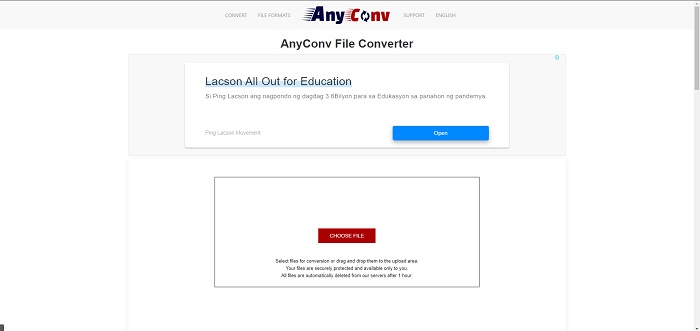
Vaihtoehto 3. Kaikki konv
AnyConv on online-muunnin hollantilaisella käyttöliittymällä. Jopa tämän sovelluksen kaupallinen versio on ilmainen. AnyConv sisältää myös muunnosrajoituksen 60 tiedostoa tunnissa. Online-muuntimen avulla voit muuntaa jopa 50 megatavun kokoisia tiedostoja ja valita yli 300 eri tulostusmuodosta.
Plussat
- Siinä on laaja valikoima muotoja; se tukee jopa ei-video- ja äänimuotoja, kuten asiakirjoja.
- Siinä on ohjeet tämän muuntimen käyttöön.
Haittoja
- Se näyttää mainoksia, jotka eivät auta tai sovi muunnosprosessiin tai itse sisältöön.
Osa 3. SWF:n muuntaminen MOV:ksi Macissa
Tässä artikkelissa ehdotetaan ohjelmaa Video Converter Ultimate Mac-käyttäjille, jotka haluavat muuntaa SWF-tiedostot MOV-muotoon. Sekä Windows- että Mac-versiot ohjelmasta ovat ladattavissa ilmaiseksi. Sitä voi käyttää hyvin laaja käyttäjäkunta, koska siinä on helppokäyttöinen työkalu ja yksinkertainen käyttöliittymä. Tämän ohjelman avulla voit muuntaa tiedostoja videomuodosta toiseen noin minuutissa, mikä erottaa sen muista muunto-ohjelmista ja verkkopalveluista. Lisäksi ohjelmassa on useita lisäominaisuuksia, joilla voit parantaa videota entisestään. Kun olet lukenut ohjelman kuvauksen, jatketaan eteenpäin:
Vaihe 1. Aloita latausprosessi napsauttamalla hiiren kakkospainikkeella alla olevaa Free Download -kuvaketta. Tämä ohjelmisto on yhteensopiva sekä Windows- että Mac-käyttöjärjestelmää käyttävien tietokoneiden kanssa. Kun olet saanut ohjelmiston ladattua, voit asentaa sen ja aloittaa käytön valitsemalla Start Now -painikkeen ohjelman pääikkunasta.
Ilmainen latausWindows 7 tai uudempiTurvallinen lataus
Ilmainen latausMacOS 10.7 tai uudempiTurvallinen lataus
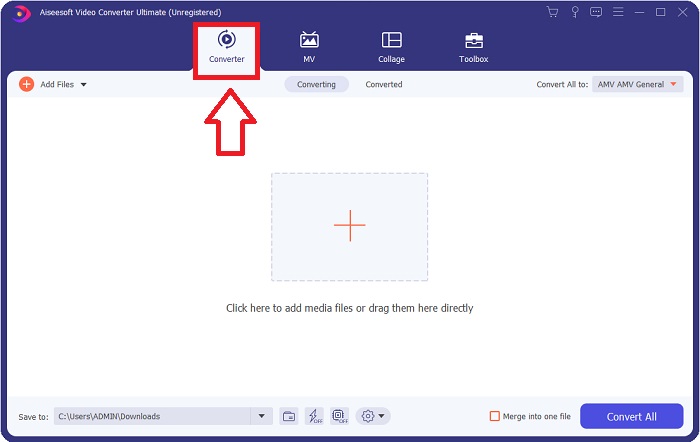
Vaihe 2. Kun olet ladannut ohjelmiston, käynnistä se. Kun ohjelma avataan ensimmäistä kertaa, nämä tiedot näytetään ikkunassa.
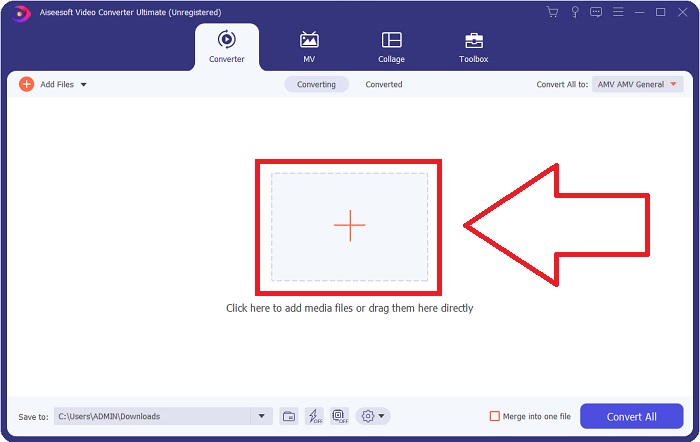
Vaihe 3. Muunnosprosessi alkaa niiden tiedostojen lataamisella muuntimeen, jotka haluat muuntaa. Aloita muuntaminen vetämällä ja pudottamalla muunnettava video +-merkkiin.
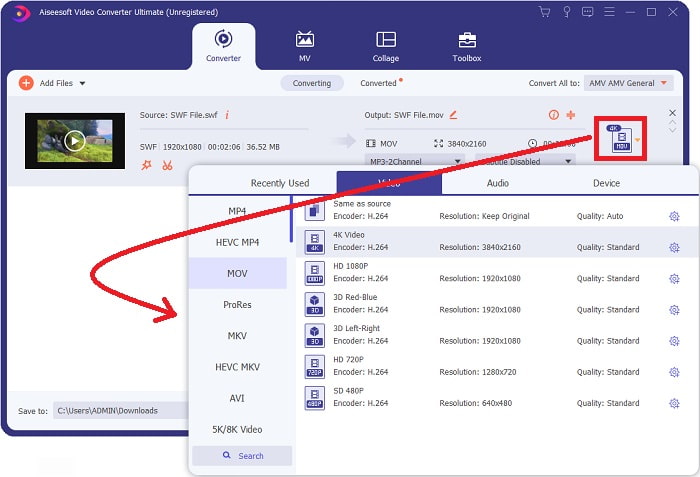
Vaihe 4. Näytön oikeassa yläkulmassa näkyy valikko, josta voit valita videoformaatin. Valitse avattavasta luettelosta MOV videoformaatiksi. Valitsemastasi MOV-tiedostosta riippuen käytettävissä on useita videonlaatuvaihtoehtoja. Jos haluamaasi video-ulostuloa ei löydy, voit säätää laatuasetuksia Windowsissa. Voit säätää kuvan ruutunopeutta ja äänenlaatua valitsemalla oikeasta yläkulmasta hammasrataskuvakkeen. Tallenna tekemäsi muutokset napsauttamalla Create New -painiketta.
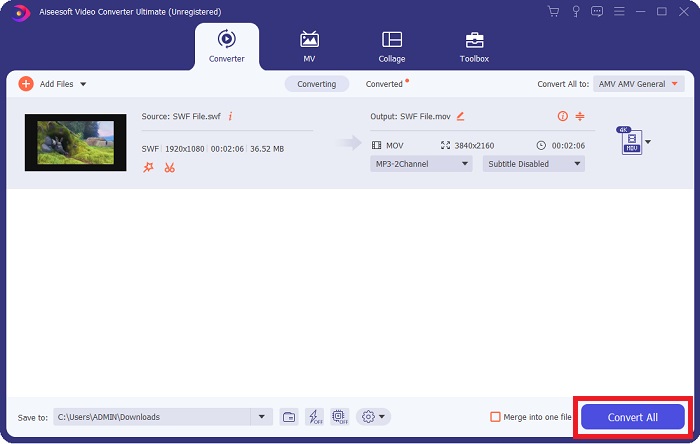
Vaihe 5. Kun olet saanut videon muokattua ja se on valmis muunnettavaksi, käynnistä muunnosprosessi napsauttamalla Convert All.
Aiheeseen liittyvää:
Osa 4. Usein kysytyt kysymykset SWF:n muuntamisesta MOV:ksi
Onko SWF videomuoto?
Video- ja vektoripohjaiset animaatiot löytyvät SWF-tiedostoista, jotka on luotu Adobe Flash -ohjelmistolla. Se tunnetaan kuitenkin myös nimellä Shockwave Format, joka on SWF:n täydellinen lyhenne. Alun perin Macromedian kehittämä tiedostomuoto on nyt Adoben omistuksessa.
Ovatko SWF-tiedostot turvallisia?
Tarkemmin sanottuna Flash on altis useille erilaisille haavoittuvuuksille. Koska SWF-tiedosto ladataan asiakkaille ja suoritetaan heidän tietokoneissaan, palvelimesi ei ole vaarallinen. Vaikka yrität tarkistaa SWF-tiedostot haittaohjelmien varalta, saat vain minimaalisen suojan.
Mikä selain tukee edelleen Flash 2021:tä?
Adobe Flash poistetaan käytöstä Firefox 84:ssä, selaimen seuraavassa suuressa julkaisussa. Nopeuden ja turvallisuuden parantamiseksi Firefox 85 (joka julkaistaan 26. tammikuuta 2021) poistaa Adobe Flashin tuen.
Johtopäätös
Yhteenvetona voidaan todeta, että kaikki tässä artikkelissa käsitellyt asiat tiivistyvät yllä mainitun ohjelmiston käyttöön. Video Converter Ultimate helpottaa videotiedostojen muuntamista ja pystyy tarjoamaan kauttaaltaan laadukkaan lopputuloksen. Toisin kuin monet muut netistä löytyvät työkalut ja ohjelmat, tämä ohjelmisto tarjoaa helppokäyttöisyyttä ja ammattimaisen lopputuloksen.
-
 SWF to MP4: Ilmainen muuntaa SWF MP4 Online- ja PC-tiedostoiksi
 Kuinka avata SWF -tiedosto ilman Adobe Flash Playeria? Ota ilmainen 3 parhaan SWF - MP4-muunnin vaihtaaksesi SWF: n MP4: ksi verkossa ja PC / Mac: ssä 3 vaiheen aikana.
-
 [2 Ratkaisut] Kuinka muuntaa SWF helposti GIF -tiedostoiksi ilmaiseksi
 Kun GIF-formaatin vieminen Flash-ohjelmiston kautta epäonnistuu, voit yrittää ensin tallentaa tiedostot SWF-muodossa. Sitten voit oppia 2 helppoa tapaa muuntaa SWF GIF-tiedostoiksi tästä artikkelista.
-
 Paras GIF-muunnin animoidun GIF:n muuntamiseksi MOV-muotoon [2021]
 Muunna GIF-tiedostosi MOV-muotoon vaivattomasti vaikuttamatta videotiedoston laatuun. Samoin portailla ja erilaisilla työkaluilla.
