


 Video Converter Ultimate
 Näytön tallennin
 Videon korjaus
Esittelyopas, jota sinun tulee harkita M2TS:n muuntamisessa FLV:ksi [Offline & Online]
Mediatiedostot, kuten VOB, WMV ja MOV, ovat kaikki esimerkkejä M2TS-tiedostoista. Mitä M2TS oikeastaan on? M2TS on lyhenne termistä MPEG-2 Transparent Stream. Teräväpiirtovideot Blu-ray-levyillä, AVCHD:ssä jne. voidaan tallentaa tähän säiliömuotoon. FLV puolestaan on .flv-päätteinen tiedosto ja lyhenne sanasta Flash Video. FLV-tiedostopääte viittaa video- tai äänitiedostoon, jota välitetään internetissä Adobe Flash Playerin tai Adobe Airin avulla. Nämä kaksi videotiedostomuotoa voivat olla sinulle vieraita, mutta jotta muunnat M2TS:n FLV:ksi, sinun on ensin ymmärrettävä näiden kahden videoformaatin käyttötarkoitus ja kaikki ne valinnat, jotka tulee huomioida muunnosprosessissa. Valmistele mielesi ja ota vastaan kaikki tieto, jonka tulet lukemaan.

Osa 1. Kuinka muuntaa M2TS FLV:ksi Windowsissa ja Macissa
Video Converter Ultimaten avulla M2TS:n muuntaminen FLV:ksi sekä Windowsissa että Macissa on helppoa. MP4/MOV/M4V/FLV/M4K/MTS/M2TS/ASF/MP3/VOB/AAC ovat vain muutamia monista suosituista video- ja ääniformaateista, joita tämä tehokas ohjelma tukee. Teräväpiirtovideosi voidaan muuntaa suosittuihin muotoihin, kuten FLV, muutamassa sekunnissa säilyttäen samalla niiden alkuperäinen laatu. Siinä on erämuunnosominaisuus, jonka avulla voit muuntaa monia tiedostoja laadun heikkenemättä. Olettaen, että olet jo tutustunut ohjelmistoon, voit nyt oppia kaikki tarvittavat vaiheet onnistuneeseen muuntamiseen:
Vaihe 1: Napsauta ensin alla olevaa Free Download -painiketta ladataksesi ohjelmiston tietokoneellesi. Kun olet ladannut ohjelmiston, asenna se tietokoneellesi; näytölle avautuu ikkuna, joka ilmoittaa, että ohjelmisto on valmis käytettäväksi. Napsauta Start Now käynnistääksesi ohjelmiston.
Ilmainen latausWindows 7 tai uudempiTurvallinen lataus
Ilmainen latausMacOS 10.7 tai uudempiTurvallinen lataus
Vaihe 2: Toiseksi, kun olet käynnistänyt ohjelmiston, se vie sinut ohjelmiston pääkäyttöliittymään, eli Converter-valikkoon.
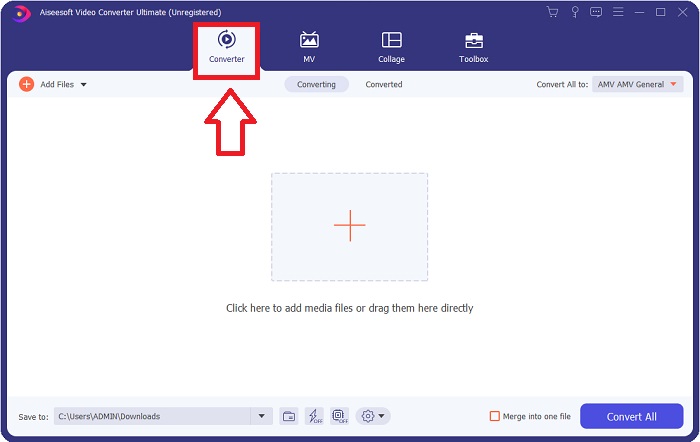
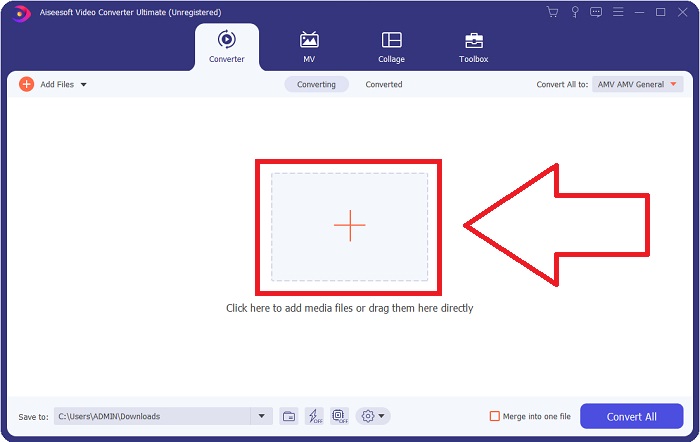
Vaihe 3: Ladataksesi tiedoston napsauta käyttöliittymän keskellä olevaa +-kuvaketta, tai voit yksinkertaisesti vetää videon tietokoneeltasi ohjelmaan.
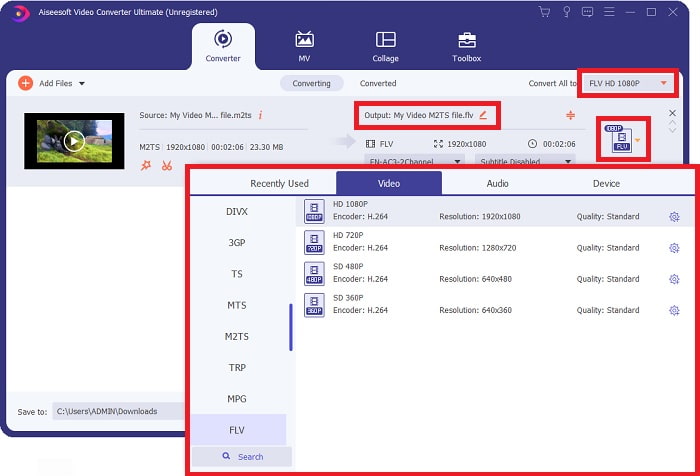
Vaihe 4: Kun olet ladannut M2TS-tiedoston muuntimeen, siirry ikkunan oikeassa yläkulmassa olevaan Convert All to -valikkoon ja napsauta sitä. Avautuu uusi ikkuna, jossa näet kaikki ohjelmiston tukemat eri tiedostomuodot; valitse sitten FLV-videoformaatti Video-luokan listasta.
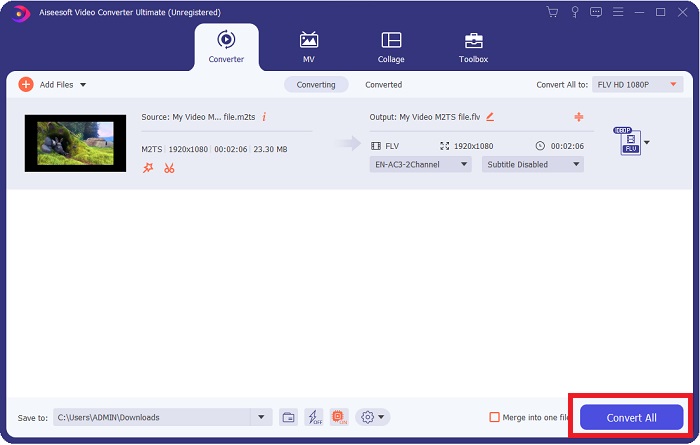
Vaihe 5: Jos et vieläkään osaa päättää, mitä laatua käyttäisit, koska et löydä etsimääsi laatua valinnoista, voit napsauttaa hammasratas-kuvaketta ja muuttaa kaikkia asetuksia, kuten bittinopeutta, resoluutiota, kuvanopeutta jne. Kun olet tyytyväinen kaikkiin muutoksiin, voit napsauttaa Convert All aloittaaksesi videotiedoston muuntamisen.
Osa 2. Muita ilmaisia ja tehokkaita tapoja muuntaa M2TS FLV Online -muotoon
Free Video Converter Online on verkkotyökalu, joka soveltuu videoformaattien, kuten FLV, MP4, MOV, MKV, MTS, ASF, VOB jne., muuntamiseen nopeammin kuin monet muut muunnosalustat. Vaikka muunnosprosessi on lyhyt, tämä verkkotyökalu vie videon ulos ilman laadullisia ongelmia. Ilman enempää selittelyä käydään nyt läpi kaikki vaiheet, joita sinun tulee noudattaa:
Vaihe 1: Napsauta tätä linkkiä siirtyäksesi Free Video Converter Online -palvelun pääsivustolle.
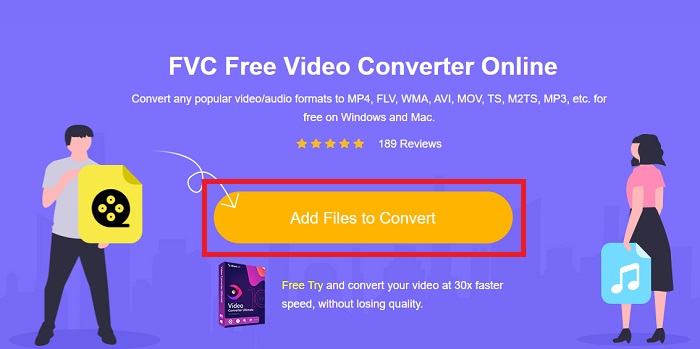
Vaihe 2: Napsauta sitten Add Files to Convert -painiketta ladataksesi M2TS-videotiedoston, jonka haluat muuntaa FLV-videoformaatiksi.
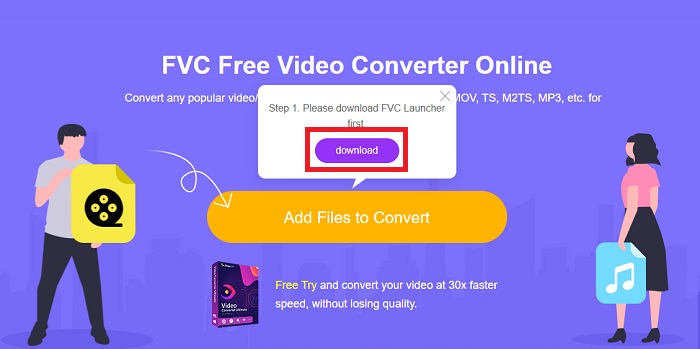
Vaihe 3: Kun olet ladannut tiedoston, näytön yläreunaan ilmestyy ponnahdusikkuna, jossa pyydetään lupaa ladata käynnistysohjelma (launcher), jotta voit käyttää verkkotyökalua. Napsauta ladattua käynnistysohjelmaa asentaaksesi sen tietokoneellesi ja aloittaaksesi muuntamisen.
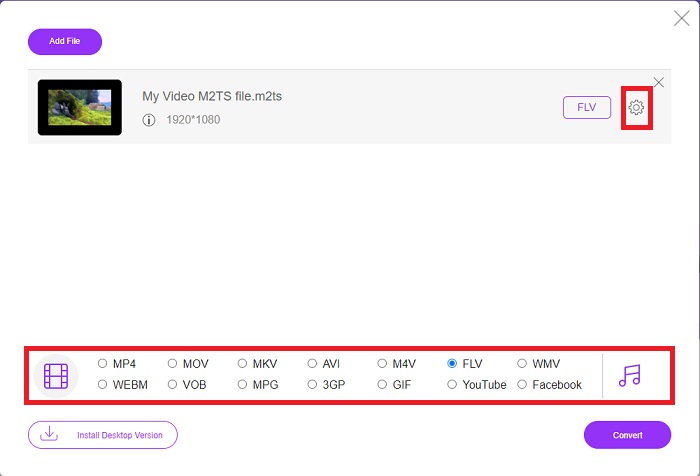
Vaihe 4: Valitse FLV-videoformaatti käyttöliittymän alapuolella olevasta formaattivalikoimasta. Voit myös muokata videosi ulostulon laatua napsauttamalla valitsemasi videoformaatin vieressä olevaa hammasratas-kuvaketta. Tällöin avautuu uusi ikkuna, joka sisältää bittinopeuden, resoluution ja kuvanopeuden asetukset. Aloita niiden säätäminen ja kun olet valmis, napsauta OK ja etene muuntamiseen.
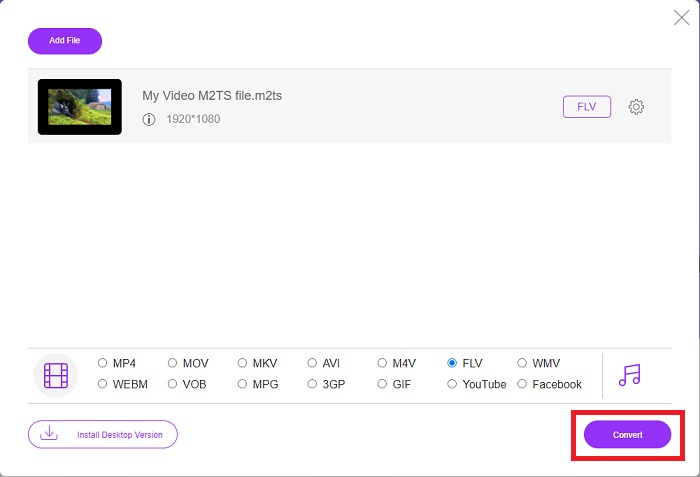
Vaihe 5: Voit nyt muuntaa tiedoston napsauttamalla ikkunan oikeassa alakulmassa olevaa Convert-painiketta.
Osa 3. M2TS:n ja FLV:n vertailu
Videosäiliömuotoa M2TS käytetään teräväpiirtovideoiden tallentamiseen Blu-ray-levyille, AVCHD:lle, kiintolevyille ja muille laitteille, jotka tukevat MPEG-2-siirtovirtaa. Blu-ray Disc Audio-Video (BDAV) on tämän muodon nimi, koska sitä käytetään laajasti Blu-ray-levyillä. Tietojen koon pienentämiseksi. CBR-siirtovirtojen käyttämisen sijaan käytetään VBR-siirtovirtoja (vakionopeus), koska M2TS-tiedostot sisältävät korkealaatuista ääni- ja videosisältöä; VideoStudio Pro on erinomainen sovellus M2TS-tiedostojen muokkaamiseen.
| Tiedostopääte | M2TS | FLV |
| Tiedostotyyppi | Blu-ray Disc Audio-Video MPEG-2 Transport Stream | Flash-videotiedosto |
| Kehittäjä | Blu-ray Disc Association | Adobe System |
| Plussat | MPEG-2-siirtovirtapohjainen teräväpiirtoinen Blu-ray BDAV -videotiedosto; käytetään videodatan tallentamiseen Blu-ray-levyille; tukee 720p/1080i-resoluutiota. | Yleinen videomuoto, FLV, jota käyttävät kymmenet tuhannet verkkosivustot, tarjoaa laajan valikoiman lisäominaisuuksia ja tuottaa pienempiä tiedostokokoja kuin useimmat muut videomuodot. FLV-tiedostot ovat erinomaisia korkealaatuisen videon tuottamiseen nopealla nopeudella. |
| Haittoja | m2ts-tiedosto ei voi sisältää lukuja. Ne säilytetään muualla Bluray-kansiorakenteessa. | Flash-laajennukset on asennettava, jotta voit toistaa flash-tiedostoja verkossa. |
| Ohjelmat avaavat videomuodon | ◆ALLPlayer ◆MPlayer ◆VLC-mediasoitin ◆PotPlayer | ◆VLC-mediasoitin ◆Adobe Flash Player |
Osa 4. Usein kysyttyä M2TS:n muuntamisesta FLV:ksi
Kuinka toistan M2TS-tiedoston?
Windows Media Player, SMPlayer, 5KPlayer, Splash ja File Viewer Plus voivat toistaa M2TS-tiedostoja. Jotkut M2TS-soittimet ovat yhteensopivia useiden käyttöjärjestelmien kanssa. Esimerkiksi VideoLAN VLC -mediasoitin voi toistaa M2TS-tiedostoja Windowsissa, Macissa ja Linuxissa.
Onko FLV sopiva tallennusmuoto?
Adobe Flash Player käyttää FLV-tiedostomuotoa. Se on yksi suosituimmista ja monipuolisimmista videoformaateista, ja se tukee kaikkia videoplatformeja ja selaimia. Verkkovideostriimausalustat, kuten YouTube, hyötyvät FLV-muodon käytöstä. Pienen tiedostokoon ansiosta ne on helppo ladata. Napsauta tästä lukeaksesi lisää saatavilla olevista FLV-tallentimista.
Onko FLV edelleen käytössä?
Videot, bannerimainokset, animaatiot ja suorat lähetykset ovat kaikki vaihtoehtoja. Flash-elokuvista on pitkä aika, ja ne käyttävät leikkeitä Internetissä. Vaikka FLV-muoto on tulossa ulos, se on edelleen videostandardi internetin käyttäjille maailmanlaajuisesti.
Johtopäätös
Keskustelun päätteeksi me kaikki ajattelemme, että saatavilla ei ole minkäänlaista muunninta M2TS:n muuntamiseksi FLV:ksi. Silti tämä artikkeli korjaa sinut lopulta esittelemällä kaksi parasta muuntajaa, joita sinun on harkittava, Free Video Converter Online tai Video Converter Ultimate. Näitä kahta muuntajaa ei voi pyytää, sillä se tarjoaa sinulle kaikki mahdolliset ammattimaiset työkalut ja ominaisuudet, jotka voivat auttaa sinua tiedoston muuntamisesta tiedoston muuntamiseen paremmaksi.
-
 2 helpinta tapaa muuntaa WMV-tiedostot FLV-muotoon PC / Mac-tietokoneella
 Kuinka voit muuntaa WMV: n FLV: ksi? Ensinnäkin sinun on luettava suosittelumme ja löydettävä suosikkimenetelmäsi ja noudatettava sitten oppaamme tehdäksesi työn nopeasti.
-
 3 ratkaisua FLV: n muuntamiseen PSP: ksi häviöttömästi
 Kuinka muuntaa FLV PSP: ksi? Täältä löydät vaiheittaisen oppaan Flash-videoiden muuntamiseksi PSP-tuetuiksi muodoiksi (WMV, MP4, AVI, FLV jne.) Windowsissa ja Macissa.
-
 2 tapaa muuntaa FLV WMA-ääneksi [ilmainen ja verkossa]
 Haluatko poimia WMA-äänen FLV-videosta? Tässä on 2 ilmaista WMA-äänierotinta FLV: n (Flash Video) muuntamiseksi WMA: ksi (Windows Media Audio) nopealla muunnosnopeudella Mac OS X: ssä ja Windows 10/8/7: ssä.
