


 Video Converter Ultimate
 Näytön tallennin
 Videon korjaus
 Suojattu lataus
Pakkaa AVI-tiedostot saadaksesi pienempiä tiedostokokoja menettämättä laatua
Ei ole väliä haluatko lähettää AVI-tiedostoja sähköpostiin tai ladata AVI-tiedostoja verkkosivustoille, AVI: n pakkaaminen on todella tärkeää. On monia videonmuokkausohjelmia ja kompressoreita, jotka voivat kutistaa AVI-tiedostoja. Tarkemmin sanottuna voit muuntaa videoformaatin, leikata ei-toivottuja videoleikkeitä tai nollata parametreja pienentääksesi AVI-videota. Jos haluat säilyttää AVI-videomuodon ja -sisällön, voit palauttaa videoasetukset videokompressorilla. Tässä on 3 ilmaista tapaa pakata AVI-tiedostoja menettämättä laatua. Vain lukea ja seurata.

Osa 1: Kuinka pakata AVI-tiedostoja verkossa ilmaiseksi
Markkinoilla on niin paljon online-videokompressoreita, mikä voi olla paras AVI-kompressori verkossa? Useimmille käyttäjille on otettava huomioon joitain tärkeitä tekijöitä.
Ilmainen latausWindows 7 tai uudempiTurvallinen lataus
Ilmainen latausMacOS 10.7 tai uudempiTurvallinen lataus
1. Täysin ilmainen ja turvallinen käyttää.
2. Ei tiedostojen enimmäiskokorajoitusta.
3. Eräpakkauta AVI-tiedostot.
4. Pakkaa suuri Gt: n AVI-video todella pieneen tiedostokokoon.
5. Muuta AVI-videomuotoa, tarkkuutta ja bittinopeutta videokoon pienentämiseksi.
Onneksi voit saada kaikki nämä ominaisuudet ohjelmasta FVC Free Video Compressor. Voit pakata suuria AVI‑tiedostoja ilmaiseksi verkossa Windows- ja Mac‑tietokoneellasi. Ei tilaus- tai rekisteröitymisvaatimusta. 30x nopeampi pakkausnopeus tekee AVI‑pakkaamisesta huomattavasti muita kilpailijoita nopeampaa. Katsotaan nyt, miten AVI‑videon kokoa pienennetään verkossa.
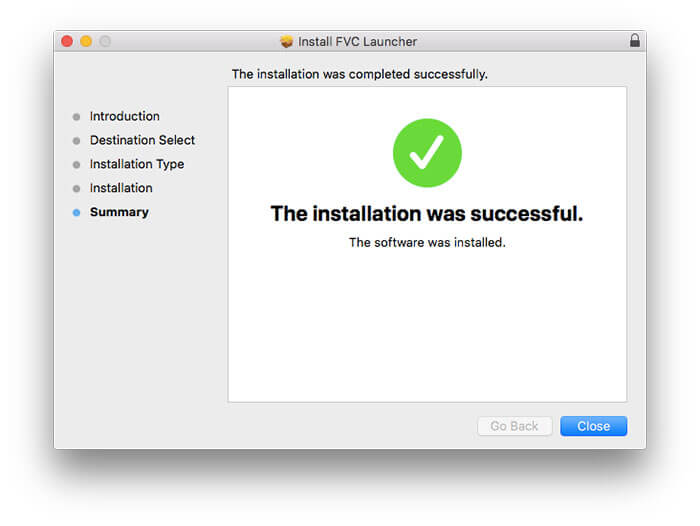
Vaihe 1: Avaa tämä ilmainen videonpakkausohjelma verkossa. Napsauta Add Files to Compress asentaaksesi käynnistysohjelman.
Vaihe 2: Selaa ja lisää AVI‑videosi. Saat käyttöösi yksinkertaisen ja intuitiivisen käyttöliittymän AVI‑pakkausta varten.
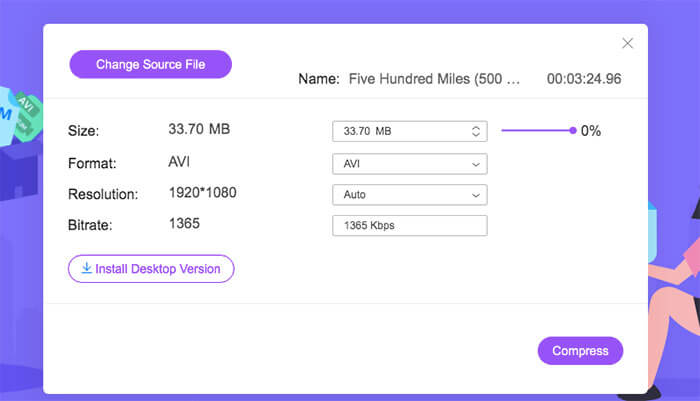
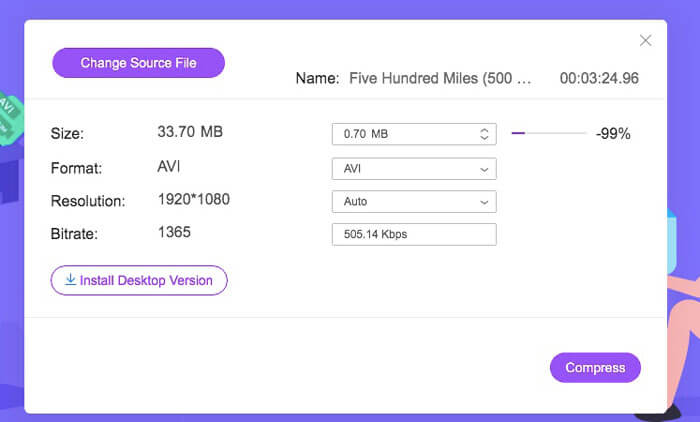
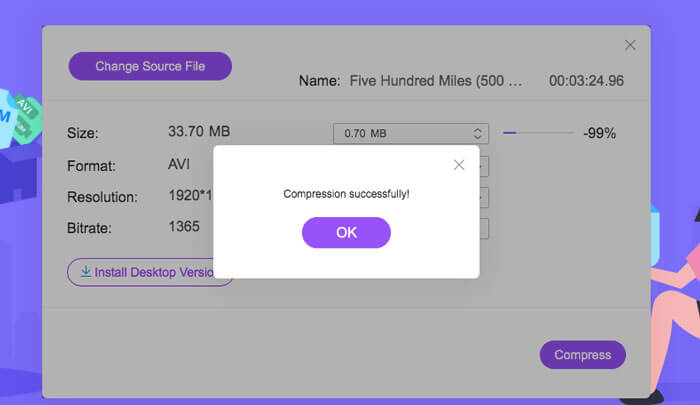
Vaihe 3: Size-kohdassa voit pienentää AVI‑videon kokoa siirtämällä vieressä olevaa liukusäädintä. Voit myös määrittää pakatun AVI‑videon koon käyttämällä Upside- ja Downside-nuolia.
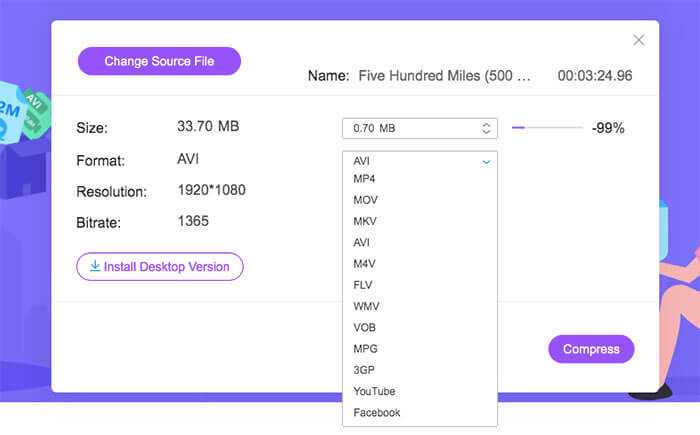
Vaihe 4: Avaa Format-luettelo. Voit pakata AVI:n muotoon MP4, MOV ja jopa YouTube- ja Facebook‑formaatteihin. Valitse sen jälkeen yksi Resolution-profiili AVI‑tiedoston koon pienentämiseksi.
Vaihe 5: Napsauta Compress ja määritä tulostuskansio. Kun Compression successfully ‑ilmoitus tulee näkyviin, saat pakatun AVI‑videosi.
Osa 2: Kuinka pakata AVI-videoita Windowsiin
Voit pakata AVI-videon Windows 10/8/7: ssä ilmaiseksi, voit käyttää toista vaihtoehtoa. Windows Movie Maker voi pakata AVI-tiedoston Windows 10: ssä ja aiemmissa versioissa. Tee vain kuten seuraavissa kappaleissa näkyy.
Vaihe 1: Avaa Windows Movie Maker. Napsauta Import Video kohdassa Capture Video lisätäksesi AVI‑videosi.
Vaihe 2: Valitse tuotu AVI‑video. Vedä ja pudota se alareunassa olevalle Timeline-aikajanalle.
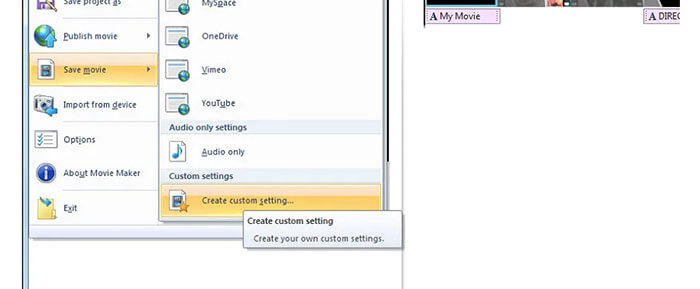
Vaihe 3: Napsauta Save Movie File ja create custom settings File-luettelosta.
Vaihe 4: Video settings -kohdassa voit säätää videon leveyttä, korkeutta, bittinopeutta ja kuvanopeutta tehdäksesi AVI‑videosta pienemmän.
Vaihe 5: Napsauta Save pienentääksesi AVI‑videosi Windowsissa pienikokoiseksi tiedostoksi.
Osa 3: Kuinka pakata AVI-videotiedostot Maciin
iMovie voi olla myös ilmainen AVI-videokompressoriohjelmisto. Voit pakata .avi-videoita Maciin iMovien avulla ilmaiseksi. Lisäksi voit rajata mustia reunoja ja ei-toivottuja osia videokoon pienentämiseksi myös iMoviessa. IMoviessa on monia hyödyllisiä videoeditointi- ja pakkaustyökaluja.
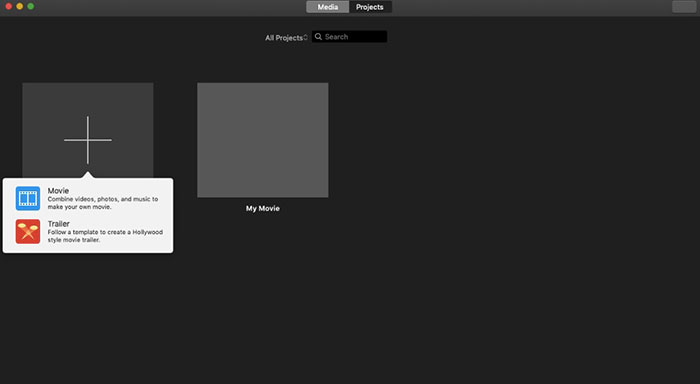
Vaihe 1: Käynnistä iMovie. Valitse New Movie File-pudotusvalikosta.
Vaihe 2: Luo uusi projekti pakatulle AVI‑videotiedostollesi.
Vaihe 3: Napsauta ylhäällä olevaa Import. Valitse ja lisää liian suuri AVI‑video iMovieen.
Vaihe 4: Avaa File-luettelo ja valitse Share ja sitten File…. Napsauta oikeassa yläkulmassa olevaa Export-kuvaketta ja valitse File.
Vaihe 5: Pienentääksesi AVI‑videon kokoa sinun tulee laskea videon resoluutiota ja laatuprofiileja. Napsauta Next ja sitten Save saadaksesi pakatun AVI‑tiedoston.
Osa 4: Usein kysytyt kysymykset AVI: n pakkaamisesta
Miksi AVI on niin iso?
Huomaat, että .avi-muotoiset tiedostot ovat yleensä suurempia kuin muut tiedostot. AVI käyttää vähemmän pakkausta video- ja äänitietojen tallentamiseen. Tai voit pitää AVI: tä häviöttömänä videoformaattina. Siksi AVI-tiedostot ovat aina suurikokoisia.
Kuinka pakata AVI After Effectsillä?
Lisää AVI‑videosi After Effectsiin. Siirry Composition-valikkoon. Valitse Add to Adobe Media Encoder Queue. Etsi Media Encoderissa projektitiedostosi renderöintimoottorista. Siirry oikean reunan Video- tai Audio-luetteloon. Muuta videon/äänen laatua, bittinopeutta ja muita yksityiskohtia. Näet arvioidun tiedostokoon oikeassa alakulmassa. Napsauta OK tallentaaksesi muutokset ja pienentääksesi AVI‑tiedoston kokoa After Effectsissä ilman laadun heikkenemistä.
Toimiiko AVI: n pakkaaminen MP4-muotoon?
Kyllä. Voit muuntaa ja pakata AVI:n MP4:ksi pienentääksesi videon kokoa huomattavasti. AVI on häviötön videoformaatti, kun taas MP4 on häviöllinen formaatti. Lisäksi voit säätää videoasetuksia AVI‑tiedoston pakkaamisen viimeistelemiseksi.
Voit käyttää yllä olevia työkaluja pakkaamaan AVI: n verkossa ja offline ilmaiseksi. Videon pituutta tai tiedostokokoa ei ole rajoitettu. Voit pienentää videon kokoa ja pakata AVI: n suoraan sähköpostiin, Twitteriin, Facebookiin ja muuhun. Muuten, jos sinun on pakattava AVI-tiedostot eräajona, FVC Free Video Compressorin käyttäminen on nopein ratkaisu. Voit pakata suuria AVI-tiedostoja verkossa erissä ilmaiseksi 30 kertaa nopeammin. Se on 100% ilmainen ja turvallinen käyttää kaikille käyttäjille.
-
 MKV vs MP4 - MKV: n ja MP4: n vertailu
 Kuinka valita MKV ja MP4? Mikä muoto on videon laadulle parempi muoto? Tässä artikkelissa teemme yksityiskohtaisen vertailun MKV vs MP4 auttaa sinua tekemään valinnan.
-
 Kuinka pakata MP4-video pienempään kokoon
 MP4-video on liian suuri lataamista varten? Haluatko pienentää videon kokoa? Tässä on 3 tehokasta tapaa pakata MP4-tiedosto pienempään kokoon ilman rajoituksia.
-
 MP3 VS MP4: Mikä ei ole ero MP3: n ja MP4: n välillä
 MP3 tai MP4, mikä on parempi? Mitä eroa on MP3: lla ja MP4: llä? Tässä artikkelissa verrataan MP3: ta MP4: ään kaikilla näkökohdilla, joita voit kuvata.
