


 Video Converter Ultimate
 Näytön tallennin
 Videon korjaus
 Suojattu lataus
5 parasta ilmaista M4A-pelaajaa M4A-tiedostojen toistamiseen Androidilla ja tietokoneella
Etkö voi avata M4A‑tiedostoja suoraan Android‑puhelimellasi? Etsitkö hyvää M4A‑soitinta Androidille tai tietokoneelle?
M4A on Applen äänitiedostomuoto, jota voi toistaa suoraan Mac‑ ja iOS‑laitteilla, kuten iPhonella, iPadilla ja iPodilla. Häviöttömänä äänimuotona M4A on MP3:een verrattuna parempi sekä pakkaustehokkuudessa että äänenlaadussa. Android ja Windows Media Player eivät kuitenkaan tue M4A‑tiedostoja.

Siksi tarvitset M4A‑soittimen, jotta voit kuunnella M4A‑ääniä Android‑puhelimellasi tai Windows‑tietokoneellasi. Tässä esittelemme sinulle 5 ilmaista M4A‑soitinta. Voit tutustua kunkin M4A‑soittimen pääominaisuuksiin ja valita sitten itsellesi sopivimman.
Osa 1. Paras ilmainen M4A-soitin tietokoneille - FVC Free Video Player
FVC Free Video Player on erittäin suosittu videoiden ja äänien toisto‑ohjelma, jonka avulla voit toistaa erilaisia M4A‑tiedostoja sekä Macilla että Windows‑tietokoneella. M4A:n lisäksi se tukee laajasti kaikkia yleisimpiä video‑ ja äänimuotoja, kuten MP4, MOV, AVI, MKV, FLV, RMVB, AAC, AC3, MP3, ALAC, FLAC ja monia muita.
Ilmainen latausWindows 7 tai uudempiTurvallinen lataus
Ilmainen latausmacOS 10.7 tai uudempiTurvallinen lataus
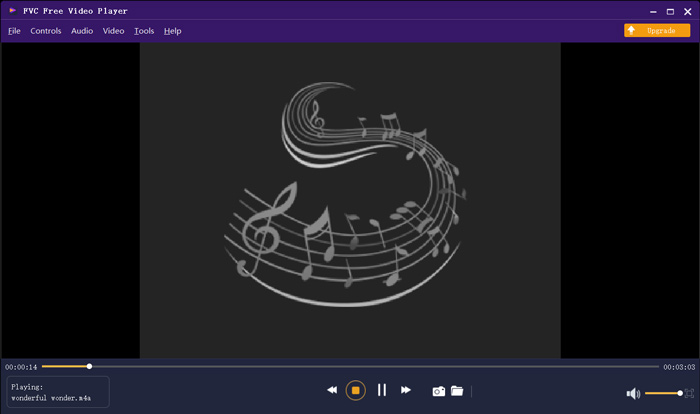
Tämä ilmainen M4A-soitin on suunniteltu uusimmilla äänen dekoodaustekniikoilla, kuten Dolby, DTS, AAC ja TrueHD. Voit saada upean äänitehosteen nauttiaksesi M4A-tiedostoistasi. Kun haluat toistaa M4A-tiedostoja tietokoneellasi, voit siirtyä tämän ilmaisen M4A-soittimen viralliselle sivustolle millä tahansa selaimella, kuten IE, Chrome, Firefox tai Safari.
Osa 2. Ilmainen Android M4A Player -sovellus - VLC Androidille
VLC Media Player on ilmainen ja avoimen lähdekoodin mediasoitin, jonka avulla voit toistaa M4A‑tiedostoja vaivattomasti. Siitä on eri versioita, joilla voit toistaa kaikenlaisia mediatiedostoja tietokoneella sekä Android‑ ja iOS‑laitteilla. Kun haluat kuunnella M4A‑ääniä Android‑puhelimellasi, voit siirtyä Google Playhin ja asentaa maksutta VLC for Android ‑sovelluksen.
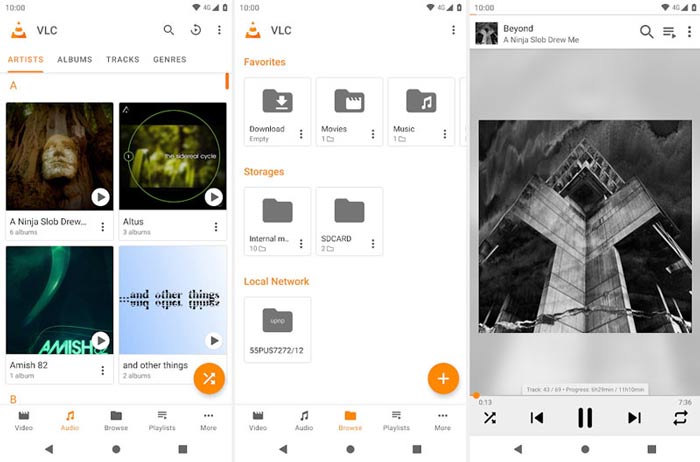
Tämä ilmainen M4A-soittinsovellus Androidille voi toistaa video- ja äänitiedostoja missä tahansa suositussa muodossa, kuten MP4, MOV, AVI, MP3, M4A, AAC ja paljon muuta. Se voi nopeasti skannata ja paikantaa kaikki laitteesi M4A-tiedostot, jopa SD-kortin. VLC-mediasoitin voi olla hyvä valinta, haluatko pelata M4A: ta Android- tai Windows-tietokoneella.
Osa 3. Oletus M4A Player for Mac and PC - iTunes
iTunes voi olla sinulle tuttu sovellus, jos käytät iOS‑laitteita tai Macia. Tiedätkin ehkä, että kaikki iTunesista ostamasi musiikki ja äänitiedostot ovat M4A‑muodossa. iTunes voi toimia Macin oletus‑M4A‑soittimena. iTunesista on tarjolla myös Windows‑versio, jonka avulla voit toistaa M4A‑tiedostoja PC:llä. iTunes ei ole kovin hyvä iOS‑datan hallintatyökalu, mutta se toimii ilmaisena M4A‑soittimena sekä Macilla että Windows‑tietokoneella.
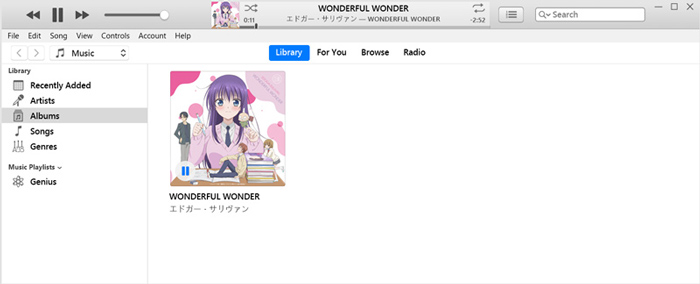
iTunesin avulla voit ostaa ja kuunnella M4A-musiikkia suoraan iTunes Storesta. Voit vetää ja pudottaa paikallisia M4A-tiedostoja iTunesiin toistoa varten. Valitse vain M4A-ääni ja napsauta pelikuvaketta pelin aloittamiseksi.
Osa 4. M4A Player Androidille ja Windowsille - KMPlayer
KMPlayer on yksi suosituimmista musiikkisoitinsovelluksista, jolla voit helposti toistaa M4A‑tiedostoja. Se tarjoaa sekä tietokone‑ että mobiilisovellukset M4A‑äänen toistoon. Ilmaisena M4A‑soittimena se ei näytä mainoksia, jotka häiritsisivät kuuntelua. M4A:n lisäksi KMPlayer tukee myös monia 4K‑ ja HD‑videomuotoja sekä häviöttömiä ääniformaatteja.
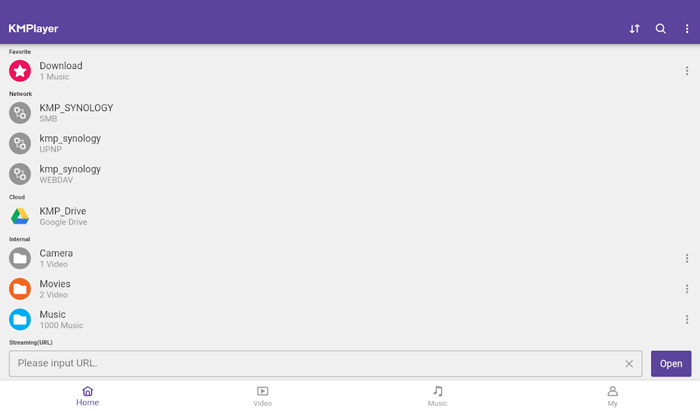
KMPlayer antaa yksinkertaisen tavan luoda musiikki- ja elokuvasoittolistojasi. Tehokkaana M4A-soitinsovelluksena sen avulla voit toistaa M4A-musiikkia ja Google Driveen tallennettua sisältöä. Se on suunniteltu erinomaisella hakutoiminnolla, jotta voit helposti löytää haluamasi musiikin ja videot.
Osa 5. Online M4A Player - TimeStretch Player
TimeStretch Player on helppokäyttöinen verkkopohjainen äänisoitin, jonka avulla voit toistaa M4A‑ääniä korkealla äänenlaadulla. Se tukee useita ääniformaatteja, kuten MP3, M4A ja OGG. Verkkopohjaisena M4A‑soittimena se on varustettu pelkistetyllä käyttöliittymällä. Voit vain napsauttaa Open Track ‑painiketta ladataksesi M4A‑tiedostosi toistoa varten.
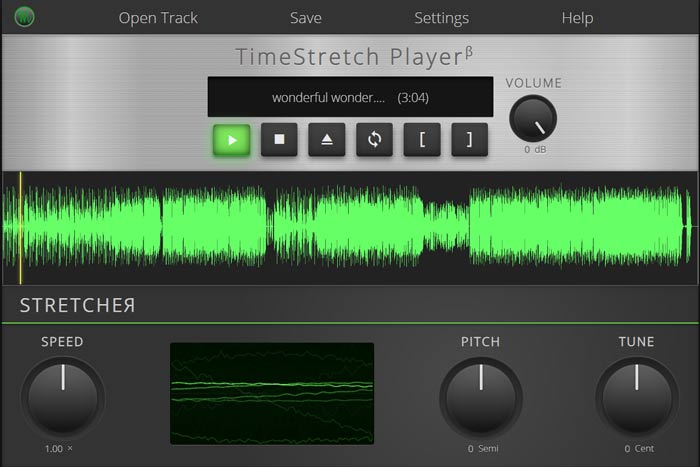
M4A-pelaamista varten sinulle annetaan täysi hallinta. Voit vapaasti säätää soittonopeutta, sävelkorkeutta, äänenvoimakkuutta ja viritystä tarpeen mukaan. Toisto-ominaisuuden lisäksi tämän online-M4A-soittimen avulla voit muuntaa äänitiedoston suosittuun muotoon, kuten MP3.
Osa 6. M4A Playerin usein kysytyt kysymykset
Kysymys 1. Onko iPhonessa sisäänrakennettu M4A-soitinsovellus?
M4A on Apple-laitteiden alkuperäinen äänimuoto. Voit avata M4A-tiedoston suoraan iPhonen Music-sovelluksella.
Kysymys 2. Kuinka muuntaa M4A ilmaiseksi MP3-muotoon?
Kun haluat muuntaa M4A:n MP3:ksi, voit käyttää suosittua äänimuunninta, Free Online Audio Converter ‑palvelua. Sen avulla voit tehdä M4A–MP3‑muunnoksen ilman äänenlaadun heikkenemistä.
Kysymys 3. Onko M4A hyvälaatuista?
Joo. Häviöttömänä äänimuotona M4A ja ALAC-koodekki voivat tarjota korkean äänenlaadun. Se voi tuottaa paremman äänenlaadun kuin MP3 samalla bittinopeudella.
Johtopäätös
Jos käytät Windowsia tai Androidia, saatat kohdata ongelman, ettei M4A‑tiedostoja voi toistaa. Tämän artikkelin luettuasi saat käyttöösi 5 parasta ilmaista M4A‑soitinta, joilla voit nauttia M4A‑musiikistasi korkealla laadulla. Jos sinulla on jokin parempi M4A‑soitin suositeltavaksi, jaa se kommenteissa muiden lukijoiden kanssa.
-
 Kuinka muuntaa M4A MP3: ksi 4 ilmaisella äänimuuntimella
 Et voi toistaa M4A: ta ja täytyy muuntaa se MP3: ksi? Onko olemassa mitään ilmaista tapaa muuntaa M4A MP3: ksi verkossa? Tämä viesti jakaa 4 ilmaista tapaa auttaa muuntamaan M4A MP3: ksi iTunesin, online- ja ammattimaisten äänimuuntimien avulla.
-
 MP3-soittimen lataus - 10 parasta ilmaista MP3-musiikkisoitinta vuodelta 2021
 Mikä on paras MP3-musiikkisoitin? Kuinka laitan musiikkia MP3-soittimeen? Kuinka saada MP3-musiikkisoitin lataamaan? Tämä viesti antaa sinulle yksityiskohtaisen katsauksen 10 parhaasta ilmaisesta MP3-soittimesta Windows PC: lle ja Macille.
-
 Hanki paras MP4-soitin toistamaan MP4-tiedostoja korkealla visuaalisella laadulla
 Lue ja hanki paras MP4-soitin 10 uusimman MP4-videosoitinohjelmiston suosituksista. Voit toistaa MP4-videotiedostoja Windowsissa ja Macissa sujuvasti ilman viivettä.
